
1. Introduction
Welcome to the NIVIAN NVS-RC2 Wireless Remote Control user manual. This guide provides essential information for the proper installation, operation, and maintenance of your remote control. This device is designed to enhance the management of your compatible NIVIAN alarm system, offering convenient control over its various functions.
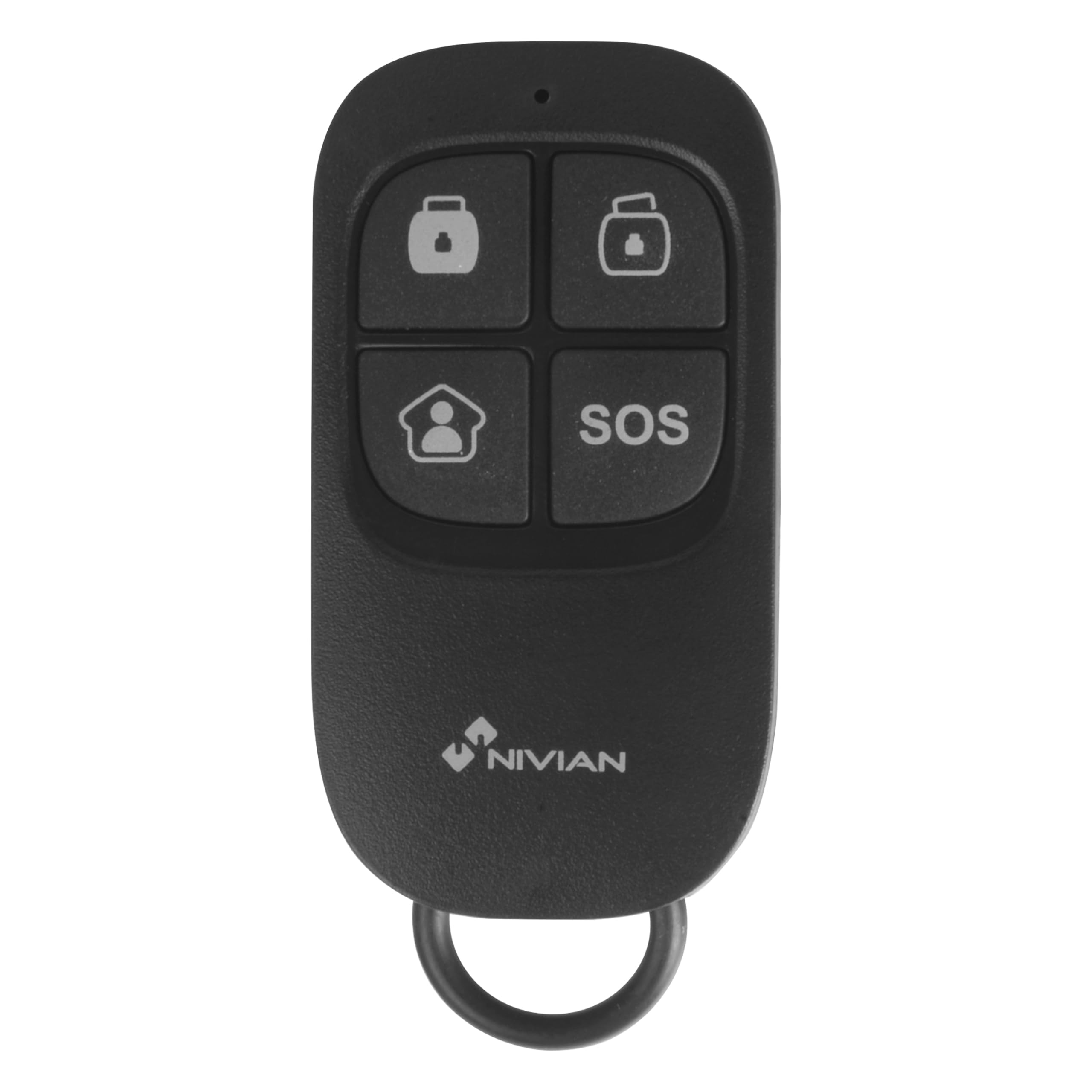
Image 1.1: The NIVIAN NVS-RC2 Wireless Remote Control.
2. Product Overview
The NIVIAN NVS-RC2 is a compact, multi-function wireless remote control for compatible NIVIAN alarm systems. It features four distinct buttons for quick access to key alarm functions.
Key Features:
- Wireless operation up to 80 meters in open space.
- Four function buttons: Arm, Disarm, Partial Arm, and SOS (Panic).
- Powered by a single CR2025 3V battery.
- Compact design, suitable for carrying on a keychain.

Image 2.1: Features of the NIVIAN NVS-RC2 Remote Control.

Image 2.2: Button functions on the NIVIAN NVS-RC2 Remote Control.
3. Setup
3.1 Battery Installation
- Locate the battery compartment on the back of the remote control.
- Carefully open the compartment cover.
- Insert one CR2025 3V battery, ensuring the correct polarity (+/-).
- Close the battery compartment cover securely.
3.2 Pairing with Alarm System
The NIVIAN NVS-RC2 remote control must be paired with a compatible NIVIAN alarm system. Refer to your specific NIVIAN alarm system's manual for detailed instructions on how to add new remote controls or accessories. Typically, this involves putting the alarm panel into a pairing mode and then activating the remote control.

Image 3.1: Remote control interacting with an alarm panel.
4. Operating Instructions
The remote control features four buttons, each corresponding to a specific alarm system function:
- Arm Button (Closed Lock Icon): Press this button to fully arm your alarm system. All sensors will be active.
- Disarm Button (Open Lock Icon): Press this button to disarm your alarm system. All sensors will be deactivated.
- Partial Arm Button (House Icon): Press this button to partially arm your alarm system. This mode typically activates perimeter sensors while allowing movement within the property. Refer to your alarm system's manual for specific partial arming zone configurations.
- SOS Button (SOS Text): Press and hold this button for a few seconds to activate the emergency (panic) function. This will trigger the alarm immediately, regardless of the system's arming status. Use this function only in emergency situations.
5. Maintenance
5.1 Battery Replacement
When the remote control's range decreases or it becomes unresponsive, the CR2025 3V battery may need replacement. Follow the battery installation steps outlined in the "Setup" section.
5.2 Cleaning
Clean the remote control with a soft, dry cloth. Avoid using abrasive cleaners or solvents, as these can damage the device.
5.3 Storage
Store the remote control in a dry place, away from extreme temperatures and direct sunlight.
6. Troubleshooting
- Remote not responding:
- Check the battery. Replace it if necessary.
- Ensure the remote is within the operational range (up to 80 meters in open space) of the alarm system.
- Verify that the remote is properly paired with your alarm system. Refer to your alarm system's manual for pairing instructions.
- Reduced range:
- Replace the battery.
- Ensure there are no significant obstructions (thick walls, metal objects) between the remote and the alarm panel.
- Avoid sources of strong radio interference.
- SOS button accidentally activated:
- Immediately disarm your alarm system using the disarm button on the remote or the alarm panel.
7. Specifications
| Feature | Detail |
|---|---|
| Model Number | NVS-RC2 |
| Brand | NIVIAN |
| Power Supply | 1 x CR2025 3V Battery (included) |
| Frequency | 433 MHz |
| Transmission Distance | Up to 80 meters (open space) |
| Current Consumption (Transmission) | ≤ 7 mA |
| Dimensions (L x W x H) | 57 x 31 x 11 mm (2.24 x 1.22 x 0.43 inches) |
| Weight | 30 Grams (approx.) |
| Number of Buttons | 4 |
| Connectivity Technology | Wireless (433 MHz) |
| Compatible Devices | NIVIAN Alarm Systems |

Image 7.1: Example of a NIVIAN alarm system setup with various components.
8. Warranty and Support
8.1 Warranty
The NIVIAN NVS-RC2 remote control typically comes with a 1-year warranty for spare parts availability. For specific warranty terms and conditions, please refer to the documentation provided with your alarm system or contact NIVIAN customer support.
8.2 Customer Support
For technical assistance, troubleshooting, or inquiries regarding your NIVIAN NVS-RC2 remote control or compatible alarm system, please visit the official NIVIAN website or contact their customer service department. Contact information can usually be found on the product packaging or the main alarm system manual.

