
1. Introduction
This manual provides essential information for the safe and efficient operation of your Green Cell 1500W/3000W Pure Sine Wave Car Power Inverter. This device converts 12V DC power from your vehicle's battery into 230V AC power, suitable for a wide range of electronic devices. It delivers a continuous output of 1500W and a peak power of 3000W. Please read this manual thoroughly before use and retain it for future reference.
2. Safety Instructions
Always observe the following safety precautions to prevent injury or damage to the inverter and connected devices:
- Do not open the inverter casing. There are no user-serviceable parts inside.
- Ensure proper ventilation around the inverter. Do not block cooling vents.
- Keep the inverter away from water, moisture, and flammable materials.
- Connect the inverter only to a 12V DC power source. Connecting to a 24V or higher source will damage the unit.
- Ensure the total power consumption of connected devices does not exceed the inverter's continuous output rating (1500W).
- Always connect the inverter to the battery terminals using the provided cables. For power exceeding 150W, avoid using the cigarette lighter socket.
- Disconnect the inverter from the power source when not in use.
- This inverter produces a pure sine wave output, making it suitable for sensitive electronics like laptops, medical equipment, and power tools.
3. Package Contents
Verify that all items are present in the package:
- Green Cell 1500W/3000W Pure Sine Wave Car Power Inverter
- Connection Cables (for battery terminals)
- Spare Fuses
- User Manual

Image: The Green Cell inverter shown with its included accessories, including connection cables and fuses.
4. Product Overview
Familiarize yourself with the components of your inverter:

Image: Detailed diagram showing the front and rear panels of the Green Cell inverter, highlighting key components.
- AC Output Sockets: Two standard 230V AC sockets for connecting electrical appliances.
- USB Port: For charging smaller devices like smartphones and tablets.
- On/Off Button: Powers the inverter on or off.
- Indicator Lights: Provide status information (e.g., power, fault).
- Ground Wire Screw: For attaching a ground wire for added safety.
- DC Input Terminals: Positive (+) and Negative (-) terminals for connecting to the 12V battery.
- Cooling Fans: Integrated smart cooling system to maintain optimal operating temperature and ensure quiet operation.

Image: Close-up view of the inverter's rear panel, showcasing the smart cooling fans for efficient heat dissipation.
5. Setup
Follow these steps to properly set up your inverter:
- Placement: Choose a dry, well-ventilated location for the inverter, away from direct sunlight, heat sources, and flammable materials. Ensure sufficient space around the unit for airflow.
- Battery Connection:
- Ensure the inverter is switched OFF.
- Connect the red cable to the positive (+) terminal of the inverter and then to the positive (+) terminal of the 12V battery.
- Connect the black cable to the negative (-) terminal of the inverter and then to the negative (-) terminal of the 12V battery.
- Ensure all connections are tight and secure. Loose connections can cause overheating and damage.
- Grounding (Optional but Recommended): For enhanced safety, connect a ground wire from the inverter's ground screw to a suitable vehicle chassis ground point.

Image: The Green Cell inverter connected to a power source, illustrating its pure sine wave output capability for sensitive devices.
6. Operating Instructions
To operate your Green Cell inverter:
- Power On: After securing all connections, press the On/Off button on the inverter. The power indicator light should illuminate.
- Connect Devices: Plug your 230V AC appliances into the inverter's AC output sockets. For charging smaller devices, use the USB port.
- Monitor Power: Ensure the total power draw of all connected devices does not exceed 1500W. Overloading the inverter can trigger safety protections or cause damage.
- Power Off: When finished, first switch off all connected appliances, then press the On/Off button on the inverter to power it down.

Image: A Green Cell inverter actively charging a laptop inside a vehicle, demonstrating its practical application.
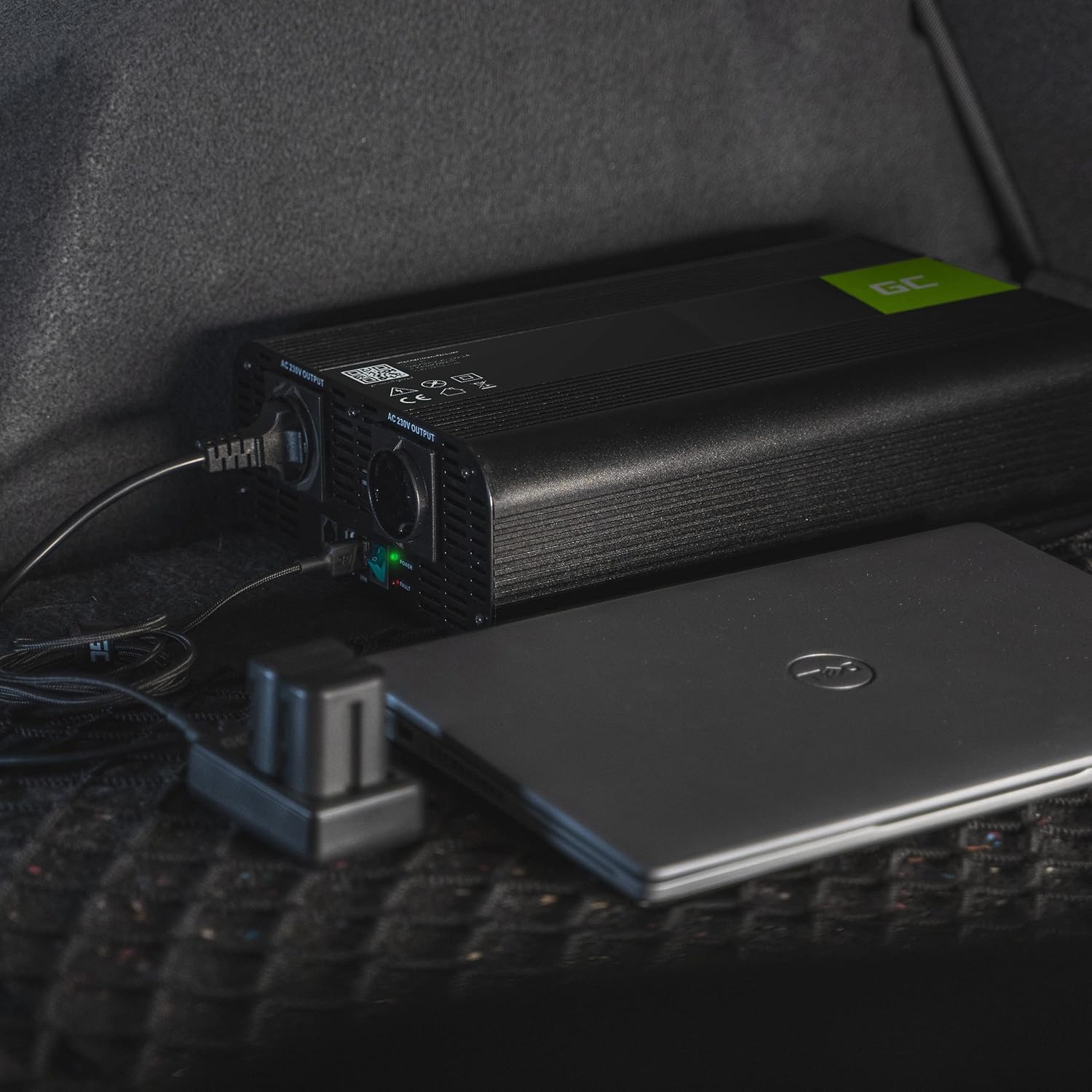
Image: The Green Cell inverter positioned in a car, providing power to a laptop, highlighting its utility for mobile power needs.

Image: A collage showing various outdoor and remote scenarios where the Green Cell inverter can provide power, such as camping and off-road travel.
7. Maintenance
Proper maintenance ensures the longevity and performance of your inverter:
- Cleaning: Periodically clean the exterior of the inverter with a dry, soft cloth. Do not use liquid cleaners or solvents.
- Ventilation: Regularly check that the cooling vents are free from dust and debris. Use compressed air to clear any blockages.
- Connections: Periodically inspect battery connections for corrosion or looseness. Clean terminals if necessary and ensure connections are tight.
- Storage: When not in use for extended periods, store the inverter in a cool, dry place.
8. Troubleshooting
Refer to the table below for common issues and their solutions:
| Problem | Possible Cause | Solution |
|---|---|---|
| No power output | Inverter is off Loose battery connections Low battery voltage Overload protection activated Blown fuse | Press On/Off button Check and tighten connections Recharge or replace battery Reduce load, restart inverter Replace fuse (refer to spare fuses) |
| Inverter shuts down | Overload Overheating Low battery voltage | Reduce load Ensure proper ventilation, allow to cool Recharge battery |
| Connected device not working | Device is faulty Device power exceeds inverter capacity | Test device with another power source Check device power requirements |
If the problem persists after attempting these solutions, please contact Green Cell customer support.
9. Specifications
Technical details for the Green Cell INV22 Inverter:
| Feature | Specification |
|---|---|
| Brand | Green Cell |
| Model Name | INV22 |
| Input Voltage | 12V DC |
| Output Voltage | 230V AC |
| Continuous Output Power | 1500W |
| Peak Output Power | 3000W |
| Output Waveform | Pure Sine Wave |
| Frequency | 50 Hz |
| Total Power Ports | 2 AC outlets + 1 USB port |
| Product Dimensions (L x W x H) | 33 cm x 18.5 cm x 8 cm |
| Item Weight | 3400 grams |
| Certifications | CE, RoHS |
| Recommended Uses | Camping, road trips, power outages, off-grid applications |
10. Warranty and Support
The Green Cell INV22 Inverter comes with a 1-year spare part availability period in the European Union. For warranty claims, technical support, or further inquiries, please visit the official Green Cell website or contact your retailer.
Official Website: greencell.pl

Image: The Green Cell inverter highlighting its robust design and safety features, ensuring protection for both the device and connected electronics.


