
Introduction
Thank you for choosing the Green Cell 3000W/6000W 24V to 230V Pure Sine Wave Power Inverter. This device converts 24V DC battery power into 230V AC household power, allowing you to operate various electrical appliances from your vehicle or solar system. This manual provides essential information for safe and efficient operation, installation, and maintenance of your inverter. Please read it thoroughly before use.

Image: Green Cell 3000W Pure Sine Wave Power Inverter, showing its robust black casing and green branding.
Safety Instructions
Always observe the following safety precautions to prevent injury or damage to the inverter and connected devices.
- Do not open the inverter casing. High voltages are present inside.
- Do not expose the inverter to water, rain, snow, or spray.
- Do not operate the inverter near flammable materials or in environments with flammable fumes or gases.
- Ensure adequate ventilation around the inverter to prevent overheating.
- Connect the inverter only to a 24V DC power source. Connecting to a 12V source will not work, and connecting to a higher voltage source can cause damage.
- Ensure the total wattage of connected AC devices does not exceed the inverter's continuous power rating (3000W) or peak power rating (6000W) for short durations.
- Always connect the ground wire properly.
- Keep children away from the inverter.
- Disconnect the inverter from the battery before performing any maintenance or cleaning.

Image: Green Cell inverter emphasizing safety features, indicating a robust design for protection.
Product Features
- Pure Sine Wave Output: Provides stable power suitable for sensitive electronics, similar to household electricity.
- High Power Output: 3000W continuous power, with a peak power of 6000W for demanding loads.
- 24V DC to 230V AC Conversion: Ideal for vehicles, caravans, and solar systems.
- USB Charging Port: Convenient for charging smartphones and tablets.
- Advanced Cooling System: Ensures quiet operation and high performance.
- Multiple Safety Protections: Designed to protect both the inverter and connected devices.

Image: Diagram illustrating the pure sine wave output of the inverter, suitable for sensitive devices.

Image: The Green Cell inverter depicted in diverse outdoor settings, including a van, a jeep, and a camping tent, highlighting its utility for portable power.
Setup and Installation
Package Contents:
- Green Cell 3000W/6000W Pure Sine Wave Power Inverter
- Connection Cables (Red for Positive, Black for Negative)
- Spare Fuses
- User Manual (this document)

Image: The Green Cell inverter shown with its included accessories: battery connection cables and spare fuses.
Connecting the Inverter:
- Choose a Location: Select a dry, well-ventilated area away from direct sunlight, heat sources, and flammable materials. Ensure sufficient space for cooling fans.
- Grounding: Connect the inverter's grounding terminal to a proper earth ground (e.g., vehicle chassis or dedicated ground rod) using a suitable gauge wire. This is crucial for safety.
- Battery Connection:
- Ensure the inverter is switched OFF.
- Connect the RED positive (+) cable to the inverter's positive (+) DC input terminal.
- Connect the other end of the RED cable to the positive (+) terminal of your 24V battery.
- Connect the BLACK negative (-) cable to the inverter's negative (-) DC input terminal.
- Connect the other end of the BLACK cable to the negative (-) terminal of your 24V battery.
- Ensure all connections are tight and secure. Loose connections can cause overheating and damage.
- Powering On: Once all connections are secure, switch the inverter ON using the power button. The indicator light should illuminate.

Image: Detailed diagram of the inverter's front and rear panels, labeling AC outputs, USB port, On/Off button, grounding screw, DC input terminals, and cooling fans.
Operating Instructions
Connecting AC Devices:
- Ensure the inverter is ON and the indicator light is green.
- Plug your 230V AC appliance into one of the AC output sockets on the inverter.
- For charging smaller devices, use the USB port.
- Monitor the total power consumption of your devices to stay within the inverter's limits.

Image: The Green Cell inverter in use, powering a laptop and charging a smartphone inside a vehicle.
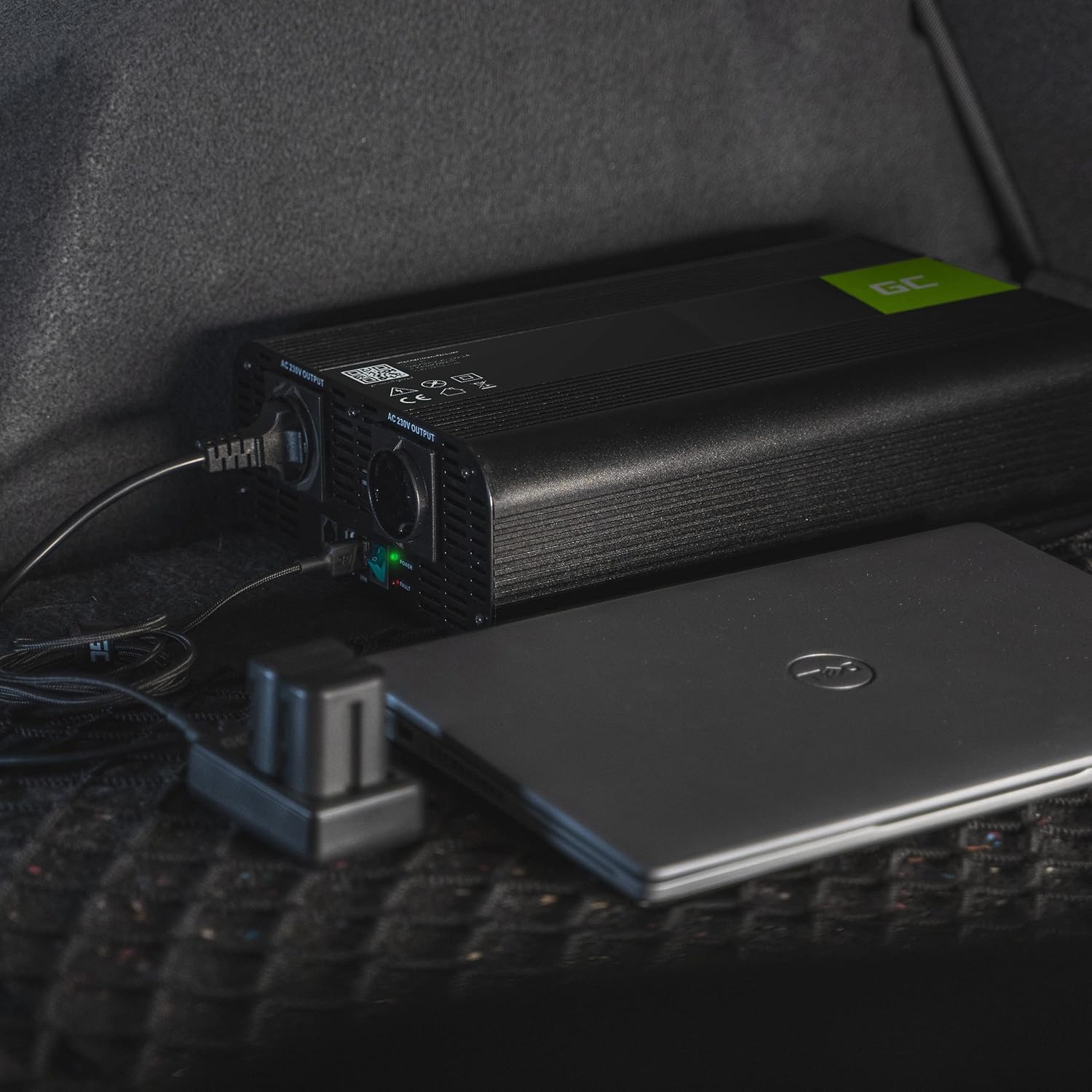
Image: The Green Cell inverter placed in a car trunk, connected and powering a laptop, demonstrating portable power.
Understanding Indicators:
- Green LED: Inverter is operating normally.
- Red LED / Alarm: Indicates a fault condition (e.g., overload, low battery, overheating). The inverter may shut down automatically.
Cooling System:
The inverter features a smart cooling system with integrated fans that activate automatically when needed to maintain optimal operating temperature and ensure high performance.

Image: Close-up view of the inverter's rear panel, highlighting the dual cooling fans for efficient heat dissipation.
Maintenance
- Cleaning: Periodically clean the exterior of the inverter with a dry, soft cloth. Ensure ventilation openings are free from dust and debris. Do not use liquid cleaners.
- Connections: Regularly check all electrical connections (battery terminals, grounding wire) to ensure they are tight and free from corrosion.
- Storage: When not in use for extended periods, store the inverter in a cool, dry place. Disconnect it from the battery.
- Fuses: The inverter is equipped with internal fuses. If a fuse blows, it indicates an overload or short circuit. Replace only with fuses of the same type and rating. Consult a qualified technician if fuses blow repeatedly.
Troubleshooting
| Problem | Possible Cause | Solution |
|---|---|---|
| No power output, inverter off. |
|
|
| Inverter shuts down, red LED on/alarm sounds. |
|
|
| Connected appliance not working. |
|
|
Specifications
| Feature | Detail |
|---|---|
| Brand | Green Cell |
| Model Name | Green Cell PRO |
| Input Voltage | 24 Volts DC |
| Output Voltage | 230 Volts AC |
| Continuous Output Power | 3000 Watts |
| Peak Output Power | 6000 Watts |
| Output Waveform | Pure Sine Wave |
| Product Dimensions (L x W x H) | 33 x 18.5 x 8 cm |
| Included Components | Cables, Fuses |
Warranty and Support
Green Cell products are covered by a manufacturer's warranty. For specific warranty terms and conditions, please refer to the documentation included with your purchase or visit the official Green Cell website.
For technical support, troubleshooting assistance, or warranty claims, please contact Green Cell customer service through their official website or the retailer where you purchased the product.
Official Green Cell Website: greencell.pl


