
1. Introduction
Thank you for purchasing the MAX KM01 Bluetooth Karaoke Microphone. This device combines a microphone, speaker, and MP3 player into one portable unit, designed for an enjoyable karaoke experience. Please read this manual carefully before use to ensure proper operation and to maximize the product's lifespan.

Image 1.1: MAX KM01 Bluetooth Karaoke Microphone, showcasing its sleek design.
2. Product Features
- All-in-one karaoke experience: The MAX KM01 Bluetooth microphone combines a microphone, speaker, MP3 player, and LED light show, offering an ultimate karaoke experience.
- Wireless and Bluetooth enabled: Effortlessly connect the karaoke microphone to any Bluetooth device, such as smartphones or tablets, for hours of wireless entertainment.
- Fun LED light show: Features vibrant built-in LED lights that pulse to the rhythm of your voice, creating an immersive experience.
- Integrated MP3 player: Allows you to load your favorite tracks directly via USB or TF card for a complete karaoke experience without additional equipment.
- Compact and portable design: Lightweight and easy to carry, suitable for children and adults for parties, gatherings, or home use.
- Echo Function: Enhance your vocals with adjustable echo effects.
- Voice Changer: Experiment with different voice effects for added fun.
- Recording Function: Record your performances for playback.
- Selfie Function: Integrated button to trigger your phone's camera shutter.
3. Package Contents
Please check the package for the following items:
- MAX KM01 Bluetooth Karaoke Microphone
- USB Charging Cable
- User Manual
4. Controls and Ports Overview
Familiarize yourself with the buttons and ports on your MAX KM01 microphone.
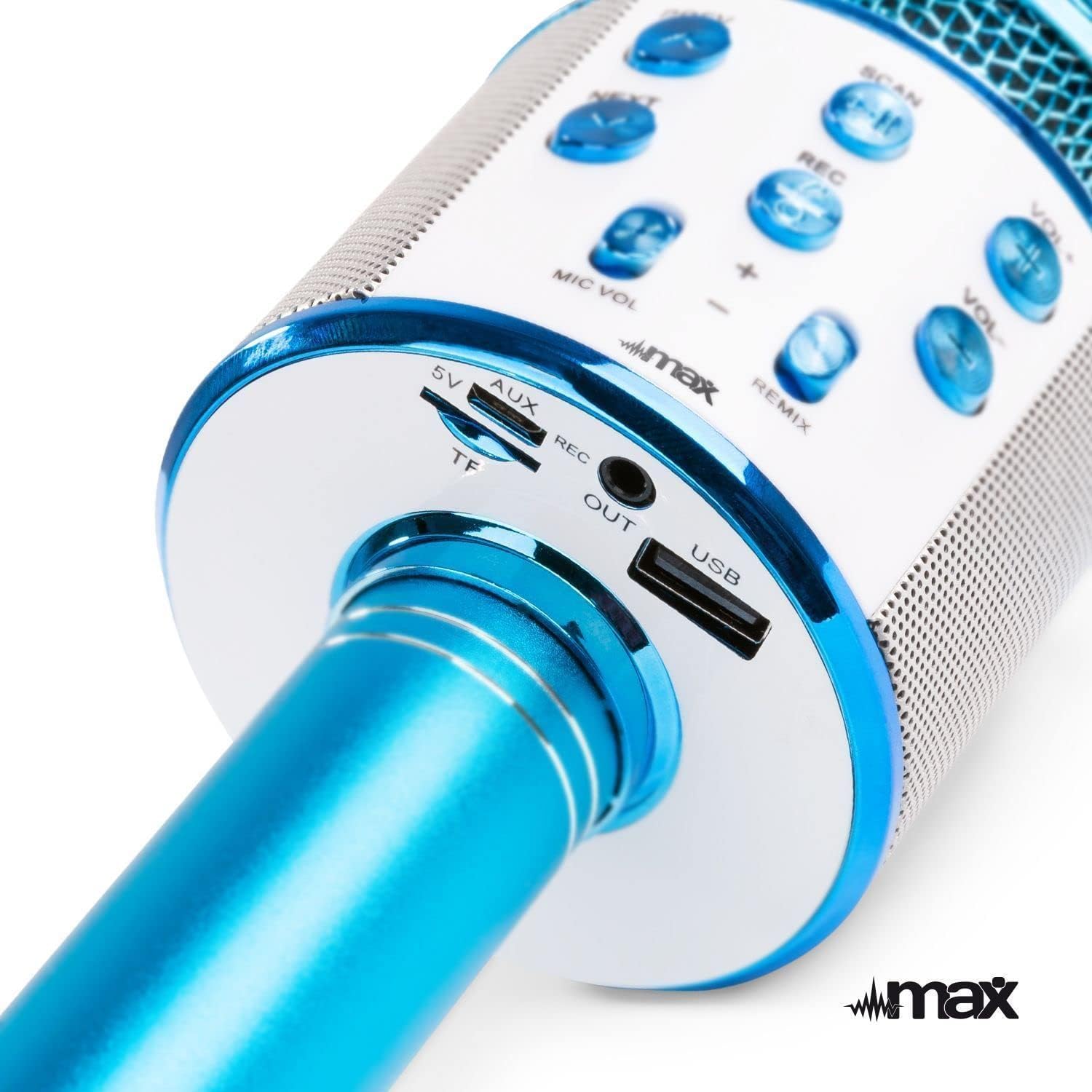
Image 4.1: Top view of the microphone's control panel.
- PREV: Short press for previous track.
- NEXT: Short press for next track.
- SCAN / Play/Pause: Short press to play/pause music. Long press to activate selfie function.
- REC: Short press to start/stop recording.
- VOL+: Increase music volume.
- VOL-: Decrease music volume.
- MIC VOL +/-: Adjust microphone volume.
- REMIX (Echo): Adjust echo effect level.
- Power Button: Long press to power on/off. Short press to switch modes (Bluetooth, MP3, FM).

Image 4.2: Bottom view of the microphone's input/output ports.
- 5V (Micro USB): Charging port.
- TF (Micro SD Card Slot): Insert a TF card for MP3 playback.
- AUX OUT: Audio output port to connect to external speakers or headphones.
- USB: USB port for MP3 playback from a USB drive.
5. Charging the Microphone
The MAX KM01 microphone is powered by a built-in rechargeable Lithium-ion battery.
- Connect the supplied USB charging cable to the 5V (Micro USB) port on the microphone.
- Connect the other end of the USB cable to a USB power adapter (not included) or a computer's USB port.
- The LED indicator will illuminate during charging and turn off once fully charged.
- A full charge typically takes 2-3 hours.
Note: Do not use damaged charging cables or chargers.
6. Setup and Connection
6.1 Powering On/Off
- To Power On: Long press the Power button until the LED lights illuminate and you hear a power-on prompt.
- To Power Off: Long press the Power button again until the LED lights turn off and you hear a power-off prompt.
6.2 Bluetooth Pairing
Connect your smartphone or tablet to the microphone wirelessly.
- Ensure the microphone is powered on and in Bluetooth mode (indicated by a flashing blue LED or voice prompt). If not, short press the Power button to cycle modes.
- Enable Bluetooth on your device (smartphone, tablet, etc.).
- Search for "KM01" in the list of available Bluetooth devices.
- Select "KM01" to pair. You will hear a confirmation sound once successfully connected.
- Once paired, you can play music from your device through the microphone's speaker.
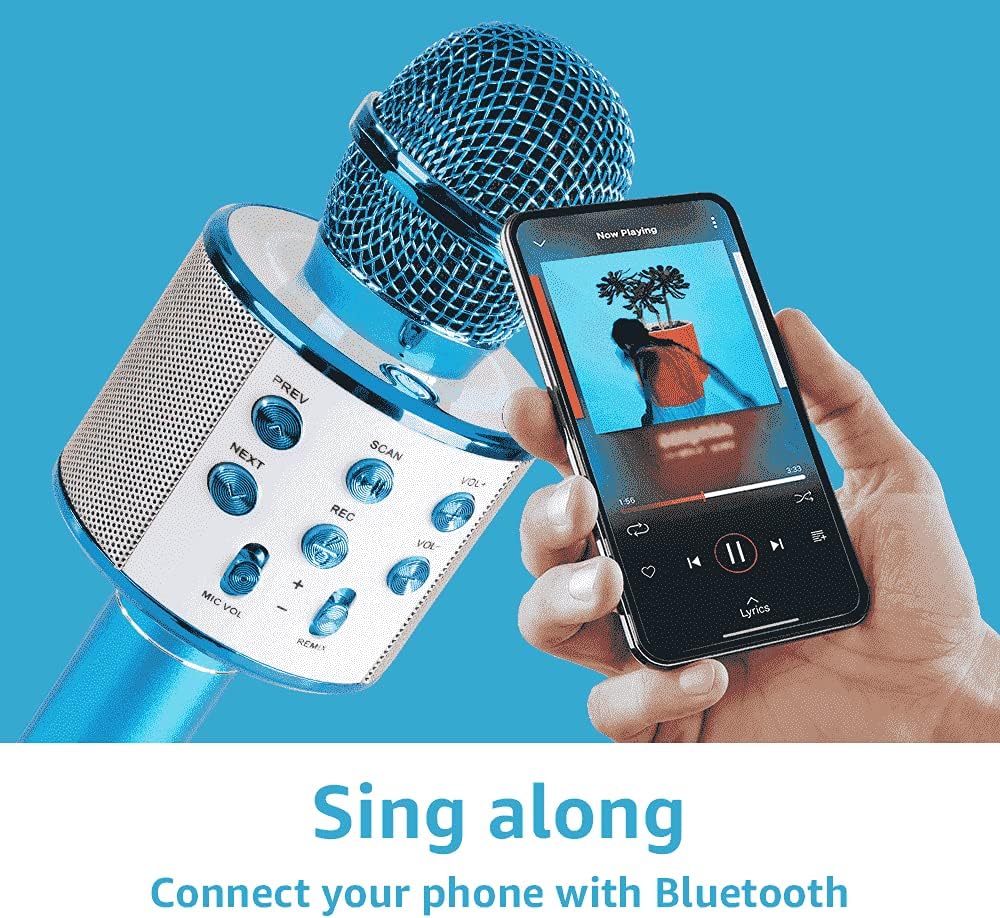
Image 6.1: Connecting the microphone to a smartphone via Bluetooth.
6.3 Using USB/TF Card for MP3 Playback
Play music directly from a USB flash drive or TF (Micro SD) card.
- Insert a USB flash drive or TF card (pre-loaded with MP3 music files) into the respective port on the microphone.
- The microphone will automatically switch to MP3 mode and begin playing music. If not, short press the Power button to cycle modes until you hear the MP3 mode prompt.
- Use the PREV and NEXT buttons to navigate tracks, and VOL+ / VOL- to adjust music volume.
7. Operating the Microphone
7.1 Singing and Karaoke
Once connected via Bluetooth or playing from a USB/TF card, you can start singing along.
- Hold the microphone close to your mouth for optimal sound pickup.
- Adjust your microphone volume using the MIC VOL +/- sliders.
- Adjust the music volume using the VOL+ / VOL- buttons.
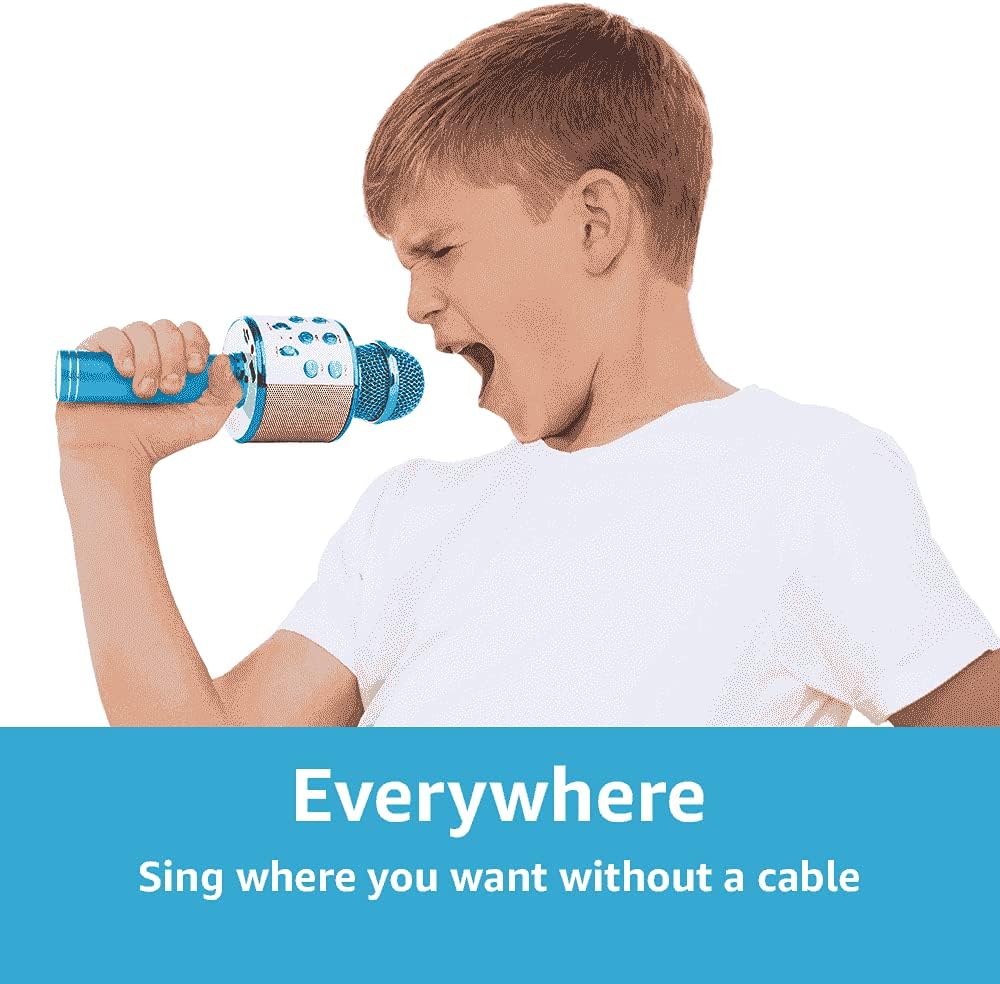
Image 7.1: The portable design allows for singing anywhere without cables.
7.2 Echo Function (REMIX)
Add a professional touch to your vocals with the adjustable echo effect.
- Use the REMIX slider to increase or decrease the echo intensity.

Image 7.2: Adjusting the echo (REMIX) function for enhanced vocals.
7.3 Recording Function
Record your singing performances directly to a connected smartphone (via Bluetooth) or to a USB/TF card.
- Ensure a storage device (smartphone, USB, or TF card) is connected.
- Short press the REC button to start recording.
- Short press the REC button again to stop recording.
- Recordings are typically saved in MP3 format.

Image 7.3: The REC button for recording your performances.
7.4 Selfie Function
Use the microphone as a remote shutter for your smartphone camera.
- Ensure the microphone is connected to your smartphone via Bluetooth.
- Open your smartphone's camera application.
- Long press the REC button on the microphone to trigger the camera shutter.

Image 7.4: Using the microphone's selfie function.
7.5 LED Lights
The integrated LED lights provide a dynamic visual effect that pulses with the music and your voice. These lights activate automatically when the microphone is powered on.
8. Troubleshooting
| Problem | Possible Cause | Solution |
|---|---|---|
| Microphone does not power on. | Battery is depleted. | Charge the microphone using the supplied USB cable. |
| Cannot connect via Bluetooth. | Bluetooth is not enabled on your device or microphone. Microphone is not in pairing mode. Device is too far. | Ensure Bluetooth is active on both devices. Short press the Power button to enter Bluetooth pairing mode. Move devices closer (within 10 meters). |
| No sound from microphone. | Microphone volume (MIC VOL) is too low. Microphone is muted. | Increase the MIC VOL slider. Check if any mute function is active on your connected device. |
| Music playback issues from USB/TF card. | Incorrect file format. Card/drive not inserted correctly. | Ensure music files are in MP3 format. Reinsert the USB drive or TF card firmly. |
| Echo effect not working. | REMIX slider is set to minimum. | Adjust the REMIX slider to increase the echo effect. |
9. Specifications
| Feature | Detail |
|---|---|
| Brand | MAX |
| Model Name | KM01 |
| Connectivity Technology | Bluetooth, USB |
| Connector Type | USB Type-A, Micro USB (charging) |
| Special Features | Bluetooth, Rechargeable, LED Lights, MP3 Player, Echo Function, Recording, Selfie Function |
| Compatible Devices | Amplifier, Speaker, Personal Computer, Smartphone, Tablet |
| Polar Pattern | Unidirectional |
| Signal-to-Noise Ratio | 120 dB |
| Frequency Response | 10 KHz |
| Frequency Range | 100Hz - 10kHz |
| Battery Type | Lithium-ion (2 required, built-in) |
| Product Dimensions (L x W x H) | 8.5 x 9.5 x 24.5 cm |
| Weight | 370 grams |
| Internal Material | Plastic |
| Manufacturer | Tronios B.V. |
10. Safety Information
- Do not expose the device to water or moisture.
- Avoid extreme temperatures and direct sunlight.
- Do not attempt to disassemble or repair the device yourself. Refer to qualified service personnel.
- Keep out of reach of small children to prevent choking hazards from small parts.
- Use only the supplied charging cable or a certified equivalent.
- Dispose of batteries and electronic waste responsibly according to local regulations.
11. Warranty and Support
For warranty information and technical support, please refer to the documentation provided at the time of purchase or contact your retailer.


