
1. Introduction
This manual provides essential information for the installation, maintenance, and safe use of your GoolRC A/B Foldable Propeller Set. These propellers are designed for efficient flight performance and are compatible with various Hubsan Zino series drones.
Compatibility:
- Hubsan Zino H117S
- Hubsan Zino Pro
- Hubsan Zino Pro Plus
- Hubsan Zino 2
- Hubsan Zino 2 Plus

Image 1.1: Overview of the GoolRC A/B Foldable Propeller Set, showing the propellers and their compatibility with Hubsan Zino series drones.
2. Safety Guidelines
Always prioritize safety when handling drone components. Improper installation or damaged propellers can lead to serious injury or equipment damage.
- Ensure the drone is powered off and the battery is disconnected before handling propellers.
- Inspect propellers for cracks, bends, or damage before each flight. Replace immediately if any damage is found.
- Keep fingers and loose clothing away from rotating propellers.
- Store propellers in a safe place to prevent damage.
- Recommended for users aged 16 years and up.
3. Package Contents
Verify that all items listed below are present in your package:
- 2 x Type A Propellers (Black)
- 2 x Type B Propellers (Black)
- 1 x Screw Set for installation

Image 3.1: The complete GoolRC A/B Foldable Propeller Set, including four propellers and mounting screws.
4. Propeller Identification and Installation
Propellers are typically marked with 'A' or 'B' to indicate their rotation direction and mounting position on the drone. It is crucial to install the correct propeller type on the corresponding motor arm.
4.1 Identifying Propeller Types
Each propeller has a small marking (A or B) near its base. Refer to your drone's manual for the specific placement of A and B propellers on its motor arms.

Image 4.1: Two 'A' type propellers, identifiable by the 'A' marking.

Image 4.2: Two 'B' type propellers, identifiable by the 'B' marking.
4.2 Installation Steps
- Power Off Drone: Ensure your drone is completely powered off and the battery is removed before beginning installation.
- Remove Old Propellers: Carefully unscrew and remove any damaged or old propellers from the motor mounts. Keep track of which type (A or B) was on which motor.
- Match Propeller Type: Identify the correct 'A' or 'B' propeller for each motor arm according to your drone's specific requirements. Incorrect installation can prevent flight or cause instability.
- Align and Secure: Place the new propeller onto the motor shaft, ensuring it sits flush. Use the provided screws to securely fasten the propeller. Do not overtighten, as this can damage the propeller or motor.
- Verify Security: Gently try to rotate each propeller by hand to ensure it is firmly attached and has no excessive wobble.
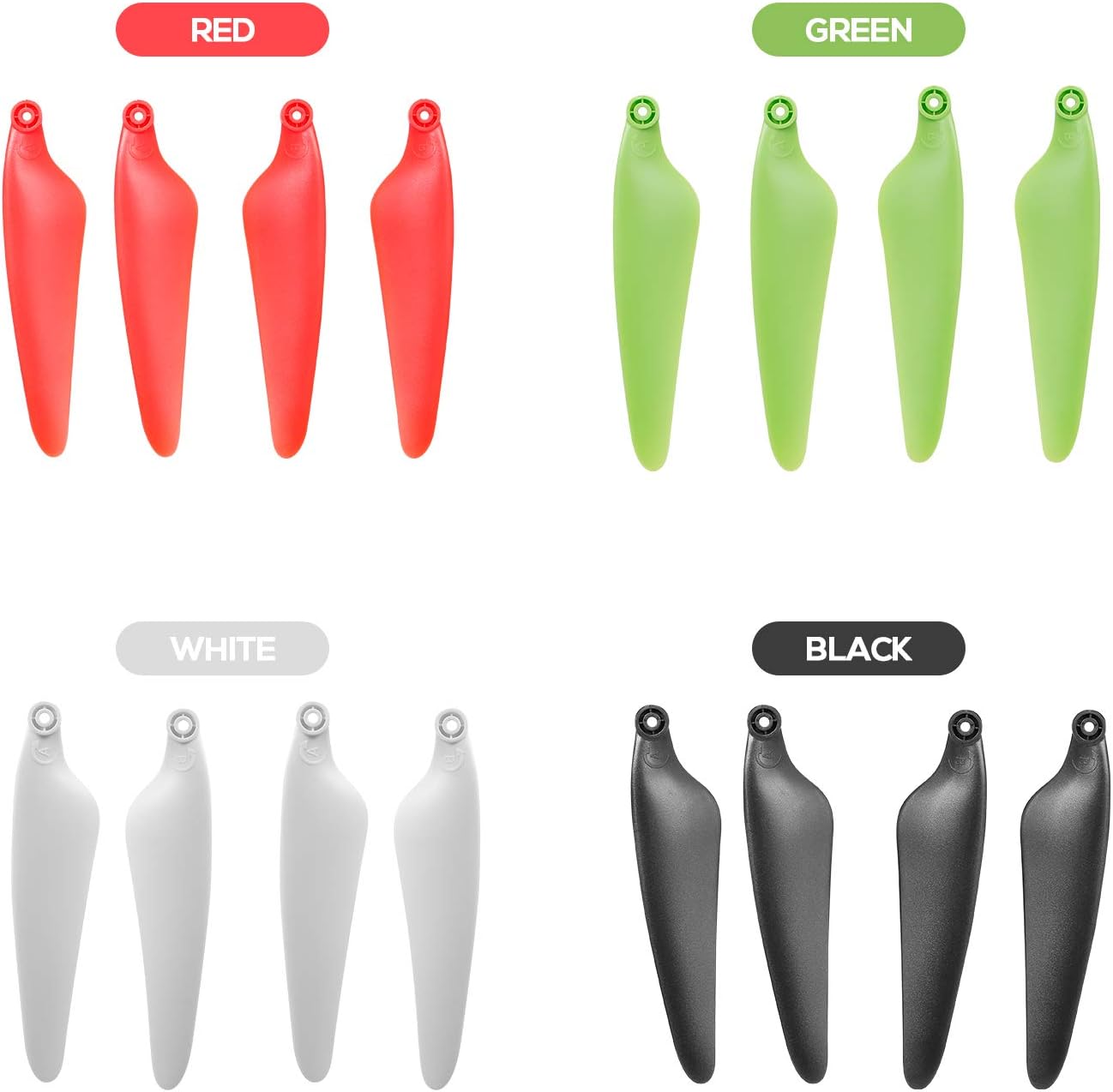
Image 4.3: A set of black GoolRC A/B propellers, ready for installation.
5. Pre-Flight Checks
Before every flight, perform the following checks related to your propellers:
- Confirm all propellers are securely attached and not loose.
- Visually inspect each propeller for any signs of damage (cracks, chips, bends).
- Ensure the correct 'A' and 'B' propellers are on their designated motor arms.
- Check that the propellers can fold and unfold smoothly without obstruction.
6. Maintenance and Care
Proper maintenance extends the lifespan of your propellers and ensures safe flight.
- Regular Inspection: Routinely check propellers for wear, tear, or damage, especially after any hard landing or impact.
- Cleaning: If necessary, gently wipe propellers with a soft, dry cloth to remove dust or debris. Avoid harsh chemicals.
- Storage: Store spare propellers in a protective case or their original packaging to prevent bending or damage.
- Replacement: Even minor damage can affect flight stability and efficiency. Replace damaged propellers immediately.
7. Troubleshooting Common Issues
If you experience issues related to your drone's flight performance, consider the following propeller-related troubleshooting steps:
- Drone Vibrates Excessively: Check all propellers for damage, bends, or loose attachment. Ensure they are clean and balanced.
- Unstable Flight/Drifting: Verify that 'A' and 'B' propellers are installed on the correct motor arms according to your drone's manual. Inspect for any subtle damage that might affect aerodynamics.
- Unusual Noise During Flight: This could indicate a damaged or loose propeller. Land immediately and inspect all propellers.
8. Product Specifications
| Feature | Detail |
|---|---|
| Item Name | RC Propeller |
| Quantity | 2 x Type A, 2 x Type B |
| Color | Black |
| Material | High endurance and flexibility material |
| Compatibility | Hubsan Zino H117S / Zino Pro / Zino Pro Plus / Zino 2 / Zino 2 Plus Drones |
| Package Dimensions | 6.57 x 6.46 x 0.59 inches (16.7 x 16.4 x 1.5 cm) |
| Item Weight | 0.88 ounces (25 grams) |
| Manufacturer | GoolRC |
9. Customer Support
For any questions, concerns, or assistance with your GoolRC A/B Foldable Propeller Set, please contact GoolRC customer support. Refer to your purchase documentation or the GoolRC official website for contact information.

