
Mobile Spec MBS11306
MobileSpec MBS11306 Premium Lightweight Bluetooth Neckband User Manual
Model: MBS11306 | Brand: Mobile Spec
Introduction
Welcome to your MobileSpec MBS11306 Premium Lightweight Bluetooth Neckband. This manual provides essential information for setup, operation, maintenance, and troubleshooting to ensure optimal performance and longevity of your device. This neckband offers premium sound quality, an inline microphone, and up to 6 hours of battery life, designed for comfort and convenience.

Image: The MobileSpec MBS11306 Bluetooth Neckband, showcasing its lightweight design and integrated controls.
What's in the Box
Upon opening your MobileSpec MBS11306 package, you should find the following items:
- MobileSpec MBS11306 Premium Lightweight Bluetooth Neckband
- User Manual

Image: Front of the MobileSpec MBS11306 product packaging.
Setup
1. Charging the Device
Before first use, it is recommended to fully charge your MobileSpec MBS11306 neckband. A full charge provides approximately 6 hours of battery life.
- Locate the charging port on the neckband's control module.
- Connect the provided charging cable to the neckband's charging port.
- Connect the other end of the charging cable to a USB power source (e.g., computer USB port, USB wall adapter).
- The LED indicator will typically show red while charging and turn blue or off when fully charged.
2. Pairing with a Bluetooth Device
To use your neckband wirelessly, you must pair it with a Bluetooth-enabled device such as a smartphone, tablet, or computer.
- Ensure the neckband is charged and turned off.
- Press and hold the Multi-function button (often the power button) on the neckband for approximately 5-7 seconds until the LED indicator flashes red and blue alternately. This indicates pairing mode.
- On your Bluetooth device, go to the Bluetooth settings and ensure Bluetooth is enabled.
- Search for available devices. You should see "MBS11306" or "MobileSpec Neckband" appear in the list.
- Select "MBS11306" to connect. Once successfully paired, the LED indicator on the neckband will typically flash blue slowly or turn solid blue.
- If prompted for a passcode, enter "0000" (four zeros).
Note: The neckband will automatically attempt to reconnect to the last paired device when powered on, if that device's Bluetooth is active and within range.
Operating Instructions
Familiarize yourself with the control buttons on your neckband for optimal use.
Power On/Off
- Power On: Press and hold the Multi-function button for about 3 seconds until the LED indicator flashes blue.
- Power Off: Press and hold the Multi-function button for about 3 seconds until the LED indicator flashes red and then turns off.
Music Playback
- Play/Pause: Press the Multi-function button once.
- Next Track: Press and hold the Volume Up (+) button.
- Previous Track: Press and hold the Volume Down (-) button.
Call Management (Inline Mic)
- Answer/End Call: Press the Multi-function button once during an incoming call or active call.
- Reject Call: Press and hold the Multi-function button for about 2 seconds during an incoming call.
- Redial Last Number: Double-press the Multi-function button when not on a call.
Volume Control
- Volume Up: Press the Volume Up (+) button.
- Volume Down: Press the Volume Down (-) button.
Maintenance
Proper care and maintenance will extend the life of your MobileSpec MBS11306 neckband.
- Cleaning: Use a soft, dry, lint-free cloth to wipe the neckband. Do not use abrasive cleaners, solvents, or strong chemicals. Avoid getting moisture into any openings.
- Storage: When not in use, store the neckband in a cool, dry place, away from direct sunlight and extreme temperatures. Avoid tangling the earbud wires.
- Battery Care: To preserve battery life, avoid fully discharging the battery frequently. Charge the device regularly, even if not in constant use.
- Water Resistance: This device is not waterproof. Avoid exposure to water, rain, or excessive moisture.
Troubleshooting
If you encounter issues with your neckband, refer to the following common problems and solutions:
| Problem | Possible Solution |
|---|---|
| Device won't turn on. | Ensure the battery is charged. Connect to a power source and try again. |
| Cannot pair with Bluetooth device. |
|
| No sound or low volume. |
|
| Poor sound quality or disconnections. |
|
Specifications
| Feature | Detail |
|---|---|
| Model Number | MBS11306 |
| Brand | Mobile Spec |
| Connectivity Technology | Bluetooth |
| Wireless Communication Technology | Bluetooth |
| Battery Life | Up to 6 Hours |
| Control Type | Media Control |
| Special Features | Microphone Included |
| Item Weight | 5.6 Ounces (approx. 158.7 grams) |
| Product Dimensions | 8 x 7.5 x 1.4 inches (approx. 20.3 x 19.1 x 3.6 cm) |
| Material | Plastic |
| Color | Black |
| UPC | 092533039909 |
| Manufacturer | MobileSpec |
| Country of Origin | China |
Warranty and Support
Your MobileSpec MBS11306 Premium Lightweight Bluetooth Neckband comes with a One-Year Limited Warranty from the date of purchase. This warranty covers defects in materials and workmanship under normal use.
For product information, technical support, and detailed warranty information, please visit the official MobileSpec website:
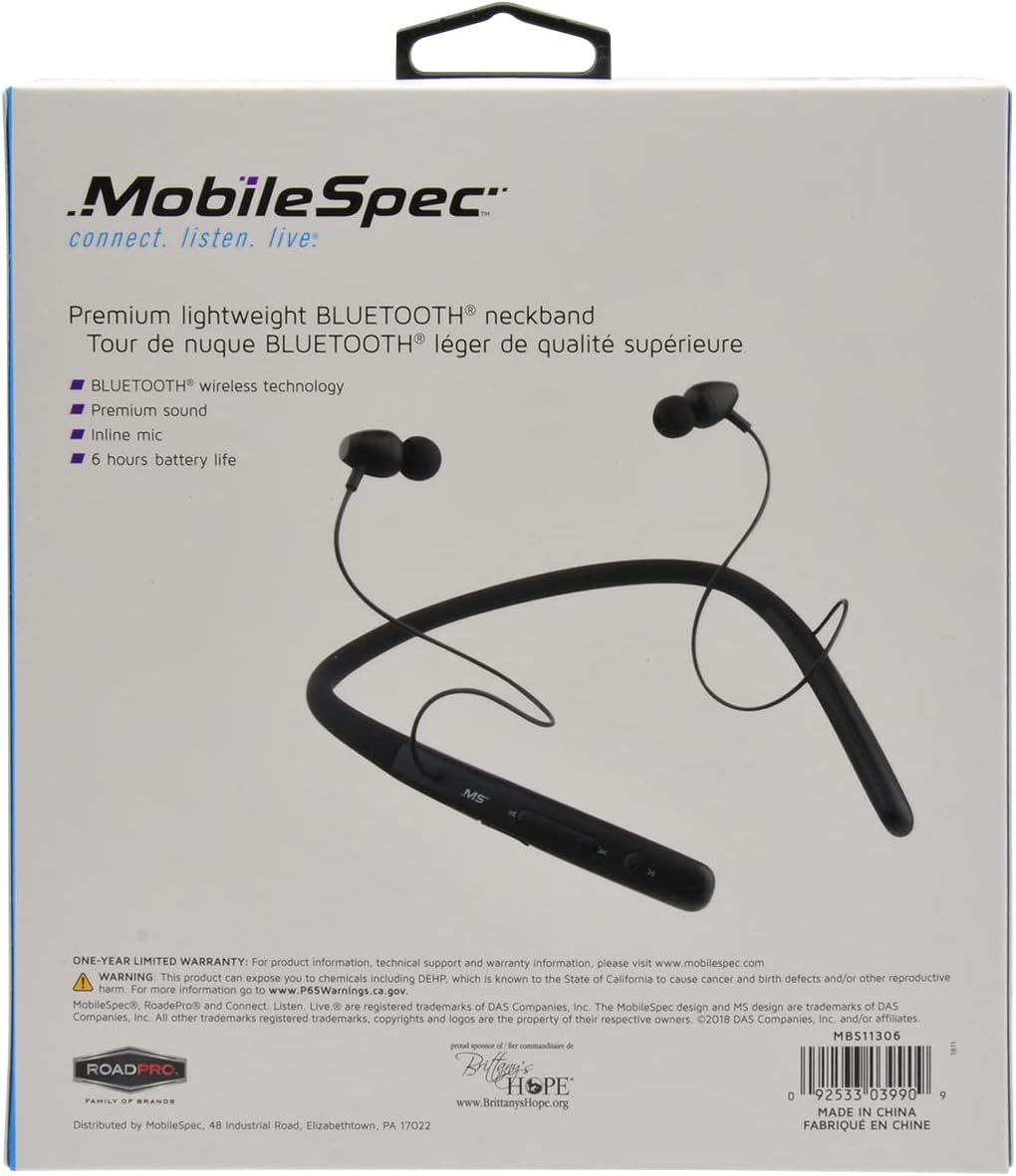
Image: Back of the MobileSpec MBS11306 product packaging, detailing features and warranty information.
Proposition 65 Warning:
This product can expose you to chemicals, including DEHP, which is known to the State of California to cause cancer and birth defects or other reproductive harm. For more information go to www.P65Warnings.ca.gov.
Ask a question about this manual
Ask about setup, troubleshooting, compatibility, parts, safety, or missing instructions. Manuals+ will review the question and use this page’s manual context to help answer it.