
1. Introduction
The BW Technologies BW Clip Single Gas H2S Monitor (Model BWC2-H) is a maintenance-free, personal safety device designed for continuous monitoring of hydrogen sulfide (H2S) gas. This compact and lightweight detector provides reliable gas detection for up to two years without requiring battery or sensor replacement, ensuring constant protection in hazardous environments.
Key features include:
- One-button operation for simplicity.
- Automatic logging of the 35 most recent gas events and bump test results.
- Configurable high and low alarm set points before device activation.
- Compatibility with IntelliDoX, MicroDock II, and Fleet Manager II software for efficient fleet management.
- Hibernation mode with case accessory or IntelliDoX to extend device life.
2. Safety Information
Always read and understand this manual before operating the BW Clip H2S Monitor. Failure to do so may result in serious injury or death. This device is intended for personal safety monitoring of H2S gas only. Do not use this device for purposes other than those specified in this manual.
- Ensure the device is functioning correctly before each use by performing a bump test.
- Do not attempt to open or repair the device. Refer all servicing to authorized personnel.
- Keep the device clean and free from obstructions to ensure proper sensor operation.
- Store the device in a cool, dry place away from direct sunlight and extreme temperatures.
3. Product Overview
The BW Clip H2S Monitor is designed for ease of use and durability. It features a clear LCD display, a single control button, and a robust casing.
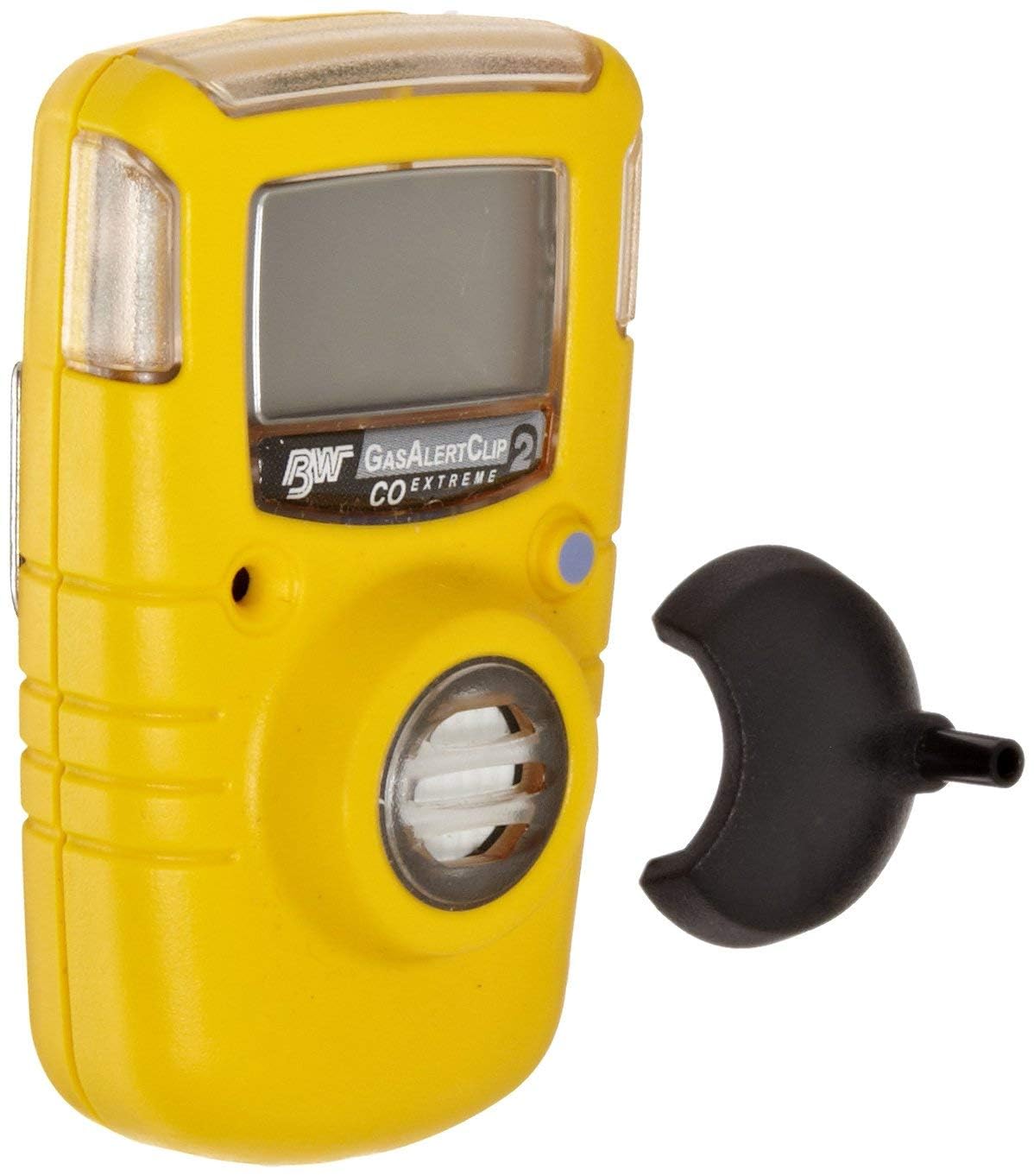
Front view of the BW Technologies BW Clip H2S Monitor, showing the digital display and single control button.
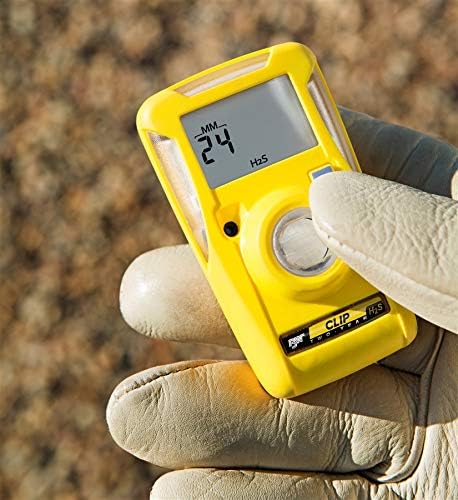
A hand wearing a work glove holding the yellow BW Technologies BW Clip H2S Monitor, displaying '24 MM H2S'.

The yellow BW Technologies BW Clip H2S Monitor clipped onto a work uniform, showing its compact size and secure attachment.

Rear view of the BW Technologies BW Clip H2S Monitor, highlighting the durable metal belt clip and regulatory labels.

The BW Technologies BW Clip H2S Monitor with overlaid dimensions of 5 inches (depth), 3 inches (width), and 2.5 inches (height).
4. Setup
The BW Clip H2S Monitor is designed for immediate use upon activation. It is factory-configured with standard alarm set points. For specific requirements, alarm set points can be configured using compatible software before initial activation.
Initial Activation
The device is typically activated by pressing and holding the single control button until the display illuminates and a self-test sequence begins. Follow any on-screen prompts.
Attaching the Monitor
Use the integrated metal clip on the back of the device to securely attach it to your clothing, belt, or hard hat. Ensure the monitor is positioned in a way that allows for clear audible and visual alarm indications and proper air circulation to the sensor.
5. Operating Instructions
During normal operation, the device continuously monitors H2S levels. The default display shows the remaining operating life in months. The single button allows you to cycle through various display screens to view important information.
Understanding the Display
Pressing the control button cycles through the following information:
- Low Alarm Set Point: Displays the concentration at which the low alarm will activate.
- High Alarm Set Point: Displays the concentration at which the high alarm will activate.
- Real-Time Clock: Shows the current time (if enabled).
- Detector Current Firmware Version: Indicates the software version running on the device.
- Next Scheduled Bump Test: Shows the remaining time until the next recommended bump test (if enabled).
- Hibernation Selection Screen: Allows activation of hibernation mode (if applicable).
After approximately 10 seconds of inactivity, the display will automatically return to the normal operating mode, showing the remaining operating life.
Alarm Conditions
The monitor will activate audible, visual (flashing LEDs), and vibratory alarms when gas concentrations exceed the configured low or high alarm set points. Respond to alarms immediately by following your company's safety procedures.
This video demonstrates how to navigate the display information on the BW Clip H2S Monitor, including alarm set points, real-time clock, firmware version, and next scheduled bump test.
6. Maintenance
Bump Testing
Regular bump testing is crucial to verify sensor and alarm functionality. The device can automatically log up to 35 recent bump test results. Refer to your company's safety protocols for the required frequency of bump tests. Compatible docking stations like IntelliDoX or MicroDock II can streamline the bump testing process for multiple devices.
Hibernation Mode
The BW Clip H2S Monitor features a hibernation mode that can extend its operational life when not in use. This mode is typically activated using a specific accessory case or through the IntelliDoX system. Consult your device's specific instructions or your safety manager for details on activating and deactivating hibernation mode.
Cleaning
Clean the exterior of the monitor regularly with a soft, damp cloth. Do not use abrasive cleaners or solvents. Ensure the sensor opening is clear of dust and debris.
7. Troubleshooting
If the device displays an error message or behaves unexpectedly, refer to the following general troubleshooting steps:
- No Display/Device Not Responding: Ensure the device is activated correctly. If it remains unresponsive, contact technical support.
- Alarm Malfunction: Perform a bump test. If the alarm still fails to activate or deactivate correctly, remove the device from service and contact technical support.
- Sensor Error: A sensor error typically indicates a fault with the H2S sensor. The device should be removed from service immediately and replaced or serviced by qualified personnel.
For persistent issues or complex problems, contact BW Technologies customer support or your authorized service provider.
8. Specifications
| Feature | Specification |
|---|---|
| Brand | BW Technologies |
| Model Number | BWC2-H |
| Gas Detected | Hydrogen Sulfide (H2S) |
| Power Source | Corded Electric (Internal, non-replaceable battery) |
| Operating Life | Up to 2 years (maintenance-free) |
| Product Dimensions | 5"D x 3"W x 2.5"H |
| Item Weight | 3.2 ounces (0.2 Pounds) |
| Alarm Type | Audible, Visual (LEDs), Vibratory |
| Operating Humidity | Up to 95% RH (non-condensing) |
| Data Logging | Automatic logging of 35 most recent gas events and bump test results |
9. What's in the Box
The BW Technologies BW Clip Single Gas H2S Monitor package typically includes:
- 1 BWC2H Gas Detector
10. Warranty and Support
The BW Clip H2S Monitor is covered by a manufacturer's warranty. For detailed warranty information, please refer to the documentation included with your product or visit the official BW Technologies website. For technical support, service, or replacement parts, please contact your authorized distributor or BW Technologies customer service.


