
1. Introduction
Thank you for choosing the VirtuFit Row450 Rowing Machine. This manual provides essential information for the safe assembly, operation, and maintenance of your new fitness equipment. Please read this manual thoroughly before use and keep it for future reference.
The VirtuFit Row450 is designed for home use, featuring a silent magnetic resistance system and a foldable 'Space Saver' design for convenient storage. Its ergonomic design supports proper posture during workouts, and the integrated display tracks your progress.
2. Safety Information
- Consult a physician before starting any new exercise program.
- Ensure all parts are securely assembled and tightened before each use.
- Keep children and pets away from the equipment during operation.
- Place the rowing machine on a flat, stable surface with adequate clearance around it.
- Wear appropriate athletic footwear and clothing.
- Do not exceed the maximum user weight of 120 kg (264 lbs) or maximum user height of 190 cm (6 ft 3 in).
- Stop exercising immediately if you feel faint, dizzy, or experience pain.
- Regularly inspect the equipment for wear and tear. Do not use if damaged.
3. Product Overview and Components
The VirtuFit Row450 consists of several key components designed for effective and comfortable rowing.

Figure 1: VirtuFit Row450 Rowing Machine in its operational, unfolded state. This image shows the full length of the rail, the main body with the resistance mechanism, the foot pedals, and the handle.
- Main Frame: Sturdy metal construction supporting the entire unit.
- Seat: Ergonomically designed seat with PU wheels for smooth, quiet gliding along the rail.
- Foot Pedals: Non-slip surface with adjustable straps to secure your feet.
- Handlebar: Connected to the resistance system for pulling motion.
- Resistance Knob: Adjusts the magnetic resistance level.
- LCD Monitor: Displays workout data.
- Transport Wheels: Located at the front for easy relocation.

Figure 2: A close-up view of the ergonomically designed seat on the VirtuFit Row450, highlighting its contoured shape for user comfort during exercise.
4. Setup and Assembly
The VirtuFit Row450 features a 'Space Saver' design, allowing for compact storage. Initial setup primarily involves unfolding the unit and ensuring stability.
4.1 Unfolding the Rowing Machine
- Place the folded rowing machine on a clear, flat surface.
- Carefully release the locking mechanism that holds the rail in the folded position.
- Extend the rail until it is fully horizontal and the locking mechanism engages securely.
- Ensure the machine is stable and does not wobble. An adjustable spirit level may be present for fine-tuning stability.
4.2 Installing Monitor Batteries
The LCD monitor requires 2 AA batteries (included). Locate the battery compartment on the back of the monitor, insert the batteries according to polarity markings, and close the cover.
4.3 Moving the Rowing Machine

Figure 3: A close-up image of one of the transport wheels located at the front base of the VirtuFit Row450, designed for easy movement of the machine.
To move the rowing machine, lift the rear end slightly and use the transport wheels located at the front base to roll it to your desired location. Ensure the path is clear of obstacles.

Figure 4: The VirtuFit Row450 Rowing Machine shown in its folded, upright position, demonstrating its compact 'Space Saver' design for storage.
5. Operating Instructions
5.1 Adjusting Resistance
The Row450 features a magnetic resistance system with 10 adjustable levels. To change the resistance, turn the resistance knob located on the main body of the machine. Turn clockwise for higher resistance and counter-clockwise for lower resistance.

Figure 5: A detailed view of the foot pedals with adjustable straps and the resistance adjustment knob on the VirtuFit Row450, showing the numbered resistance levels.
5.2 Proper Rowing Technique
- Foot Placement: Place your feet on the non-slip pedals and secure them with the adjustable straps.
- Starting Position: Sit on the seat with your knees bent, shins vertical, and arms extended forward to grasp the handlebar.
- The Drive: Push off with your legs, then lean back slightly from your hips, and finally pull the handlebar towards your abdomen. Maintain a straight back throughout the movement.
- The Recovery: Extend your arms forward, then lean forward from your hips, and finally bend your knees to slide the seat back to the starting position.
5.3 Using the LCD Monitor
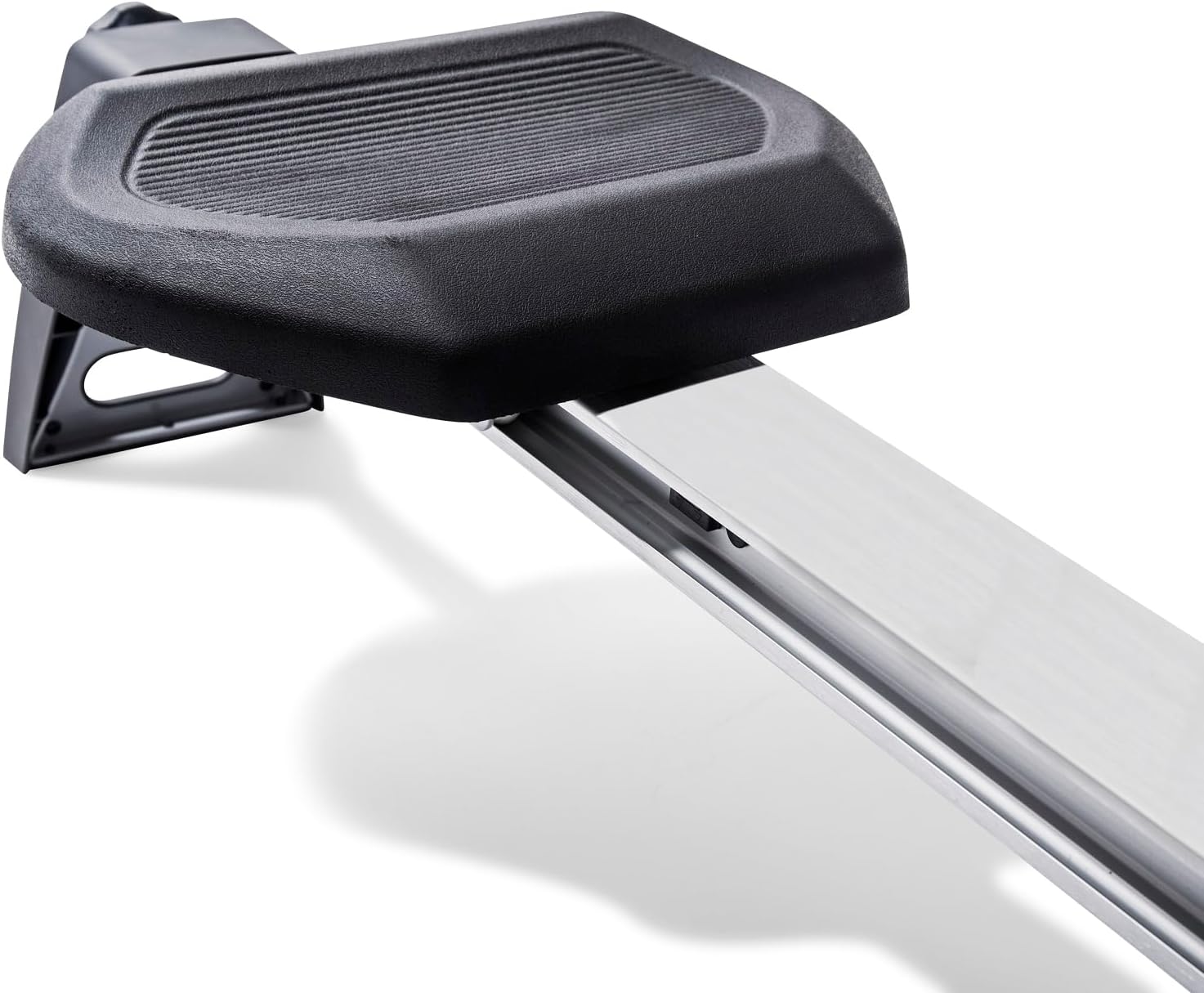
Figure 6: A close-up of the LCD monitor and the handlebar of the VirtuFit Row450, displaying workout metrics and control buttons.
The LCD monitor displays various workout metrics to help you track your performance:
- Time: Duration of your workout.
- Distance: Simulated distance covered.
- Calories: Estimated calories burned.
- Speed: Current rowing speed.
- Heart Rate: Measured via hand sensors (if applicable and used).
Refer to the monitor's specific instructions for details on cycling through display modes and resetting values.
6. Maintenance
Regular maintenance ensures the longevity and safe operation of your VirtuFit Row450.
- Cleaning: Wipe down the machine with a damp cloth after each use to remove sweat and dust. Avoid abrasive cleaners.
- Lubrication: Periodically check the seat wheels and rail for smooth operation. If necessary, apply a small amount of silicone-based lubricant to the rail.
- Inspections: Regularly check all bolts, nuts, and moving parts for tightness and wear. Tighten any loose fasteners.
- Storage: When not in use, fold the rowing machine using the 'Space Saver' system and store it in a dry, cool place away from direct sunlight.
- Battery Replacement: Replace the monitor batteries (2 AA) when the display becomes dim or stops functioning.
7. Troubleshooting
If you encounter issues with your VirtuFit Row450, refer to the following common problems and solutions:
- Monitor not displaying: Check if batteries are correctly installed or need replacement. Ensure all connections are secure.
- Resistance feels inconsistent: Verify the resistance knob is properly engaged and not loose. Inspect the magnetic resistance mechanism for any obstructions.
- Seat not gliding smoothly: Clean the rail and seat wheels. Apply lubricant if necessary. Check for any debris on the rail.
- Unusual noises during operation: Inspect all moving parts for loose connections or wear. Tighten any loose bolts. If the noise persists, discontinue use and contact customer support.
8. Specifications
| Feature | Specification |
|---|---|
| Model Name | Row450 |
| Model Number | VFROW450 |
| Resistance System | Magnetic |
| Resistance Levels | 10 |
| Max User Weight | 120 kg (264 lbs) |
| Max User Height | 190 cm (6 ft 3 in) |
| Product Dimensions (Unfolded) | 175 x 51.5 x 50 cm (L x W x H) |
| Product Dimensions (Folded) | 70 x 51.5 x 90 cm (L x W x H) |
| Product Weight | 25 kg (55 lbs) |
| Rotating Mass | 8 kg |
| Frame Material | Metal |
| Main Material | Polyurethane |
| Power Source | 2 AA Batteries (for monitor) |
| Monitor Display | LCD |
| Monitor Metrics | Distance, Calories, Heart Rate, Speed, Time |
| Heart Rate Measurement | Via hand sensors |
| Special Features | Foldable, Transport Wheels, Adjustable Seat, Adjustable Flywheel (Resistance) |
9. Warranty and Support
For warranty information or technical support, please refer to the documentation provided with your purchase or contact VirtuFit customer service directly. Keep your proof of purchase for any warranty claims.


