
1. Introduction
This manual provides detailed instructions for the installation, operation, and maintenance of your XTRONS PQS1139BL 10.25 Inch Android Car Stereo. Please read this manual thoroughly before installation and use to ensure proper function and safety. This unit is designed to upgrade the in-car entertainment system for compatible BMW E39 models.

The image above demonstrates the perfect system integration of the XTRONS PQS1139BL unit within a BMW E39 vehicle, enhancing the interior aesthetics and functionality.
2. Key Features
- Android 11 Operating System: Experience a fast and responsive interface with the latest Android 11, powered by a Hexa Core Rockchip PX6 CPU, 4GB RAM, and 64GB ROM.
- 10.25-inch HD Capacitive Touch Screen: A fully immersive 1280x480 high-definition display for enhanced visual experience.
- 4K Video Playback: Supports playing videos in 4K format, offering high-quality visual entertainment.
- Built-in HDMI Output: Transmit high-fidelity audio and video from the head unit to an HDMI-enabled monitor for passengers. Note: AUX input, DVD, radio, or Bluetooth calls audio are not supported via HDMI output.
- Smartphone Connectivity:
- Built-in Wireless CarAutoPlay for iPhone integration.
- Built-in Wired Android Auto for Android phone integration.
- Bluetooth 5.0 for hands-free calls, audio streaming, and voice control.
- Built-in DSP (Digital Sound Processor): Enhances audio quality for a superior listening experience.
- Vehicle Function Retention: Retains original car functions such as steering wheel control, headlight ACC, and reversing control.
- Dual Band Wi-Fi: Supports both 2.4GHz and 5GHz bands for faster and more stable internet connection.
- GPS Navigation: Compatible with various Android navigation software including Google Maps, Sygic, Waze, and more.
- Built-in Radio Tuner: Features an ST TDA7708 radio chip covering AM/FM bands with RDS decoding.
- Support for Optional Accessories: Compatible with external DAB+ Tuner, OBD2, DVR, Cameras, TPMS, and more (sold separately).
Feature Overview

This image highlights the core capabilities of the PQS1139BL unit, including its Android 11 operating system, powerful Rockchip PX6 processor, and various connectivity and entertainment options.
High-Definition Display and Video Playback
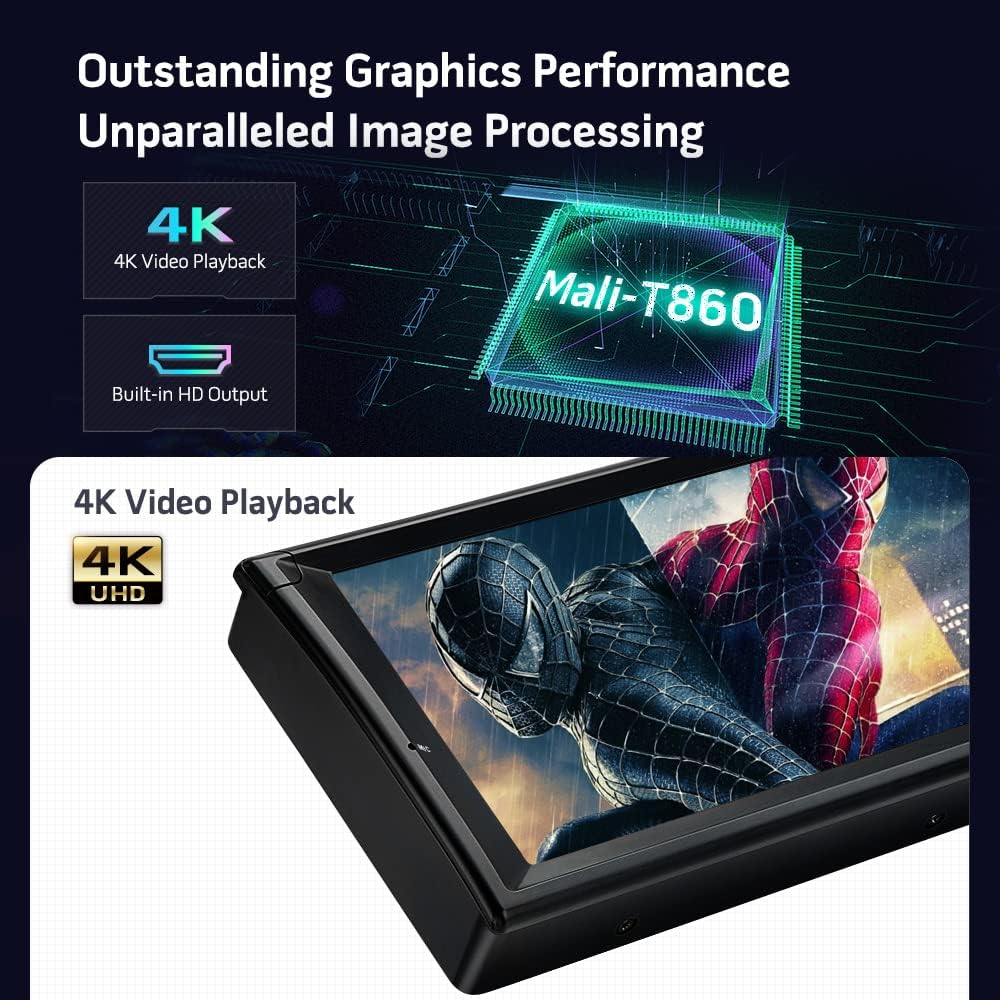
The PQS1139BL features a Mali-T860 GPU for outstanding graphics performance, supporting crisp 4K video playback and a built-in HD output for external displays.

This image illustrates the unit's 10.25-inch 1280x480 HD capacitive touch screen, its support for CarAutoPlay and Android Auto for seamless smartphone integration, built-in dual-band Wi-Fi for internet access, and a built-in radio tuner for AM/FM stations.

This image details the built-in DSP for professional sound quality, Bluetooth 5.0 for hands-free communication and audio streaming, the retention of original vehicle functions, and integrated GPS navigation.
3. Package Contents
Verify that all items listed below are included in your package:
- 2 × ISO Wiring Harness
- 2 × USB Cable
- 1 × GPS Antenna
- 1 × RCA Cable
- 1 × Camera Cable
- 1 × CANbus Box
- 1 × Radio Antenna Adapter
- 1 × User Manual
- 1 × Mounting Base for BMW E38
- Fitting Kits
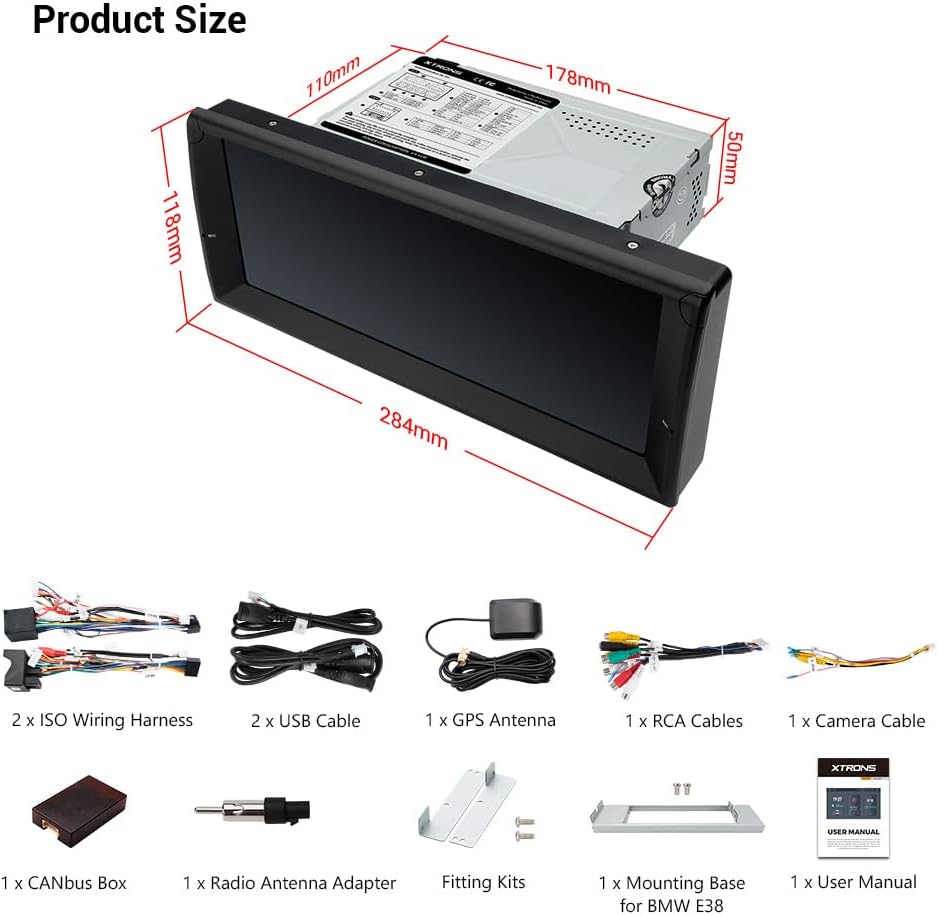
The image above displays the complete set of accessories provided with your XTRONS PQS1139BL unit, essential for installation and initial setup.
4. Installation
Professional installation is recommended. Ensure the vehicle's battery is disconnected before beginning installation. Refer to your vehicle's service manual for specific dashboard disassembly instructions.
4.1 Cables You May Need (Optional)

Depending on your BMW E39's original setup, you may require additional cables or adapters:
- If your car's radio antenna port is as pictured (ISOFZ), you need an adapter cable (XTRONS ISOFZ).
- If your car's radio antenna is in the trunk (FZMF), you need two extension cables (XTRONS ISOFZ and FZMF).
- For original 4.3" or 7" screens, or if the navigation drive is in the rear, an extra 6m extension cable (EXL005 and EXL007) may be needed.
- If your factory radio has a DSP (Digital Sound Processing) button or a Harman Kardon sound system, an extension cable (EXL005 and EXL007) may be required.
- If your car has a fiber optic amplifier system, a decoder (FOBB05) is needed.
4.2 Important Notes on Compatibility
- Verify if there is a frame in the center console of your car. If present, remove it before installation.
- For BMW E38 models, ensure the HVAC box behind the factory radio is present and use the provided E38 mounting base.
- Confirm your car's central console is circular angle. This unit is not compatible with perfectly circular consoles (e.g., PQS1153BL model shown as incompatible).
4.3 Wiring Diagram

This diagram illustrates the various connections on the rear of the head unit. Ensure all connections are secure and correctly matched to your vehicle's wiring harness. Key connections include:
- CANbus Decoding Box
- Brake (Brake in cable)
- ISO Wiring Harness
- ACC (Accessory Power)
- Back/Reverse Control Cable
- KEY1, KEY2 (Steering Wheel Control)
- Audio Output (Front, Rear, Subwoofer)
- Camera Input (CVBS IN 1, CVBS IN 2, Camera 12V)
- HDMI Output (HD Output)
- USB Ports (USB Port 1, USB Port 2, USB Port 3)
- GPS Antenna
- Radio Antenna Port
- Bluetooth Antenna
4.4 Product Dimensions
Refer to the provided dimensions to ensure proper fitment in your vehicle's dashboard. The unit measures approximately 284mm in width, 118mm in height, with a main unit depth of 178mm.
5. Initial Setup
After successful installation, power on the unit and follow the on-screen prompts for initial setup. This typically includes language selection, time zone, and Wi-Fi connection.
5.1 Wi-Fi Connection
To access online features, connect the unit to a Wi-Fi hotspot. Navigate to Settings > Network & Internet > Wi-Fi and select your desired network.
6. Operating Instructions
6.1 Smartphone Integration (CarAutoPlay & Android Auto)
The unit supports both Wireless CarAutoPlay for iPhones and Wired Android Auto for Android phones. Connect your smartphone via Bluetooth (for CarAutoPlay) or a USB cable (for Android Auto) to safely access navigation, calls, messages, and music on the large screen.
6.2 Bluetooth 5.0
Pair your mobile phone with the unit via Bluetooth 5.0 to enjoy hands-free calls, access your phone book, view call logs, search contacts, and stream audio.
6.3 GPS Navigation
Utilize the built-in GPS for navigation. The unit supports various Android navigation applications. Ensure the GPS antenna is properly installed for optimal signal reception.
6.4 Digital Sound Processor (DSP)
Access the built-in DSP settings to customize your audio experience. Adjust equalizer settings, sound fields, and other audio parameters to suit your preferences.
6.5 Radio with RDS
Tune into your favorite AM/FM radio stations. The unit's ST TDA7708 radio chip provides clear reception and supports RDS (Radio Data System) for additional information display.
6.6 Optional DAB+ Tuner
If you have an optional XTRONS USB DAB radio receiver stick, connect it to a USB port to enjoy digital audio broadcasting (DAB+) in your car.
6.7 Optional OBD2 Functionality
With an optional OBD2 adapter, you can retrieve real-time data and trouble codes from your vehicle's computer, providing valuable diagnostic information.
7. Maintenance
- Cleaning the Screen: Use a soft, lint-free cloth to gently wipe the screen. Avoid abrasive cleaners or solvents.
- Software Updates: Periodically check the XTRONS website or the unit's settings for available software updates to ensure optimal performance and access to new features.
- General Care: Avoid exposing the unit to extreme temperatures, direct sunlight for prolonged periods, or excessive moisture.
8. Troubleshooting
If you encounter issues, refer to the following common solutions:
| Problem | Possible Cause | Solution |
|---|---|---|
| Unit does not power on. | Incorrect wiring, blown fuse, vehicle battery issue. | Check power connections, vehicle fuses, and battery charge. Consult a professional installer if necessary. |
| No sound. | Volume too low, incorrect audio source, speaker wiring issues. | Increase volume, select correct audio source, check speaker connections. Verify DSP settings. |
| GPS signal lost or inaccurate. | GPS antenna not properly installed or obstructed. | Ensure GPS antenna is mounted in a clear location with an unobstructed view of the sky. |
| Bluetooth connectivity issues. | Phone not paired, Bluetooth disabled, interference. | Ensure Bluetooth is enabled on both devices. Re-pair the phone. Clear previous pairings if necessary. |
| Touch screen unresponsive. | Temporary software glitch. | Perform a soft reset (refer to the unit's specific reset procedure). If issue persists, contact support. |
9. Specifications
| Feature | Detail |
|---|---|
| Model Number | PQS1139BL |
| Operating System | Android 11 |
| Processor | Hexa Core Rockchip PX6 |
| RAM | 4GB |
| ROM | 64GB |
| Screen Size | 10.25 inches |
| Resolution | 1280x480 |
| Connectivity | Auxiliary, Bluetooth 5.0, HDMI, RCA, USB, Dual Band Wi-Fi |
| Special Features | Touchscreen, Built-in DSP, CarAutoPlay, Android Auto, 4K Video Playback |
| Compatible Devices | Speaker, Android phones, iPhones |
| Audio Output Mode | AUX, Stereo |
| Number of Channels | 4 |
| Item Weight | 6.39 pounds |
| Package Dimensions | 13.5 x 11.4 x 8.5 inches |
10. Warranty and Support
XTRONS provides a 1-year warranty for this unit. For technical support, warranty claims, or any inquiries, please contact XTRONS customer service via Amazon email. We are committed to ensuring your satisfaction and will respond promptly to address your concerns.
For additional information and resources, please visit the XTRONS Store on Amazon.