
1. Introduction
This manual provides detailed instructions for the safe and efficient use of your craftinova Long Reach Stapler, Model 3351L-gray. Please read this manual thoroughly before operating the stapler and retain it for future reference.
2. Product Overview
2.1 Key Features
- Long Reach Design: Allows stapling up to 12 inches (30 cm) from the paper edge, ideal for booklets and large documents.
- High Capacity: Staples 20-25 sheets of standard paper.
- Adjustable Paper Guide: Features a built-in ruler (inches and centimeters) and an adjustable locking paper guide for precise and consistent stapling depth.
- Durable Construction: Made with metal components for extended lifespan.
- Visible Staple Window: Indicates when staples need refilling.
- Two Stapling Modes: Supports temporary and permanent stapling.
2.2 Package Contents
- 1 x craftinova Long Reach Stapler (Gray)
- 2000 x 1/4" Standard Staples
- 1 x Staple Remover

Image 1: The craftinova Long Reach Stapler in gray, accompanied by 2000 staples and a staple remover.
3. Setup
3.1 Loading Staples
- Gently pull the top cover of the stapler upwards and backward to open the staple channel.
- Insert a full strip of 1/4" (26/6 or 24/6) staples into the channel, ensuring the staple legs face downwards.
- Push the top cover back down until it clicks securely into place.
Video 1: Demonstration of loading staples into the craftinova Long Reach Stapler, showing its capacity to hold 210 staples.

Image 2: Close-up of the stapler's visible window, which allows users to monitor staple levels.
4. Operating Instructions
4.1 Adjusting Stapling Depth
- Locate the adjustable paper guide along the base of the stapler.
- Slide the guide to the desired depth, using the integrated ruler for precise measurement (up to 12 inches or 30 cm).
- Ensure the guide is locked in place before stapling to maintain consistent results.
Video 2: Demonstration of adjusting the stapling depth on the craftinova Long Reach Stapler, showing its capability up to 12 inches.

Image 3: The adjustable paper depth feature of the stapler, illustrating how to set the desired stapling distance from the edge of the paper.
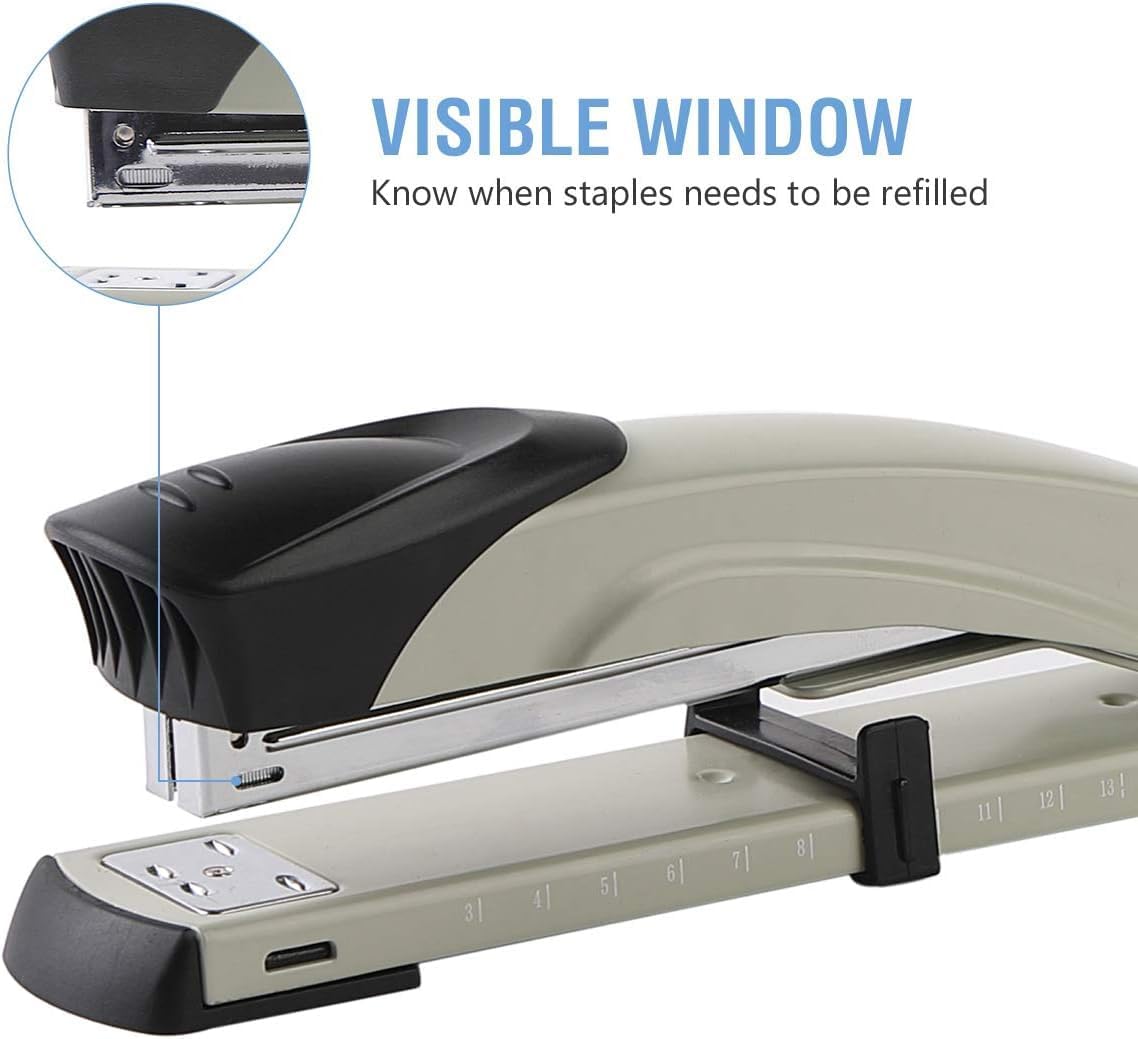
Image 4: A close-up view of the stapler's built-in ruler, showing both inch and centimeter markings for accurate stapling.
4.2 Stapling Documents
- Place the document under the stapler head, aligning it with the adjustable paper guide.
- Press down firmly on the stapler handle until the staples penetrate the paper and clinch underneath.
- Release the handle and remove the stapled document.
Video 3: Demonstration of using the Long Reach Stapler for intermediate binding, showing how to staple documents in the center.
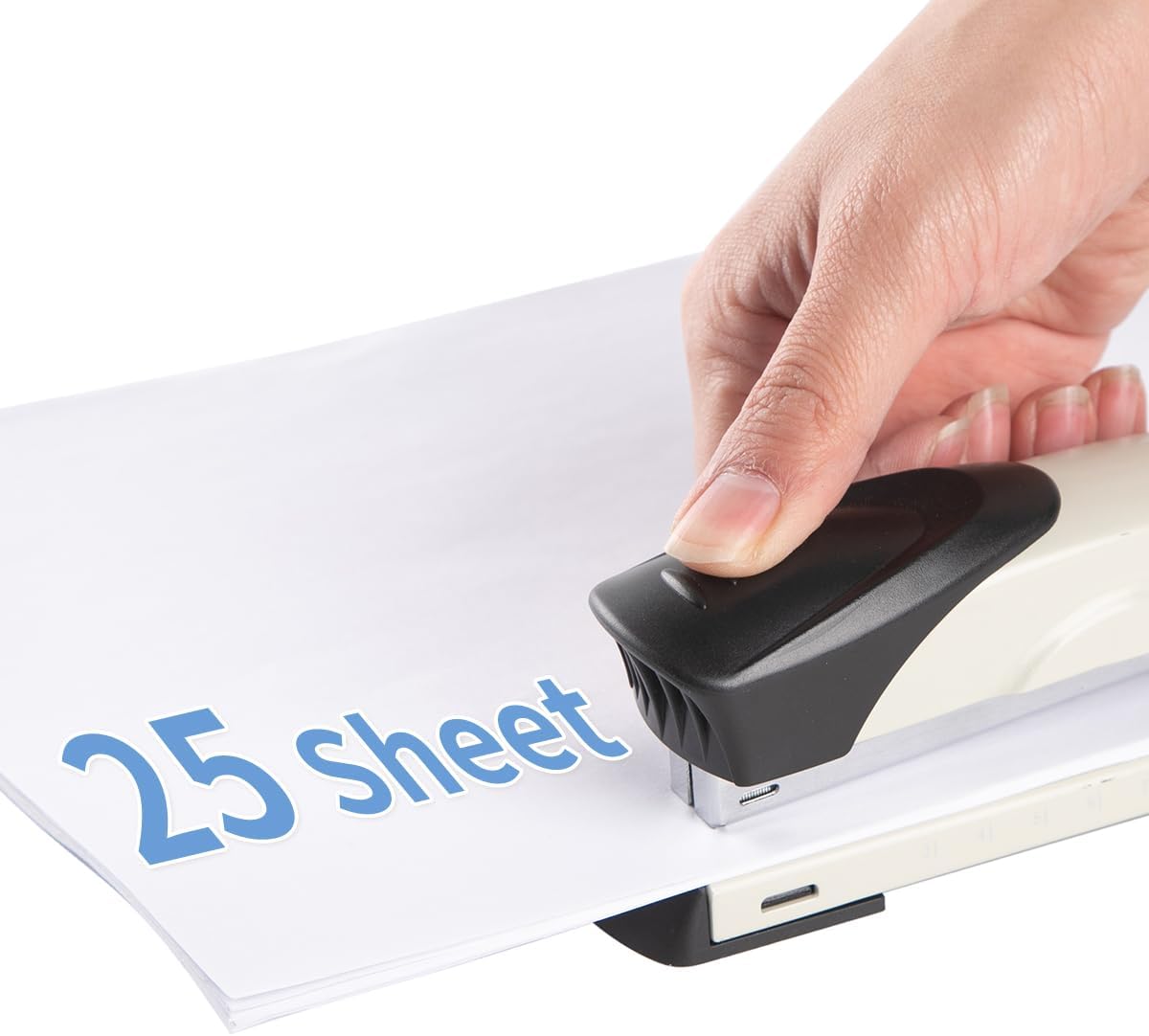
Image 5: The stapler in action, demonstrating its capability to staple up to 25 sheets of paper simultaneously.
Video 4: A short clip illustrating the binding capacity of the stapler, showing it can handle 20-25 sheets.
4.3 Staple Modes (Temporary vs. Permanent)
The stapler base can be rotated to select between two stapling modes:
- Permanent Stapling: Staples are clinched inwards for a secure, long-lasting bind.
- Temporary Stapling: Staples are clinched outwards, allowing for easy removal without a staple remover.

Image 6: A visual guide explaining the difference between temporary and permanent stapling, with examples of how staples appear in each mode.
5. Maintenance
5.1 Clearing Staple Jams
If a staple jam occurs, carefully open the stapler and remove any bent or misfed staples. Ensure the staple channel is clear before reloading.
5.2 Using the Staple Remover
The included staple remover is designed for easy and damage-free removal of staples. Slide the metal prongs under the staple and gently squeeze the handles to lift and remove the staple.
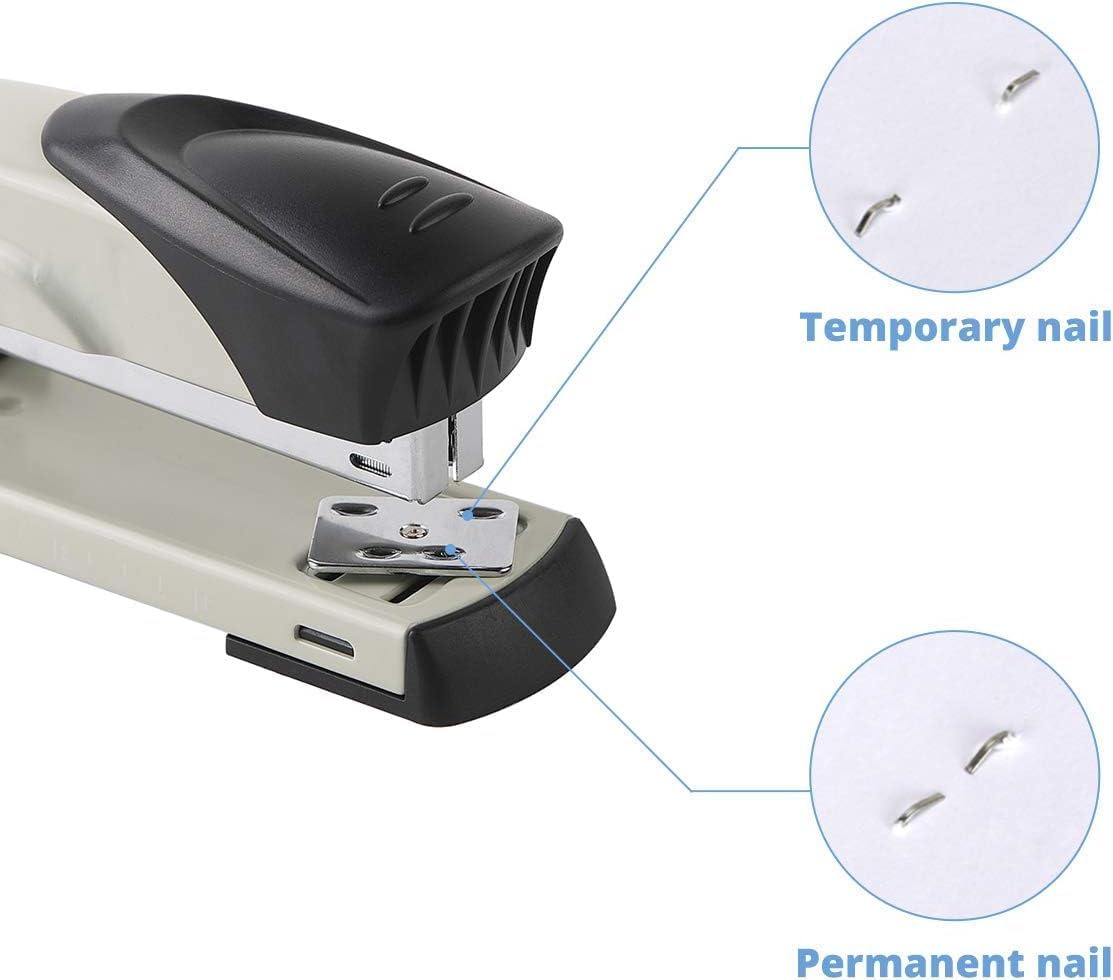
Image 7: The included staple remover, demonstrating its use for easy staple removal.
6. Troubleshooting
6.1 Staples Not Penetrating Paper
- Ensure you are using the correct staple size (1/4" or 26/6, 24/6).
- Check if the staple channel is clear of debris or bent staples.
- Verify that the number of sheets does not exceed the stapler's 20-25 sheet capacity.
- Apply firm and even pressure when pressing the stapler handle.
6.2 Mis-Stapling or Bent Staples
- Ensure the paper is properly aligned with the paper guide.
- Check the staple channel for any obstructions.
- Confirm that the stapler base is set to the desired stapling mode (temporary or permanent) and is not obstructed.
7. Specifications
| Attribute | Specification |
|---|---|
| Brand | craftinova |
| Model Number | 3351L-gray |
| Color | Gray |
| Material | Metal |
| Item Weight | 1.39 pounds |
| Product Dimensions | 14.2 x 3.02 x 2.64 inches |
| Sheet Capacity | 20-25 sheets |
| Staple Type | 1/4" (26/6, 24/6) Standard Staples |
| Staple Capacity | 210 staples (full strip) |
| Adjustable Depth | Up to 12 inches (30 cm) |
8. Warranty and Support
For warranty information or technical support, please refer to the product packaging or contact craftinova customer service directly. Keep your purchase receipt for warranty claims.