
1. Introduction
Welcome to the ROBOTIME Apatosaurus Wooden 3D Puzzle. This instruction manual provides detailed guidance for assembling, operating, and maintaining your voice-controlled dinosaur model. Designed for engaging and educational assembly, this kit allows you to construct a functional Apatosaurus that can walk, roar, and respond to sound.
Please read all instructions carefully before beginning assembly to ensure a smooth and enjoyable building experience.
2. Package Contents
Before starting, verify that all components listed below are present in your package.
- Pre-cut Plywood Sheets (containing 71 pieces)
- Motor Unit
- Sensor Unit
- Electronic Components (wires, battery compartment, speaker)
- Detailed Assembly Instructions Booklet
- Small Accessories (e.g., screws, plastic gears, springs)

Image 1: Overview of the ROBOTIME Apatosaurus puzzle components, including pre-cut wooden sheets, electronic parts, and the assembly instruction booklet.

Image 2: A closer view of the pre-cut plywood sheets with numbered parts, alongside various electronic components such as the speaker and plastic gears.
3. Assembly Instructions
The ROBOTIME Apatosaurus is a DIY assembly kit designed to engage both hands and mind. Follow the numbered steps in the included instruction booklet carefully.
- Preparation: Unpack all components and lay them out on a clean, flat surface. Identify the plywood sheets and the separate electronic parts.
- Part Identification: Each wooden piece is numbered. Refer to the instruction booklet to identify the correct parts for each step. Gently push out the pieces from the plywood sheets. Avoid forcing them to prevent damage.
- Initial Assembly: Begin by assembling the core body structure using the interlocking wooden pieces as guided by the manual. Pay close attention to the orientation of each piece.
- Electronic Integration: As instructed, integrate the motor, sensor, and other electronic components into the wooden structure. Ensure all wires are connected correctly and securely. Incorrect wiring may prevent the model from functioning.
- Leg and Tail Assembly: Attach the legs and tail sections, ensuring that the joints allow for proper movement. The mechanical parts should move freely without excessive friction.
- Head and Neck Assembly: Assemble the head and neck, connecting them to the main body.
- Final Checks: Once all parts are assembled, double-check all connections and ensure no pieces are loose. Insert the required batteries (not included) into the designated compartment.
Tip: Some parts may require gentle sanding or a small amount of glue for a more secure fit, though typically not necessary if assembled correctly. Always refer to the specific instructions provided in your kit.
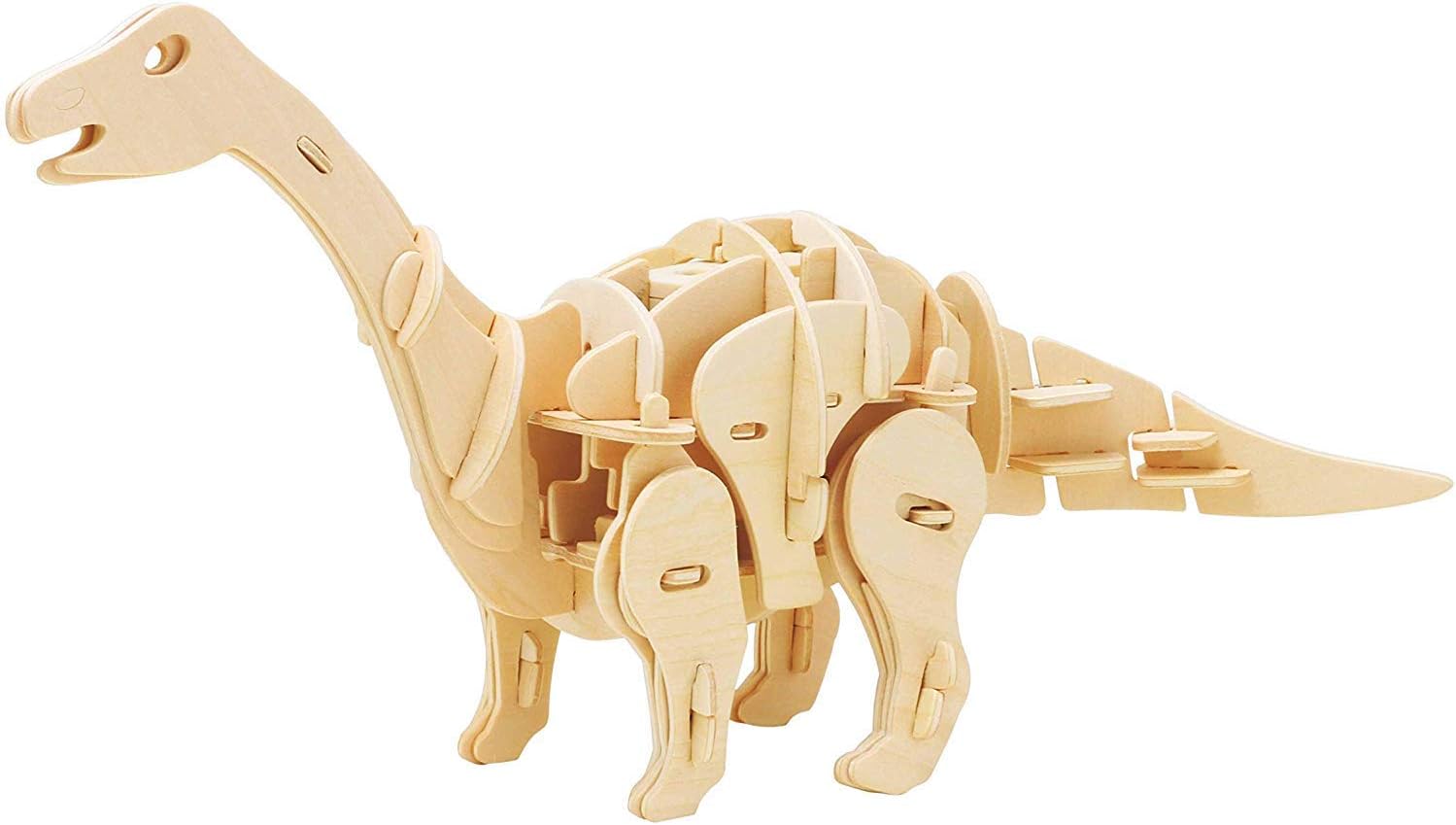
Image 3: The completed ROBOTIME Apatosaurus wooden 3D puzzle, showcasing its intricate design and structural integrity.
4. Operating Instructions
Your ROBOTIME Apatosaurus model is designed with voice control functionality.
- Power On: Ensure batteries are correctly installed. Locate the power switch (if present, usually near the battery compartment) and turn the model ON.
- Voice Activation: The Apatosaurus responds to sound. A clap of hands or a clear, distinct sound will activate its movements and sounds.
- Functionality: Upon activation, the dinosaur will walk, roar, and may exhibit biting motions, simulating a real Apatosaurus.
- Optimal Environment: For best performance, operate the model in a relatively quiet environment to ensure clear detection of voice commands.
5. Maintenance
To ensure the longevity and proper functioning of your ROBOTIME Apatosaurus model, follow these maintenance guidelines:
- Cleaning: Wipe the wooden surfaces with a dry, soft cloth. Avoid using water or chemical cleaners, as they can damage the wood and electronic components.
- Storage: Store the model in a dry place away from direct sunlight and extreme temperatures to prevent warping or damage to the wood and electronics.
- Battery Care: Remove batteries if the model will not be used for an extended period to prevent leakage and damage to the electronic circuit.
- Handling: Handle the assembled model with care, especially delicate parts like the neck and tail, to avoid breakage.
6. Troubleshooting
If your ROBOTIME Apatosaurus model is not functioning as expected, consider the following:
| Problem | Possible Cause | Solution |
|---|---|---|
| Model does not move or roar. |
|
|
| Movement is stiff or jerky. |
|
|
| Roaring sound is distorted or absent. |
|
|
7. Specifications
- Model: TSP-D-part (Apatosaurus)
- Brand: ROBOTIME
- Material: Engineered Wood (Plywood), Motor, Sensor
- Number of Pieces: 71
- Assembly Required: Yes
- Special Features: Durable, Sound, Voice Control, Walking Motion
- Recommended Age: 3 years and up (Manufacturer recommended age: 36 months and up)
- Package Dimensions: Approximately 320 x 235 x 55 mm (31 x 23 x 5.1 cm)
- ASIN: B081CQKMD1
8. Warranty and Support
ROBOTIME products are manufactured with quality in mind. For any questions regarding assembly, missing parts, or operational issues not covered in this manual, please contact ROBOTIME customer support directly.
Please retain your proof of purchase for any warranty claims. Specific warranty terms and conditions may vary by region.