
1. Introduction
Thank you for choosing the SENSSUN Bluetooth Body Fat Scale. This smart scale is designed to help you monitor various body composition metrics, providing a comprehensive overview of your health and fitness progress. Please read this manual carefully before use to ensure proper operation and to maximize the benefits of your device.
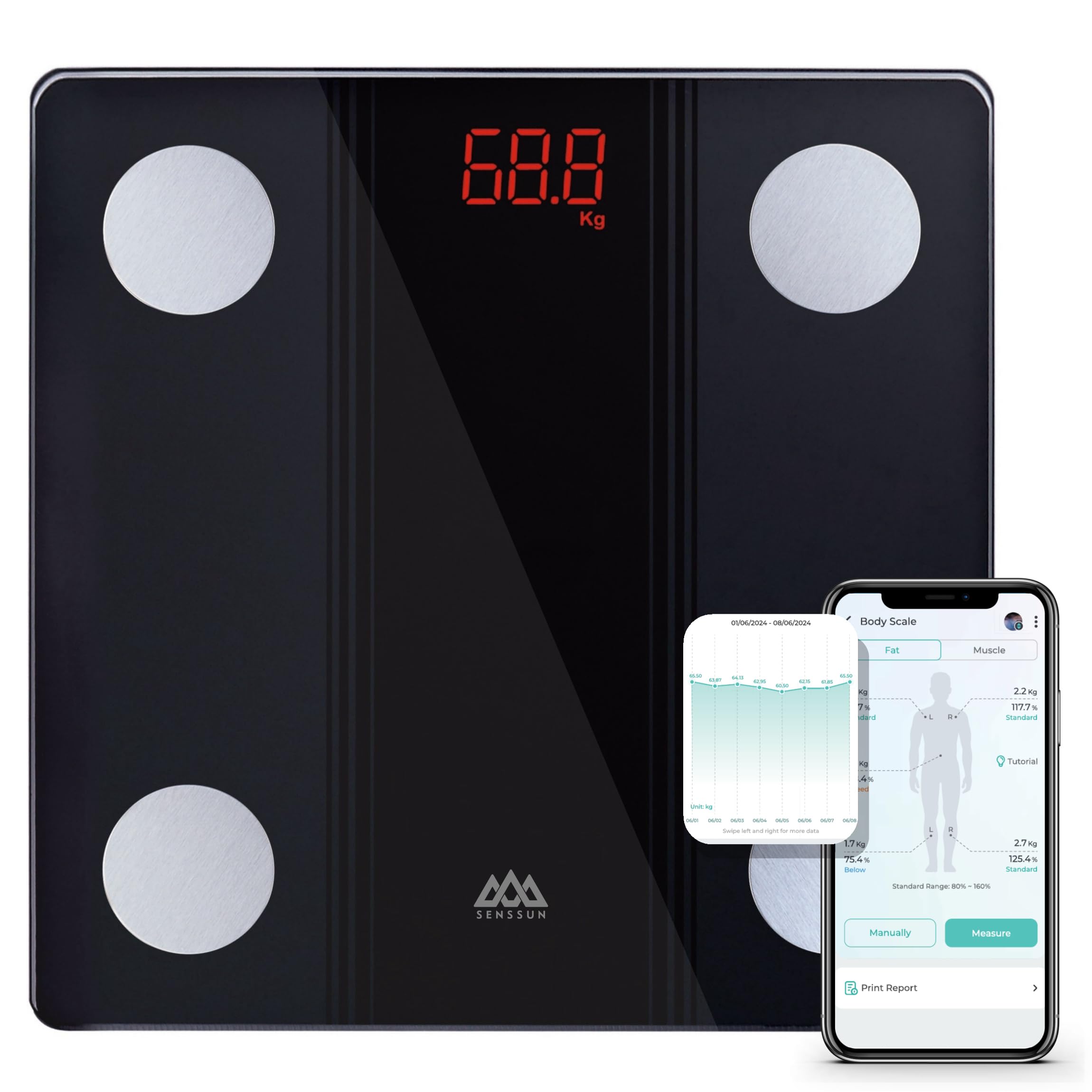
Image: SENSSUN Bluetooth Body Fat Scale, black with LED display.
2. Safety Information
- Do not use this device if you have a pacemaker or other internal medical device.
- Do not use this device if you are pregnant.
- Keep the scale away from water and extreme temperatures.
- The scale surface can be slippery when wet. Ensure the surface is dry before stepping on.
- Do not jump on the scale or use it for purposes other than weighing.
- The body composition measurements are for reference only and should not be used for medical diagnosis or treatment. Consult a healthcare professional for medical advice.
- Dispose of batteries according to local regulations.
3. Package Contents
The package includes:
- SENSSUN Bluetooth Body Fat Scale (Model: IF1131D)
- 3 x AAA Batteries
- User Manual
4. Product Overview
The SENSSUN Bluetooth Body Fat Scale features a tempered glass platform with four high-precision electrodes for accurate body composition analysis. It has a clear LED display and is designed with rounded corners and anti-slip feet for safety.
Key Features:
- Measures 14 body composition metrics including weight, BMI, body fat, muscle, protein, bone mass, and more.
- High-precision sensors with 0.1 kg (0.2 lb) increments.
- Maximum weight capacity of 150 kg (330 lbs).
- Bluetooth connectivity for data synchronization with the iMoni Health app.
- Automatic calibration and auto-off function.
- Low battery and overload indicators.

Image: Scale dimensions (26cm x 26cm x 2cm) and battery compartment location.

Image: Overview of 17 body composition metrics measured by the scale.

Image: Safety features including rounded corners, anti-slip feet, and LED display.
5. Setup
5.1 Battery Installation
- Open the battery compartment on the underside of the scale.
- Insert the 3 AAA batteries, ensuring correct polarity (+/-).
- Close the battery compartment securely.
5.2 App Download and Pairing
- Download the iMoni Health app from the Apple App Store (for iOS 8.0 or higher) or Google Play Store (for Android 4.3 or higher).
- Enable Bluetooth on your smartphone.
- Open the iMoni Health app and create a user profile.
- Step onto the scale to activate it. The scale will automatically attempt to pair with the app via Bluetooth.
- Follow the on-screen instructions in the app to complete the pairing process.

Image: The iMoni Health app interface and compatibility with other health platforms.
6. Operating Instructions
6.1 Taking a Measurement
- Place the scale on a hard, flat surface. Avoid carpets or uneven floors.
- Step onto the scale barefoot and stand still. Ensure your feet are in contact with the four metal electrodes.
- The LED display will show your weight. If the app is open and connected, other body composition data will be displayed in the app.
- The scale will automatically turn off after a few seconds of inactivity.
Note: You can weigh yourself at any time without your phone. The data will synchronize with the app automatically once your phone is reconnected and the app is open.

Image: Illustration of the high-accuracy chip for sensitive and precise measurements.
7. App Usage (iMoni Health)
The iMoni Health app allows you to track your body composition data over time, set goals, and monitor your progress. It also supports multiple user profiles and can synchronize data with other popular health apps.
7.1 Data Tracking and Trends
- View daily, weekly, monthly, and yearly trends for all measured metrics.
- Analyze changes in weight, BMI, body fat, and other parameters through intuitive graphs.
- Set personal health goals and track your achievements.

Image: App interface showing progress tracking graphs for body weight, BMI, and body fat.
7.2 Multi-User Support and Privacy
- The app supports an unlimited number of users, making it suitable for families.
- The scale features auto-recognition, identifying individual users based on their weight and body composition data.
- Each user's data is kept private within their own profile in the app.

Image: Multi-user support and auto-recognition feature for private data tracking.
8. Maintenance
- Clean the scale surface with a damp cloth and mild detergent. Do not use abrasive cleaners or immerse the scale in water.
- Store the scale in a cool, dry place.
- If the scale will not be used for an extended period, remove the batteries to prevent leakage.
9. Troubleshooting
| Problem | Solution |
|---|---|
| Scale does not turn on. | Check battery installation. Replace batteries if necessary. |
| Inaccurate weight readings. | Ensure the scale is on a hard, flat surface. Recalibrate by stepping on and off the scale quickly. |
| Bluetooth connection failure. | Ensure Bluetooth is enabled on your phone. Restart the app and scale. Make sure your phone meets the OS requirements (iOS 8.0+/Android 4.3+). |
| Body composition data not appearing in app. | Ensure you are standing barefoot on the scale with feet touching all four electrodes. Ensure the app is open and connected during measurement. |
| "Lo" displayed on screen. | Low battery indicator. Replace batteries. |
| "Err" or "OL" displayed on screen. | Overload indicator. The weight exceeds the maximum capacity of 150 kg. |
10. Specifications
- Brand: SENSSUN
- Model: IF1131D
- Color: Black
- Material: Tempered Glass
- Display Type: LED
- Maximum Weight Capacity: 150 kg (330 lbs)
- Measurement Increments: 0.1 kg (0.2 lbs)
- Measurement Units: Kilograms (kg), Pounds (lb)
- Power Source: 3 x AAA Batteries
- Connectivity: Bluetooth 4.0
- App Compatibility: iOS 8.0 or higher, Android 4.3 or higher
- Product Dimensions: Approximately 26 cm x 26 cm x 2 cm
- Item Weight: 1170 Grams
- Certifications: CE
11. Warranty and Support
SENSSUN products are manufactured with high-quality standards. For any product-related inquiries, technical support, or warranty claims, please contact SENSSUN customer support. Our professional support team aims to respond within 24 hours.
Please refer to your purchase documentation for specific warranty terms and contact information.


