
1. Product Overview
The Thincol Digital Oil Control Valve Meter Nozzle is designed for precise measurement and dispensing of various fluids. It features a digital LCD display for accurate readings and an anti-drip design to prevent waste. This nozzle is suitable for a wide range of applications, including filling gear oil, engine oil, and antifreeze.
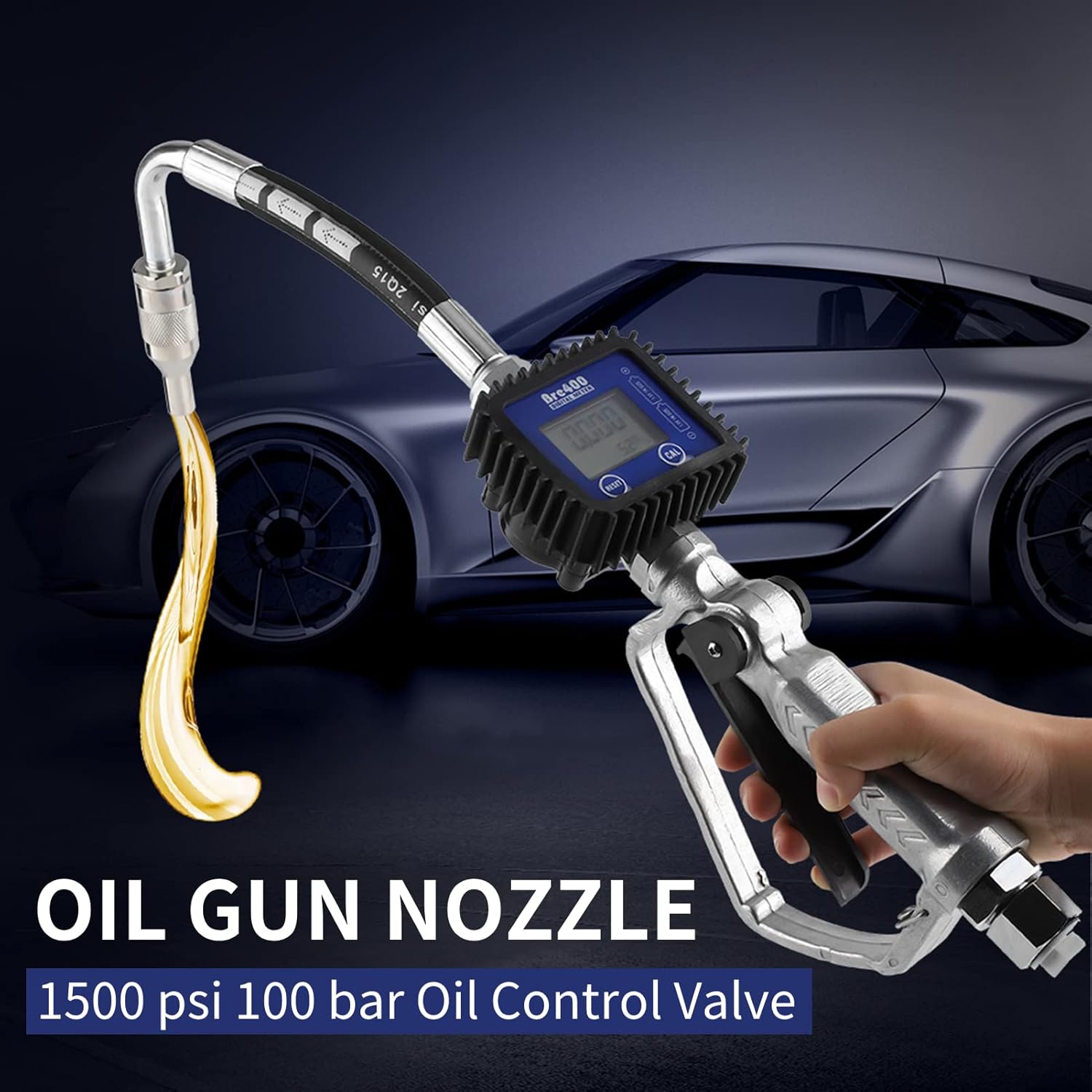
Figure 1: Thincol Digital Oil Control Valve Meter Nozzle in use.
Key Features:
- Digital LCD Meter: Equipped with a 4-digit easy-to-read LCD screen that displays single fill levels and saves total fill levels. Includes a low battery warning.
- Anti-Drip Design: Engineered to be drip-proof and leak-proof, minimizing fluid waste.
- Multiple Measurement Units: Supports five units: liters, gallons, pints, quarts, and kilograms.
- High Accuracy: Provides an accuracy of ±0.3%.
- Durable Construction: Made from high-quality aluminum alloy for strength and longevity.
2. Safety Information
Please read and understand all safety instructions before operating the Thincol Digital Oil Control Valve Meter Nozzle. Failure to follow these instructions may result in injury or damage to the equipment.
- Always wear appropriate personal protective equipment (PPE), such as safety glasses and gloves, when handling fluids.
- Ensure the nozzle is securely connected to the fluid source before operation to prevent leaks.
- Do not exceed the maximum working pressure of 1500 psi (100 bar).
- Use the nozzle only with fluids within the specified viscosity range (8-5000 mPas).
- Avoid operating the nozzle outside the recommended temperature range of -10°C to +50°C.
- Keep the nozzle away from open flames, sparks, and other ignition sources, especially when dispensing flammable liquids.
- In case of a leak, immediately stop operation and address the issue.
- Do not attempt to modify or repair the nozzle yourself. Refer to qualified personnel for service.
3. Product Components
The Thincol Digital Oil Control Valve Meter Nozzle consists of the following main components:
- Nozzle Spout: The outlet for fluid dispensing, designed with anti-drip features.
- Digital Flow Meter: Integrated LCD display for measuring and tracking fluid volume.
- Handle and Trigger: Ergonomic handle with a trigger for controlling fluid flow.
- Inlet Connection: 3/4 BSP threaded connection for attaching to the fluid supply hose.
- Outlet Connection: 1/2 BSP threaded connection at the spout.

Figure 2: Main components of the oil gun nozzle.

Figure 3: Ergonomic handle and trigger for flow control.
4. Setup Instructions
Follow these steps to set up your Thincol Digital Oil Control Valve Meter Nozzle:
- Unpacking: Carefully remove the nozzle from its packaging and inspect for any damage. Ensure all components are present.
- Battery Installation (if required): The digital meter requires batteries for operation. Locate the battery compartment (typically on the back or side of the meter) and insert the required batteries (e.g., 1.5V AAA, as indicated by "1.5V IN SIZE" on some images). Ensure correct polarity.
- Connecting to Fluid Supply:
- Identify the 3/4 BSP inlet connection on the nozzle.
- Connect your fluid supply hose (with a matching 3/4 BSP fitting) to the nozzle's inlet.
- Ensure the connection is tight and secure to prevent leaks. Use appropriate thread sealant if necessary.
- Initial Check: Before dispensing, ensure all connections are secure and there are no visible signs of damage or leaks.
5. Operating Instructions
This section details how to operate your digital oil control valve meter nozzle.
5.1 Dispensing Fluid
- Position the nozzle spout over the container or inlet where the fluid is to be dispensed.
- Slowly press the trigger on the handle to begin fluid flow. The digital meter will start displaying the dispensed volume.
- Control the flow rate by adjusting the trigger pressure.
- Once the desired volume is dispensed, release the trigger to stop the flow. The anti-drip design will help prevent residual drips.
5.2 Using the Digital Meter

Figure 4: Digital LCD flow meter display.
- Single Fill Display: The main, larger digits on the LCD screen show the volume dispensed during the current operation.
- Total Fill Display: A smaller display typically shows the accumulated total volume dispensed over time. This value is saved even after the nozzle is turned off or batteries are replaced (depending on internal memory).
- Low Battery Warning: If the battery icon or a specific warning appears, replace the batteries promptly to ensure accurate readings.
5.3 Changing Measurement Units

Figure 5: Supported measurement units.
The meter supports Liters, Gallons, Pints, Quarts, and Kilograms. To change the unit:
- Locate the "UNIT" or "MODE" button on the digital meter.
- Press the button repeatedly to cycle through the available units until your desired unit is displayed.
- The meter will automatically save your selection.
5.4 Calibration
The nozzle features real-time error coefficient calibration for maintaining accuracy. Refer to the specific instructions on the meter itself or contact support for detailed calibration procedures if you suspect inaccuracies. Typically, a "CAL" button is present for this function.
6. Maintenance
Proper maintenance ensures the longevity and accurate performance of your Thincol oil gun nozzle.
- Cleaning: After each use, wipe down the exterior of the nozzle with a clean cloth to remove any fluid residue. Avoid using harsh chemicals that may damage the finish or seals.
- Leak Inspection: Regularly inspect all connections and the nozzle body for any signs of leaks or drips. Address any leaks immediately by tightening connections or replacing worn seals.
- Battery Replacement: When the low battery warning appears on the LCD, replace the batteries promptly. Use the specified battery type and ensure correct polarity.
- Storage: Store the nozzle in a clean, dry place away from extreme temperatures and direct sunlight.

Figure 6: The anti-drip nozzle tip, designed to prevent fluid waste.
7. Troubleshooting
This section provides solutions to common issues you might encounter.
| Problem | Possible Cause | Solution |
|---|---|---|
| Fluid leaks from the nozzle or connections. | Loose connections, worn seals, damaged nozzle. | Tighten all connections. Inspect and replace any damaged O-rings or seals. If the nozzle body is damaged, replacement may be necessary. |
| Digital meter display is blank or dim. | Dead or low batteries, incorrect battery installation. | Replace batteries with new ones, ensuring correct polarity. Check battery compartment contacts. |
| Inaccurate fluid readings. | Needs calibration, incorrect unit setting, air in the line, fluid viscosity outside specified range. | Perform calibration as per meter instructions. Verify the correct measurement unit is selected. Ensure the fluid line is free of air bubbles. Confirm fluid viscosity is within 8-5000 mPas. |
| No fluid dispenses when trigger is pressed. | No fluid supply, clogged nozzle, trigger mechanism jammed. | Check fluid supply and pump operation. Inspect nozzle spout for blockages and clean if necessary. Ensure the trigger moves freely. |
8. Specifications
Detailed technical specifications for the Thincol Digital Oil Control Valve Meter Nozzle:
| Specification | Value |
|---|---|
| Model Number | Thincol1gw9zd8s5b |
| Material | Aluminum |
| Speed (Flow Rate) | 1-35 L/min |
| Maximum Working Pressure | 1500 psi (100 bar) |
| Operating Temperature | -10°C to +50°C |
| Accuracy | ±0.3% |
| Inlet Connection | 3/4 BSP |
| Outlet Connection | 1/2 BSP |
| Suitable Oil Viscosity | 8-5000 mPas |
| Length | 55 cm (21.65 in) |
| Weight | 1964 g (approx.) |
| Certifications | CSA, ULC (as per product specifications) |
| UPC | 738583859080 |

Figure 7: Dimensions of the Thincol Digital Oil Control Valve Meter Nozzle.
9. Warranty and Support
Information regarding product warranty and customer support was not provided in the available product data. For warranty details or technical assistance, please refer to the product packaging or contact the manufacturer, Thincol, directly through their official website or customer service channels.