
1. Introduction
This document serves as an instruction manual for the StreamUSA Optical Laser Lens Head, a replacement component specifically designed for the MARANTZ UD7007 Blu-ray Player. It provides essential information regarding the product's overview, installation procedures, operational guidelines, maintenance tips, and troubleshooting steps to ensure proper functionality and longevity.
2. Product Overview
The StreamUSA Optical Laser Lens Head is a precision component responsible for reading data from Blu-ray, DVD, and CD discs within your MARANTZ UD7007 Blu-ray Player. This unit includes the laser diode, lens assembly, and associated circuitry, all integrated into a single module for accurate data retrieval.
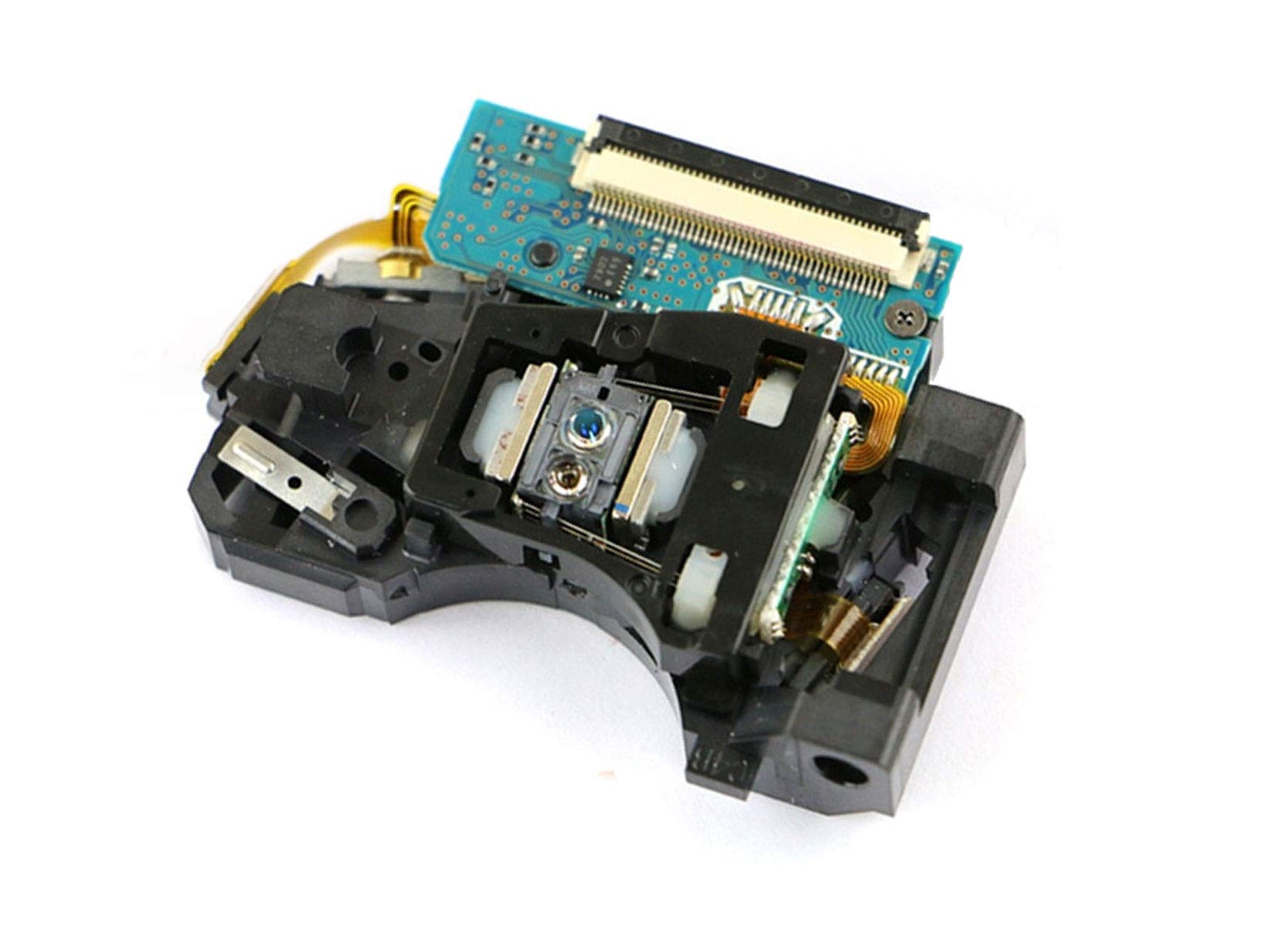
A detailed view of the StreamUSA Optical Laser Lens Head, showing the laser assembly, optical lens, and the integrated circuit board. This component is crucial for disc playback in the MARANTZ UD7007 Blu-ray Player.
3. Setup and Installation
Replacing an optical laser lens head requires technical expertise and careful handling. It is highly recommended that installation be performed by a qualified technician to prevent damage to the component or the Blu-ray player. Improper installation can void the product warranty and cause irreversible damage.
- Preparation: Disconnect the MARANTZ UD7007 Blu-ray Player from all power sources. Place the player on a clean, static-free work surface. Use an anti-static wrist strap to prevent electrostatic discharge (ESD) damage to sensitive electronic components.
- Accessing the Optical Drive: Carefully open the Blu-ray player's casing. Refer to the original MARANTZ UD7007 service manual for specific instructions on how to safely disassemble the unit and access the optical drive mechanism.
- Removing the Old Lens Head: Locate the existing optical laser lens head within the optical drive. Disconnect any ribbon cables or power connectors attached to it. Carefully unmount the old lens head from its rails or mounting points.
- Installing the New Lens Head: Gently place the StreamUSA Optical Laser Lens Head into the designated position. Ensure it is correctly aligned on the rails or mounting points. Reconnect all ribbon cables and power connectors securely. Be extremely careful not to bend or damage the delicate ribbon cables.
- Reassembly: Once the new lens head is securely installed and connected, carefully reassemble the Blu-ray player's casing. Ensure all screws are tightened appropriately and no internal components are pinched.
- Initial Test: Reconnect the Blu-ray player to power and video output. Insert a known good Blu-ray disc and test its playback functionality. Verify that the player can read and play discs without errors.
4. Operation
After successful installation, the MARANTZ UD7007 Blu-ray Player will operate as intended. The StreamUSA Optical Laser Lens Head functions automatically to read disc data when a disc is inserted and playback is initiated. No specific user operation is required for the lens head itself.
5. Maintenance
Proper maintenance can extend the lifespan of your optical laser lens head and ensure consistent performance.
- Keep the Environment Clean: Operate the Blu-ray player in a dust-free environment. Dust and debris are the primary enemies of optical components.
- Avoid Physical Contact: Never touch the lens surface. Fingerprints or smudges can severely impair disc reading capabilities.
- Disc Care: Always use clean, scratch-free discs. Dirty or damaged discs can cause the lens head to work harder, potentially shortening its lifespan.
- Professional Cleaning: If disc reading issues persist and are suspected to be lens-related, consult a professional technician for cleaning. Avoid using abrasive cleaning kits.
6. Troubleshooting
This section addresses common issues that may arise after replacing the optical laser lens head.
| Issue | Possible Cause | Solution |
|---|---|---|
| Disc not recognized / No Disc | Incorrect installation of lens head or cables | Recheck all connections and mounting of the lens head. Ensure ribbon cables are fully seated and not damaged. |
| Disc playback errors / Skipping | Dirty lens, faulty lens head, or damaged disc | Clean the lens (professionally if needed). Test with multiple known good discs. If issues persist, the lens head might be faulty or improperly installed. |
| Player powers on but no disc activity | Power connection issue to optical drive | Verify power connections to the optical drive and lens head. |
| Player makes unusual noises during disc loading | Mechanical obstruction or misalignment | Ensure the lens head is correctly seated on its rails and moves freely. Check for any foreign objects within the disc tray mechanism. |
7. Specifications
- Product Type: Optical Laser Lens Head
- Compatibility: MARANTZ UD7007 Blu-ray Player
- Manufacturer: StreamUSA
- ASIN: B0813WDKSP
- Date First Available: August 1, 2010
8. Warranty and Support
The StreamUSA Optical Laser Lens Head comes with a 60-day warranty from the date of purchase, covering manufacturing defects. For warranty claims or technical support, please contact StreamUSA directly through your purchase platform or their official support channels. Please retain your proof of purchase for warranty validation.