
1. Introduction
This manual provides comprehensive instructions for the setup, operation, and maintenance of your Beetel X91 2.4 GHz Digital Cordless Phone. Please read this manual thoroughly before using your new phone to ensure proper functionality and to maximize its features.
2. Product Overview
The Beetel X91 is a 2.4 GHz digital cordless phone designed for clear communication and convenience. It features Caller ID, a phonebook, a two-way speakerphone, and multiple ringtone options.
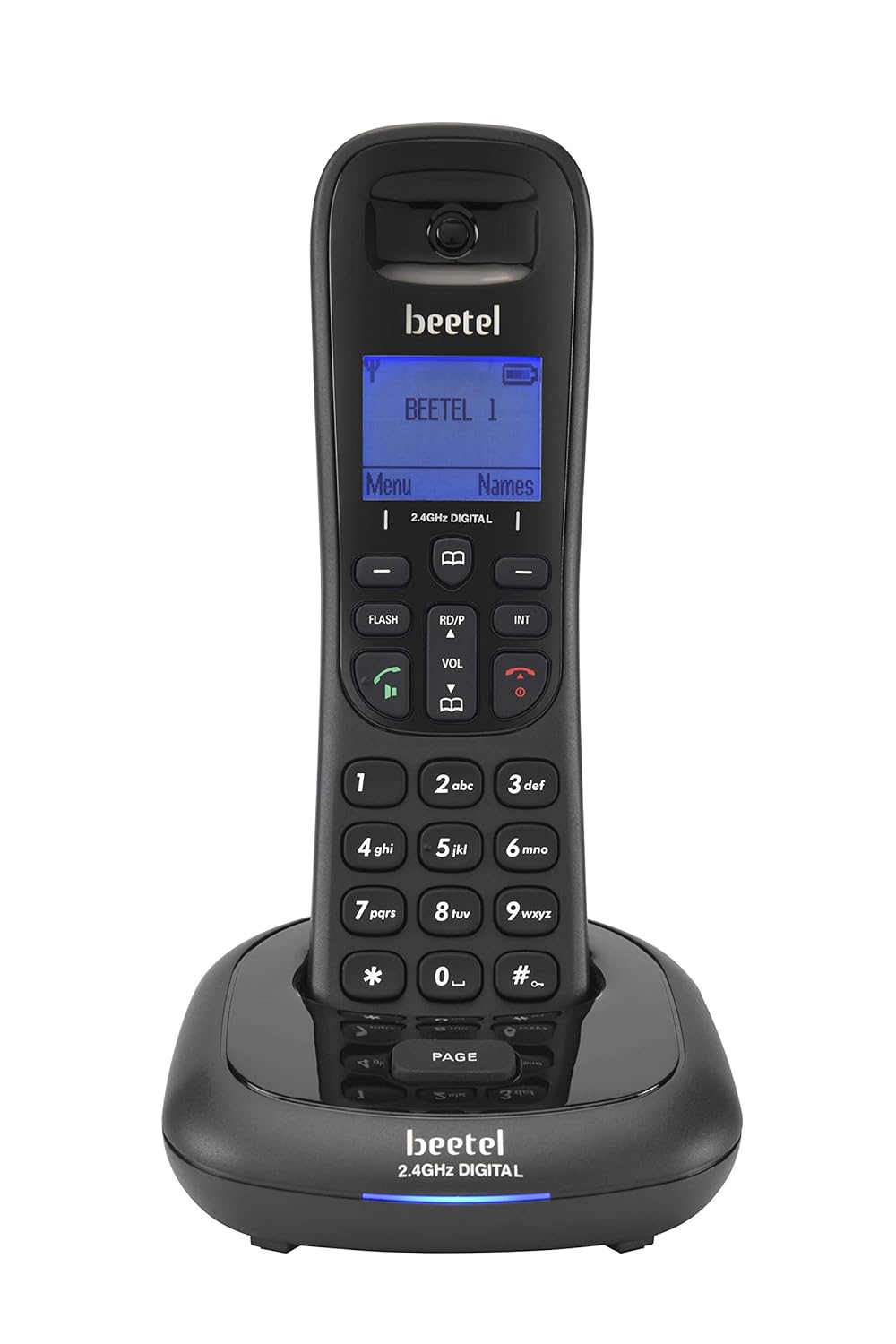
Figure 2.1: Beetel X91 Cordless Phone Handset and Base Unit. The image displays the black cordless handset securely placed on its charging base, showcasing the display screen and keypad.
Package Contents:
- Cordless Handset
- Base Unit
- Telephone Line Cord
- Power Adapter
- User Manual (this document)
- Rechargeable Lithium Ion Battery
Handset Features:
- Display Screen: 1.4-inch LCD for caller ID, menu navigation, and status indicators.
- Keypad: Standard numeric keys (0-9), navigation keys, call/end keys, speakerphone key, and menu access.
- Speakerphone: Integrated two-way speakerphone for hands-free conversations.
- Volume Control: Dedicated buttons for adjusting call volume.
- Phonebook: Stores up to 100 contacts with names.
- Ringtones: 20 monophonic and polyphonic ringtone options.
3. Setup
3.1. Unpacking and Battery Installation
- Carefully remove all components from the packaging.
- Locate the battery compartment on the back of the handset.
- Insert the provided rechargeable battery, ensuring correct polarity.
- Close the battery compartment cover.
3.2. Connecting the Base Unit
- Connect one end of the telephone line cord to the LINE port on the base unit.
- Connect the other end of the telephone line cord to your telephone wall jack.
- Connect the power adapter to the DC IN port on the base unit.
- Plug the power adapter into a standard electrical outlet.

Figure 3.1: Beetel X91 Handset and Base Unit. The image shows the cordless handset detached from its base, with the base unit positioned beside it, illustrating the separate components.
3.3. Initial Charging
Place the handset on the base unit. The handset will begin charging. For optimal battery performance, allow the handset to charge continuously for at least 12-15 hours before its first use, even if the display indicates a full charge sooner.
4. Operating Instructions
4.1. Making a Call
- Lift the handset from the base or press the CALL button.
- Dial the desired phone number using the keypad.
- Press the CALL button again to initiate the call.
- To end the call, press the END button or place the handset back on the base.
4.2. Receiving a Call
When the phone rings, lift the handset from the base or press the CALL button to answer.
4.3. Using the Speakerphone
During a call, press the SPEAKER button to activate the two-way speakerphone function. Press it again to switch back to handset mode.
4.4. Adjusting Volume
During a call, use the VOL ▲ and VOL ▼ buttons on the handset to adjust the earpiece or speakerphone volume.
4.5. Phonebook
The phonebook allows you to store up to 100 names and numbers.
Adding a Contact:
- Press the MENU button.
- Navigate to "Phonebook" and select "Add New".
- Enter the name using the keypad (refer to the keypad for character input).
- Enter the phone number.
- Save the entry.
Dialing from Phonebook:
- Press the PHONEBOOK button (or navigate via MENU).
- Scroll through the contacts using the navigation keys.
- Press the CALL button to dial the selected contact.
4.6. Caller ID
When a call is received, the caller's number and name (if stored in the phonebook) will be displayed on the handset screen, provided you have subscribed to Caller ID service from your telephone service provider.
4.7. Ringtones
You can select from 20 monophonic and polyphonic ringtones. Access the ringtone settings through the MENU to customize your preference.
4.8. Event Reminder & Clock Screensaver
The phone includes an event reminder function, accessible via the menu, to set alarms or reminders. A clock screensaver can also be enabled to display the time when the handset is idle.
5. Maintenance
5.1. Cleaning
Wipe the handset and base unit with a soft, damp cloth. Do not use abrasive cleaners or solvents. Ensure the phone is disconnected from power before cleaning.
5.2. Battery Care
- Always use the original rechargeable battery provided with the phone.
- If the phone will not be used for an extended period, remove the battery to prevent leakage.
- Dispose of old batteries responsibly according to local regulations.
6. Troubleshooting
If you experience issues with your Beetel X91 phone, please refer to the following common problems and solutions:
| Problem | Possible Solution |
|---|---|
| No dial tone |
|
| Handset not charging |
|
| Poor call quality / Static |
|
| Caller ID not displayed |
|
7. Specifications
| Feature | Detail |
|---|---|
| Model | X91 |
| Brand | Beetel |
| Frequency | 2.4 GHz Digital |
| Display Type | LCD |
| Screen Size | 1.4 Inches |
| Phonebook Capacity | 100 Entries |
| Ringtones | 20 Monophonic & Polyphonic |
| Battery Type | Rechargeable Lithium Ion |
| Power Source | Battery Powered (with AC adapter for base) |
| Dimensions (Handset & Base) | 19 x 9.9 x 10.6 cm |
| Item Weight | 300 g |
| Material | Plastic |
| Compatible Devices | Standard Landline Networks, Some VoIP Services |
8. Warranty and Support
8.1. Warranty Information
The Beetel X91 Cordless Phone comes with a 1-year manufacturer warranty for the device from the date of purchase. In-box accessories, including batteries, are covered by a 6-month manufacturer warranty from the date of purchase. Please retain your purchase receipt for warranty claims.
8.2. Customer Support
For technical assistance, service, or warranty claims, please contact Beetel customer support. Refer to the contact information provided on the product packaging or the official Beetel website.