
ZenStyle 66-inch L-Shaped Corner Computer Desk
ZenStyle 66-inch L-Shaped Corner Computer Desk Instruction Manual
Model: 66-inch L-Shaped Corner Computer Desk | Brand: ZenStyle
Introduction
This manual provides detailed instructions for the assembly, operation, and maintenance of your ZenStyle 66-inch L-Shaped Corner Computer Desk. Please read all instructions carefully before beginning assembly and retain this manual for future reference.

Image: The ZenStyle L-Shaped Corner Computer Desk in a modern gaming setup, showcasing its spacious design and ability to accommodate multiple devices.
Safety Information
Please observe the following safety guidelines to ensure safe use and prevent damage to the product or injury.
- Always assemble the desk on a stable, level surface to prevent wobbling or tipping.
- Ensure all parts are securely fastened before use. Regularly check and tighten fasteners as needed.
- Do not exceed the maximum weight capacity of 550 pounds (249 kg). Distribute weight evenly across the desktop.
- Keep the desk away from direct heat sources, open flames, and excessive moisture.
- Avoid placing heavy objects on the edges of the desk to prevent tipping.
- Do not stand or sit on the desk.
- Keep small parts and packaging materials away from children to prevent choking hazards.
Package Contents
Before assembly, verify that all components listed below are present and undamaged. If any parts are missing or damaged, please contact customer service.
- Desktop Panels (L-shaped sections)
- Steel Frame Components (legs, support bars, X-crossbars)
- CPU Stand
- Adjustable Foot Pads
- Assembly Hardware (screws, bolts, Allen wrench)
- Instruction Manual
Setup and Assembly
Assembly typically requires two people and includes all necessary tools. Follow these steps carefully.
Step 1: Unpack and Organize
Carefully unpack all components and lay them out on a clean, soft surface to prevent scratches. Identify each part using the provided parts list.
Step 2: Assemble the Frame
Attach the steel frame components according to the diagram in your physical manual. Ensure all connections are firm but do not fully tighten screws until the entire frame is assembled. Pay close attention to the orientation of each bar to avoid misalignment.
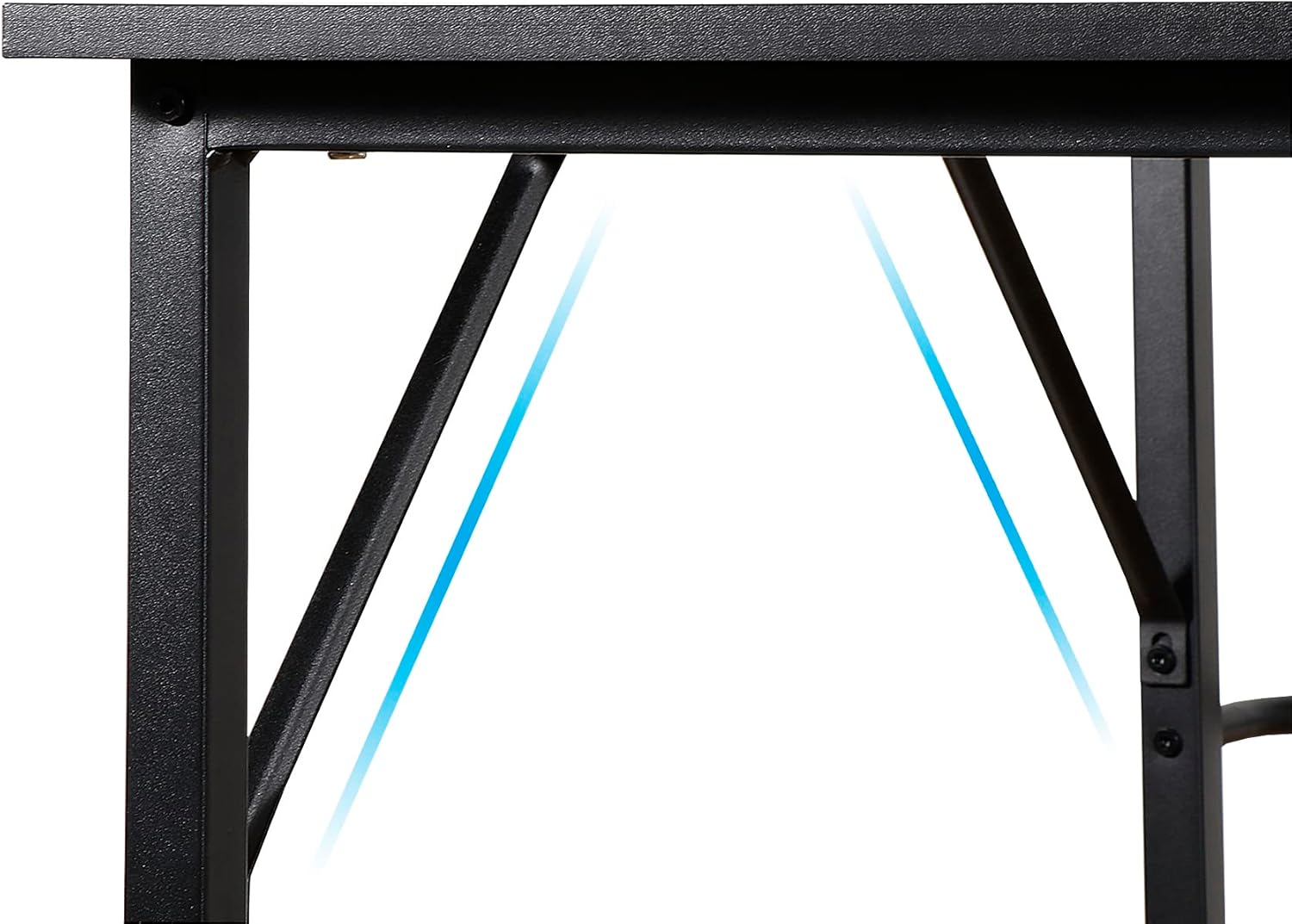
Image: Detail of the X-crossbar design, which enhances the desk's stability and prevents wobbling.
Step 3: Attach Desktop Panels
Carefully place the desktop panels onto the assembled frame. Align the pre-drilled holes in the desktop with the holes in the frame. Secure the desktop panels using the provided screws. Once all screws are in place, fully tighten all fasteners on the frame and desktop.

Image: The corner section of the L-shaped desk, illustrating the precise fit and finish of the desktop panels.
Step 4: Install Adjustable Foot Pads
Screw the adjustable foot pads into the bottom of each leg. These pads allow you to level the desk on uneven surfaces and protect your floor from scratches.
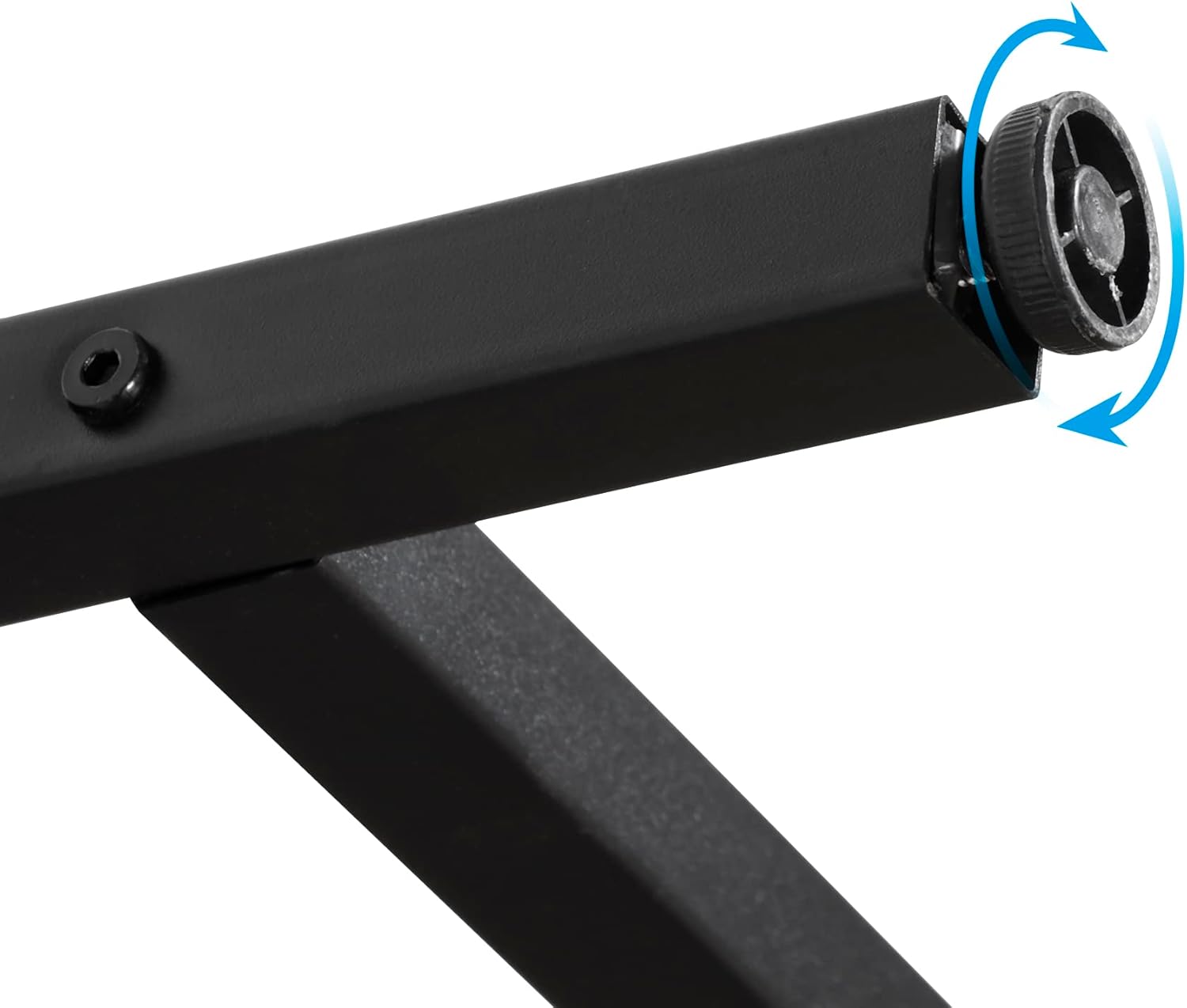
Image: An adjustable foot pad on the desk leg, designed for leveling and floor protection.
Step 5: Place the CPU Stand
The CPU stand can be placed freely underneath the desk to accommodate your computer tower.
Assembly Overview Video
Video: An overview of the ZenStyle L-Shaped Corner Computer Desk, demonstrating its features and ease of assembly. This video provides a visual guide to the setup process and highlights the desk's design for home office use.
Operating Instructions
The ZenStyle L-Shaped Corner Computer Desk is designed for versatile use in home offices, gaming setups, and study areas. Its L-shaped design maximizes corner space and provides ample surface area.
- Monitor Placement: The wide desktop can accommodate 2 to 4 monitors, providing flexibility for multi-screen setups.
- Cable Management: The back of the middle corner features a cutout, ideal for routing cables from monitors, computers, and other peripherals, helping to maintain a tidy workspace.
- CPU Stand: Utilize the included CPU stand to keep your computer tower off the floor, improving airflow and protecting it from dust.
- Adjustable Leveling: Use the adjustable foot pads to ensure the desk remains stable and level, even on slightly uneven floors.

Image: A functional setup on the ZenStyle L-Shaped Desk, illustrating how multiple monitors and accessories can be arranged efficiently.
Maintenance
Proper care will extend the life and appearance of your desk.
- Cleaning: Wipe the desktop and frame with a soft, damp cloth. Avoid abrasive cleaners or harsh chemicals that could damage the finish.
- Spills: Immediately wipe up any spills to prevent water damage or staining, as the P2 MDF board is waterproof and scratch-resistant but prolonged exposure to liquids should be avoided.
- Inspection: Periodically check all screws and bolts to ensure they remain tight. Re-tighten if necessary.
- Protection: Use coasters for drinks and mouse pads to protect the desktop surface from scratches and marks.
Troubleshooting
If you encounter issues during assembly or use, refer to the following common solutions.
- Wobbling Desk: Ensure all screws are fully tightened. Adjust the foot pads on each leg to level the desk on uneven floors.
- Misaligned Holes During Assembly: This can occur if frame components are not oriented correctly. Disassemble the affected section and carefully re-evaluate the direction of each piece, referring to the diagrams in the physical instruction manual. Do not force screws into misaligned holes.
- Scratches on Desktop: While the desktop is scratch-resistant, heavy or sharp objects can still cause damage. Use protective mats or pads for items that may scratch the surface.
Specifications
| Feature | Detail |
|---|---|
| Brand | ZenStyle |
| Model | 66-inch L-Shaped Corner Computer Desk |
| Product Dimensions (D x W x H) | 47.3" x 66.5" x 29.3" |
| Shape | L-Shape |
| Color | Black |
| Style | Modern |
| Top Material Type | P2 MDF Board |
| Base Material | Powder Coated Steel Frame |
| Special Feature | Adjustable Foot Pads, CPU Stand, Cable Management Cutout |
| Maximum Weight Recommendation | 550 Pounds (249 kg) |
| Assembly Required | Yes (Tools Included) |
| Recommended Number of People for Assembly | 2 |
| Item Weight | 42.7 Pounds (19.37 kg) |
| UPC | 707772715940 |
| ASIN | B0811MNFKR |
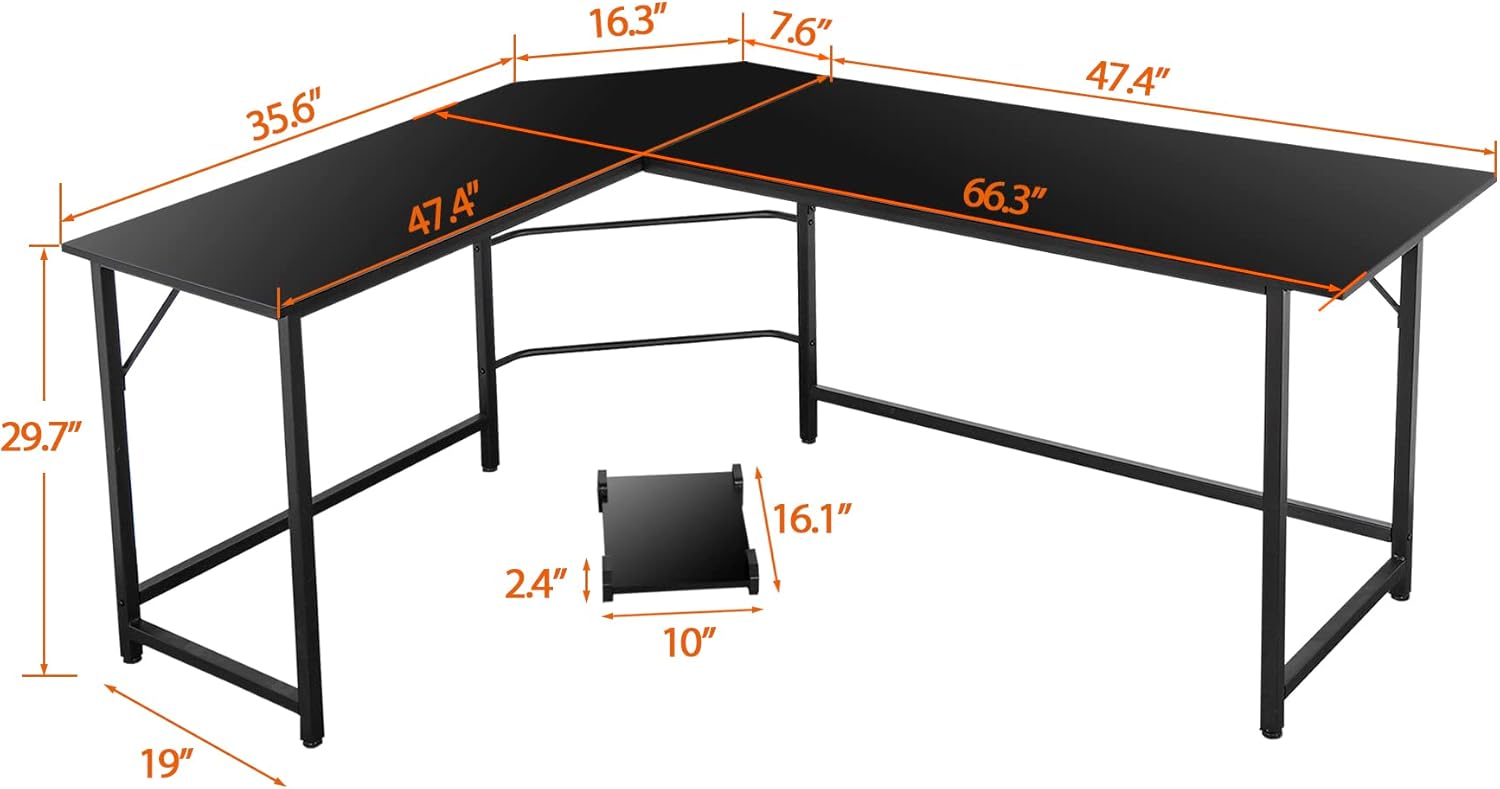
Image: Detailed dimensional drawing of the desk, providing all key measurements for planning your space.
Warranty and Support
ZenStyle is committed to providing high-quality products. For any issues regarding product quality, missing parts, or problems during use, please contact ZenStyle customer service. Your satisfaction is our priority, and easy and fast replacement is guaranteed for eligible issues.
Please refer to your purchase documentation for specific warranty terms and contact information.
Ask a question about this manual
Ask about setup, troubleshooting, compatibility, parts, safety, or missing instructions. Manuals+ will review the question and use this page’s manual context to help answer it.