
1. Introduction
The Knowtek DSE5220 Auto AMF Generator Controller is designed to automatically start and stop diesel and gas generating sets that include non-electronic engines. This module provides comprehensive engine monitoring and protection features, ensuring reliable operation of your generator.
The DSE5220 controller monitors various critical conditions, including:
- Under speed and over speed
- Charge failure
- Emergency stop activation
- Low oil pressure
- High engine temperature
- Failure to start or stop
- Under/over generator volts and frequency
- Over current conditions
- Low/high DC battery volts
- Low fuel alarm
- Loss of speed sensing signal
Fault conditions are clearly displayed on the integrated LCD screen and via LED indicators on the front panel, allowing for quick identification and response.
The DSE5220 also features RS232 or RS485 communication capabilities, enabling connection to a PC, sending SMS messages, and integration with new and existing building management systems. This controller is suitable for gas and diesel generators greater than 10 KW that are started with a battery.

Figure 1: Front view of the DSE5220 Auto AMF Generator Controller, showing the LCD display, control buttons, and indicator lights.
2. Setup and Configuration
The DSE5220 controller offers flexible configuration options. You can configure the module directly using the buttons on the front panel, or for more advanced settings, utilize the DSE810 interface and PC software.
2.1 Physical Installation and Connections
Ensure the controller is securely mounted in a suitable enclosure, protected from environmental elements. Connect all necessary wiring for power, generator inputs, engine outputs, and communication interfaces as per the wiring diagram provided with your generator system.
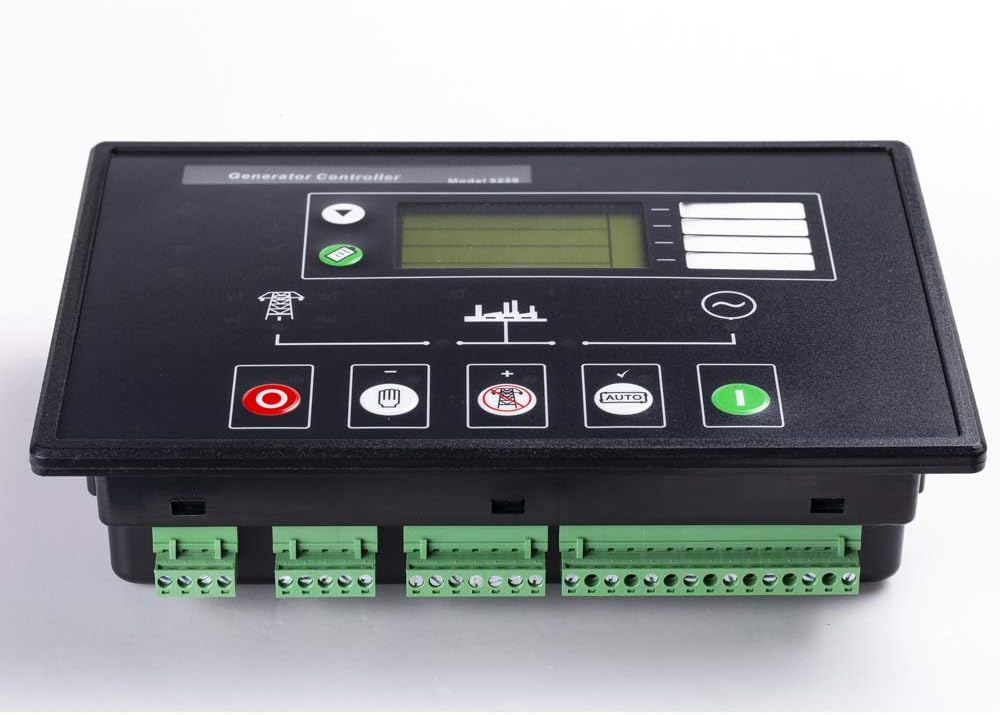
Figure 2: Angled view of the DSE5220 controller, highlighting the front panel and the various green terminal block connectors at the bottom for wiring.

Figure 3: Rear view of the DSE5220 controller, displaying the numerous numbered terminal blocks for input/output connections and the RS232/RS485 communication ports.
2.2 PC Software Configuration
The DSE5220 Auto Start Generator Controller can be controlled, configured, and monitored remotely from a PC. This requires the use of the DSE810 interface and compatible PC software. Refer to the DSE810 interface manual for detailed instructions on connecting the controller to a PC and using the software for configuration.
3. Operating Instructions
The DSE5220 is operated using the dedicated push buttons located on the front panel: STOP, AUTO, and MANUAL.
- STOP Button (Red Circle): Press this button to stop the generator set and reset any active alarms.
- MANUAL Button (White Hand): In Manual mode, the generator can be started and stopped manually. This mode is typically used for testing or specific operational requirements.
- AUTO Button (Green 'AUTO' symbol): In Auto mode, the controller will automatically start and stop the generator based on pre-configured parameters, such as mains failure detection.
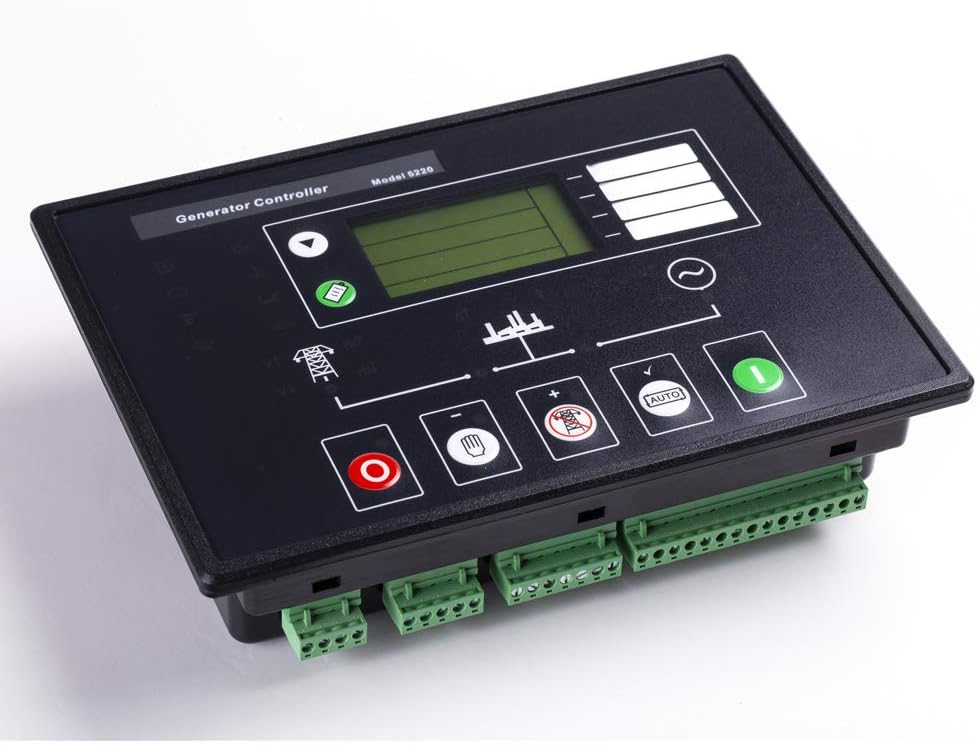
Figure 4: Angled front view of the DSE5220 controller, clearly showing the STOP, MANUAL, and AUTO buttons along with other indicators.
4. Maintenance
To ensure the longevity and reliable performance of your DSE5220 controller and the connected generator, regular maintenance checks are recommended.
- Visual Inspection: Periodically inspect the controller for any signs of physical damage, loose connections, or corrosion.
- Cleaning: Keep the controller's front panel clean and free from dust and debris. Use a soft, dry cloth for cleaning. Do not use abrasive cleaners or solvents.
- Firmware Updates: Check the manufacturer's website for any available firmware updates for the DSE5220 controller. Follow the provided instructions carefully for any update procedures.
- Battery Check: Ensure the generator's battery, which powers the controller, is in good condition and properly charged.
5. Troubleshooting
The DSE5220 controller is equipped with diagnostic features that display fault conditions on its LCD screen and via LED indicators. When a fault occurs, observe the displayed message or illuminated LED to identify the issue.
- LCD Display Messages: The LCD will show specific text messages indicating the nature of the fault (e.g., "Low Oil Pressure", "High Engine Temp"). Refer to the full DSE5220 manual for a complete list of fault codes and their meanings.
- LED Indicators: Certain LEDs on the front panel will illuminate to signal specific conditions or alarms. Consult the controller's wiring and operation manual for the meaning of each LED.
- Common Issues:
- Generator Fails to Start: Check fuel level, battery charge, engine stop solenoid, and starter motor connections. Verify all safety shutdowns are clear.
- Generator Stops Unexpectedly: Review the LCD for shutdown messages. Common causes include low oil pressure, high engine temperature, or over speed.
- Communication Errors: Ensure RS232/RS485 cables are securely connected and the correct communication parameters are set in the PC software.
If you are unable to resolve an issue using the information provided, contact technical support.
6. Specifications
| Feature | Detail |
|---|---|
| Model Number | DSE5220 |
| Product Dimensions | 10 x 6.3 x 2.3 inches |
| Item Weight | 2 pounds |
| Manufacturer | KNOWTEK |
| Voltage | 12 Volts |
| Batteries Required | No (for the controller itself, but powers from generator battery) |
| Application | >10 KW gas & diesel generators with battery start |
7. Warranty Information
The Knowtek DSE5220 Auto AMF Generator Controller comes with a 1-year warranty from the date of purchase. This warranty covers defects in materials and workmanship under normal use.
Please retain your proof of purchase for warranty claims. The warranty does not cover damage caused by improper installation, misuse, accidents, unauthorized repairs, or acts of nature. For detailed warranty terms and conditions, please refer to the documentation included with your product or contact Knowtek customer support.
8. Technical Support
For technical assistance, troubleshooting guidance beyond this manual, or warranty inquiries, please contact Knowtek customer support.
When contacting support, please have your product model (DSE5220) and purchase information readily available to expedite assistance.
Knowtek Customer Support: Visit the Knowtek Store on Amazon