
1. Introduction
Thank you for choosing the Vidpro LED-900 Professional Varicolor LED Studio Lighting Kit. This manual provides essential information for the safe and efficient operation of your new lighting equipment. Please read these instructions thoroughly before use and retain them for future reference.
The Vidpro LED-900 is a robust, all-metal constructed LED studio light designed for professional photography and videography. It offers adjustable color temperature from 3200K to 5600K and dimmable brightness, powered by either AC or compatible V-Mount/F-Series batteries.
2. Package Contents
Verify that all items listed below are present in your package:
- Studio LED Light Unit (1)
- Padded Carry Case (1)
- AC Power Supply & Cord (1)
- Soft Diffuser Panel (1)
- V-Mount to F Series Converter Plate (1)
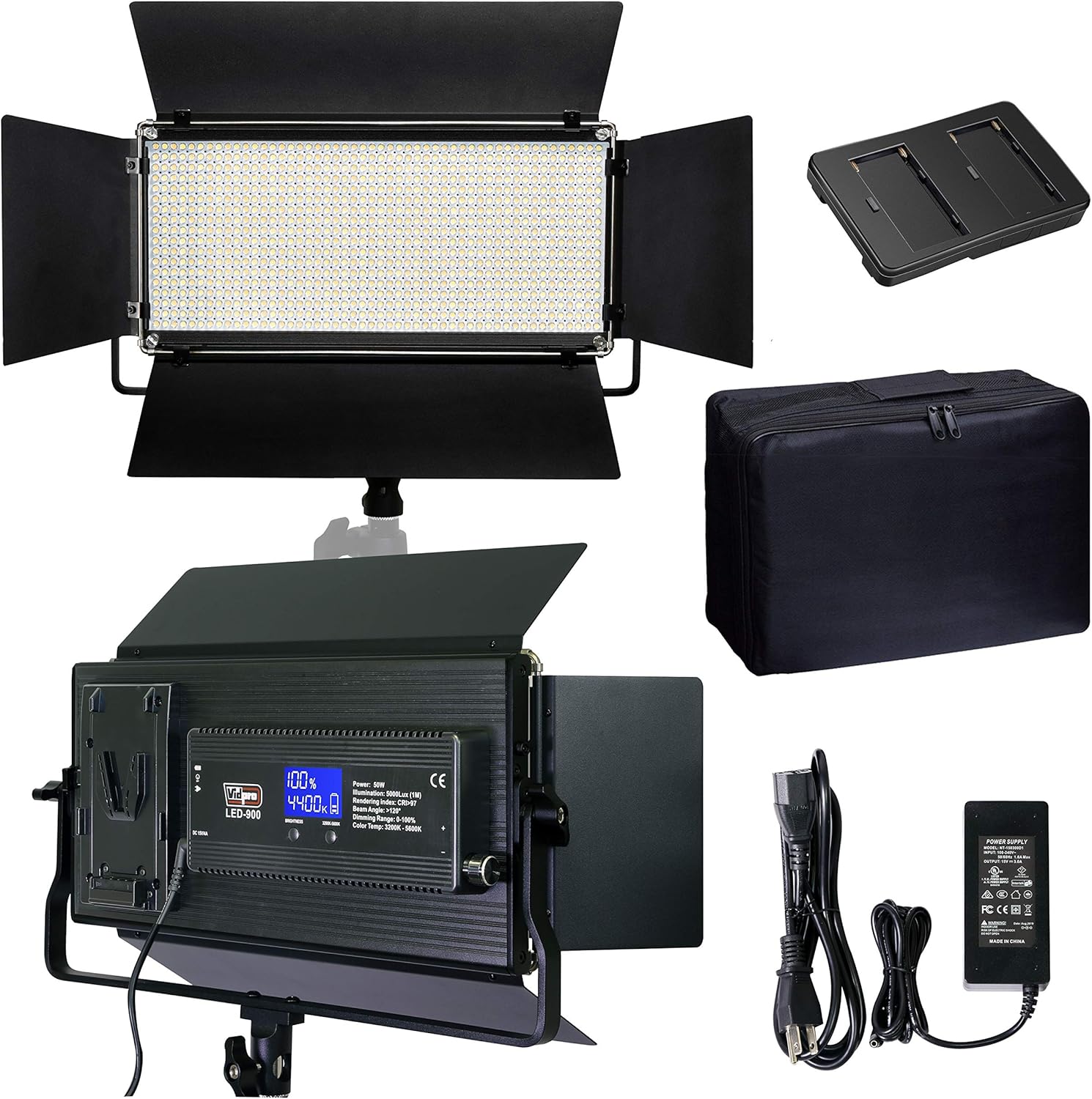
Image 2.1: The complete Vidpro LED-900 Studio Lighting Kit, including the LED panel, power supply, battery adapter, and carry case.
3. Product Overview
The Vidpro LED-900 features a durable all-metal housing with integrated barn doors for light shaping. Its digital LCD provides clear readings of brightness and color temperature settings. The unit is designed for versatile power options, accepting both AC power and various battery types.
Key Features:
- All-Metal Housing with Adjustable Yoke Mount and Barn Doors
- Large and Clear Digital Display for Color Temperature and Brightness Settings
- Multiple Power Options: 110-240V AC Adapter (included) or Batteries (not included)
- Accepts Sony V-mount or F Type Batteries (F960, F750, F550) with included adapter
- Fully Adjustable Digital Color (3200K-5600K) and 0-100% Brightness Controls

Image 3.1: Front view of the Vidpro LED-900 light panel with its barn doors open, showcasing the LED array.

Image 3.2: Side view of the Vidpro LED-900, highlighting the V-mount battery plate and the digital control panel.
4. Setup
Follow these steps to set up your Vidpro LED-900 lighting kit:
- Mounting the Light: Attach the LED-900 unit to a compatible light stand using the integrated 5/8" mount receptacle on the adjustable yoke. Secure it firmly.
- Attaching the Diffuser: If desired, slide the soft diffuser panel into the designated slots on the front of the LED panel.
- Power Connection:
- AC Power: Connect the included AC power supply to the DC input port on the LED-900 unit. Plug the AC cord into a standard 110-240V AC outlet.
- Battery Power (Optional): For portable operation, attach a compatible Sony V-Mount battery directly to the V-Mount plate on the rear of the unit. Alternatively, use the included V-Mount to F-Series converter plate to attach Sony F-Series batteries (e.g., NP-F960, NP-F750, NP-F550). Ensure batteries are fully charged before use.
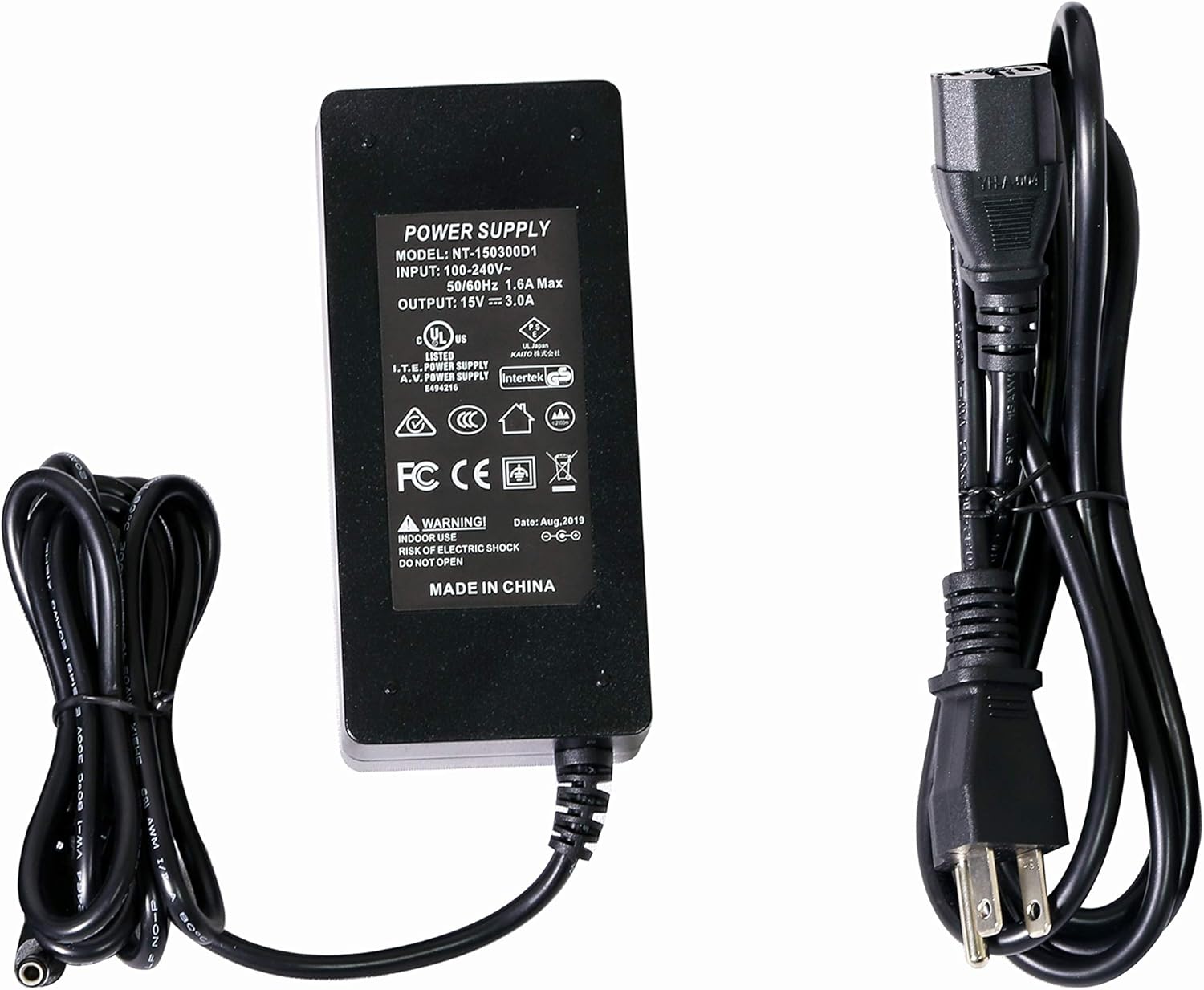
Image 4.1: The included AC power supply and cord for the Vidpro LED-900.

Image 4.2: The V-Mount to F-Series battery converter plate, allowing use of Sony F-Series batteries.
5. Operating Instructions
The Vidpro LED-900 features intuitive controls for adjusting light output.
- Power On/Off: Locate the power switch on the unit and toggle it to the 'ON' position. The digital LCD display will illuminate.
- Adjusting Brightness: Use the 'Brightness' control knob to increase or decrease the light intensity. The current brightness percentage (0-100%) will be shown on the LCD.
- Adjusting Color Temperature: Use the 'Color Temp.' control knob to change the color temperature. The display will show the current setting, ranging from 3200K (warm tungsten) to 5600K (cool daylight).
- Barn Doors: Adjust the four barn doors to shape the light beam and control spill.

Image 5.1: Close-up view of the Vidpro LED-900's digital LCD display, showing brightness and color temperature settings, along with control knobs.
6. Maintenance
Proper maintenance ensures the longevity and optimal performance of your LED-900 light.
- Cleaning: Use a soft, dry cloth to clean the exterior of the light. For the LED panel and diffuser, use a microfiber cloth to gently wipe away dust or smudges. Do not use harsh chemicals or abrasive cleaners.
- Storage: When not in use, store the light and its accessories in the provided padded carry case in a cool, dry place, away from direct sunlight and extreme temperatures.
- Handling: Avoid dropping or subjecting the unit to strong impacts.
7. Troubleshooting
If you encounter issues with your Vidpro LED-900, refer to the following common solutions:
- Light Does Not Power On:
- Ensure the AC power supply is securely connected to both the light and a working power outlet.
- If using batteries, verify they are correctly installed and fully charged.
- Check the power switch is in the 'ON' position.
- Light Output is Weak or Flickering:
- Check battery charge level if operating on battery power. Replace or recharge batteries if low.
- Ensure the brightness setting is not at its minimum.
- Color Temperature or Brightness Controls Not Responding:
- Gently rotate the control knobs to ensure they are not stuck.
- Power cycle the unit (turn off, then on again).
If problems persist, contact Vidpro customer support for further assistance.
8. Specifications
| LEDs | 900 Hi-Intensity |
| Power Output | 50 Watts |
| Lumens | 5000 Lux / M |
| Color Temperature | 3200K-5600K variable |
| Beam Angle | 120° |
| CRI Index | >95+ |
| Power Adapter Input | 110-240V AC |
| Power Adapter Output | 15V DC 4.0A |
| Mount Receptacle | 5/8” |
| Dimensions | 13.75 x 10 x 2.5 inches |
| Unit Weight | 4 Lbs. (1.81 kg) |

Image 8.1: Diagram illustrating the dimensions of the Vidpro LED-900 light panel.
9. Warranty and Support
The Vidpro LED-900 Professional Varicolor LED Studio Lighting Kit is covered by a 1 Year Limited Warranty from the date of purchase. This warranty covers manufacturing defects and workmanship under normal use.
For warranty claims, technical support, or any inquiries regarding your product, please contact Vidpro customer service through their official website or the retailer where the product was purchased. Please have your proof of purchase and product model number (LED-900) available when contacting support.