
Important Safety Instructions
Read all instructions before using this sewing machine. When using an electrical appliance, basic safety precautions should always be followed, including the following:
- Always unplug the machine from the electrical outlet immediately after using and before cleaning, removing covers, or when not in use.
- Do not allow to be used as a toy. Close attention is necessary when this appliance is used by or near children.
- Use this appliance only for its intended use as described in this manual. Use only attachments recommended by the manufacturer.
- Never operate this appliance if it has a damaged cord or plug, if it is not working properly, if it has been dropped or damaged, or dropped into water.
- Never drop or insert any object into any opening.
- Do not use outdoors.
- Do not operate where aerosol (spray) products are being used or where oxygen is being administered.
- To disconnect, turn all controls to the off position, then remove plug from outlet.
- Keep fingers away from all moving parts. Special care is required around the sewing machine needle.
- Always use the proper needle plate. The wrong plate can cause the needle to break.
- Do not use bent needles.
- Do not pull or push fabric while stitching. This may deflect the needle causing it to break.
- Switch the sewing machine off when making any adjustments in the needle area, such as threading the needle, changing the needle, threading the bobbin, or changing the presser foot.
- Always unplug the machine when removing the light bulb. Replace bulb with same type rated 15 watt.
- This appliance is double-insulated and does not require grounding.
- Suitable for use in the UK only.
1. Setup
1.1 Unpacking
Carefully remove the sewing machine from its packaging. Retain all packaging materials for future storage or transport. Ensure all accessories listed in the packing list are present.
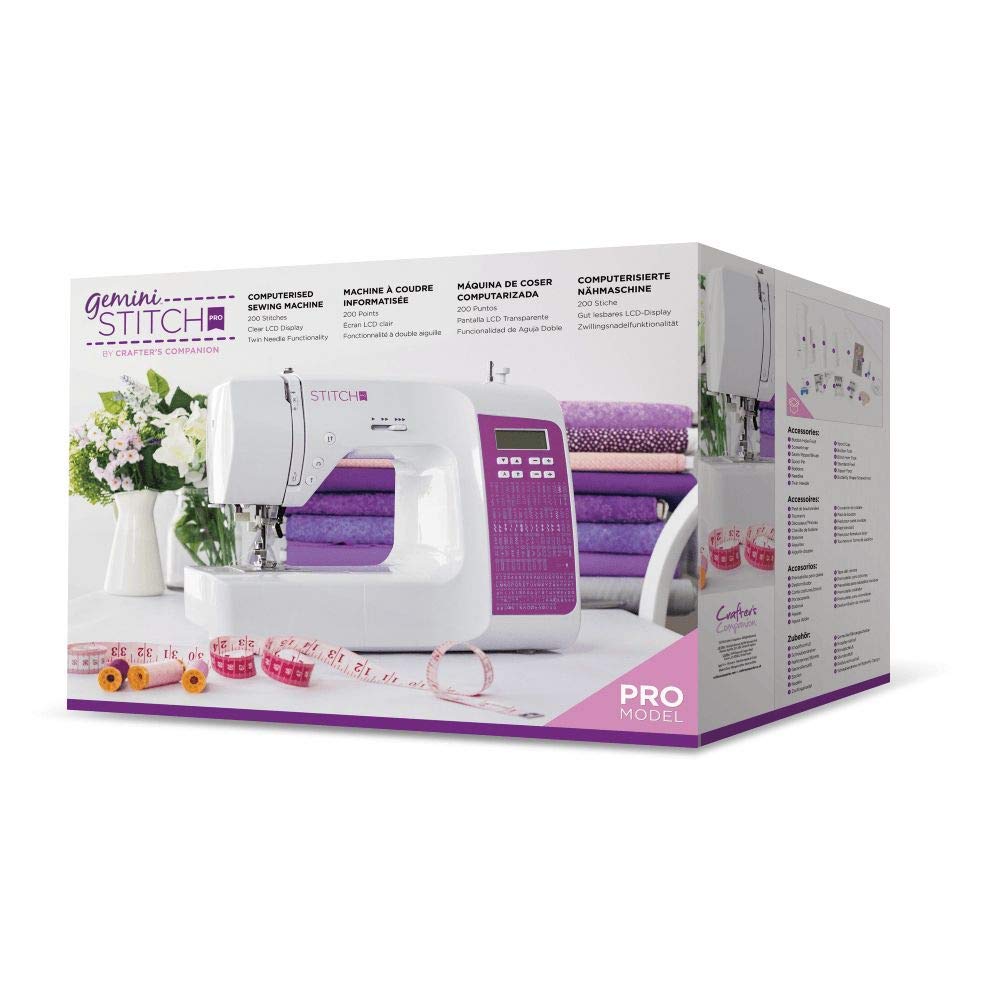
Image 1.1: The Gemini Stitch Pro Sewing Machine and its included accessories after unpacking.
1.2 Power Connection
- Ensure the machine's power switch is in the OFF position.
- Insert the power cord into the machine's power socket.
- Plug the other end of the power cord into a suitable UK electrical outlet.
- Connect the foot controller to the machine's foot controller socket.
1.3 Extension Table Installation
The machine comes with an extension table, which is ideal for larger projects.
- Slide the accessory box off the free arm of the machine.
- Align the extension table with the free arm.
- Gently push the extension table onto the free arm until it clicks securely into place.
1.4 Threading the Machine
Correct threading is crucial for proper stitch formation.
- Raise the needle to its highest position by turning the handwheel towards you.
- Place a spool of thread on the spool pin.
- Guide the thread through the upper thread guide.
- Follow the numbered threading path indicated on the machine, ensuring the thread passes through the tension discs and the take-up lever.
- Thread the needle from front to back.
Note: A detailed threading diagram would typically be included here. Please refer to the visual guides on your machine for the exact path.
1.5 Bobbin Winding and Insertion
The bobbin supplies the lower thread for stitching.
- Place an empty bobbin onto the bobbin winder spindle.
- Guide the thread from the spool pin through the bobbin winding tension disc.
- Wrap the thread around the bobbin a few times, then push the bobbin winder spindle to the right.
- Press the foot controller to wind the bobbin. Stop when the bobbin is full.
- Remove the bobbin and trim the thread.
- Open the bobbin cover plate.
- Insert the wound bobbin into the bobbin case, ensuring the thread unwinds in the correct direction (usually counter-clockwise).
- Pull the bobbin thread through the tension spring and out through the opening.
- Replace the bobbin cover plate.
Note: Specific bobbin winding and insertion steps may vary slightly. Consult your machine's markings.
2. Operating Instructions
2.1 Stitch Selection
The Gemini Stitch Pro offers 200 stylish stitches, including decorative stitches and alphabets.
- Use the digital display and button-based functionalities to browse and select your desired stitch.
- Refer to the stitch chart (usually located on the machine or in a separate guide) for a visual representation of each stitch.
- For alphabets and decorative stitches, select the corresponding mode and then choose the specific character or pattern.
2.2 Adjusting Stitch Length and Width
Customize your stitches for various fabric types and project requirements.
- After selecting a stitch, use the dedicated buttons or dials (as indicated on your machine's control panel) to adjust the stitch length.
- Similarly, adjust the stitch width for applicable stitches (e.g., zigzag, decorative stitches).
- Always test your stitch settings on a scrap piece of your project fabric before sewing.
2.3 Reverse Sewing Function
The fabulous reverse sewing button makes it easy to sew quilt, which is perfect for securing your sewing.
- To secure a seam, begin sewing forward for a few stitches.
- Press and hold the reverse sewing button to sew backward for a few stitches.
- Release the button to resume sewing forward.
- Repeat at the end of the seam.
2.4 Speed Control
The adjustable speed control on the front of the machine is ideal for beginners, so you can slow down for ease of use.
- Locate the speed control slider on the front of the machine.
- Slide it to the left for slower speeds and to the right for faster speeds.
- Adjust as needed to maintain control over your stitching.
2.5 Starting to Sew
- Place your fabric under the presser foot.
- Lower the presser foot lever.
- Turn the machine ON.
- Gently press the foot controller to begin sewing.
- Guide the fabric gently; do not pull or push forcefully.
3. Maintenance
Regular maintenance ensures the longevity and optimal performance of your sewing machine. Always unplug the machine before performing any maintenance.
3.1 Cleaning
- Lint and Dust Removal: Regularly remove the needle plate and clean out lint and dust from the bobbin area and feed dogs using a small brush.
- Exterior Cleaning: Wipe the exterior surfaces of the machine with a soft, dry cloth. Do not use harsh chemicals or abrasive cleaners.
3.2 Lubrication
Your Gemini Stitch Pro Sewing Machine is designed to require minimal lubrication. Refer to the machine's internal diagrams or a qualified service technician for specific lubrication points if necessary. Over-oiling can attract lint and cause issues.
3.3 Needle Replacement
Replace the needle frequently (after every 8-10 hours of sewing or when it becomes dull/bent) to prevent skipped stitches and fabric damage.
- Turn off and unplug the machine.
- Loosen the needle clamp screw.
- Remove the old needle.
- Insert a new needle with the flat side facing the back of the machine, pushing it up as far as it will go.
- Tighten the needle clamp screw securely.
3.4 Storage
When not in use, cover the machine to protect it from dust. Store in a dry, cool place away from direct sunlight.
4. Troubleshooting
This section addresses common issues you might encounter. For problems not listed here, contact customer support.
| Problem | Possible Cause | Solution |
|---|---|---|
| Skipped Stitches | Incorrect needle insertion; bent or dull needle; incorrect needle size for fabric; improper threading. | Re-insert needle correctly; replace needle; use appropriate needle; re-thread machine. |
| Thread Breakage (Upper Thread) | Improper threading; too much upper thread tension; poor quality thread; bent needle; burr on needle plate. | Re-thread machine; adjust tension; use good quality thread; replace needle; check needle plate for damage. |
| Thread Breakage (Bobbin Thread) | Improper bobbin winding; bobbin inserted incorrectly; lint in bobbin case; too much bobbin tension. | Re-wind bobbin; re-insert bobbin correctly; clean bobbin case; adjust bobbin tension. |
| Fabric Not Feeding Properly | Feed dogs lowered; lint under needle plate; incorrect presser foot pressure; issue with transporter mechanism. | Raise feed dogs; clean under needle plate; adjust presser foot pressure; inspect transporter for damage (contact service if needed). |
| Machine Makes Unusual Noise / Rattling | Loose parts; lint buildup; bent needle bar (as per user review). | Check for loose screws; clean machine thoroughly; if noise persists or seems mechanical (e.g., bent needle bar), discontinue use and contact a qualified service technician. |
5. Specifications
Technical details for the Gemini GEM-SM-STITCHPRO-UK Stitch Pro Sewing Machine.
| Feature | Detail |
|---|---|
| Model | GEM-SM-STITCHPRO-UK |
| Brand | Gemini |
| Number of Stitches | 200 (including decorative and alphabets) |
| Display | Digital |
| Reverse Sewing | Yes |
| Speed Control | Adjustable |
| Extension Table | Included |
| Power Source | Corded Electric |
| Voltage Compatibility | UK only |
| Item Weight | 8.02 Kilograms |
| Material | Plastic |
| ASIN | B07ZZJ933X |
| UPC | 709650885189 |
6. Warranty and Support
For warranty information and customer support, please refer to the documentation provided with your purchase or visit the official Gemini website. Keep your proof of purchase for warranty claims.
If you encounter issues that cannot be resolved using the troubleshooting guide, please contact Gemini customer service for assistance.
7. Product Videos
No official product videos from the seller were available for embedding at this time. If available, relevant instructional videos would be displayed here, providing visual guidance for setup, operation, and maintenance tasks.