
NANLITE RC-1
Nanlite RC-1 Wireless Remote Control Instruction Manual
Model: RC-1
1. Introduction
Thank you for choosing the Nanlite RC-1 Wireless Remote Control. This device is designed to provide convenient wireless control over brightness and color temperature for compatible Nanlite FORZA lighting units and PavoTube lights. With its 2.4G wireless technology and 99 channels, it offers reliable operation up to 15 meters (49 feet) away. Please read this manual thoroughly before use to ensure proper operation and to maximize the lifespan of your remote control.
2. Safety Information
- Do not expose the remote control to water or high humidity.
- Avoid dropping or subjecting the remote control to strong impacts.
- Do not attempt to disassemble or modify the remote control. This will void the warranty.
- Keep out of reach of children.
- Dispose of batteries properly according to local regulations.
- Ensure correct battery polarity when inserting.
3. Package Contents
Please check the contents of your package to ensure all items are present:
- Nanlite RC-1 Wireless Remote Control
- Instruction Manual (this document)
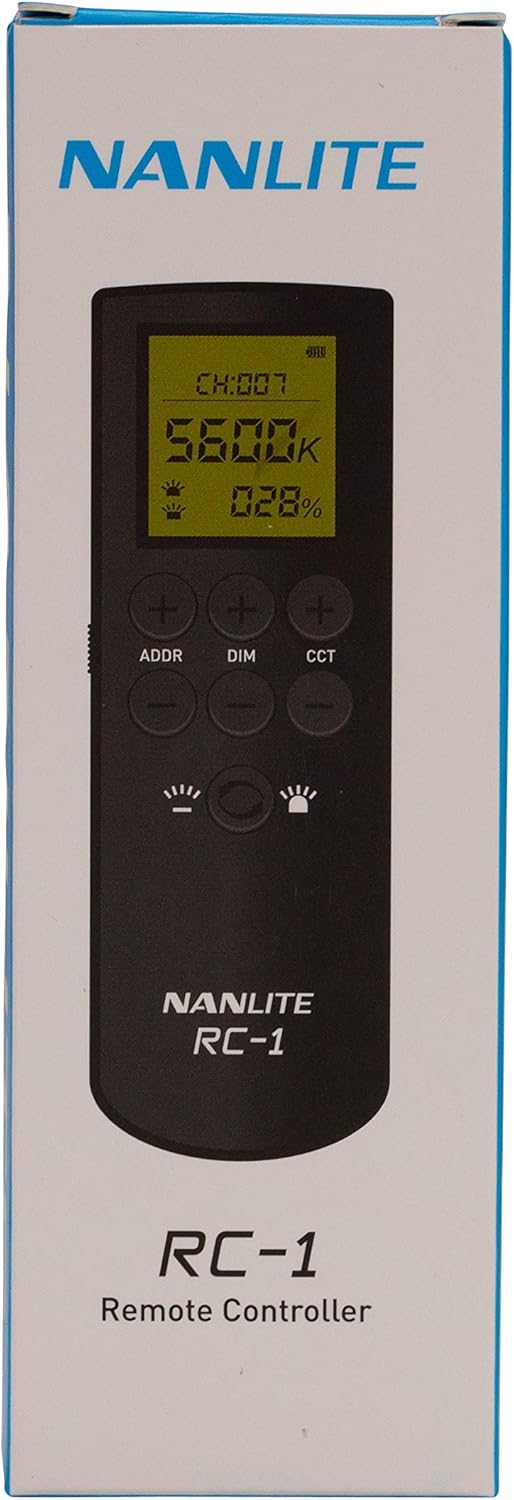
Image: The Nanlite RC-1 Remote Control shown within its retail packaging, displaying the product name and brand.
4. Product Overview
The Nanlite RC-1 features a clear display and intuitive button layout for easy control.

Image: A direct front view of the Nanlite RC-1 Wireless Remote Control, highlighting its display screen and button layout.
Button Functions:
- ADDR +/-: Adjusts the channel address.
- DIM +/-: Adjusts the brightness (dimming) level.
- CCT +/-: Adjusts the color temperature.
- Power Button: Turns the remote control on/off.
- Mode Buttons (Light icons): Specific functions for light modes (e.g., effects, presets).

Image: A close-up of the Nanlite RC-1 remote control's green LCD screen, showing channel, color temperature (K), and brightness percentage (%) readings.
5. Setup
5.1 Battery Installation
The Nanlite RC-1 remote control requires batteries for operation (batteries are not included). Locate the battery compartment on the back of the remote control. Open the compartment cover, insert the required batteries, ensuring correct polarity (+/-), and then close the cover securely.
5.2 Pairing with Lights
To control your Nanlite FORZA or PavoTube lights, ensure they are set to the same channel as your RC-1 remote control. The remote control features 99 channels for broad compatibility and to avoid interference.
- Turn on your Nanlite lighting unit.
- On the RC-1 remote control, use the ADDR +/- buttons to select the desired channel.
- Set your Nanlite lighting unit to the exact same channel. Refer to your lighting unit's manual for instructions on changing its channel.
- Once the channels match, the remote control should be able to communicate with the light.

Image: The Nanlite RC-1 Remote Control displayed with an attached wrist strap, indicating portability and secure handling.
6. Operating Instructions
The RC-1 remote control allows for precise adjustments of your Nanlite lighting units.
6.1 Adjusting Brightness (Dimming)
Use the DIM +/- buttons to increase or decrease the light's brightness output. The current brightness percentage will be displayed on the remote's screen.
6.2 Adjusting Color Temperature
For Nanlite Bicolor products, use the CCT +/- buttons to adjust the color temperature. The color temperature will be displayed in Kelvin (K) on the remote's screen.
6.3 Changing Channels
If you are controlling multiple lights or experiencing interference, you can change the operating channel. Press the ADDR +/- buttons to cycle through the available 99 channels. Remember to match the channel on your lighting unit to the remote control's channel.
7. Maintenance
- Clean the remote control with a soft, dry cloth. Do not use liquid cleaners or solvents.
- If the remote control will not be used for an extended period, remove the batteries to prevent leakage.
- Store the remote control in a cool, dry place, away from direct sunlight and extreme temperatures.
8. Troubleshooting
| Problem | Possible Cause | Solution |
|---|---|---|
| Remote control not responding. | Low or dead batteries. Incorrect battery installation. | Replace batteries. Check battery polarity. |
| Light not responding to remote. | Channels do not match. Remote out of range. Interference. | Ensure remote and light are on the same channel. Move closer to the light (within 15m). Try changing to a different channel. |
| Display screen is blank or dim. | Low batteries. | Replace batteries. |
9. Specifications
- Model: RC-1
- Compatibility: Nanlite FORZA series lighting units, Nanlite PavoTube lights
- Control Type: 2.4G Wireless
- Functions: Brightness adjustment, Color Temperature adjustment
- Channels: 99
- Operating Distance: Up to 15 meters (49 feet)
- Power Source: Batteries (not included)
10. Warranty and Support
For warranty information and technical support, please refer to the official Nanlite website or contact your local Nanlite distributor. Keep your purchase receipt as proof of purchase for warranty claims.
Related documentsRC-1


Ask a question about this manual
Ask about setup, troubleshooting, compatibility, parts, safety, or missing instructions. Manuals+ will review the question and use this page’s manual context to help answer it.