
Introduction
This manual provides detailed instructions for the Dayllon Digital Kids Watch Model 1266. Please read this manual carefully before using your watch to ensure proper operation and to understand all its features.
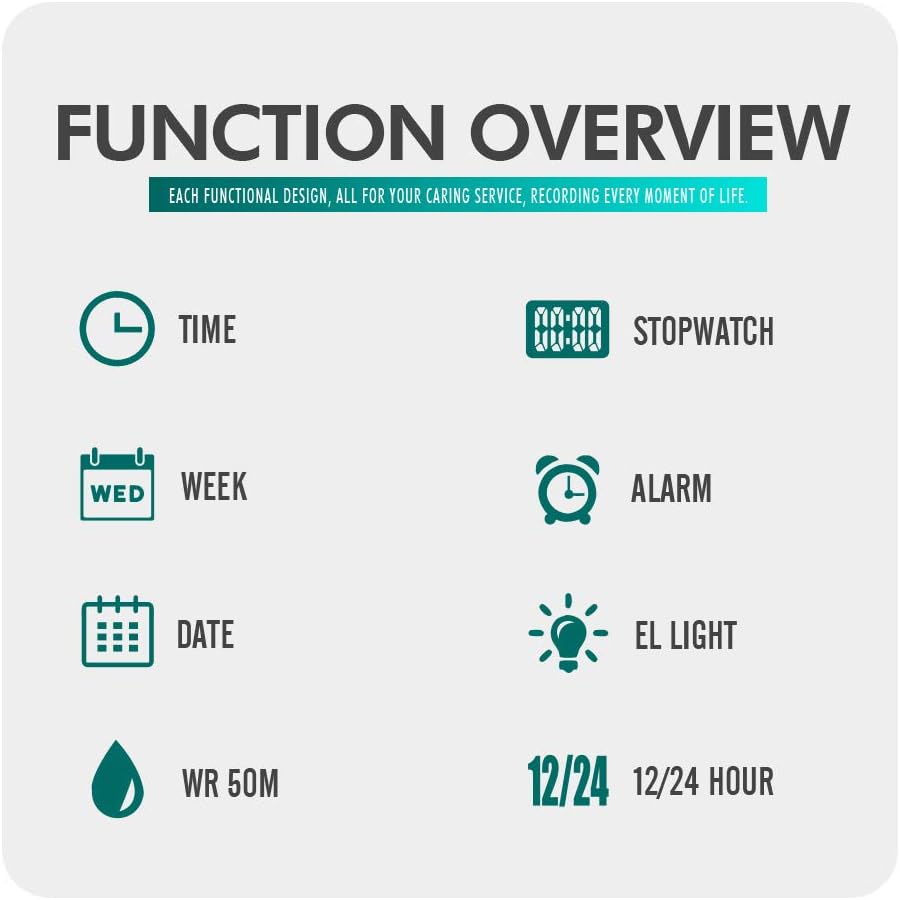
Image: Overview of watch functions including time, stopwatch, week, alarm, date, EL light, 50m water resistance, and 12/24 hour format.
The Dayllon Digital Kids Watch is designed for outdoor activities, featuring a Japanese quartz movement for accurate timekeeping. It displays time digitally for easy readability and includes functions such as alarm, stopwatch, and calendar. The adjustable, soft, non-toxic rubber strap ensures comfortable wear for most children's wrist sizes.
Watch Components and Buttons
Familiarize yourself with the watch's buttons and display areas:

Image: Diagram illustrating the watch's buttons: LIGHT (top left), MODE (bottom left), START/STOP (top right), and RESET (bottom right). It also points to the display areas for WEEK, TIME, ALARM ON, DATE, and SECOND.
- LIGHT Button (Top Left): Activates the EL backlight.
- MODE Button (Bottom Left): Cycles through different modes (Time, Alarm, Stopwatch).
- START/STOP Button (Top Right): Used to start/stop stopwatch or adjust settings.
- RESET Button (Bottom Right): Used to reset stopwatch or confirm settings.
Setup: Initial Time and Date Setting
- Enter Time Setting Mode: From the normal time display, press the MODE button three times. The seconds digits will begin to flash, indicating you are in setting mode.
- Select Item to Adjust: Press the RESET button to cycle through the items to set: Seconds → Hours → Minutes → Month → Date → Day of the Week. The selected item will flash.
- Adjust Value: Use the START/STOP button to increase the value of the flashing item. Hold the button to advance rapidly.
- Exit Setting Mode: Once all desired settings are adjusted, press the MODE button to return to the normal time display.
Note: The watch supports both 12-hour and 24-hour formats. When setting the hour, ensure the correct AM/PM indicator is selected if using 12-hour format.
Operating Instructions
1. Time Display
The watch defaults to the time display mode, showing hours, minutes, seconds, day of the week, and date.
- To switch between 12-hour and 24-hour format: In normal time display, press the START/STOP button.
2. Using the Backlight (EL Light)

Image: Two watches side-by-side, one showing a normal display and the other showing the illuminated EL light display with multiple color options.
To illuminate the display in low-light conditions:
- Press the LIGHT button (top left). The display will illuminate for a few seconds.
3. Setting and Using the Alarm
- Enter Alarm Mode: From the normal time display, press the MODE button once. The alarm time will be displayed.
- Set Alarm Time: Press the RESET button. The hour digits will flash. Use the START/STOP button to adjust the hour.
- Press the RESET button again to select the minute digits. Use the START/STOP button to adjust the minutes.
- Activate/Deactivate Alarm: In alarm mode (after pressing MODE once), press the START/STOP button to toggle the alarm ON/OFF. An alarm icon will appear/disappear on the display.
- Exit Alarm Mode: Press the MODE button to return to the normal time display.
When the alarm sounds, press any button to stop it.
4. Using the Stopwatch (Chronograph)
- Enter Stopwatch Mode: From the normal time display, press the MODE button twice. The stopwatch display will show "00:00:00".
- Start/Stop: Press the START/STOP button to begin timing. Press it again to pause.
- Reset: While the stopwatch is paused, press the RESET button to clear the time to "00:00:00".
- Exit Stopwatch Mode: Press the MODE button to return to the normal time display.
Maintenance
Cleaning
To clean your watch, wipe it with a soft, dry cloth. For stubborn dirt, a slightly damp cloth can be used, followed by a dry cloth. Avoid using chemical cleaners, solvents, or abrasive materials, as these can damage the watch's finish and seals.
Water Resistance
This watch is water-resistant up to 50 meters (5 ATM). This means it is suitable for showering, swimming in shallow water, and general water exposure. However, it is not suitable for diving, snorkeling, or high-pressure water activities. Do not press any buttons while the watch is wet or submerged, as this can compromise the water resistance.
Battery Replacement
The watch is powered by a standard watch battery. When the display becomes dim or the watch stops functioning, the battery may need replacement. Battery replacement should ideally be performed by a qualified watch technician to ensure the water-resistant seal is properly re-seated. Attempting to replace the battery yourself may void the warranty and compromise water resistance.
Troubleshooting
| Problem | Possible Cause | Solution |
|---|---|---|
| Watch display is blank or dim. | Low or dead battery. | Replace the battery. Consult a professional watch technician. |
| Time/Date resets randomly. | Accidental button press (RESET button is sensitive). Low battery. | Ensure buttons are not pressed accidentally. Replace battery if issue persists. |
| Watch is not keeping accurate time. | Low battery. Internal malfunction. | Replace the battery. If the problem continues, contact customer support. |
| Water inside the watch. | Water resistance compromised (e.g., buttons pressed underwater, seal failure). | Immediately stop using the watch. Seek professional repair to prevent further damage. |
Specifications

Image: Diagram showing watch dimensions (48mm height, 43mm width) and basic information including brand, model, weight, movement type, mirror material, case material, band material, buckle material, water resistance, and functions.
- Brand: Dayllon
- Model Number: 1266
- ASIN: B07ZZ8L928
- Display Type: Digital
- Movement: Japanese Quartz
- Special Features: Chronograph (Stopwatch), Alarm, Calendar (Date, Day of Week), EL Backlight, 12/24 Hour Format
- Power Source: Battery Powered
- Strap Material: Rubber
- Case Material: Plastic
- Dial Window Material: Hardlex
- Clasp Type: Buckle
- Water Resistance Depth: 50 Meters (5 ATM)
- Product Dimensions (L x W x H): 2.5 x 2.2 x 1.7 cm (0.98 x 0.87 x 0.67 inches)
- Item Weight: 113 grams (3.99 ounces)
- Case Diameter: 45 Millimeters
- Band Width: 20 Millimeters
- Case Thickness: 45 Millimeters (Note: This value may refer to overall watch height or be a data entry anomaly.)
Warranty Information
Dayllon products are manufactured with quality and care. Specific warranty details may vary by region and retailer. Please retain your proof of purchase for any warranty claims. For information regarding your product's warranty, please refer to the documentation provided at the time of purchase or contact your retailer.
The warranty typically covers manufacturing defects but does not cover damage resulting from improper use, accidents, unauthorized repairs, or normal wear and tear, including battery depletion.
Customer Support
If you encounter any issues or have questions not covered in this manual, please contact your retailer or the Dayllon customer support team. When contacting support, please have your watch model number (1266) and proof of purchase available.
For general inquiries, you may visit the Dayllon brand page on Amazon or the website of your purchasing retailer for contact options.