
1. Introduction
Thank you for choosing the Dayllon Digital Sport Watch. This multi-functional watch is designed for active children aged 3-15, offering a blend of digital and analog time display, along with features like an alarm, stopwatch, LED backlight, and calendar. Its robust construction and 50M water resistance make it suitable for various outdoor activities. Please read this manual carefully to understand the watch's functions and ensure proper use and maintenance.

Image 1: Front view of the Dayllon Digital Sport Watch, showcasing its black and yellow design with both analog hands and digital display.
2. Package Contents
- 1x Dayllon Digital Sport Watch
- 1x Instruction Manual
3. Watch Components
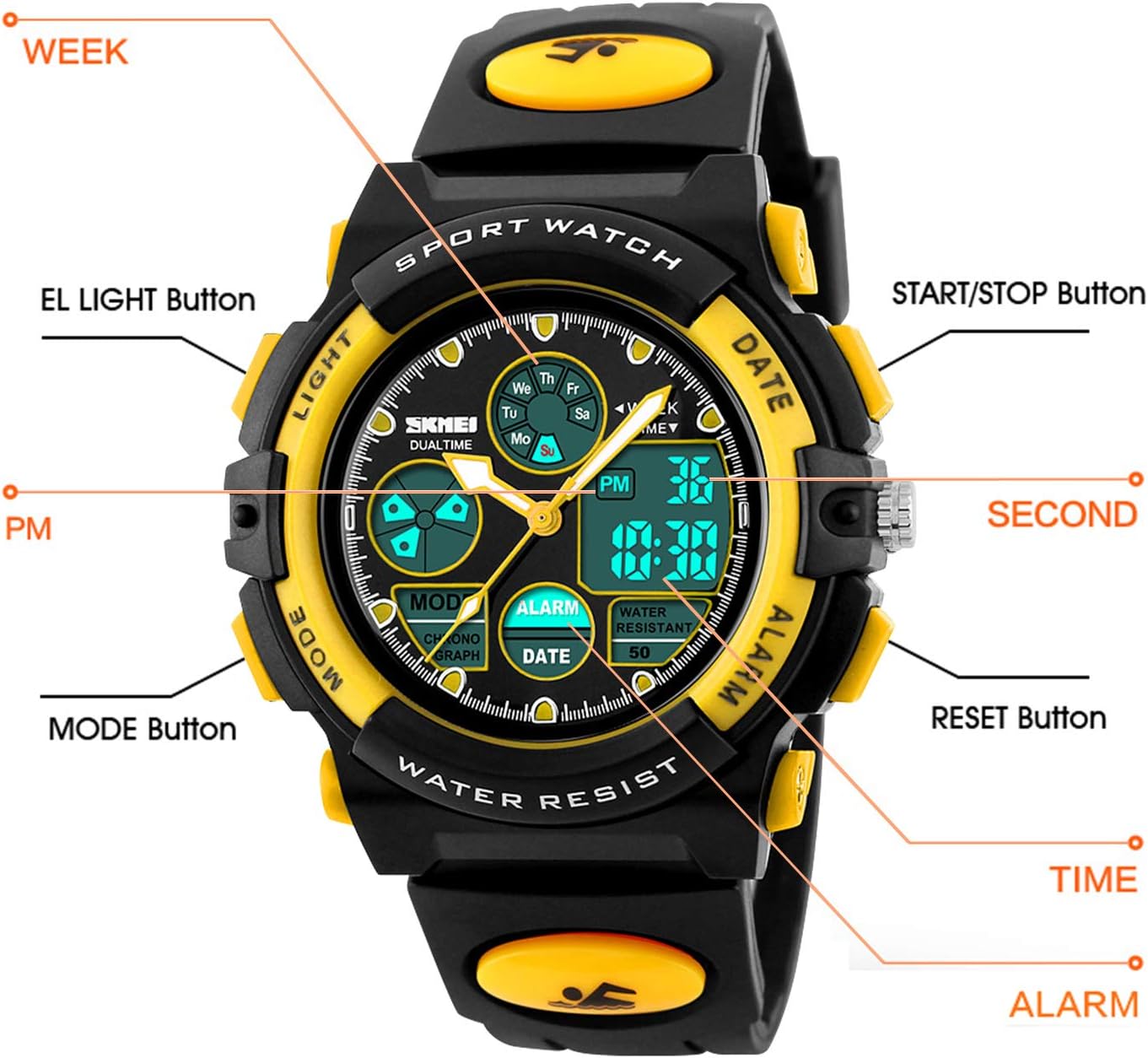
Image 2: Diagram of the watch face and side buttons with labels for easy identification of functions.
- LIGHT Button (Top Left): Activates the LED backlight for visibility in low-light conditions.
- MODE Button (Bottom Left): Cycles through different modes: Time, Alarm, Stopwatch, Date.
- START/STOP Button (Top Right): Used to start/stop the stopwatch, or adjust values during setting.
- RESET Button (Bottom Right): Used to reset the stopwatch, or select digits/items during setting.
- Digital Display: Shows time, date, day of the week, and other mode-specific information.
- Analog Hands: Displays the current time in analog format.
4. Setup
4.1 Setting Digital Time and Date
- Press the MODE button repeatedly until the digital time display starts flashing, indicating it's in setting mode.
- Press the RESET button to cycle through the adjustable items (seconds, minutes, hours, month, date, day of week).
- Use the START/STOP button to adjust the selected value.
- Once all settings are correct, press the MODE button to exit the setting mode.
4.2 Setting Analog Time
Pull out the crown (small knob on the right side of the watch) and rotate it to adjust the analog hands to the correct time. Push the crown back in to start the analog movement.
4.3 Setting the Alarm
- Press the MODE button until 'ALARM' is displayed on the digital screen.
- Press the RESET button to select the hour or minute digit you wish to adjust.
- Use the START/STOP button to change the selected hour or minute.
- Press the MODE button to confirm and exit the alarm setting.
Important Note: Some Dayllon Digital Sport Watch models may not feature a function to completely turn off the alarm. In such cases, you can only adjust the time at which the alarm will sound. Please consult the specific model's detailed instructions if available, or contact customer support for clarification.
5. Operating Instructions
5.1 Using the Stopwatch
- Press the MODE button until 'CHRONOGRAPH' or 'STOPWATCH' is displayed.
- Press the START/STOP button to begin timing.
- Press the START/STOP button again to pause timing.
- To resume, press START/STOP. To reset to zero, press the RESET button while the stopwatch is paused.
5.2 Activating the LED Backlight
Press the LIGHT button (top left) to illuminate the digital display. The light will remain on for a few seconds.
5.3 Water Resistance
This watch features 50M (5ATM/150FT) water resistance. This means it is suitable for daily use, such as hand washing, face washing, and can withstand splashes or rain. It is generally suitable for short periods of recreational swimming. However, it is not recommended for diving, snorkeling, or prolonged water activities. Do not operate any buttons while the watch is submerged in water, and avoid exposure to hot water or steam (e.g., in a sauna or hot bath) as this can compromise the water resistance seals.
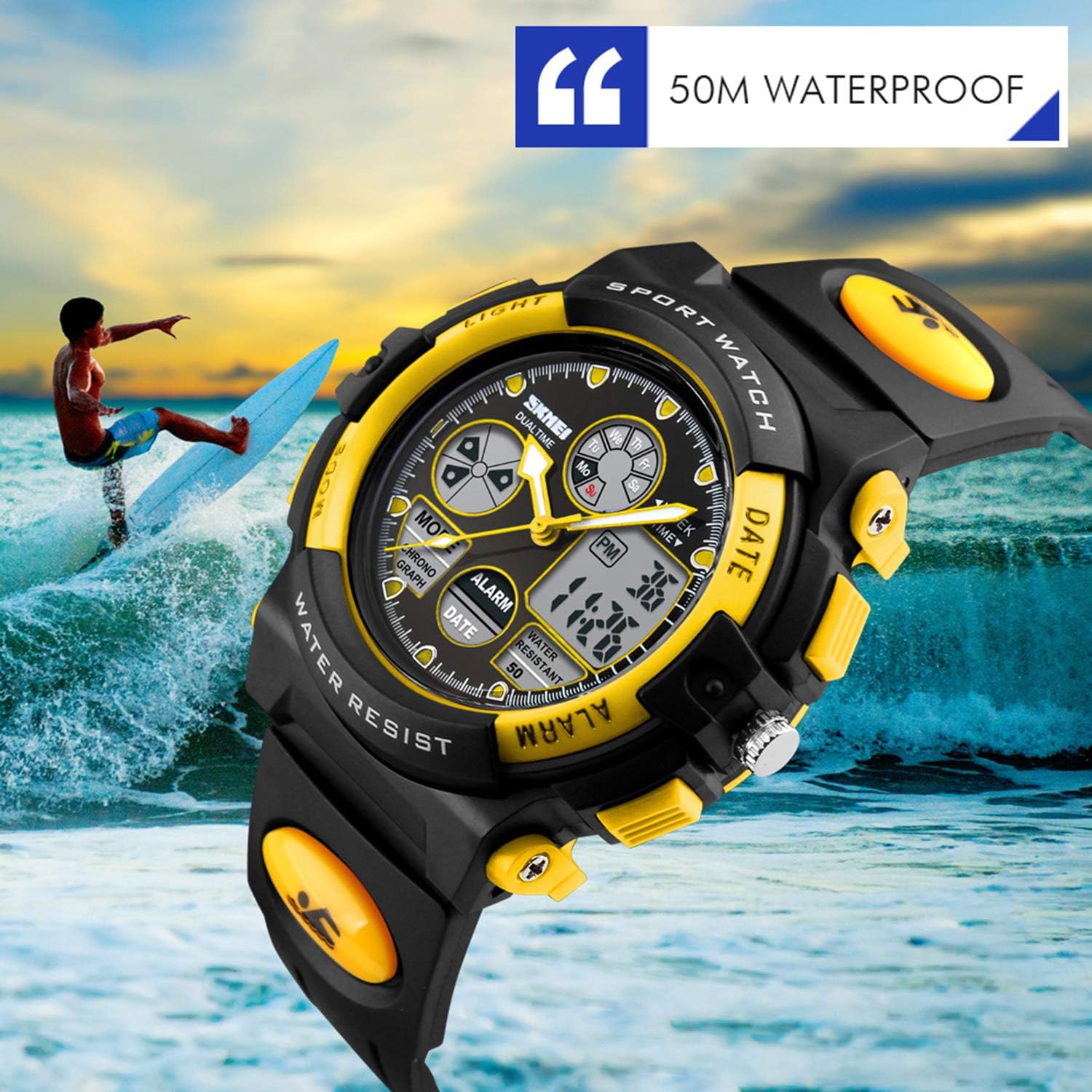
Image 3: The Dayllon Digital Sport Watch submerged in water, demonstrating its water-resistant capabilities.
6. Maintenance
6.1 Cleaning
Wipe the watch regularly with a soft, dry cloth to remove dirt and sweat. For stubborn grime, a slightly damp cloth can be used, followed by immediate drying. Avoid harsh chemicals or abrasive cleaners.
6.2 Battery Replacement
The watch requires 1 AAAA battery. When the display dims or functions become erratic, it may be time to replace the battery. It is recommended to have the battery replaced by a qualified watch technician to ensure the water resistance seal is properly maintained.
6.3 Storage
When not in use, store the watch in a cool, dry place away from direct sunlight, extreme temperatures, and strong magnetic fields, which can affect its accuracy.
7. Troubleshooting
- Watch not functioning: Check if the battery needs replacement. If recently replaced, ensure it was installed correctly.
- Digital display is dim or blank: This usually indicates a low battery. Replace the AAAA battery.
- Analog hands not moving: Ensure the crown is pushed all the way in. If it still doesn't move, the battery for the analog movement might be depleted (some watches have separate batteries for digital and analog).
- Time is inaccurate: Re-set both digital and analog time. If the issue persists, the watch may require servicing.
- Alarm not sounding or cannot be turned off: Verify the alarm time setting. As noted in Section 4.3, some models may not have an 'off' function for the alarm, only the ability to change its activation time.
- Water inside the watch: If water ingress occurs despite proper use, immediately take the watch to a professional for inspection and repair to prevent further damage.
8. Specifications
| Brand | Dayllon |
| Model | Digital Sport Watch (ASIN: B07ZZ61CG4) |
| Water Resistance | 50M (5ATM/150FT) |
| Battery Type | 1 AAAA battery |
| Clasp Type | Buckle |
| Approx. Dimensions | 3.82 x 2.56 x 2.13 inches (Package) |
| Approx. Weight | 3.53 ounces (Package) |
9. Product Videos
Dayllon Kids Watch Showcase (Green)
This video provides a 360-degree view of the Dayllon Digital Sport Watch in its green variant, highlighting its design and features.
Dayllon Kids Watch Features (Blue)
This video demonstrates various features of the Dayllon Digital Sport Watch in its blue variant, including the backlight and water resistance test.
10. Warranty
This Dayllon Digital Sport Watch comes with a limited warranty. For specific details regarding warranty coverage, duration, and claims process, please refer to the warranty information provided at the point of purchase or contact the retailer/manufacturer directly. Please retain your proof of purchase for any warranty claims.
11. Support
If you have any questions, require assistance with your watch, or need to report an issue, please contact Dayllon customer support through the retailer's platform or visit the official Dayllon website for contact information. Please have your product model and ASIN (B07ZZ61CG4) ready when contacting support.