
1. Introduction
This manual provides detailed instructions for the Dayllon Kids Digital Watch Model 1266. Please read this guide thoroughly to understand the watch's functions, setup procedures, and maintenance requirements. Proper use and care will ensure optimal performance and longevity of your watch.

Image 1.1: Dayllon Kids Digital Watch Model 1266 (Green variant).
2. Product Overview
2.1 Key Features
- Dual Time Display
- Alarm Clock Function
- Stopwatch Function
- LED Luminous Backlight
- Calendar Date and Week Display
- 50M Water Resistance
- Shock Resistant Design
- 12/24 Hour Format Selection
2.2 Watch Components and Buttons
Familiarize yourself with the watch's buttons and their primary functions:

Image 2.1: Watch components and button labels.
- LIGHT Button (Top Left): Activates the backlight.
- MODE Button (Bottom Left): Cycles through different display modes (Time, Stopwatch, Alarm, Time Setting).
- START/STOP Button (Top Right): Used to start/stop stopwatch, adjust values during setting.
- RESET Button (Bottom Right): Used to reset stopwatch, select items during setting.

Image 2.2: Overview of watch functions.
This image illustrates the various functions available on the Dayllon Kids Digital Watch, including time display, stopwatch, day of the week, alarm, date, EL light, 50M water resistance, and 12/24 hour format.
3. Setup Instructions
3.1 Setting Time and Date
- From the normal time display mode, press the MODE button three times to enter the time setting mode. The seconds digits will begin to flash.
- Press the RESET button to cycle through the setting options: Seconds → Hours → Minutes → Month → Date → Day of Week.
- While the desired digit or item is flashing, press the START/STOP button to adjust the value. Hold the button to change values quickly.
- After setting all desired values, press the MODE button once to return to the normal time display.

Image 3.1: Watch display in time mode, showing 22:30.
This image shows the watch displaying the time, date, and day of the week, illustrating the standard time mode.
3.2 Setting 12/24 Hour Format
- In the time setting mode (seconds flashing), press the START/STOP button when the hour digits are flashing to toggle between 12-hour (with AM/PM indicator) and 24-hour formats.
4. Operating Instructions
4.1 Using the Alarm Function
- From the normal time display, press the MODE button twice to enter the alarm setting mode. The hour digits will flash.
- Press the RESET button to select between hours and minutes.
- Press the START/STOP button to adjust the flashing value.
- To activate/deactivate the alarm, press the START/STOP and RESET buttons simultaneously in the alarm setting mode. An alarm icon will appear/disappear.
- Press MODE to return to normal time display.
4.2 Using the Stopwatch
- From the normal time display, press the MODE button once to enter the stopwatch mode.
- Press the START/STOP button to start the stopwatch.
- Press the START/STOP button again to pause the stopwatch.
- Press the RESET button to reset the stopwatch to zero while it is paused.
- Press MODE to return to normal time display.
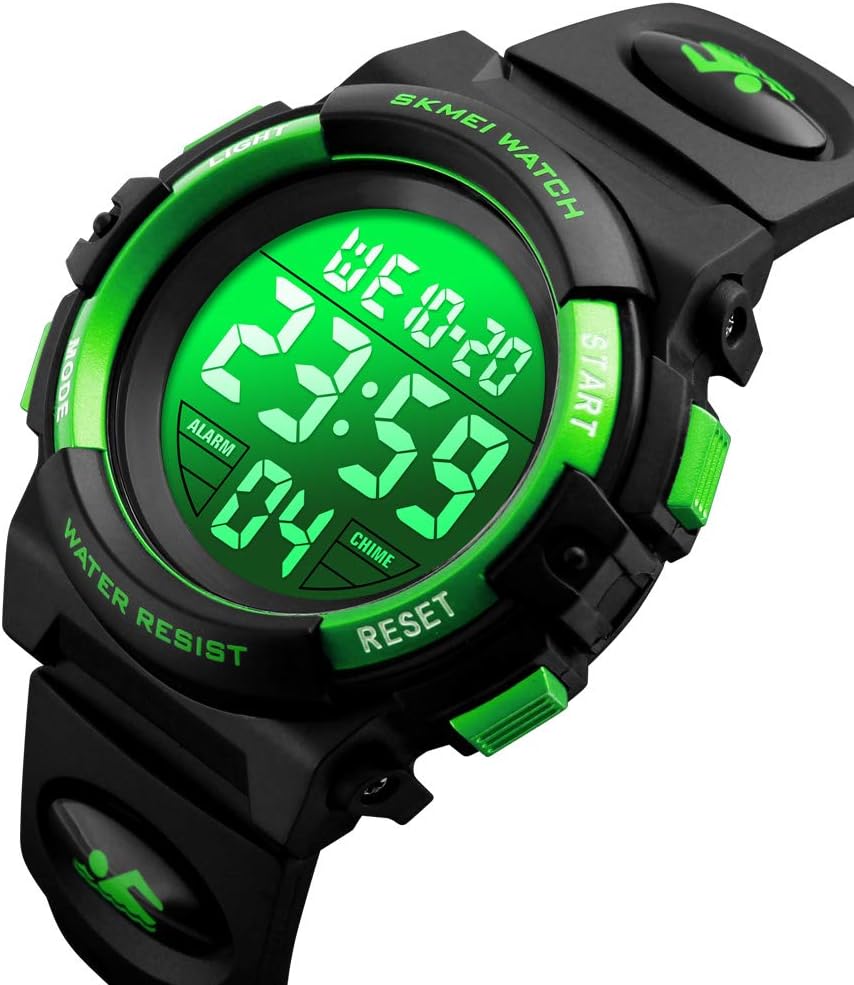
Image 4.1: Watch display in stopwatch mode.
This image shows the watch operating in stopwatch mode, indicating elapsed time.
4.3 Activating the Backlight
- Press the LIGHT button (top left) to illuminate the display. The backlight will remain active for a few seconds.

Image 4.2: Luminous display with various LED backlight colors.
The watch features a luminous display with multiple LED backlight color options for visibility in low-light conditions.
5. Maintenance
5.1 Water Resistance
The Dayllon Kids Digital Watch Model 1266 is rated for 50M (5ATM/150FT) water resistance. This means it is suitable for daily use, hand washing, rain exposure, and shallow swimming. However, it is crucial to:
- DO NOT operate any buttons while the watch is submerged in water.
- AVOID exposure to hot water, saunas, or steam, as this can compromise the water seals.
- DO NOT use for diving or high-pressure water activities.

Image 5.1: Watch demonstrating 50M daily water resistance.
The watch is designed to withstand water splashes from handwashing, rain, and face washing, and is suitable for swimming, but button operation underwater should be avoided.
5.2 Battery Replacement
The watch uses a CR2025 button cell battery (as indicated on the watch back). When the display dims or functions become erratic, it may be time to replace the battery. Battery replacement should ideally be performed by a qualified watch technician to ensure proper sealing and water resistance.

Image 5.2: Back of the watch, showing model and battery type.
The back casing of the watch displays the model number (1266) and the recommended battery type (CR2025).
5.3 Cleaning
Clean the watch regularly with a soft, damp cloth. Avoid using harsh chemicals or abrasive materials, which can damage the watch's finish or seals.
6. Troubleshooting
| Problem | Possible Cause | Solution |
|---|---|---|
| Display is blank or dim. | Low battery. | Replace the battery (CR2025). |
| Time is incorrect. | Time not set correctly or accidentally changed. | Refer to Section 3.1 "Setting Time and Date" to reset the time. |
| Alarm does not sound. | Alarm is not activated. | Ensure the alarm icon is displayed. Refer to Section 4.1 "Using the Alarm Function". |
| Water inside the watch. | Buttons operated underwater or exposed to hot water/steam. | Stop using the watch immediately. Seek professional repair to prevent further damage. Avoid button operation underwater. |
7. Specifications
- Model Number: 1266
- Brand: Dayllon
- Movement: Digital
- Case Material: ABS
- Band Material: PU (Polyurethane)
- Mirror Material: Resin
- Buckle Material: Stainless Steel
- Water Resistance: 50M (5ATM/150FT)
- Battery Type: CR2025 (included)
- Product Dimensions: Approximately 0.98 x 0.87 x 0.67 inches
- Item Width: 22 millimeters
- Dial Width: 43 millimeters
- Dial Thickness: 16 millimeters
- Watch Length: 250 millimeters
- Band Width: 18 millimeters
- Weight: Approximately 3.84 ounces (108 grams)
- Clasp Type: Buckle
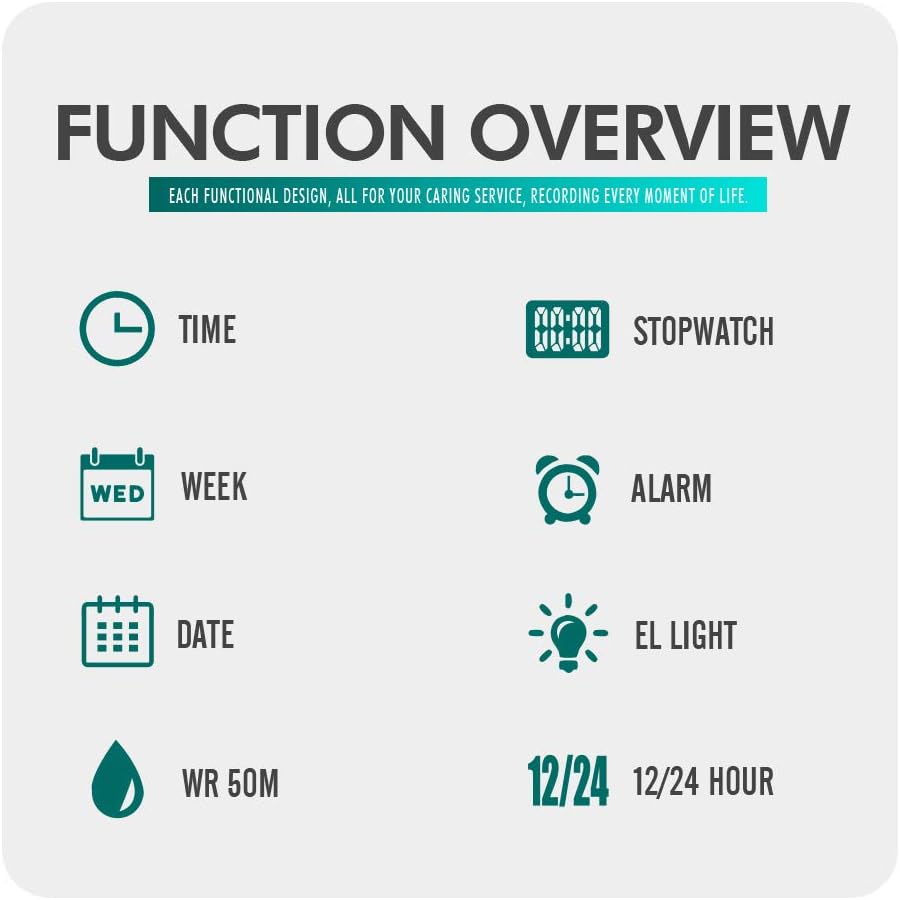
Image 7.1: Product parameters and dimensions.
This image provides a visual representation of the watch's dimensions and lists key material specifications.
8. Warranty and Support
For warranty information, technical support, or any inquiries regarding your Dayllon Kids Digital Watch Model 1266, please contact the manufacturer or your point of purchase. Keep your purchase receipt as proof of purchase for warranty claims.
Manufacturer: Dayllon
For further assistance, please visit the official Dayllon store or contact customer service through the platform where the product was purchased.