
iTOMA CKS912
iTOMA Addo Kids Alarm Clock Instruction Manual
Model: CKS912 | Brand: iTOMA
1. Introduction
The iTOMA Addo Kids Alarm Clock is a multi-functional device designed to assist children in developing healthy sleep habits. It combines an alarm clock, sunrise/sunset simulation bedside lamp, sleep trainer, Bluetooth music player, and white noise sound machine into one adorable owl-shaped unit. This manual provides detailed instructions for setting up, operating, maintaining, and troubleshooting your Addo clock.

Figure 1: iTOMA Addo Kids Alarm Clock
2. Key Features
- Fun & Adorable Design: Features a child-friendly owl design with interactive elements.
- Bluetooth Music Player: Easily pairs with smartphones, tablets, and other Bluetooth-enabled devices to play music or audiobooks.
- Alarm Sound/Music Machine: Offers various sleep sound options including white noise, lullabies, and a buzzer. Includes 11 playful music options.
- Sleep & Awake Time Settings: Utilizes colors and facial expressions to visually indicate bedtime and wake-up time. Yellow light signals bedtime preparation, and blue light signals quiet play before wake-up.
- Sound for Sleep: White noise and lullabies help soothe children to sleep.
- Fun & Colorful LEDs: LEDs in the ears and around the face glow in different colors to signal various times and add visual appeal.
- Nap Timer: Countdown timer for naps (30, 60, or 90 minutes).
- Snooze Feature: Allows for additional sleep time after the alarm.
- Adjustable Volume: Alarm and music volume can be set across 15 levels.
3. Setup Guide
3.1 Unboxing and Initial Inspection
Carefully remove the Addo clock from its packaging. Inspect the unit for any signs of damage. Ensure all components, including the clock and power adapter, are present.
3.2 Power Connection
The Addo clock operates via corded electric power. Connect the provided power adapter to the DC input port on the back of the clock, then plug the adapter into a standard wall outlet.
3.3 Battery Installation (Memory Backup)
The clock requires 1 CR2032 battery (not included) for memory backup. This battery preserves time and alarm settings during power outages. Locate the battery compartment on the bottom of the unit, open it, and insert the CR2032 battery with the correct polarity (+/-). Close the compartment securely.
3.4 Initial Time Setting
Upon first power-up or after a prolonged power disconnection without battery backup, the clock display may flash. Refer to Section 4.1 for detailed instructions on setting the current time and date.
4. Operating Instructions
4.1 Setting Time and Date
Consult your specific model's user manual for precise button functions. Generally, a 'SET' or 'TIME' button is used to enter time setting mode. Use '+' and '-' buttons to adjust hours, minutes, and date. Confirm each setting by pressing 'SET' again or waiting for the display to stop flashing.
4.2 Alarm Clock Function
The Addo clock supports multiple alarm modes (Single, Weekdays, Week, Weekends). To set an alarm:
- Press the 'ALARM' button to select an alarm slot.
- Use '+' and '-' to set the desired alarm time.
- Select the alarm mode (e.g., 1-5 for weekdays, 1-7 for full week).
- Adjust the alarm volume (15 levels available).
- Confirm settings.
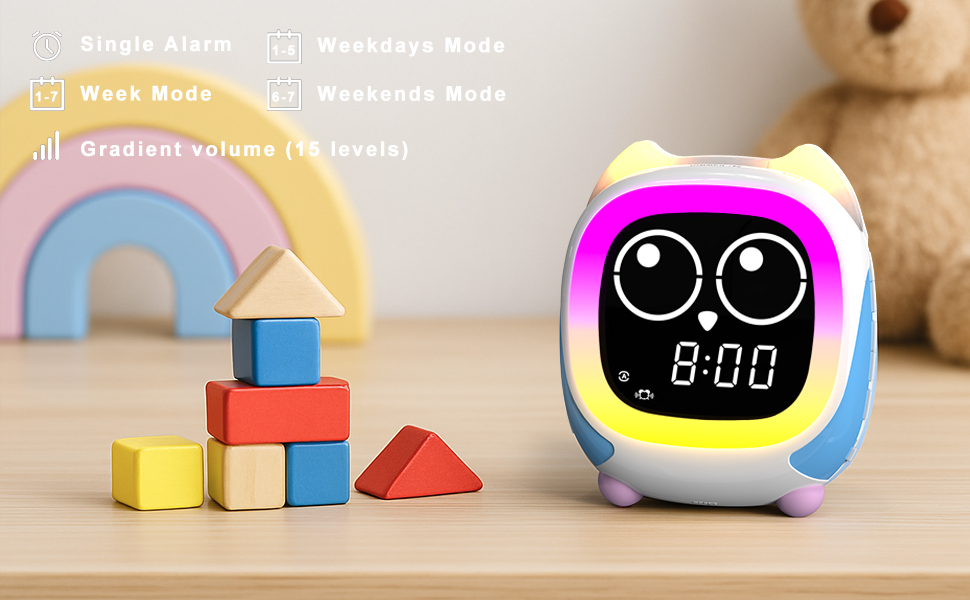
Figure 2: Alarm Modes and Volume Control
4.3 Sleep & Awake Time Settings (Grow Children's Clock Trainer)
Addo uses visual cues to teach children when it's time to sleep and wake up:
- Bedtime Preparation: Approximately 30 minutes before the set bedtime, Addo's light will glow yellow, signaling to your child to begin preparing for sleep. The owl's eyes may display a sleepy expression.
- Sleep Time: At the set bedtime, the owl's eyes will close, and the lights may dim or turn off, indicating it's time for sleep.
- Quiet Play Time: Approximately 30 minutes before the set wake-up time, Addo will glow blue, signaling your child can play quietly in their room. The owl's eyes may still be closed or partially open.
- Wake-Up Time: At the set wake-up time, the owl's eyes will open, and the light will change to a bright color (e.g., blue), indicating it's time to get up.
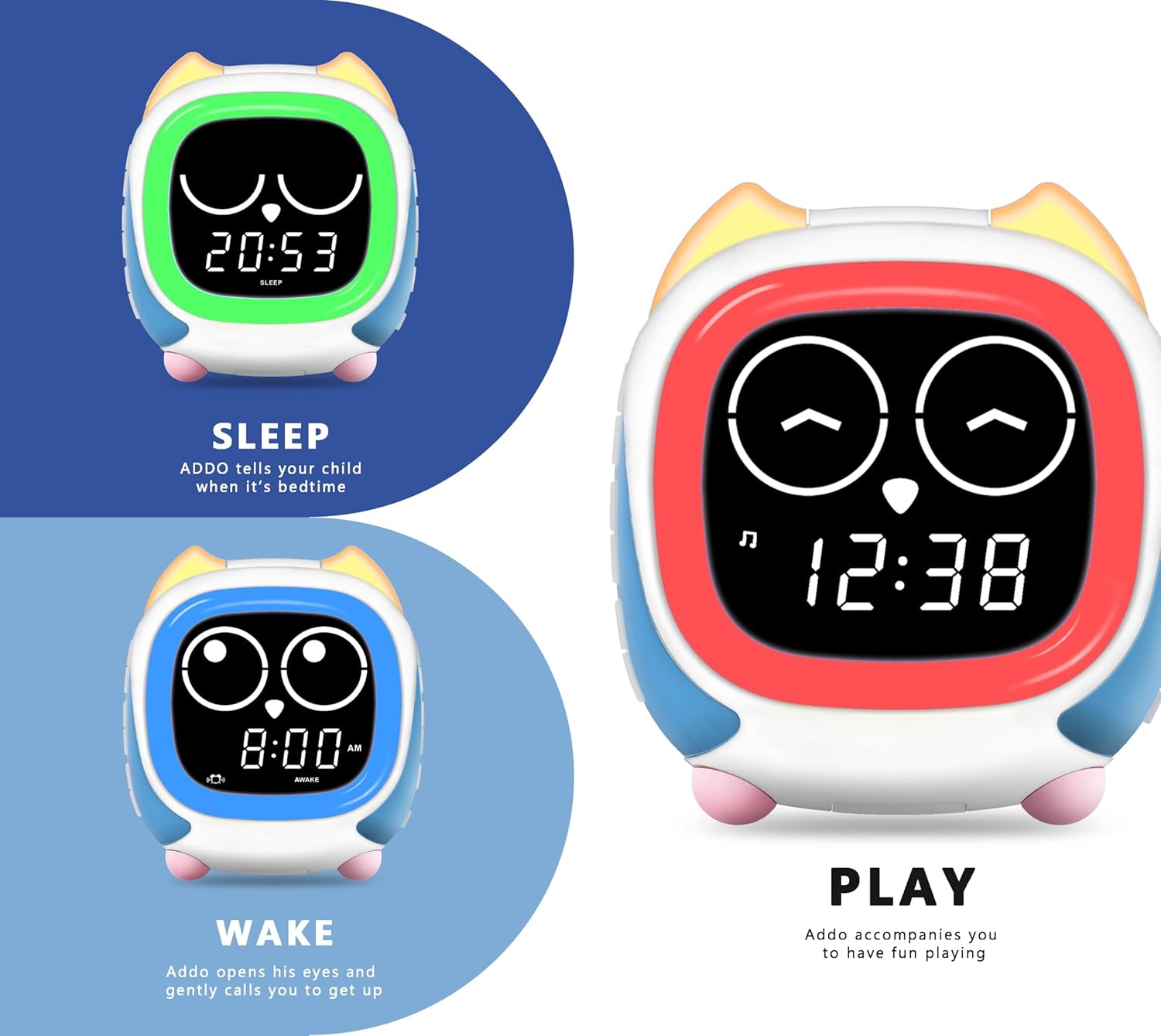
Figure 3: Sleep, Wake, and Play Visual Cues
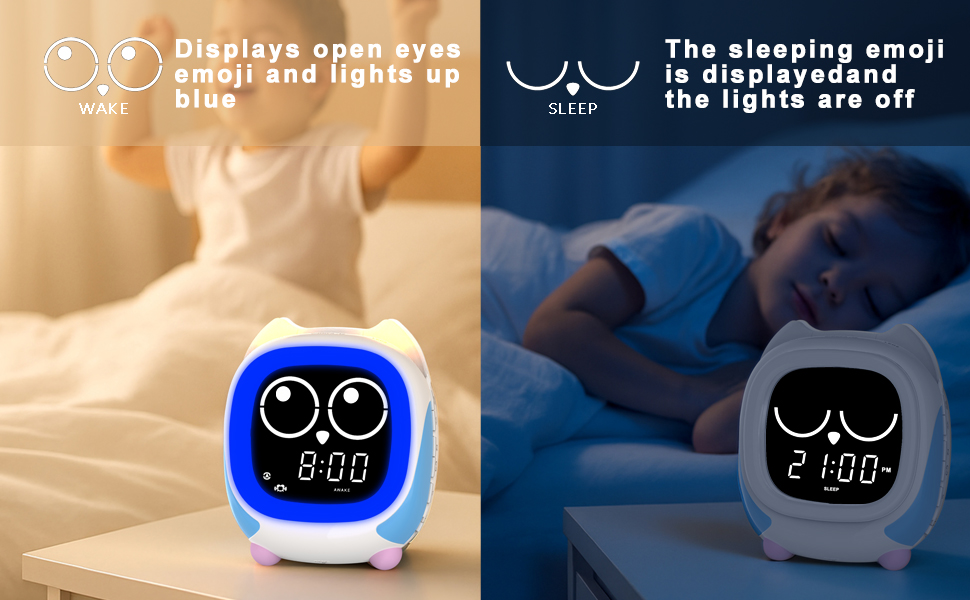
Figure 4: Wake vs. Sleep Display
4.4 Bluetooth Music Player
To use Addo as a Bluetooth speaker:
- Ensure the clock is powered on.
- Activate Bluetooth pairing mode on the Addo clock (refer to your specific manual for the button, often a dedicated Bluetooth button or a long press on a mode button).
- On your smartphone, tablet, or other Bluetooth device, search for available devices.
- Select "iTOMA Addo" (or similar name) from the list to pair.
- Once paired, you can play music or audiobooks through the clock.
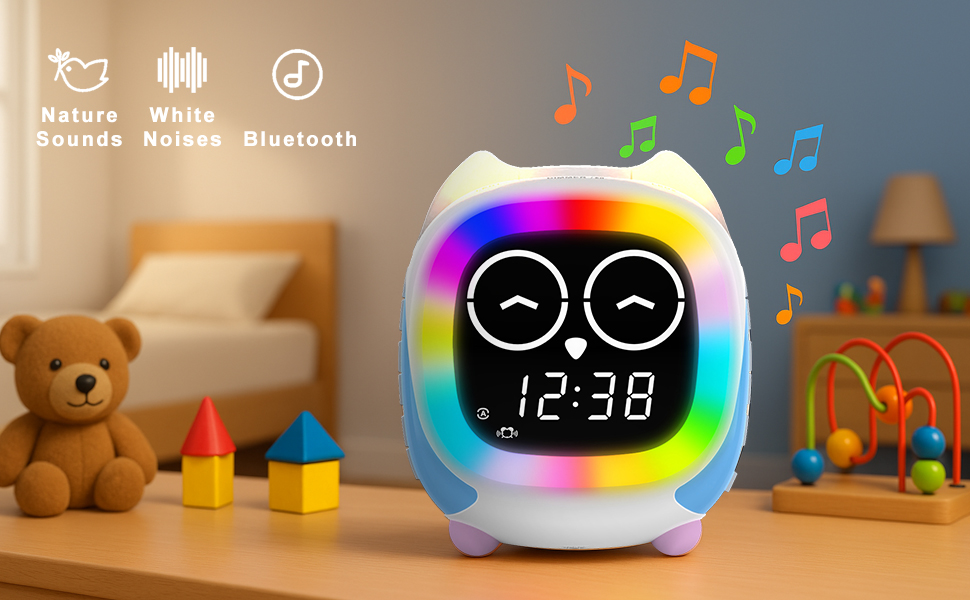
Figure 5: Bluetooth and Sound Features
4.5 Sound Machine
The Addo clock offers various sound options to aid sleep or provide background ambiance:
- White Noise: Select from various white noise options to mask distracting sounds.
- Lullabies: Gentle melodies designed to soothe children to sleep.
- Buzzer: A standard alarm sound option.
- Playful Music: 11 different music tracks for daytime use or gentle wake-up.
Use the dedicated sound selection buttons or navigate through the menu to choose your preferred sound. Volume can be adjusted independently or with the main alarm volume.
4.6 Night Light Function
The Addo clock features colorful LED lights that can function as a night light:
- Multiple Colors: Choose from a spectrum of colors for the main light ring.
- Brightness Levels: Adjust the brightness of the night light across 4 levels.
- Yellow Ear Light: The owl's ears also illuminate, often in yellow, providing an additional soft glow.
- Optional Night Light: The night light can be set to turn on/off automatically with sleep/wake cycles or manually controlled.
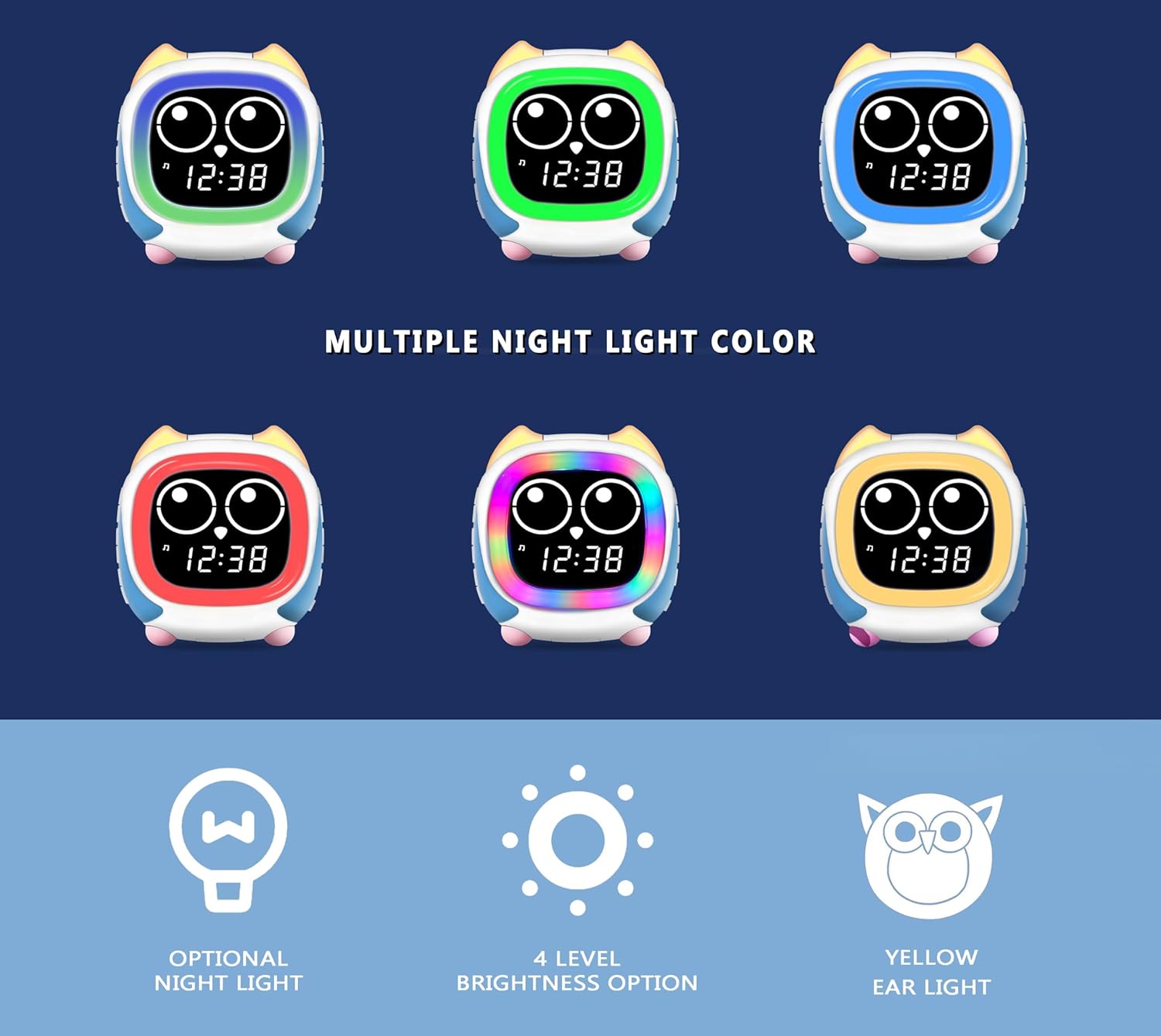
Figure 6: Multiple Night Light Colors
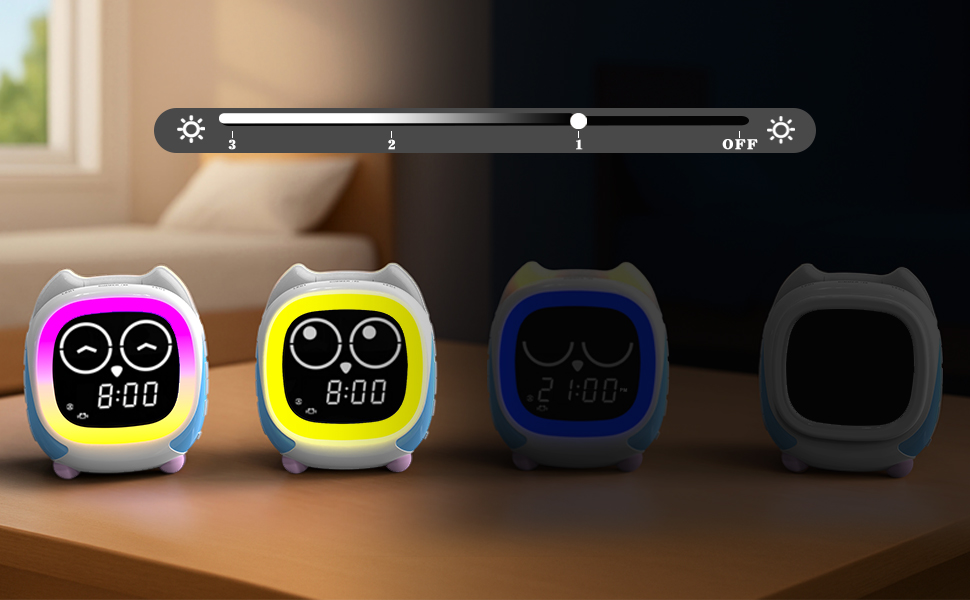
Figure 7: Night Light Brightness Adjustment
4.7 Nap Timer
To set a nap timer:
- Locate the 'NAP' or 'TIMER' button.
- Select the desired nap duration (30, 60, or 90 minutes).
- The clock will count down, and an alert will sound when the nap time is over.
4.8 Snooze Feature
When the alarm sounds, press the 'SNOOZE' button (often a large button on top) to temporarily silence the alarm for a few minutes. The alarm will sound again after the snooze period.
4.9 Child Lock Feature
To prevent children from accidentally changing settings, the Addo clock may include a child lock switch or button combination. Refer to your manual for specific instructions on how to activate and deactivate this feature. When activated, most buttons will be unresponsive.
5. Maintenance
5.1 Cleaning
To clean the Addo clock, first unplug it from the power source. Use a soft, dry, or slightly damp cloth to wipe down the exterior. Do not use abrasive cleaners, solvents, or immerse the unit in water. Ensure no liquid enters the ports or openings.
5.2 Storage
If storing the clock for an extended period, unplug it and remove the CR2032 memory backup battery. Store in a cool, dry place away from direct sunlight and extreme temperatures.
6. Troubleshooting
| Problem | Possible Cause | Solution |
|---|---|---|
| Clock does not turn on. | No power, faulty adapter, or outlet issue. | Ensure power adapter is securely plugged into the clock and a working wall outlet. Try a different outlet. |
| Time/settings reset after power loss. | CR2032 memory backup battery is dead or not installed. | Install a new CR2032 battery or replace the existing one. |
| Sound machine loops are not seamless. | Design limitation of some sound loops. | This may be inherent to certain sound files. Try a different sound option if available. |
| Difficulty setting alarms/features. | Incorrect button sequence or child lock engaged. | Refer to Section 4 for detailed operating instructions. Ensure the child lock feature is disengaged. |
| Night light is too bright or not dimming. | Incorrect brightness setting or specific light elements are not dimmable. | Adjust brightness levels as per Section 4.6. Note that some light elements (e.g., ear lights) may have fixed brightness. |
| Bluetooth pairing fails. | Clock not in pairing mode, device too far, or interference. | Ensure Addo is in Bluetooth pairing mode. Move your device closer. Try restarting both devices. |
7. Specifications
| Feature | Detail |
|---|---|
| Brand | iTOMA |
| Model Number | CKS912 |
| Color | Cks912-us (White/Multi-color accents) |
| Display Type | LED |
| Power Source | Corded Electric |
| Product Dimensions | 4.37"W x 5.04"H |
| Item Weight | 1.23 Pounds |
| Material | Plastic |
| Battery Requirement | 1 CR2032 (for memory backup, not included) |
| Alarm Clock | Yes |
| Operation Mode | Digital |
| Room Type | Kid's Room |
| Shape | Owl |
8. Warranty and Support
For warranty information and technical support, please refer to the documentation included with your product packaging or visit the official iTOMA website. You may also contact iTOMA customer service directly for assistance with product inquiries, troubleshooting, or warranty claims.
Related documentsCKS912


Ask a question about this manual
Ask about setup, troubleshooting, compatibility, parts, safety, or missing instructions. Manuals+ will review the question and use this page’s manual context to help answer it.