
1. Product Overview
The Lightdot 150W LED Flood Lights are high-performance outdoor lighting solutions designed for robust and efficient illumination. This 4-pack of LED flood lights features a durable die-cast aluminum construction, an IP65 waterproof rating, and an intelligent dusk-to-dawn photocell sensor for automated operation. Each light delivers 21000 lumens of bright 5000K daylight white light with a wide 120° beam angle, making them suitable for various outdoor applications. The integrated knuckle mount allows for a 180° adjustable angle, providing flexible light direction to meet specific lighting needs.

Figure 1: Lightdot 150W LED Flood Lights (4-Pack)
This image displays four Lightdot 150W LED Flood Lights, showcasing their robust design and integrated knuckle mounts. The lights are dark brown with a rectangular LED panel.
2. Safety Information
Please read all safety instructions carefully before installation and operation. Failure to follow these instructions may result in electric shock, fire, or other hazards.
- Disconnect Power: Always ensure the power supply is turned off at the circuit breaker before attempting any installation, maintenance, or repair.
- Qualified Electrician: Installation should be performed by a qualified electrician or trained personnel. This product requires hardwiring and does not come with a plug.
- Grounding: Ensure the fixture is properly grounded to prevent electrical shock.
- Voltage Compatibility: Verify that the supply voltage (100-277V AC) matches the requirements of the flood light.
- Avoid Direct Eye Exposure: Do not look directly into the LED light source when illuminated, as it can cause eye strain or damage.
- Operating Environment: The flood light is designed for outdoor use and is IP65 waterproof. It operates effectively in temperatures ranging from -22°F to 113°F (-30°C to 45°C).
- Secure Mounting: Ensure the mounting surface is structurally sound and capable of supporting the weight of the fixture (approximately 26 pounds for the 4-pack).
3. What's in the Box
Your Lightdot 150W LED Flood Light package includes the following components:
- 150W LED Flood Lights (4 units)
- Knuckle Mounts (pre-attached to each light)
- 5-Year Warranty Information
4. Product Specifications
| Feature | Specification |
|---|---|
| Model Number | LFL-06M-14 |
| Wattage | 150 Watts per light |
| Luminous Flux | 21000 Lumens per light |
| Color Temperature | 5000K Daylight White |
| Voltage Input | 100-277V AC |
| Beam Angle | 120° |
| IP Rating | IP65 Waterproof |
| Lifespan | >30,000 Hours |
| Material | Die-cast Aluminum |
| Mounting Type | Knuckle Mount (Wall, Ceiling, Ground, etc.) |
| Adjustable Angle | 180° Trunnion |
| Operating Temperature | -22°F to 113°F (-30°C to 45°C) |
| Product Dimensions (approx.) | 15.25"L x 15.25"W x 12.5"H |
| Item Weight (4-pack) | 26 Pounds |

Figure 2: Key Features and Specifications
This image highlights the main features of the Lightdot flood light, including its wattage, lumen output, beam angle, voltage, color temperature, IP rating, and warranty.

Figure 3: Product Dimensions and Adjustable Angle
This image provides detailed dimensions of the flood light and illustrates the 180-degree adjustable trunnion angle for flexible positioning.
5. Installation Guide
The Lightdot LED Flood Light is designed for versatile mounting using its integrated knuckle mount. It can be installed on ceilings, walls, ground, lawns, or billboards. Recommended installation height is between 12 to 18 feet, providing an effective illumination diameter of 35-50 feet.
5.1. Mounting Options
- Wall Mounting: Secure the knuckle mount to a sturdy wall surface.
- Ceiling Mounting: Attach the knuckle mount to an overhead structure.
- Ground/Floor Mounting: Use appropriate anchors to secure the light to the ground or a flat surface.
- Adjustable Angle: The 180° trunnion angle allows you to direct the light precisely where needed. Loosen the elastic screw on the bracket, adjust the light to the desired angle, and then tighten the screw securely.
5.2. Electrical Connection (Hardwiring)
This flood light requires hardwiring to your electrical system. It does not come with a plug. Ensure all electrical connections comply with local electrical codes.
- Turn Off Power: Before starting, turn off the main power supply at the circuit breaker to avoid electrical shock.
- Prepare Wiring: Identify the live (black), neutral (white), and ground (green) wires from your power source.
- Connect Wires: Connect the corresponding wires from the flood light to your power source using appropriate wire connectors (not included).
- Black (Light) to Live (Power Source)
- White (Light) to Neutral (Power Source)
- Green (Light) to Ground (Power Source)
- Secure Connections: Ensure all connections are tight and insulated.
- Restore Power: Once installation is complete and all connections are secure, restore power at the circuit breaker.
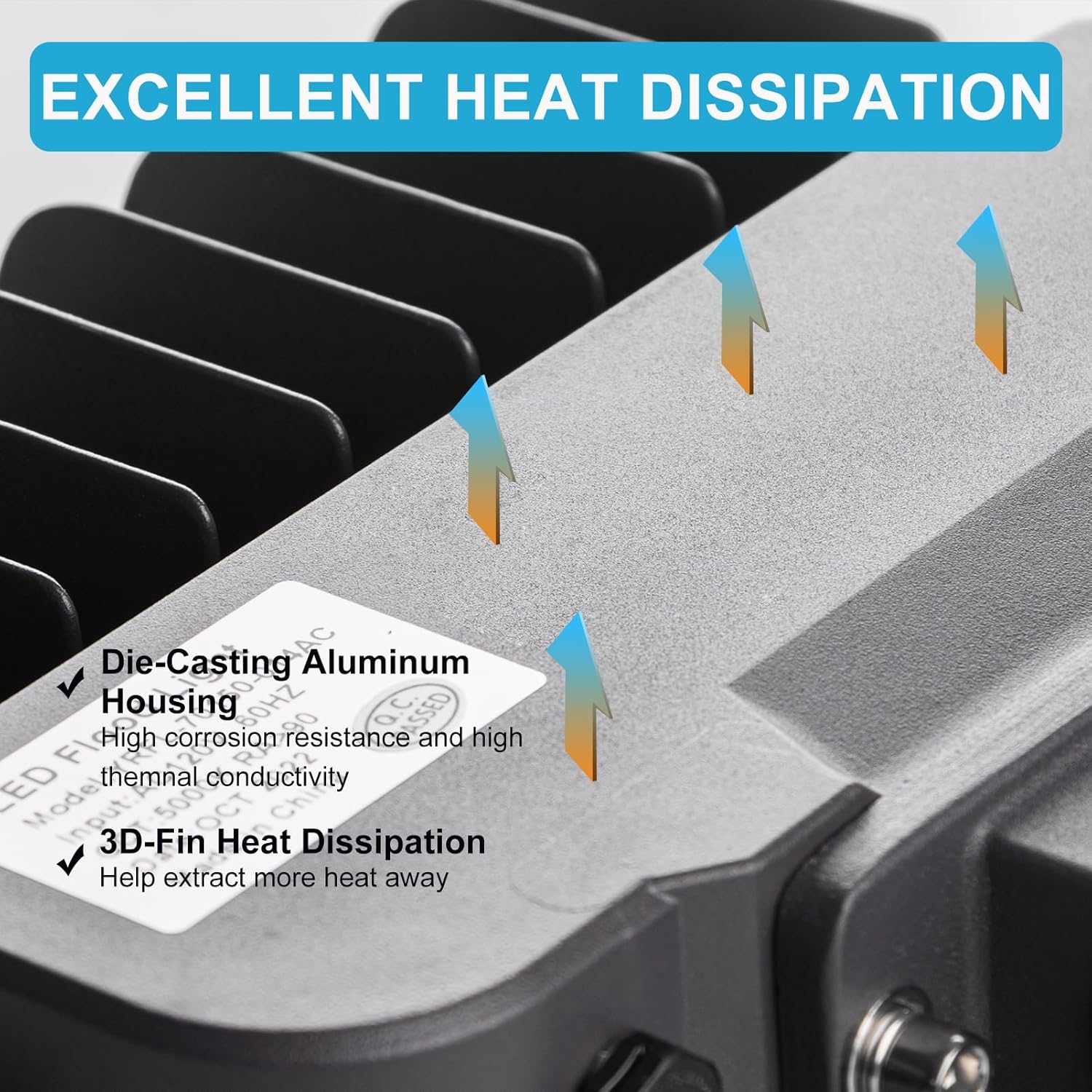
Figure 4: Versatile Mounting Options
This image illustrates various ways the Lightdot flood light can be mounted, including wall, ceiling, and floor installations, along with examples of its use in different outdoor settings.
6. Operating Instructions
The Lightdot LED Flood Light is equipped with an intelligent dusk-to-dawn photocell sensor for automatic operation, providing hands-free convenience and energy efficiency.
6.1. Dusk-to-Dawn Photocell Sensor
- The integrated photocell sensor automatically detects ambient light levels.
- The light will turn ON automatically at dusk when natural light diminishes.
- The light will turn OFF automatically at dawn when natural light returns.
- Ensure the photocell sensor (small clear dome on the fixture) is not obstructed by dirt, debris, or other objects, and is not exposed to direct artificial light sources (e.g., other lights, streetlights) that could interfere with its operation.

Figure 5: Dusk-to-Dawn Operation
This image demonstrates the automatic dusk-to-dawn functionality of the flood light, illustrating how it illuminates at night and turns off during the day.
7. Maintenance
The Lightdot LED Flood Light is built with high-quality, durable materials designed for long-term outdoor use with minimal maintenance.
- Cleaning: Periodically clean the surface of the light and the photocell sensor with a soft, damp cloth to remove dirt, dust, or debris. Avoid using abrasive cleaners or solvents that could damage the finish or components.
- Inspection: Regularly inspect the mounting bracket and electrical connections to ensure they remain secure and free from damage.
- Heat Dissipation: The fixture features a back strip design with 3D-fin heat dissipation for optimal performance and longevity. Ensure these fins are not obstructed to allow for proper airflow.
- Water Resistance: The IP65 waterproof rating and waterproof joints effectively isolate rainwater, ensuring reliable operation in various weather conditions.

Figure 6: Efficient Heat Dissipation
This close-up image shows the 3D-fin design on the back of the flood light, which is crucial for effective heat dissipation and extending the product's lifespan.

Figure 7: Weather Resistance
This image demonstrates the flood light's IP65 waterproof rating and weather resistance, showing it functioning reliably in rainy conditions.
8. Troubleshooting
If you encounter issues with your Lightdot LED Flood Light, please refer to the following common problems and solutions:
| Problem | Possible Cause | Solution |
|---|---|---|
| Light does not turn ON. | No power supply; Loose wiring; Faulty photocell sensor; Photocell obstructed. | Check circuit breaker and power connections. Ensure all wires are securely connected. Clean or reposition the photocell sensor to ensure it's not blocked or exposed to constant artificial light. |
| Light flickers or dims. | Unstable power supply; Loose wiring; Voltage fluctuations. | Verify stable power supply. Check all electrical connections for tightness. Consult a qualified electrician if voltage issues persist. |
| Light stays ON during the day. | Photocell sensor obstructed; Photocell exposed to artificial light. | Ensure the photocell sensor is clean and free from obstructions. Reposition the light if it's being affected by other light sources (e.g., streetlights, porch lights). |
| Light turns OFF at night. | Power outage; Faulty wiring; Internal component failure. | Check for power outages in your area. Inspect wiring for any damage. If the issue persists, contact customer support for assistance. |
9. Warranty and Support
Lightdot is committed to providing high-quality products and excellent customer service.
- 5-Year Assurance: This product is backed by a 5-year assurance from the date of purchase, covering defects in materials and workmanship.
- Customer Support: For any inquiries, technical assistance, or warranty claims throughout your product's lifespan, please contact Lightdot customer support directly. We are dedicated to providing 24-hour customer support.
- Contact Information: Please refer to the contact details provided on the product packaging or the official Lightdot website for the most up-to-date support information.