
OQTIQ 89723982-42342
OQTIQ Magnetic Phone Car Mount
Instruction Manual
Product Overview
The OQTIQ Magnetic Phone Car Mount provides a secure and versatile solution for mounting your cell phone or mini tablet. Featuring 8 industrial-strength magnets, this mount ensures a strong hold on various flat surfaces, making it ideal for use in vehicles, homes, or offices. Its ultra-sleek and minimalist design complements any interior while offering 360-degree rotation for optimal viewing angles.

Image: Two OQTIQ magnetic phone car mounts, showcasing their sleek design.

Image: Internal structure of the OQTIQ magnetic mount, highlighting the 8 built-in super magnets and rubber surface for enhanced grip.

Image: Dimensions of the OQTIQ magnetic mount, illustrating its compact and slim profile.
Package Contents
Before beginning installation, please verify that all components are present in the package:
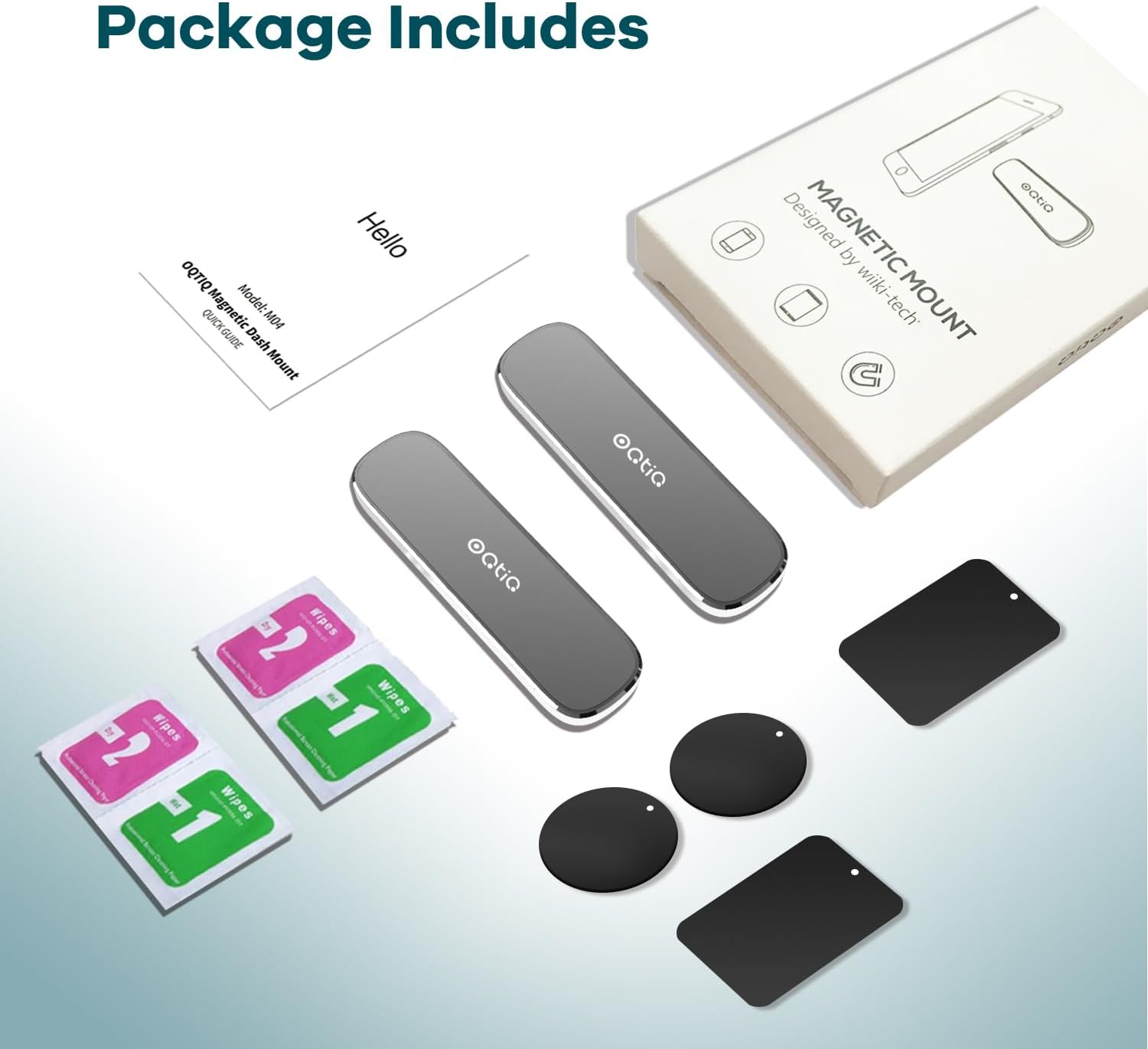
Image: Package contents, showing two magnetic mounts, circular and rectangular metal plates, cleaning wipes, and a quick guide.
- 2 x OQTIQ Magnetic Phone Car Mounts
- 2 x Circular Metal Plates
- 2 x Rectangular Metal Plates
- Cleaning Wipes (Wet and Dry)
- Instruction Manual (Quick Guide)
Setup and Installation
Proper installation ensures optimal performance and security of your device. Follow these steps carefully:
- Choose a Flat Surface: Select a flat, non-curved surface for mounting. Ensure the chosen area is clean and dry. Use the provided cleaning wipes to prepare the surface.
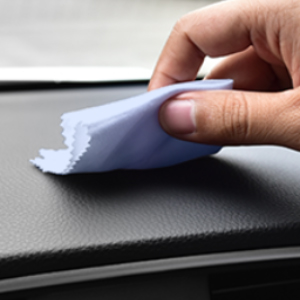
Image: Cleaning the dashboard surface to ensure proper adhesion.
- Prepare the Mount: Carefully peel off the protective film from the adhesive backing of the magnetic mount.
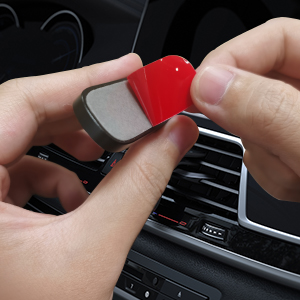
Image: Peeling the adhesive backing from the magnetic mount.
- Attach the Mount: Firmly press the magnetic mount onto the prepared surface. Apply pressure for at least 30 seconds to ensure strong adhesion. Allow 24 hours for the adhesive to fully cure before attaching a device.

Image: Attaching the magnetic mount to the car dashboard.
- Attach Metal Plate to Device: Choose one of the provided metal plates (circular or rectangular). There are three recommended ways to attach the metal plate to your device:
- Between Case and Device: Place the metal plate between your phone/tablet and its protective case. This method keeps the plate hidden.
- On the Back of the Device: Adhere the metal plate directly to the back of your phone/tablet using its adhesive.
- On the Back of the Case: Adhere the metal plate to the exterior back of your phone/tablet case.

Image: Step-by-step guide for attaching the metal plate to your device or its case.
Operating Instructions
Once installed, using your OQTIQ Magnetic Phone Car Mount is straightforward:
- Attaching Your Device: Simply bring your device (with the metal plate attached) close to the magnetic mount. The strong magnets will securely hold your device in place.

Image: Demonstrating hands-free use of the magnetic mount in a car, with a smartphone securely attached.
- Adjusting Viewing Angle: The mount allows for 360-degree rotation. You can effortlessly adjust your device to portrait or landscape orientation and angle it for the best view, regardless of road vibrations or impacts.
- Versatile Placement: The strong adhesive and magnetic hold allow for installation in various locations beyond the car dashboard.
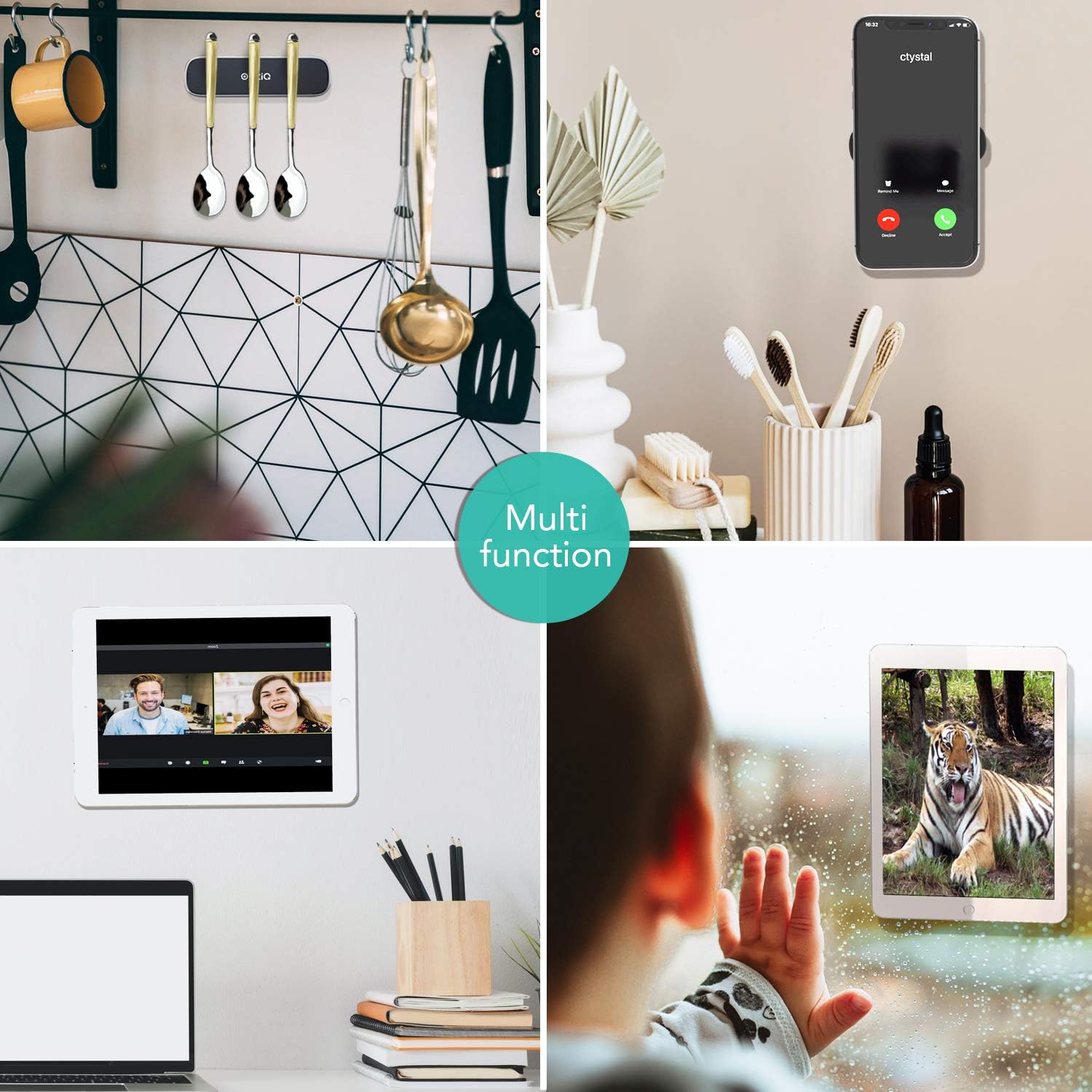
Image: Examples of multi-functional use, including in the kitchen, at a desk, and on a car dashboard.
Maintenance
To ensure the longevity and optimal performance of your OQTIQ Magnetic Phone Car Mount, follow these simple maintenance guidelines:
- Cleaning: Wipe the surface of the magnetic mount with a soft, damp cloth to remove dust or debris. Avoid using harsh chemicals or abrasive cleaners, as these can damage the finish or adhesive.
- Adhesive Care: Once installed, avoid repositioning the mount frequently, as this can weaken the adhesive bond. If the adhesive needs to be replaced, use a high-quality 3M VHB adhesive tape.
- Magnet Care: The magnets are designed for durability. Avoid exposing the mount to extreme temperatures for prolonged periods, as this could potentially affect magnetic strength over a very long time.
Troubleshooting
If you encounter any issues with your OQTIQ Magnetic Phone Car Mount, please refer to the following common solutions:
- Device Not Sticking Securely:
- Check Metal Plate Placement: Ensure the metal plate is correctly positioned on your device or inside its case, centered for optimal magnetic contact.
- Verify Surface Cleanliness: The mounting surface must be clean and dry before installation. Any dust, oil, or residue can compromise the adhesive bond.
- Allow Adhesive to Cure: The adhesive requires 24 hours to achieve maximum strength. Avoid attaching devices immediately after installation.
- Heavy Devices: For heavier phones or mini tablets, ensure the metal plate is placed optimally to distribute weight and maximize magnetic contact.
- Adhesive Losing Stickiness:
- Surface Type: Ensure the surface is flat and smooth. Textured or porous surfaces may not provide adequate adhesion.
- Temperature Fluctuations: While designed to withstand temperature variations (-13°F to 158°F), extreme and rapid changes can sometimes affect adhesive. Ensure proper curing in moderate temperatures.
- Re-application: If the adhesive has completely lost its stickiness, it may need to be replaced with a new piece of strong double-sided adhesive tape (e.g., 3M VHB).
Specifications
| Feature | Detail |
|---|---|
| Product Dimensions | 2.76 x 0.79 x 1.57 inches |
| Item Weight | 4.2 ounces |
| Model Number | 89723982-42342 |
| Special Features | Magnetic |
| Color | Black |
| Manufacturer | OQTIQ |
| Compatible Devices | Smartphones, Tablets |
| Compatible Phone Models | iPhone, Samsung, LG, mini Tablets |
| Mounting Type | Dashboard (Adhesive) |
Warranty and Support
OQTIQ is committed to providing high-quality products and excellent user experience. For any inquiries, support, or warranty claims, please contact OQTIQ customer service.
- Hassle-Free Replacement/Return: OQTIQ offers a hassle-free replacement or return policy for eligible products.
- 24-Hour Online Customer Support: For immediate assistance, please utilize our 24-hour online customer support.
- Contact Information: Refer to the product packaging or the official OQTIQ website for the most current contact details and support options.
We value your satisfaction and are here to help with any issues you may encounter.
Related documents89723982-42342

Ask a question about this manual
Ask about setup, troubleshooting, compatibility, parts, safety, or missing instructions. Manuals+ will review the question and use this page’s manual context to help answer it.