
1. Introduction
This manual provides detailed instructions for the installation, operation, maintenance, and troubleshooting of your ORION Cobalt CM652 6.5-inch Mid-Range Bullet Loudspeakers. Designed for high-efficiency car audio, these speakers deliver powerful and clear sound reproduction. Please read this manual thoroughly before installation and use to ensure optimal performance and longevity of your product.
2. Product Features
The ORION Cobalt CM652 loudspeakers are engineered with advanced technology to provide superior sound quality and performance. Key features include:
- Pro Audio Midrange Speakers: Designed for balanced sound and a wide frequency range, enhancing your vehicle's audio experience.
- Superior Power Handling: 1000W Max Power and 250W RMS for powerful and dynamic sound without distortion.
- Advanced Structure: Features a 1.5-inch high-temperature voice coil, 96.67 dB efficiency, and a shallow mounting depth of 2.75 inches.
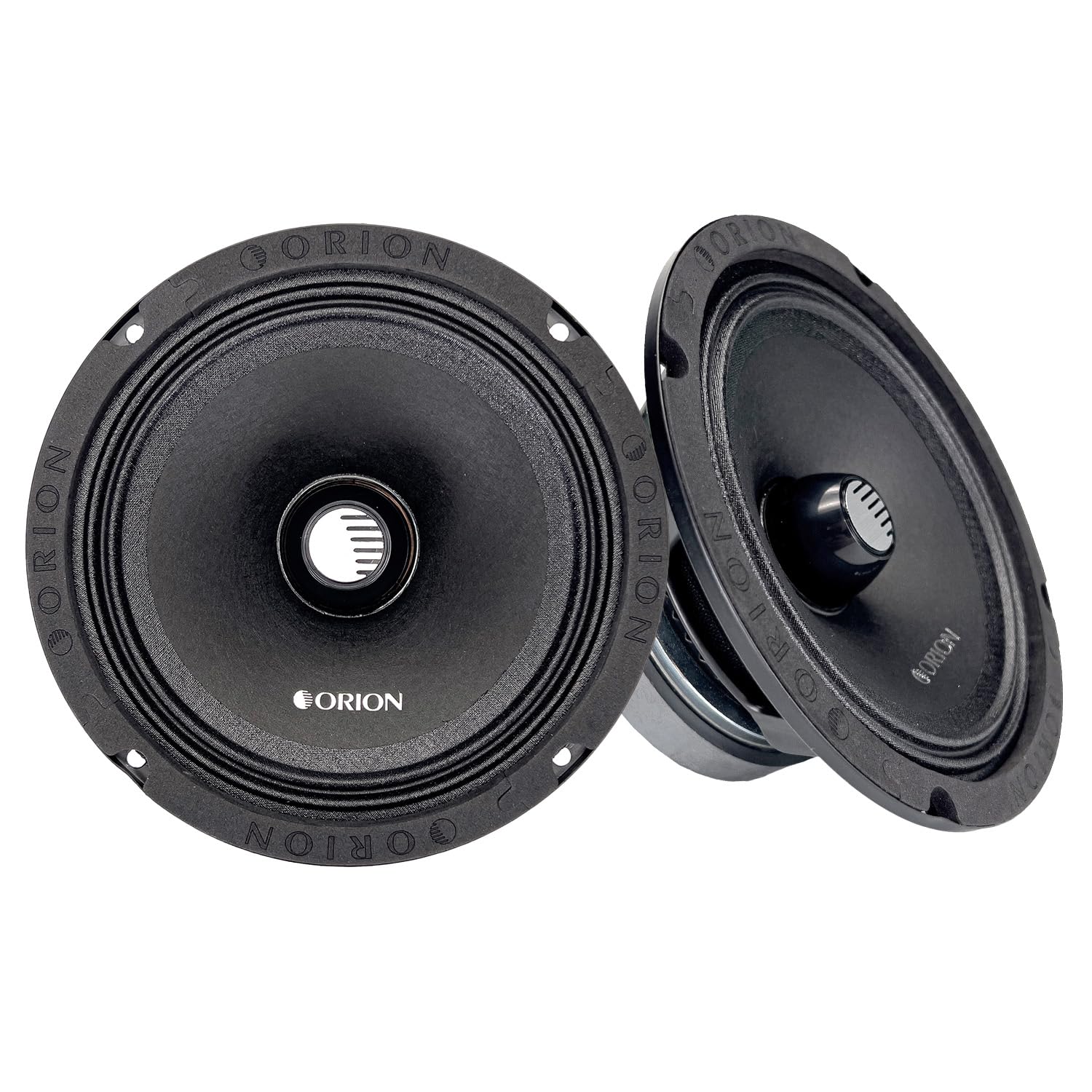
- Mid-Range with Bullet: The integrated bullet design allows the speaker to effectively reproduce high-range frequencies while maintaining strong low to mid-range performance, ensuring a dynamic frequency range.
- Durable Construction: Built with a heavy-gauge stamped steel frame to minimize vibrations and ensure clean, distortion-free sound.
- Optimized Airflow: Strategically placed ventilation holes dissipate heat, preventing overheating and ensuring reliability under extreme conditions.
- Non-Pressed Paper Cone: Delivers smooth, natural mid-range frequencies for crisp and well-defined audio.
- Accordion-Treated Cloth Surround: Provides precise cone movement, reducing distortion and enhancing sound quality even at high volumes.
- 2-Ohm Impedance: Maximizes power flow and optimizes output, compatible with a variety of amplifiers.
- 21 Oz Ferrite Magnet: Ensures strong, responsive mid-range frequencies for punchy, accurate sound reproduction.
- ORION Bullet Phase Plug: Optimizes sound dispersion, spreading waves evenly to enhance clarity and widen the soundstage for an immersive experience.
Visual Overview


3. Setup and Installation
Proper installation is crucial for achieving the best sound performance and ensuring the longevity of your speakers. It is highly recommended that installation be performed by a qualified car audio professional.
3.1 Pre-Installation Checks
- Compatibility: Ensure your amplifier is compatible with a 2-Ohm impedance load to maximize power flow and speaker performance.
- Mounting Space: Verify that your vehicle's speaker location has sufficient mounting depth (2.63 inches / 6.68 cm) and diameter (5.67 inches / 14.4 cm) for the CM652 speakers.
- Wiring: Use appropriate gauge speaker wire for your system to prevent power loss and ensure clear signal transmission.
3.2 Mounting the Speakers
- Carefully remove existing speakers from the desired mounting location.
- Position the ORION Cobalt CM652 speaker in the opening. The overall diameter is 6.54 inches (16.6 cm).
- Secure the speaker using appropriate screws, ensuring a snug fit to minimize vibrations. The stamped steel frame is designed to reduce unwanted resonance.
- Connect the speaker wires to the terminals on the back of the speaker. Ensure correct polarity (positive to positive, negative to negative).
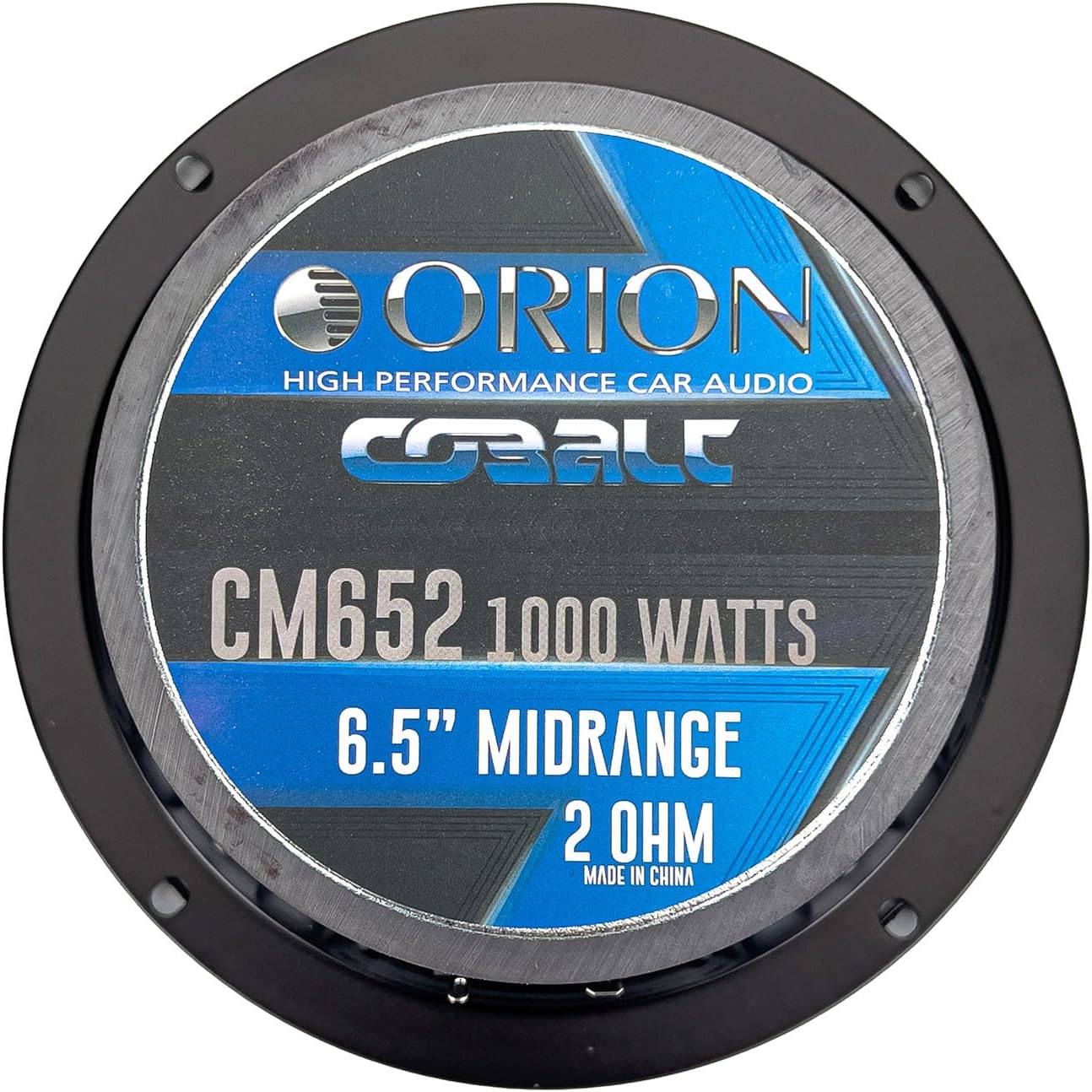
Note: Some vehicle installations may require custom mounting brackets or modifications due to the speaker's magnet size or frame design. Always check clearances before finalizing installation.
4. Operating Instructions
Once installed, proper operation ensures the best audio experience from your ORION Cobalt CM652 speakers.
4.1 Amplifier Settings
- Gain Setting: Adjust the amplifier's gain setting carefully. Start with the gain at its lowest point and gradually increase it until you achieve clear, undistorted sound at your desired listening volume. Avoid setting the gain too high, as this can lead to clipping and speaker damage.
- Crossover Settings: Utilize your amplifier's or head unit's crossover settings to optimize the frequency range sent to the CM652 speakers. As mid-range speakers, they perform best when frequencies below their operational range (e.g., below 100 Hz) are filtered out. A common recommendation is to set a high-pass filter (HPF) around 100-120 Hz. Experiment with settings to find the optimal balance for your system.
- Equalization (EQ): Use your head unit's or external EQ to fine-tune the sound. The CM652 speakers are designed for clarity and precision across their frequency range (100 Hz - 17 kHz). Adjust the EQ to suit your personal preference and vehicle acoustics.
4.2 Listening Volume
While these speakers can handle significant power (250W RMS, 1000W Max), prolonged listening at extremely high volumes can cause listener fatigue and potentially damage your hearing. Listen responsibly.
4.3 Product Demonstration Video
Watch this official product video for a demonstration of the ORION Cobalt CM652 speakers' sound capabilities and features.
Video 4.1: Official demonstration of the ORION Cobalt CM652 speaker's sound and features.
5. Maintenance
To maintain the performance and appearance of your ORION Cobalt CM652 speakers, follow these simple maintenance guidelines:
- Cleaning: Use a soft, dry cloth to gently wipe the speaker cones and surrounds. Avoid using harsh chemicals or abrasive cleaners, which can damage the materials.
- Environmental Protection: While designed for car audio, avoid exposing the speakers to excessive moisture, extreme temperatures, or direct sunlight for prolonged periods, as these can degrade performance over time.
- Ventilation: Ensure that the speaker's ventilation holes are not obstructed. Proper airflow is essential for dissipating heat from the voice coil and magnet structure, preventing overheating and maintaining optimal performance.
- Inspection: Periodically inspect the speaker for any signs of damage, such as tears in the cone or surround, or loose connections. Address any issues promptly to prevent further damage.
6. Troubleshooting
If you experience issues with your ORION Cobalt CM652 speakers, consult the following troubleshooting guide. For complex problems, contact a qualified car audio technician.
6.1 No Sound or Low Sound Output
- Check Connections: Ensure all speaker wires are securely connected to both the speaker terminals and the amplifier outputs. Verify correct polarity.
- Amplifier Power: Confirm the amplifier is powered on and receiving a signal from the head unit. Check amplifier fuses.
- Head Unit Settings: Verify that the head unit's volume is up, and the audio source is correctly selected. Check balance and fader settings.
- Crossover Settings: Incorrect crossover settings (e.g., a high-pass filter set too high, or a low-pass filter enabled) can prevent the speaker from playing its intended frequencies.
6.2 Distorted Sound
- Gain Setting: The amplifier gain may be set too high, causing clipping. Reduce the gain until distortion disappears.
- Power Output: The amplifier may be underpowered or overpowered for the speakers. Ensure the amplifier's RMS output matches the speaker's RMS power handling (250W RMS).
- Crossover Settings: Improper crossover settings can lead to distortion. Ensure the speakers are not attempting to reproduce frequencies outside their optimal range.
- Speaker Damage: Inspect the speaker cone and surround for any physical damage. Even small tears can cause distortion.
- Loose Mounting: A loosely mounted speaker can vibrate excessively, leading to distorted sound. Ensure the speaker is securely fastened.
6.3 Intermittent Sound
- Loose Wiring: Check all wiring connections for looseness or corrosion.
- Overheating: If the amplifier or speakers are overheating, they may shut down intermittently. Ensure proper ventilation and check impedance matching.
7. Specifications
Detailed technical specifications for the ORION Cobalt CM652 6.5" Mid-Range Bullet Loudspeakers:
| Feature | Specification |
|---|---|
| Brand | ORION |
| Model Number | CM652 |
| Speaker Size | 6.5 Inches |
| Speaker Type | Mid-Range Bullet Loudspeaker |
| Maximum Output Power | 1000 Watts (Max) |
| RMS Power | 250 Watts |
| Impedance | 2 Ohms |
| Frequency Response | 100 Hz - 17 kHz |
| Sensitivity | 93 dB |
| Voice Coil Diameter | 1.5 Inches |
| Magnet Weight | 21 Oz Ferrite |
| Enclosure Material | Steel, Paper |
| Mounting Type | Door Mount |
| Mounting Diameter | 5.67 Inches (14.4 cm) |
| Mounting Depth | 2.63 Inches (6.68 cm) |
| Overall Diameter | 6.54 Inches (16.6 cm) |
| Overall Depth | 2.84 Inches (7.21 cm) |
| Item Weight | 3.25 Kilograms (Pair) |
8. Warranty and Support
8.1 Warranty Information
The ORION Cobalt CM652 loudspeakers come with a Limited Warranty. Please refer to the warranty card included with your product for specific terms, conditions, and duration of coverage. Retain your proof of purchase for warranty claims.
8.2 Customer Support
For technical assistance, warranty inquiries, or further information regarding your ORION product, please contact ORION customer support or your authorized retailer. Contact details can typically be found on the ORION official website or on the product packaging.


