
1. Introduction
This manual provides essential instructions for the safe and effective operation of your MAD OWL WKP-1816B RGBWAUV LED Par Can Uplight. This professional-grade lighting fixture is designed for stage, party, and event applications, offering versatile color mixing and control options. Please read this manual thoroughly before installation and use.
2. Safety Information
To ensure safe operation, observe the following precautions:
- Always connect the unit to a grounded power outlet.
- Do not expose the fixture to rain or moisture.
- Ensure adequate ventilation around the unit to prevent overheating.
- Avoid direct eye exposure to the light source.
- Disconnect power before cleaning or servicing.
- Mount the fixture securely to prevent accidental falls.
- Do not operate if the power cord is damaged.
3. Product Overview
The MAD OWL WKP-1816B is an 18x18W LED Par Can featuring 6-in-1 RGBWA+UV (Red, Green, Blue, White, Amber, Ultraviolet) color mixing. It offers high brightness, pure color temperature, and various control modes.
3.1 Key Features
- 18x18W 6-in-1 RGBWA+UV LEDs for extensive color palette.
- High brightness output suitable for various venues.
- Integrated aluminum radiator and cooling fan for efficient heat dissipation and extended LED lifespan.
- Multiple operating modes: Auto, Sound Activated, Static Color, DMX, Master/Slave.
- Flicker-free dimming, suitable for video and photography applications.
- Powerful built-in programs including jump color, gradient color, and pulse color with adjustable speed.
3.2 Components
The fixture consists of the main light body, a dual-yoke mounting bracket, and a rear control panel.

Image 1: Front view of the MAD OWL WKP-1816B LED Par Can Uplight, showcasing the 18 LED lenses and the robust housing.

Image 2: Rear view of the control panel, featuring the digital display, menu navigation buttons (MENU, UP, DOWN, ENTER), DMX IN/OUT ports, and the power input connector.
The rear panel includes:
- Digital Display: Shows current mode and parameter values.
- MENU Button: Navigates through main menu options.
- UP/DOWN Buttons: Adjusts parameter values or navigates sub-menus.
- ENTER Button: Confirms selections.
- DMX IN/OUT: 3-pin XLR connectors for DMX control.
- Power IN: IEC power connector.
- Cooling Fan: Located on the rear for thermal management.
4. Setup
4.1 Unpacking
Carefully remove the fixture from its packaging. Inspect for any damage during transit. Retain the packaging for future transport or storage.
4.2 Mounting
The WKP-1816B is equipped with a dual-yoke bracket for versatile mounting. It can be placed on a flat surface, mounted to a truss using appropriate clamps (not included), or attached to a wall/ceiling.
- Ensure the mounting surface or truss can support the weight of the fixture.
- Always use a safety cable when mounting overhead.
- Adjust the angle of the fixture using the side knobs on the bracket, then tighten them securely.

Image 3: Side view illustrating the adjustable mounting bracket, allowing for precise positioning of the light.
4.3 Power Connection
Connect the provided power cable to the IEC power input on the rear panel and then to a suitable grounded power outlet (AC 100-240V, 50/60Hz).
4.4 DMX Connection (Optional)
For DMX control, connect a DMX cable from your DMX controller's output to the DMX IN port of the first fixture. For multiple fixtures, daisy-chain them by connecting the DMX OUT of the first fixture to the DMX IN of the next, and so on. A DMX terminator is recommended for the last fixture in the chain.
5. Operating Instructions
Use the MENU, UP, DOWN, and ENTER buttons on the rear panel to navigate and select operating modes and parameters.
5.1 Control Panel Navigation
- Press MENU to cycle through the main menu options (e.g., DMX Address, Auto Mode, Sound Mode, Static Color).
- Use UP and DOWN to adjust values or select sub-menu items.
- Press ENTER to confirm a selection or save a setting.
5.2 Operating Modes
The WKP-1816B offers several operational modes:
5.2.1 DMX Mode
This mode allows external control via a DMX controller. Set the DMX address using the control panel. Refer to the DMX channel chart (not provided in source, typically in a separate document or on the product itself) for specific channel functions.
5.2.2 Auto Mode (Built-in Programs)
The fixture has pre-programmed light shows. Navigate to an 'Auto' or 'Program' menu option. Use UP/DOWN to select different built-in programs (e.g., jump color, gradient color, pulse color) and adjust their speed.
5.2.3 Sound Activated Mode
In this mode, the light reacts to ambient sound. Navigate to the 'Sound' menu option. The fixture will use its internal microphone to synchronize light patterns with music or sound. Some models allow adjustment of sound sensitivity.
5.2.4 Static Color Mode
Select individual colors or mix them to create custom static hues. Navigate to a 'Color' or 'Manual' menu option. You can typically adjust the intensity of Red, Green, Blue, White, Amber, and UV LEDs independently to achieve desired colors.

Image 4: A series of WKP-1816B uplights demonstrating their ability to produce a wide range of colors, including purple, white, green, and blue.
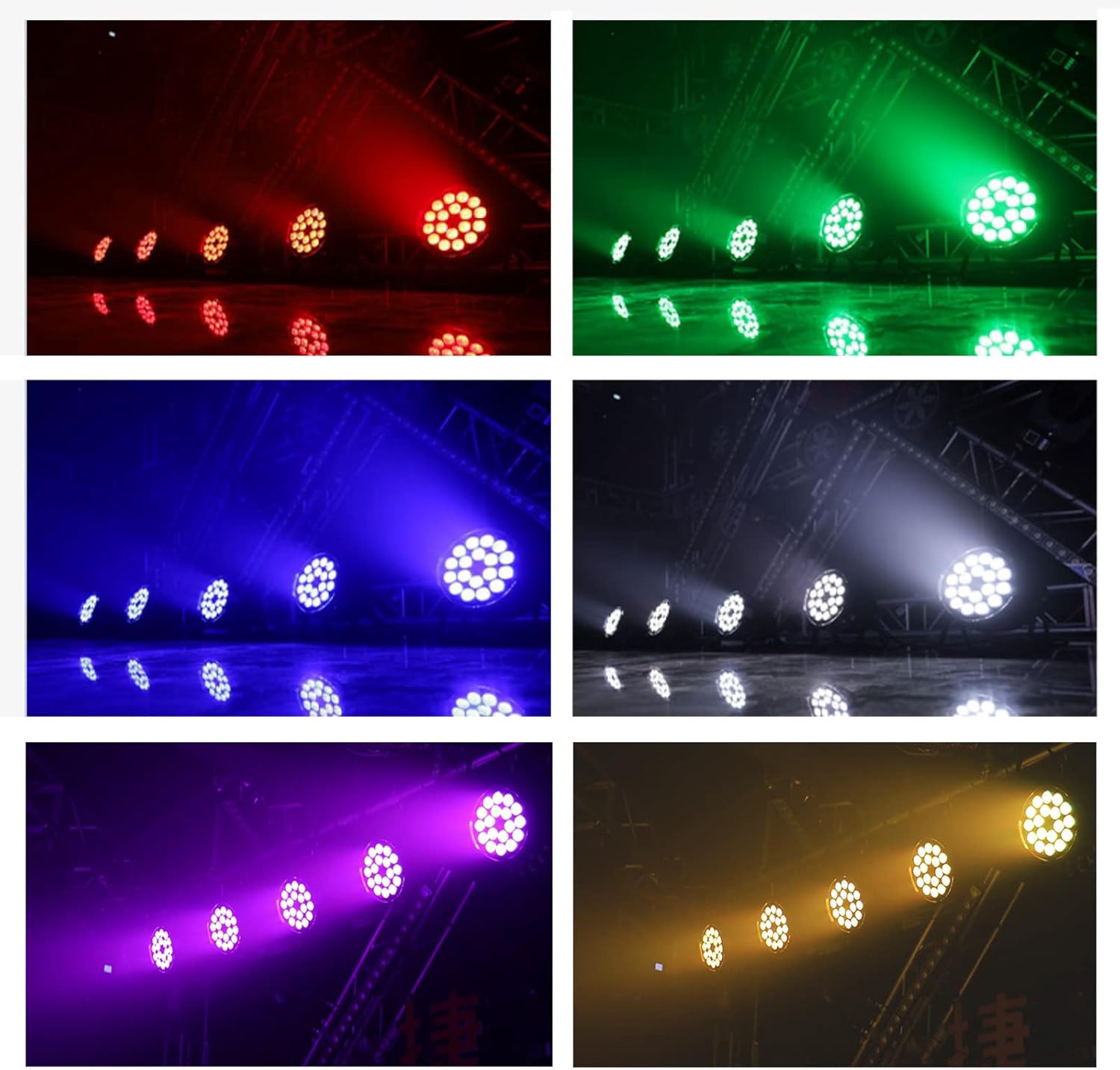
Image 5: Examples of the distinct colors achievable with the 6-in-1 LED system: red, green, blue, white, purple, and amber.
5.2.5 Master/Slave Mode
To synchronize multiple fixtures without a DMX controller, set one unit as 'Master' and others as 'Slave'. Connect the DMX OUT of the Master unit to the DMX IN of the first Slave unit, and daisy-chain subsequent Slave units. The Slave units will mirror the Master's operation.
6. Maintenance
6.1 Cleaning
Regular cleaning helps maintain optimal light output and extends the fixture's lifespan.
- Disconnect power before cleaning.
- Use a soft, lint-free cloth to wipe the exterior and LED lenses.
- Do not use abrasive cleaners or solvents.
- Periodically clean the cooling fan and vents to ensure proper airflow.
6.2 Storage
When not in use, store the fixture in a dry, dust-free environment, preferably in its original packaging.
7. Troubleshooting
If you encounter issues, refer to the following common problems and solutions:
| Problem | Possible Cause | Solution |
|---|---|---|
| No power | Power cable disconnected; no power from outlet; fuse blown. | Check power cable connection; test outlet; replace fuse if applicable. |
| No light output | Incorrect mode selected; DMX signal issue; internal fault. | Verify operating mode; check DMX connections/address; contact support if fault persists. |
| Incorrect colors/flickering | DMX signal interference; incorrect DMX channel values; internal issue. | Check DMX cabling and controller settings; try a different operating mode; contact support. |
| Fan noise is loud | Normal operation for cooling; fan obstruction. | Ensure vents are clear; if excessive, contact support. |
| Fixture unresponsive | Software glitch; power surge. | Disconnect power for 30 seconds, then reconnect. |
8. Specifications
Detailed technical specifications for the MAD OWL WKP-1816B LED Par Can Uplight:
- Model: WKP-1816B
- Brand: MAD OWL
- Light Source Type: Light Emitting Diode (LED)
- Number of Light Sources: 18
- LED Wattage: 18x18W (6-in-1 RGBWA+UV)
- Total Light Source Wattage: 270 Watts
- Maximum Compatible Light Source Wattage: 180 Watts
- Color: 6In1(RGBWA+UV)
- Material: Aluminum
- Finish Type: Aluminum
- Shade Material: Aluminum, PC
- Power Source: Corded Electric
- Voltage: 240 Volts (AC)
- Mounting Type: Surface mount
- Bulb Features: Sound activated
- Product Dimensions: 18"L x 15"W x 6"H
- Item Weight: 7.78 pounds
- UPC: 760635873003

Image 6: Product dimensions illustrating the length (18"), width (15"), and height (6") of the fixture.
9. Warranty and Support
For warranty information, technical support, or service inquiries, please contact the MAD OWL customer support team or your authorized dealer. Keep your purchase receipt as proof of purchase.