
1. Introduction
Thank you for choosing the Acctim Bromham Non-Ticking Wall Clock. This manual provides essential information for the safe and efficient use of your new clock. Please read these instructions thoroughly before installation and retain them for future reference.
Product Overview
The Acctim Bromham Wall Clock features a classic design with a non-ticking sweep seconds hand, ensuring quiet operation. It has a 20cm diameter plastic case with a clear glass face, black minute and hour hands, and a distinctive blue sweep seconds hand.
What's in the Box
- Acctim Bromham Wall Clock (Model 22747)
- Instruction Manual (this document)
Note: 1x AA battery is required and not included.

Image 1.1: Front view of the Acctim Bromham Non-Ticking Wall Clock. This image displays the clock's silver frame, white dial, black hour and minute hands, and blue sweep seconds hand, along with the numerical markings.
2. Safety Information
- Keep batteries out of reach of children.
- Do not mix old and new batteries, or different types of batteries.
- Remove exhausted batteries promptly to prevent leakage.
- Dispose of batteries according to local regulations.
- Do not expose the clock to extreme temperatures, direct sunlight, or high humidity.
- This clock is designed for indoor use only.
3. Setup
3.1 Battery Installation
- Locate the battery compartment on the back of the clock.
- Insert one (1) AA battery, ensuring the positive (+) and negative (-) terminals align correctly with the markings inside the compartment.
- Close the battery compartment cover securely.
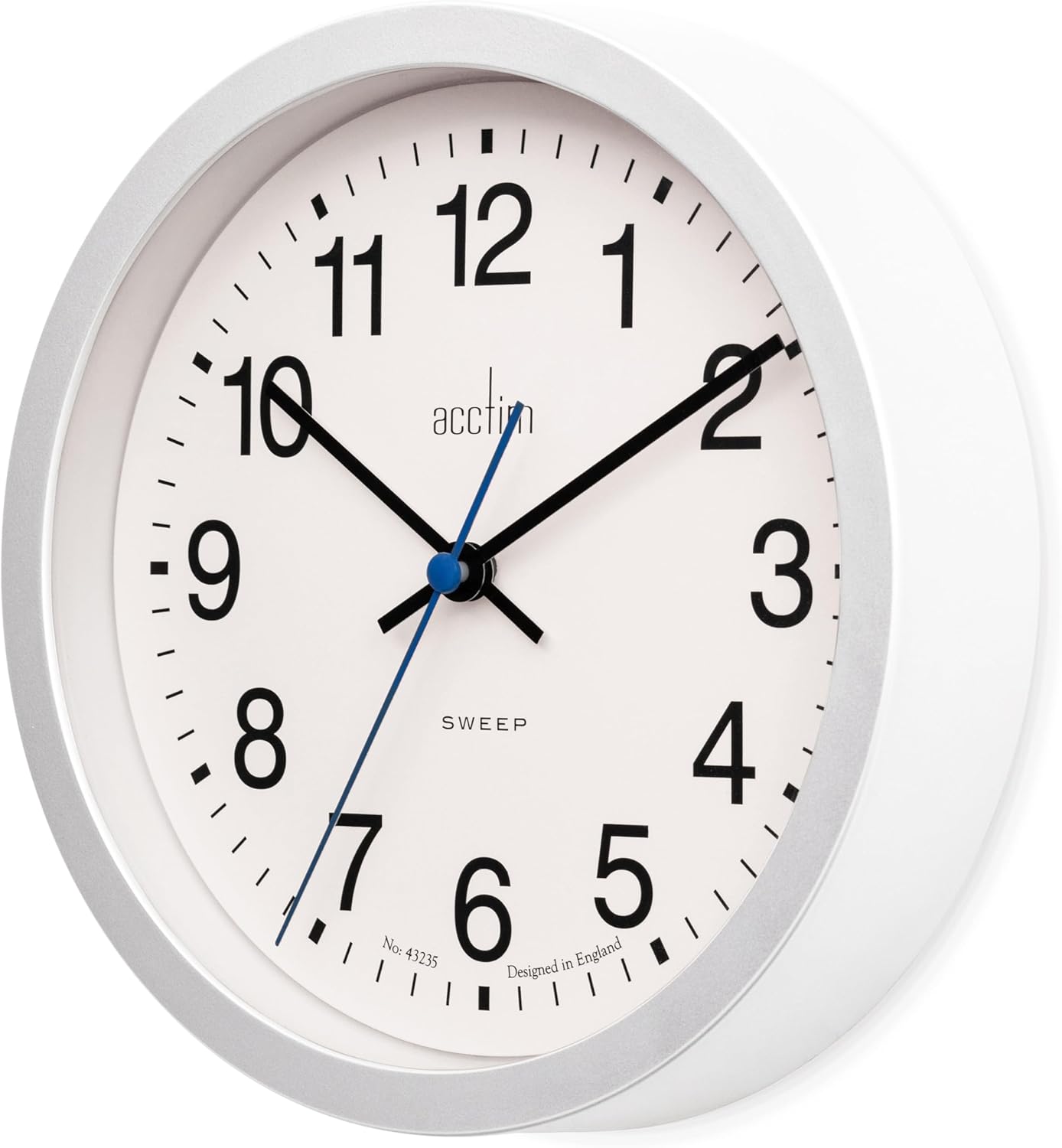
Image 3.1: Side view of the Acctim Bromham Wall Clock, illustrating its depth. The battery compartment is located on the back panel, which is not fully visible in this specific angle but indicates the general area for access.
3.2 Setting the Time
- After installing the battery, locate the time adjustment wheel on the back of the clock mechanism.
- Gently turn the wheel in either direction until the clock hands display the correct time.
- Ensure the hands are not obstructed and move freely.
3.3 Mounting the Clock
The Acctim Bromham Wall Clock is designed for wall mounting.
- Choose a suitable location on a wall, ensuring it is sturdy enough to support the clock's weight (approximately 0.28 kg / 9.9 ounces).
- Use an appropriate wall anchor and screw (not included) for your wall type.
- Hang the clock securely using the integrated hanging slot on the back of the clock.

Image 3.2: Front view of the Acctim Bromham Wall Clock with dimensions indicated. The clock measures 7.87 inches (20cm) in both width and height, providing a visual reference for mounting space.
4. Operating the Clock
Once the battery is installed and the time is set, the clock will begin to operate automatically. The non-ticking sweep seconds hand will move continuously, providing a silent timekeeping experience.
- Analog Display: The clock displays time using traditional hour, minute, and sweep seconds hands.
- Non-Ticking Movement: The sweep seconds hand moves smoothly without the audible ticking sound, ideal for quiet environments.
5. Maintenance
5.1 Cleaning
- To clean the clock, gently wipe the plastic case and glass face with a soft, dry, or slightly damp cloth.
- Do not use abrasive cleaners, solvents, or chemical sprays, as these may damage the finish or internal components.
- Ensure no moisture enters the clock mechanism.
5.2 Battery Replacement
Replace the AA battery approximately once a year, or when the clock begins to lose time or stops functioning. Follow the battery installation steps in Section 3.1.
6. Troubleshooting
- Clock not working: Check if the battery is inserted correctly with the correct polarity (+/-). Ensure the battery is new and fully charged.
- Clock losing time or running slow: This typically indicates a low battery. Replace the AA battery with a new one.
- Hands are stuck: Gently check if any hands are bent or obstructed. If the issue persists after replacing the battery, contact customer support.
7. Specifications
| Feature | Detail |
|---|---|
| Brand | Acctim |
| Model Number | 22747 |
| Display Type | Analog |
| Special Feature | Non-ticking sweep movement |
| Product Dimensions (W x H) | 7.87" x 7.87" (20cm x 20cm) |
| Item Weight | 0.28 kg (9.9 ounces) |
| Power Source | Battery Powered (1x AA battery required, not included) |
| Material | Plastic (Frame), Glass (Face) |
| Mounting Type | Wall Mount |
| Indoor/Outdoor Usage | Indoor |
8. Warranty and Support
8.1 Warranty Information
Specific warranty details for the Acctim Bromham Wall Clock may vary by retailer and region. Please refer to the warranty information provided at the time of purchase or contact your retailer for details regarding the warranty period and terms.
8.2 Customer Support
For technical assistance, troubleshooting beyond this manual, or inquiries regarding your product, please contact the retailer from whom you purchased the clock or visit the official Acctim website for support contact information.


