
1. Introduction
This manual provides instructions for the proper use and maintenance of your Howard Leight by Honeywell Impact Sport Electronic Shooting Earmuff. This device is designed to provide hearing protection while amplifying safe ambient sounds for improved communication and situational awareness.
Please read this manual thoroughly before using the earmuffs to ensure safe and effective operation.
2. Safety Information
Your safety is paramount. Always adhere to the following safety guidelines:
- This device provides a Noise Reduction Rating (NRR) of 22 dB. Ensure this NRR is sufficient for your specific environment.
- Always wear hearing protection in noisy environments, especially during shooting activities.
- The electronic amplification system is designed to shut off automatically when sound levels exceed 82 dB. However, continuous exposure to high noise levels can still cause hearing damage.
- Do not modify the earmuffs. Any modifications may compromise their protective capabilities.
- Keep batteries out of reach of children.
- Remove batteries if the earmuffs will not be used for an extended period to prevent leakage.
3. Package Contents
Verify that all items are present in your package:
- Howard Leight Impact Sport Electronic Shooting Earmuff
- 3.5mm AUX Input Cable
- 2 AAA Batteries

Figure 3.1: Included accessories, featuring the 3.5mm AUX input cable and two AAA batteries.
4. Setup
4.1 Battery Installation
- Locate the battery compartment on one of the earcups.
- Gently slide open the battery compartment cover.
- Insert two AAA batteries, ensuring correct polarity (+/-) as indicated inside the compartment.
- Close the battery compartment cover securely.
4.2 Adjusting Fit
For optimal hearing protection and comfort, proper fit is essential.
- Extend the headband to its maximum length.
- Place the earmuffs over your ears, ensuring the earcups fully cover your ears.
- Adjust the headband by sliding the earcups up or down until a snug and comfortable seal is achieved around your ears.
- The earmuffs feature a padded headband and slim earcups for comfort and firearm stock clearance.

Figure 4.1: Padded headband and slim earcup design for comfort and clearance.
5. Operating Instructions
5.1 Power On/Off and Volume Control
- Locate the recessed power/volume control knob on the earcup.
- To power on, rotate the knob clockwise until you hear a click.
- Continue rotating clockwise to increase the amplification volume.
- To decrease volume, rotate counter-clockwise.
- To power off, rotate the knob counter-clockwise until you hear a click.
The earmuffs feature built-in directional microphones that amplify range commands and other ambient sounds up to a safe 82 dB. When ambient sound exceeds 82 dB, the amplification automatically shuts off to protect your hearing.

Figure 5.1: Recessed controls for power and volume, designed for ease of use.
5.2 AUX Input Functionality
The earmuffs include an AUX input for connecting external audio devices such as MP3 players or scanners.
- Locate the 3.5mm AUX input jack on the earcup.
- Connect one end of the provided 3.5mm audio cable to the AUX input jack on the earmuffs.
- Connect the other end of the cable to the audio output of your external device.
- Adjust the volume on your external device as needed. The earmuff's volume control will also affect the AUX input audio level.
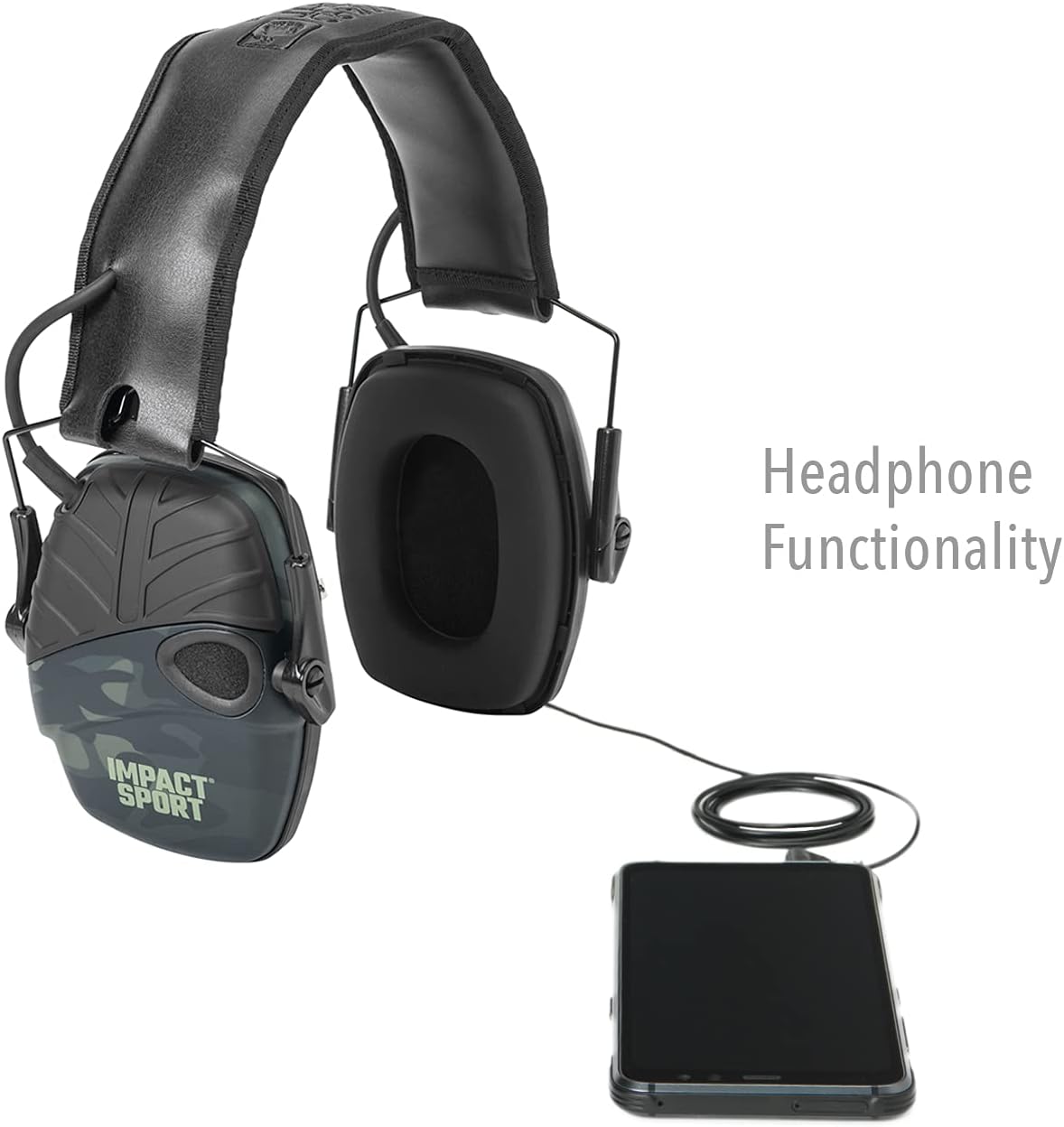
Figure 5.2: Using the AUX input for external audio devices.
5.3 Automatic Shut-off
To conserve battery life, the earmuffs feature an automatic shut-off function that activates after 4 hours of continuous operation. To resume use, simply power the unit off and then on again.
6. Maintenance
6.1 Cleaning
To clean your earmuffs, wipe the exterior surfaces with a damp cloth. Do not immerse the earmuffs in water or use abrasive cleaners. Ensure the battery compartment is dry before closing.
6.2 Earcup Cushion Replacement
The ear cushions are designed for easy replacement to maintain hygiene and acoustic seal. To replace, gently snap off the old cushions and snap on new ones.

Figure 6.1: Snap-in ear cushions for easy maintenance and replacement.
6.3 Storage
The earmuffs feature a compact folding design for convenient storage and transport. Fold the earcups inward towards the headband when not in use.

Figure 6.2: Compact folding design for easy storage.
7. Troubleshooting
| Problem | Possible Cause | Solution |
|---|---|---|
| No power/No sound amplification |
|
|
| Distorted or weak sound |
|
|
| Interference/Buzzing noise (especially with Bluetooth devices nearby) |
|
|
| AUX input not working |
|
|
8. Specifications
- Model Name: Impact Sport Electronic Earmuff
- Part Number: R-02527
- Noise Reduction Rating (NRR): 22 dB
- Sound Amplification Limit: 82 dB
- Power Source: 2 AAA Batteries (included)
- Battery Life: Approximately 350 hours
- Automatic Shut-off: After 4 hours
- Input: 3.5mm AUX Jack
- Material: Plastic
- Item Weight: 15 Ounces (approx. 0.43 kg)
- Item Dimensions (LxWxH): 8.75 x 4.5 x 9.13 inches (approx. 22.2 x 11.4 x 23.2 cm)
9. Warranty and Support
Warranty Description: Please refer to the manufacturer's official warranty documentation for detailed information regarding coverage and terms. Typically, warranty information can be found on the product packaging or the manufacturer's website.
Manufacturer: Howard Leight by Honeywell
For further assistance, technical support, or to inquire about replacement parts, please visit the official Howard Leight website or contact their customer service department.
Online Resources: Howard Leight Official Website


