
1. Introduction
This manual provides instructions for the Ciglow Bluetooth 5.0 2-in-1 Transmitter Receiver Adapter. This versatile device allows you to add Bluetooth audio capabilities to non-Bluetooth devices, functioning as both a transmitter and a receiver. It is designed for use with various audio systems, including TVs, PCs, home stereos, and car sound systems.
2. Product Overview
The Ciglow Bluetooth adapter features a compact design with a USB connector for power and a 3.5mm audio jack for audio input/output. It supports Bluetooth 5.0 for stable and efficient wireless audio transmission.

Image 2.1: Front view of the Ciglow Bluetooth 2-in-1 Transmitter Receiver Adapter, showing the USB connector and 3.5mm audio port.
Package Contents:
- 1 x Ciglow Bluetooth 2-in-1 Receiver/Transmitter
- 1 x 3.5mm Audio Cable
- 1 x User Manual (this document)
3. Specifications
| Feature | Specification |
|---|---|
| Item Type | Receiver/Transmitter |
| Bluetooth Version | Bluetooth 5.0 |
| Input Voltage | DC 5V |
| Operating Distance | Approx. 15m (49.2ft) |
| Connectivity Technology | Bluetooth, USB |
| Power Source | Corded Electric (USB) |
| Material | Plastic |
| Audio Output Mode | Stereo |
| Compatible Devices | Bluetooth-enabled devices, TV, PC, home/car sound systems, computers, speakers, headsets |
4. Setup and Operation
The device features a 2-in-1 design, allowing it to function as either a transmitter (TX) or a receiver (RX). A single button on the device is used to switch between these two modes.

Image 4.1: The 2-in-1 design of the adapter, showing it connected to a laptop. One-button switching between modes is highlighted.
4.1. Transmitter Mode (TX)
In Transmitter mode, the adapter sends audio wirelessly from a non-Bluetooth device (like a TV or PC) to a Bluetooth-enabled audio device (like headphones or speakers).
- Connect Power: Plug the USB end of the adapter into a USB power source (e.g., a USB port on your TV, PC, or a USB wall adapter).
- Connect Audio: Use the provided 3.5mm audio cable to connect the adapter's 3.5mm port to the audio output port of your TV, PC, or other audio source.
- Switch to TX Mode: Press the button on the adapter to ensure it is in Transmitter (TX) mode. A red LED light will typically indicate TX mode.
- Pairing: Place your Bluetooth headphones or speaker into pairing mode. The adapter will automatically search for and connect to nearby Bluetooth audio devices. Once connected, the red LED may change its blinking pattern or become solid.

Image 4.2: Diagram illustrating the adapter in Transmitter (TX) mode, connected to a TV via a 3.5mm cable and powered by USB. A red LED indicates TX mode, and it wirelessly connects to headphones or speakers.
4.2. Receiver Mode (RX)
In Receiver mode, the adapter receives audio wirelessly from a Bluetooth-enabled device (like a smartphone or tablet) and outputs it to a non-Bluetooth audio system (like wired speakers or a car stereo).
- Connect Power: Plug the USB end of the adapter into a USB power source (e.g., a USB port in your car, a USB wall adapter, or a power bank).
- Connect Audio: Use the provided 3.5mm audio cable to connect the adapter's 3.5mm port to the audio input port (e.g., AUX-in) of your wired speakers, car stereo, or home sound system.
- Switch to RX Mode: Press the button on the adapter to ensure it is in Receiver (RX) mode. A blue LED light will typically indicate RX mode.
- Pairing: On your smartphone, tablet, or other Bluetooth audio source, search for Bluetooth devices and select the adapter (it may appear as 'B07ZRVS5TX' or similar). Once paired, the blue LED may change its blinking pattern or become solid.

Image 4.3: The adapter connected to a car's USB port for power and AUX input for audio, transforming the car stereo into a Bluetooth receiver.
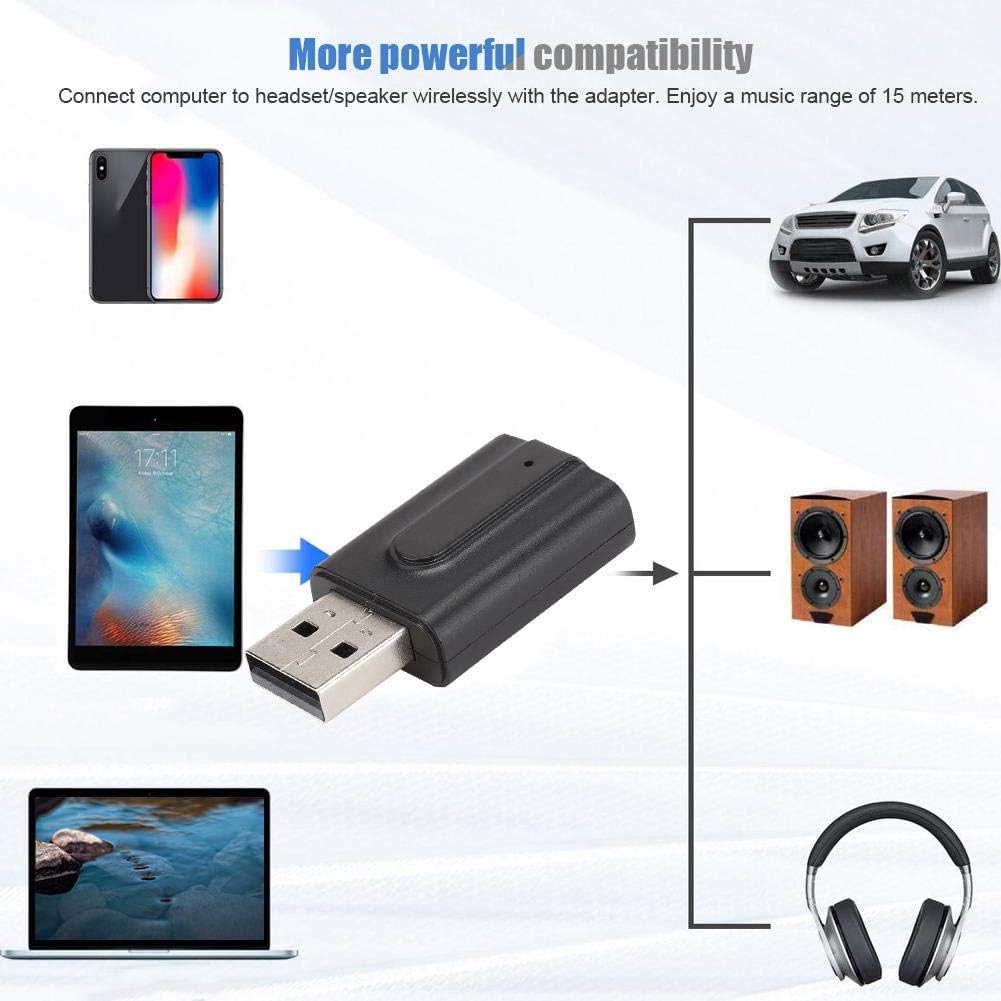
Image 4.4: Compatibility diagram illustrating the adapter's ability to connect various devices like smartphones, tablets, and laptops to speakers, headphones, or car audio systems.
5. Troubleshooting
If you encounter issues with your Ciglow Bluetooth adapter, please refer to the following common solutions:
- Device Not Powering On: Ensure the USB connector is securely plugged into a working 5V USB power source. Try a different USB port or power adapter.
- Cannot Pair with Device:
- Confirm the adapter is in the correct mode (TX for transmitting, RX for receiving).
- Ensure your target Bluetooth device (headphones, speaker, phone) is in pairing mode.
- Move the devices closer to each other (within 15 meters).
- Turn off and on both the adapter and the target Bluetooth device, then try pairing again.
- No Audio Output/Input:
- Check all 3.5mm audio cable connections to ensure they are secure.
- Verify that the audio source (TV, PC, phone) is playing audio and its volume is turned up.
- Ensure the volume on the receiving device (headphones, speakers) is also turned up.
- In TX mode, ensure your TV/PC audio output is set to the correct port (e.g., headphone jack).
- Poor Audio Quality or Disconnections:
- Reduce the distance between the adapter and the connected Bluetooth device.
- Remove any obstacles (walls, large metal objects) that might interfere with the Bluetooth signal.
- Avoid strong electromagnetic interference from other electronic devices.
6. Maintenance
To ensure the longevity and optimal performance of your Ciglow Bluetooth adapter, follow these maintenance guidelines:
- Cleaning: Use a soft, dry cloth to clean the device. Do not use liquid cleaners or aerosols.
- Storage: Store the device in a cool, dry place away from direct sunlight and extreme temperatures.
- Handling: Avoid dropping the device or subjecting it to strong impacts. Do not attempt to disassemble or modify the device, as this will void any potential warranty.
- Moisture: Keep the device away from water and high humidity.
7. Official Product Video
For a visual guide on the product's features and usage, please watch the official video below.
Video 7.1: An official product video demonstrating the Ciglow Bluetooth Transmitter. This video provides a brief overview of the device's functionality and compatibility.
8. Warranty and Support
For warranty information and customer support, please refer to the documentation provided at the time of purchase or contact your retailer. Keep your proof of purchase for any warranty claims.