
Introduction
This manual provides comprehensive instructions for the Fashionit TYPE Wireless Keyboard. This foldable, portable Bluetooth keyboard is designed for seamless use with smartphones, tablets, and other Bluetooth-enabled devices. Please read this manual carefully to ensure proper operation and maintenance of your device.
What's in the Box
- Fashionit TYPE Wireless Keyboard
- Micro USB Charging Cable
Product Overview
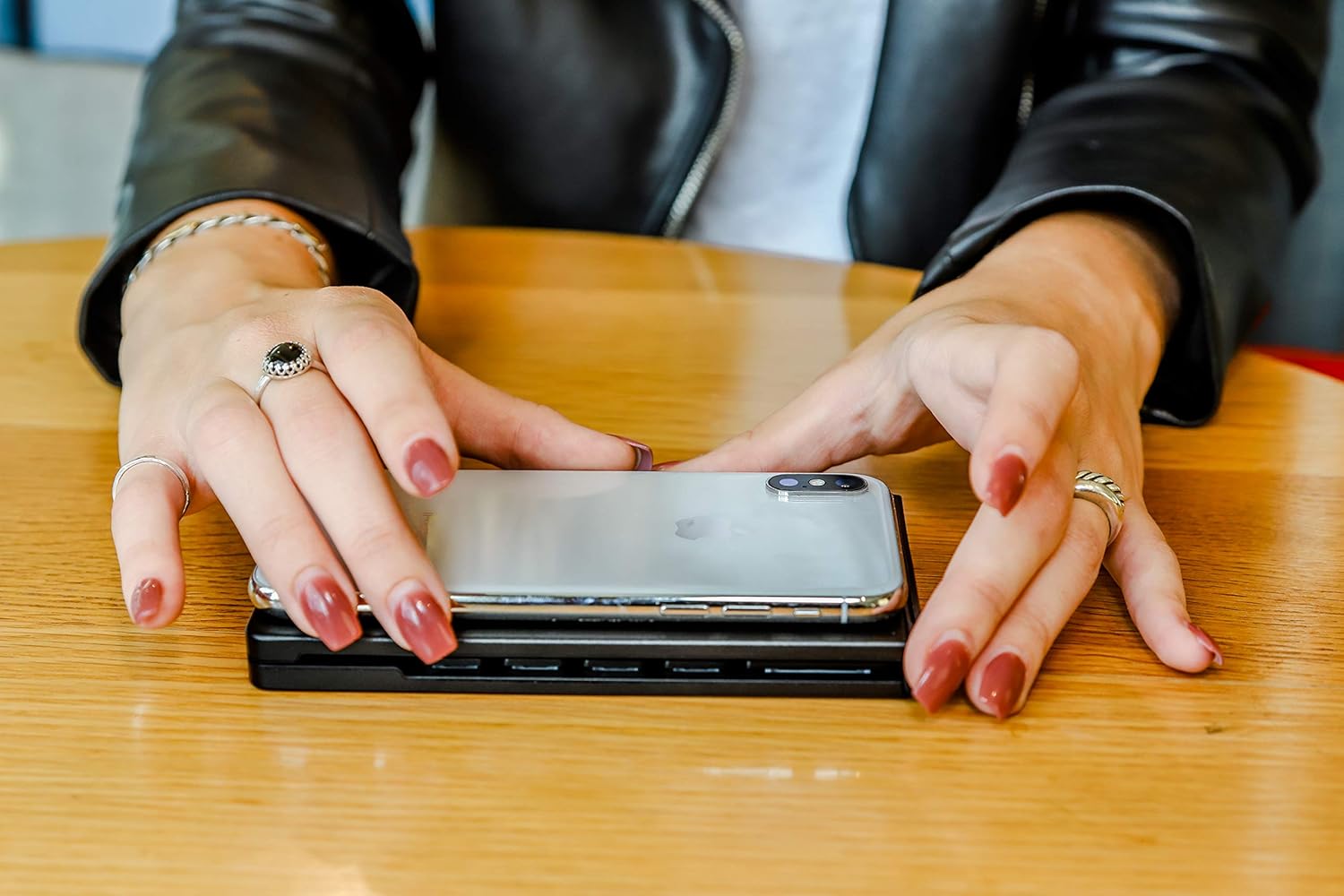
The Fashionit TYPE Wireless Keyboard features a sleek, foldable design crafted from high-quality aluminum, ensuring durability and portability. Its responsive keys are engineered for an optimal typing experience.

Video Overview
Video: An official overview of the Fashionit Wireless Keyboard, demonstrating its features and portability.
Setup
Charging the Keyboard
Before initial use, fully charge the keyboard. Connect the provided Micro USB charging cable to the keyboard's charging port and the other end to a USB power source (e.g., computer, wall adapter). The STATUS indicator light will show charging status. A full charge provides up to 60 days of standby time or 2-3 weeks of continuous use.
Pairing with a Device
- Power On: Slide the ON/OFF switch to the 'ON' position. The STATUS indicator will light up briefly.
- Enter Pairing Mode: Press the CONNECT button. The STATUS indicator will begin to blink, indicating the keyboard is in pairing mode.
- Enable Bluetooth: On your smartphone, tablet, or computer, go to your device's Bluetooth settings and ensure Bluetooth is enabled.
- Select Keyboard: In the list of available Bluetooth devices, select "TYPE Keyboard".
- Confirm Pairing: Your device may prompt you to enter a code on the keyboard. Follow the on-screen instructions. Once paired, the STATUS indicator will stop blinking.
Switching Operating Systems
The keyboard supports multiple operating systems. To optimize key functions for your device, press the following key combinations:
- Fn + Q: For iOS devices (Apple)
- Fn + W: For Android devices
- Fn + E: For Windows devices
Operating the Keyboard
Once paired, the Fashionit TYPE Wireless Keyboard functions like a standard QWERTY keyboard. You can use it for typing, navigating, and executing commands on your connected device.

Function Keys (Fn)
Many keys have secondary functions accessible by holding down the Fn key and pressing the desired function key. These typically include media controls, volume adjustments, and other system shortcuts, which may vary slightly depending on your operating system.
Maintenance
Cleaning
To clean the keyboard, use a soft, dry, lint-free cloth. For stubborn dirt, slightly dampen the cloth with water. Avoid using harsh chemicals, abrasive cleaners, or excessive moisture, as these can damage the keyboard.
Storage
When not in use, fold the keyboard to protect the keys. Store it in a cool, dry place away from direct sunlight and extreme temperatures. Avoid placing heavy objects on the keyboard.
Battery Care
To prolong battery life, avoid completely draining the battery frequently. Charge the keyboard regularly, even if it's not in constant use. If storing for an extended period, ensure the battery has a partial charge (around 50%).
Troubleshooting
- Keyboard not turning on: Ensure the ON/OFF switch is in the 'ON' position. Check the battery level and charge the keyboard if necessary.
- Keyboard not connecting/pairing:
- Ensure Bluetooth is enabled on your device.
- Make sure the keyboard is in pairing mode (STATUS indicator blinking). Press the CONNECT button if it's not.
- Move the keyboard closer to your device.
- Try unpairing and re-pairing the keyboard from your device's Bluetooth settings.
- Restart both the keyboard and your device.
- Keys not responding or typing incorrect characters:
- Check the battery level.
- Ensure the correct operating system mode is selected (Fn+Q for iOS, Fn+W for Android, Fn+E for Windows).
- Verify the keyboard is still connected via Bluetooth.
Specifications
| Brand | Fashionit |
| Model Number | 50-TYPE-MATTE-BLACK |
| Connectivity | Bluetooth |
| Material | Aluminum |
| Dimensions (Folded) | Approximately 5.5 inches (length) |
| Dimensions (Unfolded) | Approximately 11.5 inches (length) |
| Battery Life | Up to 60 days standby, 2-3 weeks continuous use |
| Compatible Operating Systems | iOS (Apple), Android, Microsoft Windows |
| Included Components | Micro USB Charging Cable |
Warranty Information
Specific warranty details for the Fashionit TYPE Wireless Keyboard are not provided in this manual. Please refer to the product packaging or the official Fashionit website for the most current warranty information and terms.
Customer Support
For further assistance, technical support, or inquiries regarding your Fashionit TYPE Wireless Keyboard, please visit the official Fashionit website or contact their customer service department. Contact information can typically be found on the manufacturer's website or product packaging.
