Introduction
Welcome to your Satco S11540 LED bulb. This manual provides essential information for the safe installation, operation, and maintenance of your new LED light bulb. Please read these instructions carefully before use and retain them for future reference.
This LED bulb is designed to provide efficient and warm illumination. It features 9.5 Watts of power consumption, a 2700K warm white color temperature, a GU24 twist-and-lock base, and operates at 120 Volts. It is intended for indoor use only.
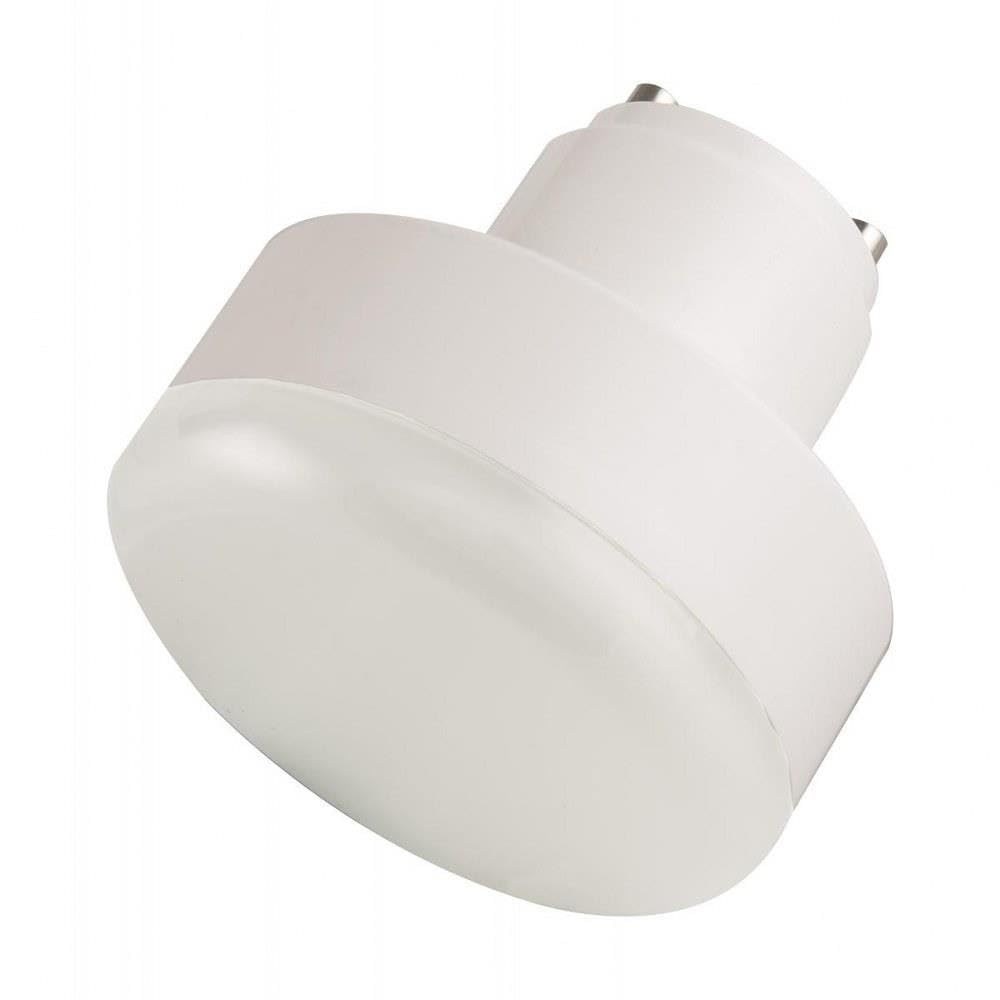
Image: The Satco S11540 LED bulb, featuring a frosted finish and a GU24 base. This image illustrates the overall design of the product.
Important Safety Information
To ensure safe operation and prevent damage, please observe the following safety precautions:
- Power Off: Always turn off the power to the fixture at the circuit breaker or fuse box before installing, removing, or cleaning the bulb.
- Indoor Use Only: This bulb is designed for indoor applications. Do not use it in outdoor fixtures or in areas exposed to moisture unless the fixture is specifically rated for such conditions.
- Voltage Compatibility: Ensure the fixture's voltage (120V) matches the bulb's voltage.
- Base Type: Only use this bulb in fixtures designed for a GU24 base. Forcing it into an incompatible socket can cause damage or electrical hazard.
- No Disassembly: Do not attempt to disassemble, modify, or repair the bulb. This can lead to electric shock, fire, or void the warranty.
- Heat: Although LED bulbs run cooler than incandescent bulbs, they still generate some heat. Allow the bulb to cool before handling.
- Disposal: Dispose of the bulb according to local regulations for electronic waste.
Installation Instructions
Follow these steps to properly install your Satco S11540 LED bulb:
- Turn Off Power: Locate the light fixture's power switch and turn it to the OFF position. For added safety, turn off the power at the circuit breaker or fuse box.
- Remove Old Bulb (if applicable): If replacing an existing bulb, allow it to cool completely. Then, gently twist the old GU24 bulb counter-clockwise to unlock and remove it from the socket.
- Insert New Bulb: Align the two pins of the Satco S11540 LED bulb with the slots in the GU24 socket. Gently push the bulb into the socket and twist clockwise until it locks securely into place. Do not overtighten.
- Restore Power: Turn the power back on at the circuit breaker or fuse box, then turn on the light switch to test the new bulb.
Operation
Operating your Satco S11540 LED bulb is straightforward:
- Turning On: Activate the light switch connected to the fixture to illuminate the bulb.
- Turning Off: Deactivate the light switch to turn off the bulb.
This bulb is designed for standard on/off functionality. It is not specified as dimmable, so avoid using it with dimmer switches unless explicitly stated otherwise by the manufacturer to prevent damage or malfunction.
Maintenance
The Satco S11540 LED bulb requires minimal maintenance to ensure its longevity and performance:
- Cleaning: Before cleaning, always turn off the power to the fixture and allow the bulb to cool. Use a soft, dry, lint-free cloth to gently wipe the bulb. Do not use liquid cleaners, abrasive materials, or chemical solvents, as these can damage the bulb's finish or internal components.
- Replacement: When the bulb reaches the end of its lifespan, follow the installation instructions in reverse to safely remove and replace it with a new, compatible GU24 LED bulb.
Troubleshooting
If you encounter issues with your Satco S11540 LED bulb, refer to the following table for common problems and solutions:
| Problem | Possible Cause | Solution |
|---|---|---|
| Bulb does not light up | No power to the fixture; Bulb not properly seated; Bulb has reached end of life | Check power switch and circuit breaker; Ensure bulb is securely twisted into the GU24 socket; Replace bulb if necessary |
| Bulb flickers | Loose connection; Incompatible dimmer switch; Voltage fluctuations | Ensure bulb is securely seated; Remove any dimmer switches if the bulb is not rated for dimming; Consult an electrician for persistent voltage issues |
| Bulb is too dim or too bright | Incorrect bulb for application; Incompatible dimmer switch | Verify the bulb's specifications (wattage, lumens) match your lighting needs; Ensure no dimmer switch is in use if the bulb is not dimmable |
Product Specifications
Detailed specifications for the Satco S11540 LED Bulb:
- Brand: Satco
- Model Name: S11540
- Light Type: LED
- Wattage: 9.5 Watts (Power Consumption)
- Incandescent Equivalent Wattage: 60 Watts
- Color Temperature: 2700 Kelvin (Warm White)
- White Brightness: 800 Lumens
- Bulb Base: GU24
- Voltage: 120 Volts
- Accepted Voltage Frequency: 100 to 240 Volts and 60 Hertz
- Bulb Shape Size: T3
- Shape: Candle(C)
- Material: Glass
- Finish: Frosted
- Indoor/Outdoor Usage: Indoor
- Average Life: 2.86 Years (based on 10 hours/day usage)
- Color Rendering Index (CRI): 80
- Efficiency: 84.21 lm/W
- Product Dimensions: 2.76 x 2.76 x 2.95 inches
- Item Weight: 2.88 ounces
- Special Feature: Energy Efficient
Warranty and Support
Warranty Information: This Satco S11540 LED bulb comes with a 5-year limited warranty, based on 10 hours of use per day. Please retain your proof of purchase for warranty claims.
Customer Support: For technical assistance, warranty inquiries, or further information regarding your Satco product, please contact Satco customer service directly. Refer to the official Satco website or product packaging for current contact details.


