
Taylor 5255126
Taylor Digital Body Weight Scale
Model 5255126 Instruction Manual
Your guide to accurate and consistent weight measurement.
Introduction
Thank you for choosing the Taylor Digital Body Weight Scale, Model 5255126. This scale is designed to provide accurate body weight measurements with ease of use. Featuring a durable glass platform with a barnwood vinyl top and a clear blue backlit LCD display, it offers both functionality and a distinctive aesthetic. Please read this manual thoroughly before use to ensure proper operation and to maximize the lifespan of your scale.
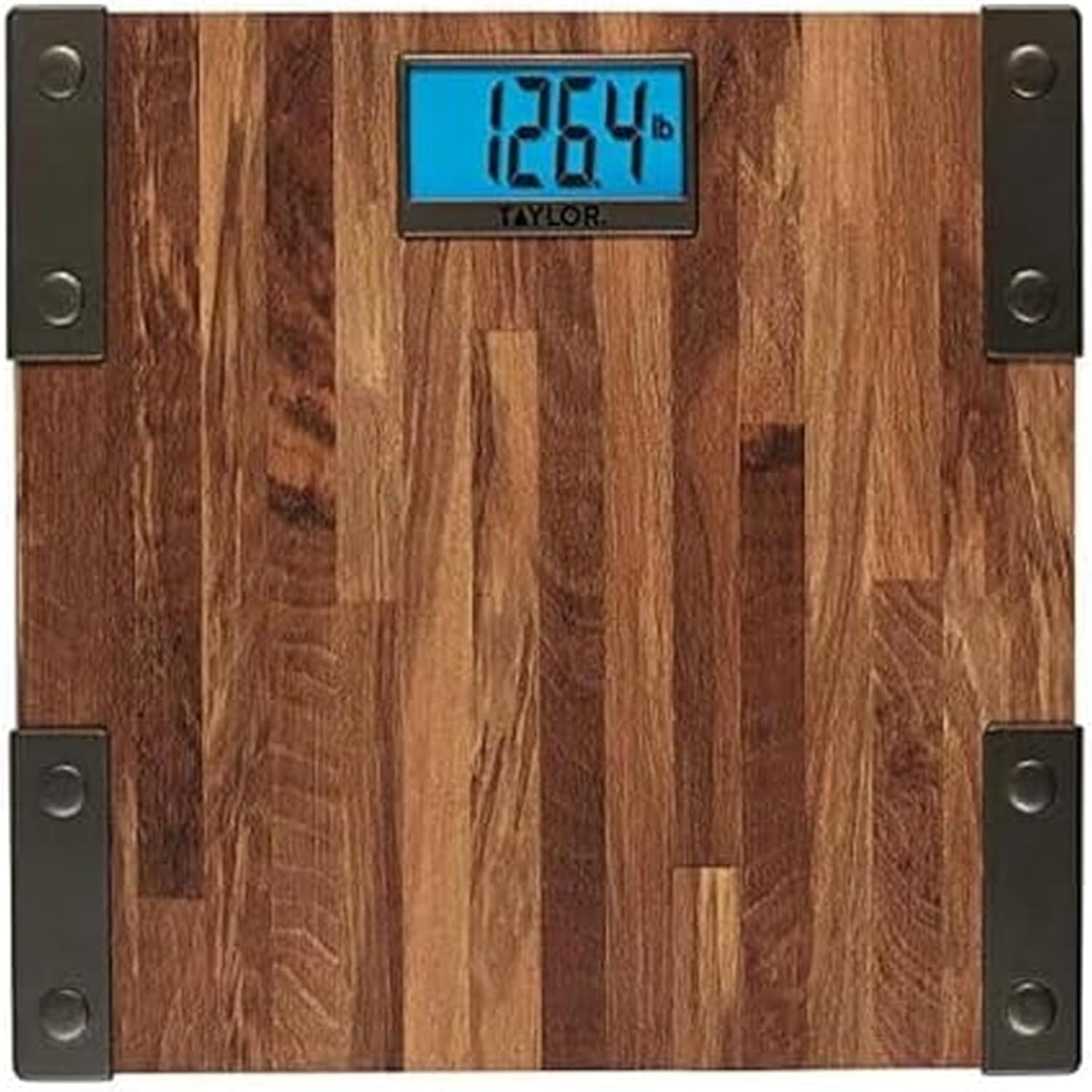
Image: The Taylor Digital Body Weight Scale, Model 5255126, featuring a wood-grain platform and a blue backlit digital display showing "126.4 lb".
Key Features
- High Capacity: Measures up to 440 lbs (200 kg) in 0.2 lb (0.1 kg) increments.
- Clear Display: 3.2" x 1.56" blue backlit LCD display with black digits for easy readability.
- Instant On Technology: Automatically turns on when stepped on.
- Auto-Zero Function: Resets to zero automatically for accurate consecutive measurements.
- Low Battery Indicator: Alerts when batteries need replacement.
- Power Source: Operates on 3 AAA batteries (included).
Setup and Initial Use
- Battery Installation:
Locate the battery compartment on the underside of the scale. Open the cover and insert the 3 AAA batteries, ensuring correct polarity (+/-). Close the battery cover securely.
- Placement:
Place the scale on a hard, flat surface. Uneven flooring or soft surfaces like carpet can affect accuracy. Avoid placing near heat sources or in direct sunlight.
- Unit Selection (Pounds/Kilograms):
On the underside of the scale, locate the unit switch (usually a small button or slider). Press or slide it to select your preferred unit of measurement (lb for pounds or kg for kilograms).
- First Use Calibration:
For the first use, or if the scale has been moved, gently tap the center of the scale with your foot to activate it. Wait for "0.0" to appear on the display, then step off. This calibrates the scale for accurate readings.
Operating Instructions
- Taking a Measurement:
Step onto the scale with bare, dry feet, centering your weight evenly. Stand still. The scale will automatically turn on and display your weight. The reading will flash when finalized.

Image: A person's feet positioned on the Taylor Digital Body Weight Scale, demonstrating proper usage for a weight measurement.
- Auto-Off Feature:
The scale will automatically turn off after a few seconds of inactivity to conserve battery life.
- Tips for Consistent Readings:
- Always use the scale on a hard, flat surface.
- Weigh yourself at the same time each day, preferably in the morning before breakfast and after using the restroom.
- Remove heavy clothing and footwear.
- Stand still and centered on the scale.
Maintenance and Care
- Cleaning:
Wipe the scale with a damp cloth and mild detergent. Do not use abrasive cleaners or immerse the scale in water. The surface is glass with a vinyl top, so avoid harsh chemicals that could damage the finish.
- Storage:
Store the scale in a cool, dry place. Avoid extreme temperatures and high humidity.
- Battery Replacement:
When the "Lo" indicator appears on the display, it's time to replace the batteries. Replace all 3 AAA batteries simultaneously with new ones, ensuring correct polarity.
Troubleshooting
| Problem | Solution |
|---|---|
| Display shows "Lo" | Batteries are low. Replace all 3 AAA batteries. |
| Display shows "Err" or inconsistent readings |
|
| No display when stepping on |
|
Specifications
- Model: 5255126
- Capacity: 440 lbs (200 kg)
- Increments: 0.2 lb (0.1 kg)
- Display: 3.2" x 1.56" Blue Backlit LCD
- Platform Material: Glass with Barnwood Vinyl Top
- Dimensions: 12.4 x 12.4 x 1 inches
- Power: 3 AAA batteries (included)
- Manufacturer: Lifetime Brands Inc.
Warranty and Support
This Taylor Digital Body Weight Scale, Model 5255126, includes a 5-year warranty against defects in materials or workmanship. For warranty claims or technical support, please refer to the contact information provided with your purchase documentation or visit the official Taylor website. Please retain your proof of purchase for warranty validation.
For further assistance, you may visit the Taylor Store on Amazon.
Related documents5255126


Ask a question about this manual
Ask about setup, troubleshooting, compatibility, parts, safety, or missing instructions. Manuals+ will review the question and use this page’s manual context to help answer it.