
1. Introduction
The Hunter HP800 Air Purifier is designed to enhance air quality in large rooms and bedrooms. This high-performance unit effectively cleans spaces up to 2585 square feet per hour, ensuring a healthier living environment. It features an advanced 3-stage filtration system to capture airborne particles, odors, and VOCs.
Key Features:
- 3-Stage Filtration Process: Captures 99.97% of airborne particles like dust, pollen, pet dander, and smoke.
- Coconut Carbon Pre-Filter: Eliminates harmful VOCs, household odors, and pet odors.
- Faster Cleaning: Cleans up to 2585 square feet per hour, refreshing air up to 31 times daily.
- Quiet Operation: Features a sleep mode with noise levels as low as 37 decibels.
- Digital Control Panel: Offers 4 fan speeds (low, medium, high, turbo), sleep mode, 3 timer intervals (2, 4, 8 hours), filter replacement indicator, and an LED accent light.
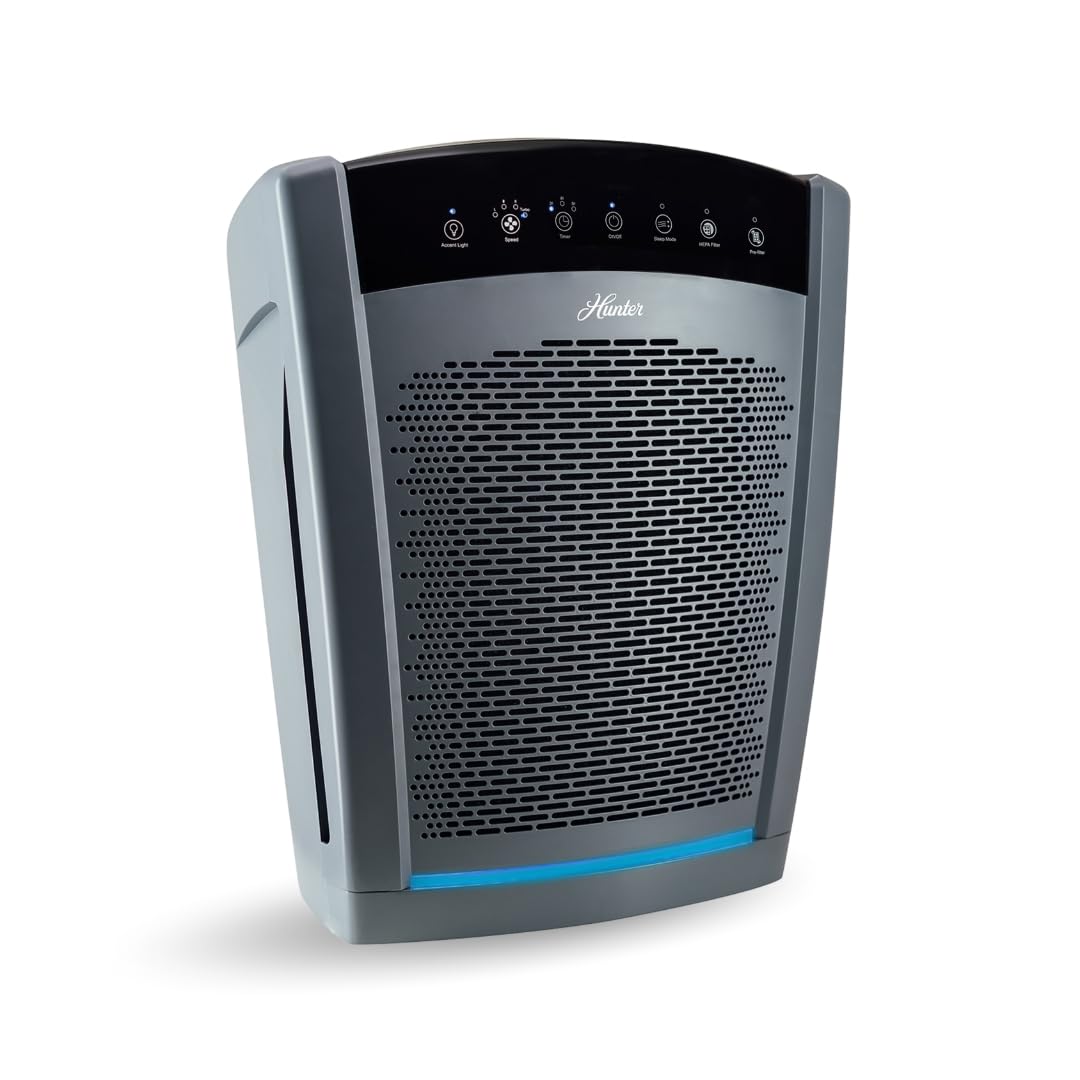
Figure 1: Hunter HP800 Air Purifier, Graphite model.
2. Safety Information
Please read and follow all safety instructions before operating your Hunter HP800 Air Purifier to prevent injury or damage.
- Always unplug the air purifier before moving it, cleaning it, or replacing filters.
- Do not operate the unit with a damaged cord or plug.
- Keep the power cord away from heated surfaces.
- Do not use the air purifier outdoors or on wet surfaces.
- Ensure the unit is placed on a firm, level surface.
- Keep all openings clear of obstructions.
- This appliance is not intended for use by persons (including children) with reduced physical, sensory or mental capabilities, or lack of experience and knowledge, unless they have been given supervision or instruction concerning use of the appliance by a person responsible for their safety.
3. Package Contents
Verify that all items are present in the package:
- Hunter HP800 Air Purifier Unit
- Pre-Filter (installed)
- True HEPA Filter (installed)
- User Manual (this document)
4. Setup
Follow these steps for initial setup:
- Unpack: Carefully remove the air purifier from its packaging.
- Filter Installation: The pre-filter and True HEPA filter are typically pre-installed. Ensure they are securely in place. Refer to the 'Filter Replacement' section for details on accessing the filters.
- Placement: Place the air purifier on a firm, level surface. Ensure there is at least 6 inches of space around all sides for optimal airflow. Avoid placing it directly against walls or furniture.
- Power Connection: Plug the power cord into a standard electrical outlet.

Figure 2: Optimal placement for air circulation and room coverage.
5. Operating Instructions
The Hunter HP800 features a digital control panel for easy operation.

Figure 3: Digital Control Panel Overview.
Controls:
- Power On/Off: Press the On/Off button to turn the unit on or off.
- Fan Speed: Press the Speed button to cycle through 4 fan speeds: Low, Medium, High, and Turbo.
- Timer: Press the Timer button to set the operating duration for 2, 4, or 8 hours. The unit will automatically turn off after the selected time.
- Sleep Mode: Activate Sleep Mode for quiet operation (37 dB) and dimmed display lights, ideal for nighttime use.
- Accent Light: Press the Accent Light button to turn the bottom LED light on or off.
- Filter Indicators: Dedicated lights for HEPA Filter and Pre-filter will illuminate when it's time to replace the respective filters.

Figure 4: Sleep Mode ensures quiet operation for undisturbed rest.
Product Video Overview:
Video 1: Official Hunter HP800 Product Video, demonstrating key features and benefits.
6. Maintenance
Regular maintenance ensures optimal performance and extends the life of your air purifier. Always unplug the unit before performing any maintenance.
Filter Replacement:
The HP800 uses a Coconut Carbon Pre-Filter and a True HEPA Filter. The filter indicator lights on the control panel will signal when replacement is needed.
- Access Filters: Gently pull the side panel of the air purifier to detach it. The filters are located inside.
- Remove Old Filters: Carefully remove the used pre-filter and HEPA filter.
- Install New Filters: Insert the new True HEPA filter first, ensuring it fits snugly. Then, place the new Coconut Carbon Pre-Filter over the HEPA filter.
- Reattach Panel: Align the side panel and press it firmly until it clicks into place.
- Reset Filter Indicator: After replacing filters, press and hold the corresponding filter reset button on the control panel until the light turns off.
Note: The manufacturer recommends changing filters every 60-90 days, but this can vary based on usage and air quality. The HEPA filter is cleanable by vacuuming, extending its lifespan between replacements.

Figure 5: Internal view showing the pre-filter and HEPA filter for easy access.
7. Troubleshooting
If you encounter issues with your Hunter HP800 Air Purifier, refer to the following common problems and solutions:
| Problem | Possible Cause | Solution |
|---|---|---|
| Unit does not turn on | No power; loose connection | Check power cord connection; ensure outlet is functional. |
| Reduced airflow | Clogged filters; obstructed air intake/outlet | Clean or replace filters; ensure no obstructions around the unit. |
| Unusual noise | Loose filter; foreign object inside | Check filter installation; inspect for any foreign objects. |
| Odor persists | Filters need replacement | Replace the Coconut Carbon Pre-Filter and/or HEPA filter. |
If the problem persists after trying these solutions, please contact Hunter customer support.
8. Specifications
| Feature | Detail |
|---|---|
| Model Number | HP800GR |
| Brand | Hunter |
| Product Dimensions (D x W x H) | 22" x 13.75" x 26.75" |
| Item Weight | 25.5 Pounds |
| Power Source | AC/DC |
| Control Method | Touch, Button Control |
| Filter Type | HEPA, Coconut Carbon Pre-Filter |
| Floor Area Coverage | Up to 2585 sq ft per hour (550 sq ft CADR) |
| Noise Level | 37-54 Decibels (depending on speed) |
| Special Features | Digital Control Panel, 4 Fan Speeds, Sleep Mode, Timer, Filter Replacement Indicator, LED Accent Light |
| Certification | Energy Star Certified |
| UPC | 850001466851 |

Figure 6: Hunter HP800 dimensions.

Figure 7: Room Size Air Exchange Rate Chart.
9. Warranty and Support
Warranty Information:
The Hunter HP800 Air Purifier comes with a 5-year limited warranty. Please retain your proof of purchase for warranty claims.
Customer Support:
For technical assistance, troubleshooting beyond this manual, or warranty inquiries, please contact Hunter customer support through their official website or the contact information provided in your product packaging.


