
1. Introduction
This manual provides instructions for the proper use and maintenance of your SOUNDLINK Rubber Bulb Pump Air Blower. This device is designed to effectively remove dust, debris, and moisture from sensitive equipment such as hearing aids, earmolds, camera lenses, and electronic components like computer keyboards.
Please read this manual thoroughly before using the product to ensure safe and optimal performance.
2. Safety Information
- Do not point the air blower directly into eyes or other sensitive body parts.
- Keep out of reach of children.
- Avoid excessive force when squeezing the bulb to prevent damage to the device or the item being cleaned.
- Store in a cool, dry place away from direct sunlight and extreme temperatures.
- Do not attempt to disassemble or modify the air blower.
3. Product Overview
The SOUNDLINK Rubber Bulb Pump Air Blower is a compact and efficient tool for precision cleaning. It features a durable rubber bulb and a metal tip for directed airflow.

Figure 3.1: SOUNDLINK Rubber Bulb Pump Air Blower with its retail packaging.

Figure 3.2: Side view of the air blower, showing the rubber bulb and metal nozzle.
Key Features:
- Effective Dust Removal: Designed to remove dust from optical lenses, precision instruments, and integrated circuits.
- Compact and Portable: Mini size allows for easy carrying in a pocket or purse.
- Moisture and Debris Clearing: Helps keep earmolds and tubing clear from moisture, dirt, and debris for unobstructed sound.
- Independent Intake Valve: Prevents dust from accumulating inside the blower.
- Durable Material: Made from latex material, offering anti-aging properties, flexibility, and resistance to sticking or fading.
4. Setup
The SOUNDLINK Rubber Bulb Pump Air Blower requires no assembly. It is ready for use directly out of the packaging.
- Remove the air blower from its packaging.
- Inspect the bulb and metal tip for any visible damage before first use.
5. Operating Instructions
The air blower provides a controlled stream of air for cleaning delicate items.

Figure 5.1: Demonstrating how to squeeze the bulb for airflow.
- Hold the rubber bulb firmly in your hand.
- Point the metal tip towards the area you wish to clean. Ensure a safe distance to avoid direct contact with sensitive surfaces.
- Squeeze the rubber bulb repeatedly and firmly to generate a strong burst of air.
- Direct the airflow to dislodge dust, debris, or moisture from the surface.
- For stubborn particles, repeat the squeezing action while moving the tip slightly.
Specific Applications:
- Hearing Aids and Earmolds: Use to blow out earwax and moisture from the tubing and vents.
- Camera Lenses: Gently blow away dust particles from lens surfaces before wiping.
- Computer Keyboards: Direct air between keys to remove crumbs and dust.
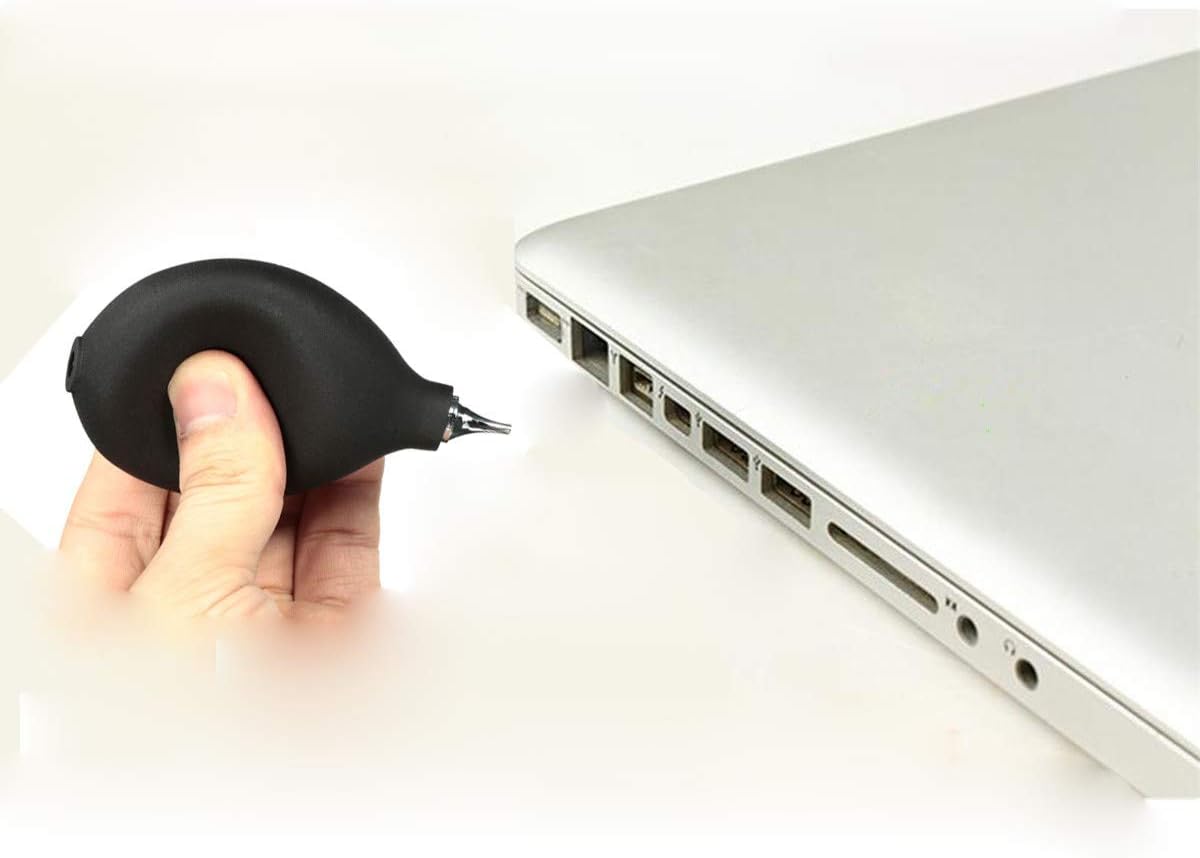
Figure 5.2: Example of using the air blower to clean a laptop keyboard.
6. Maintenance
The SOUNDLINK Rubber Bulb Pump Air Blower requires minimal maintenance.
- Cleaning: Wipe the exterior of the rubber bulb with a clean, damp cloth if it becomes dirty. Do not use harsh chemicals or abrasive cleaners.
- Storage: Store the air blower in a clean, dry environment when not in use.
- Inspection: Periodically check the rubber bulb for cracks or tears, and the metal tip for blockages or damage.
7. Troubleshooting
If you encounter issues with your air blower, consider the following:
- Weak Airflow:
- Ensure the bulb is fully inflated before squeezing.
- Check the metal tip for any obstructions.
- Inspect the rubber bulb for any leaks or damage.
- No Airflow:
- Verify the metal tip is not completely blocked.
- Check for severe damage to the rubber bulb that would prevent air compression.
If problems persist, please contact customer support.
8. Specifications
| Feature | Detail |
|---|---|
| Item Name | Hearing aids and camera lens duster |
| Material | Rubber (Latex) bulb, Metal tip |
| Dimensions | 40mm (diameter) x 100mm (length) |
| Color | Black (with metal tip) |
| Certifications | CE, RoHS, REACH |
| Model Number | B07ZPXMPJQ |
| UPC | 190835878056 |

Figure 8.1: Dimensions of the SOUNDLINK Rubber Bulb Pump Air Blower.
9. Warranty and Support
SOUNDLINK is committed to providing quality products and customer satisfaction. While specific warranty details are not provided in this manual, we offer dedicated customer support.
For any inquiries, issues, or support needs regarding your SOUNDLINK Rubber Bulb Pump Air Blower, please contact us. We aim to respond to all emails within 24 hours.
Please refer to your purchase documentation or the seller's information for contact details.