
1. Introduction
Thank you for choosing the MOBO For All 20000 mAh Portable Power Bank. This device is designed to provide reliable portable power for your electronic devices, ensuring you stay connected wherever you go. Please read this manual carefully before using the product to ensure safe and optimal performance.
2. Package Contents
- MOBO For All 20000 mAh Portable Power Bank
- USB Charging Cable (Micro-USB)
- Instruction Manual
3. Product Overview
Familiarize yourself with the components of your MOBO portable power bank.

Figure 3.1: Front view of the MOBO For All 20000 mAh Portable Power Bank, showcasing its textured surface and "FOR ALL" branding.
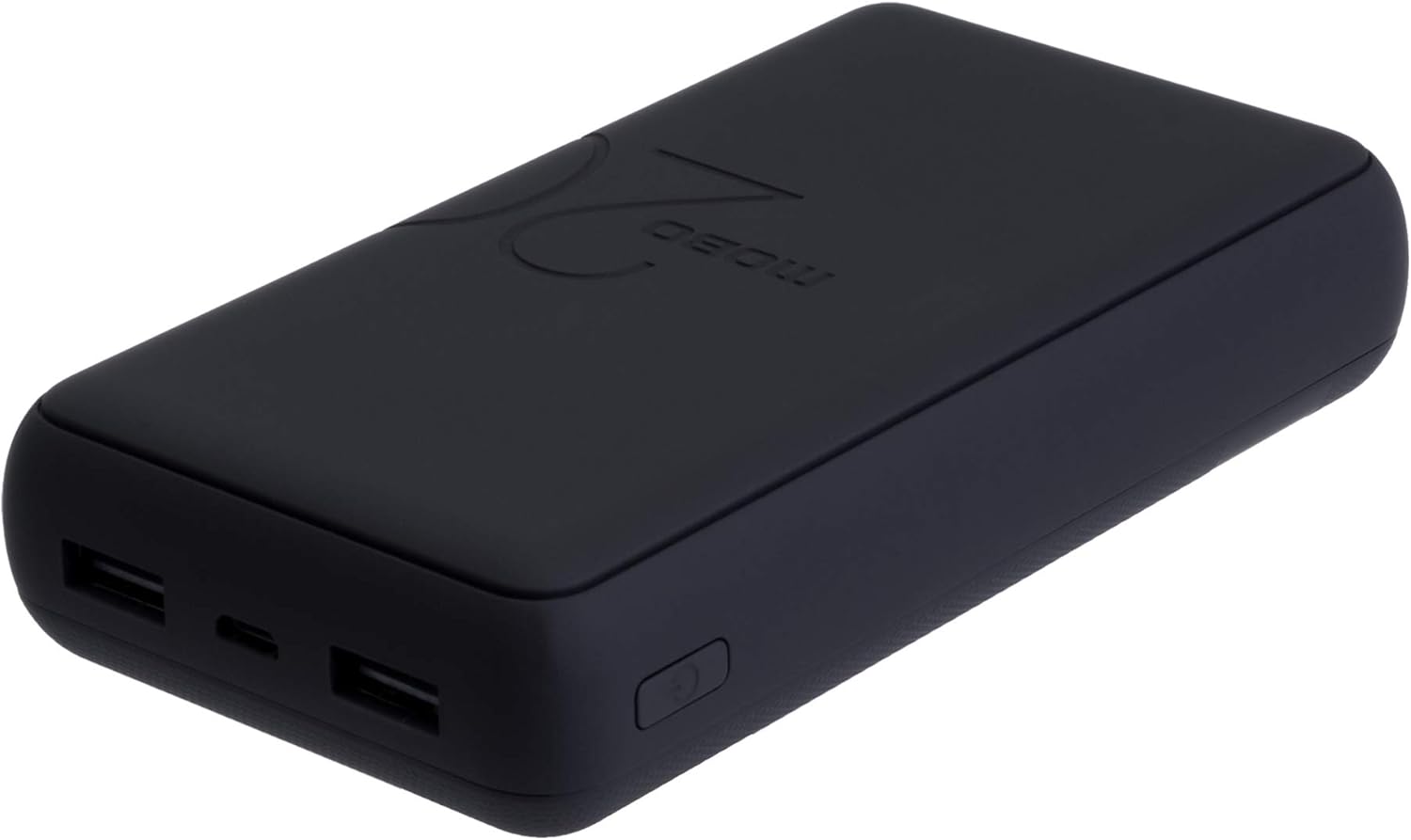
Figure 3.2: Angled view of the power bank, highlighting the two USB-A output ports, one Micro-USB input port, and the power button on the side.
Components:
- Power Button: Activates the power bank and checks battery level.
- LED Indicators: Four small lights indicating the remaining battery capacity.
- USB-A Output Ports (x2): Used to charge external devices.
- Micro-USB Input Port: Used to recharge the power bank itself.
4. Setup
4.1 Charging the Power Bank
- Connect the supplied Micro-USB cable to the Micro-USB input port on the power bank.
- Connect the other end of the USB cable to a USB wall adapter (not included) or a computer's USB port.
- The LED indicators will light up and flash to show the charging progress. When all four LEDs are solid, the power bank is fully charged.
- Disconnect the cable once charging is complete.
Note: For optimal performance, fully charge the power bank before its first use.
5. Operating Instructions
5.1 Charging External Devices
- Connect your device's charging cable (e.g., USB-A to Lightning, USB-A to USB-C, USB-A to Micro-USB) to one of the USB-A output ports on the power bank.
- Connect the other end of the cable to your device.
- The power bank should automatically begin charging your device. If not, press the power button once to initiate charging.
- The LED indicators will show the remaining battery level of the power bank during charging.
- Disconnect your device once it is fully charged or when you no longer need to charge.
5.2 Checking Battery Level
Press the power button once. The LED indicators will light up to show the current battery level:
- 1 LED: 0-25% capacity
- 2 LEDs: 25-50% capacity
- 3 LEDs: 50-75% capacity
- 4 LEDs: 75-100% capacity
6. Safety Information
- Do not expose the power bank to extreme temperatures (above 45°C or below 0°C).
- Do not expose to water or excessive moisture.
- Avoid dropping, hitting, or disassembling the device.
- Keep out of reach of children.
- Use only certified charging cables and adapters.
- Do not use if the power bank is damaged or swollen.
- Dispose of the product responsibly according to local regulations.
7. Maintenance
- Clean the power bank with a soft, dry cloth. Do not use harsh chemicals or abrasive materials.
- Store the power bank in a cool, dry place when not in use.
- If storing for extended periods, charge the power bank to approximately 50% every three months to prolong battery life.
8. Troubleshooting
| Problem | Possible Solution |
|---|---|
| Power bank not charging |
|
| Device not charging from power bank |
|
| Slow charging |
|
9. Specifications
| Model Number | MDC69B-MB-2 |
| Battery Capacity | 20000 mAh |
| Input | 5V / 2.1A (Micro-USB) |
| Output 1 | 5V / 2.1A (USB-A) |
| Output 2 | 5V / 2.1A (USB-A) |
| Total Output | 5V / 2.1A (Max) |
| Dimensions | 11 x 3.5 x 18.5 cm |
| Weight | 420 g |
| Compatible Devices | Smartphones, Tablets, Laptops (compatible with 5V/2.1A USB charging) |
10. Warranty and Support
For warranty information or technical support, please refer to the warranty card included with your product or visit the official Mobo website. Keep your purchase receipt as proof of purchase for warranty claims.