
SUNPIN PD969
SUNPIN 11.5" Portable DVD Player User Manual
Model: PD969
1. Introduction
This manual provides essential information for the proper setup, operation, and maintenance of your new SUNPIN 11.5" Portable DVD Player. Please read it thoroughly before using the device.
The SUNPIN Portable DVD Player is designed for versatile entertainment, featuring a 9.5" swivel brightness-enhanced screen. It is ideal for use in cars, at home, or during travel, offering a reliable solution for media playback.
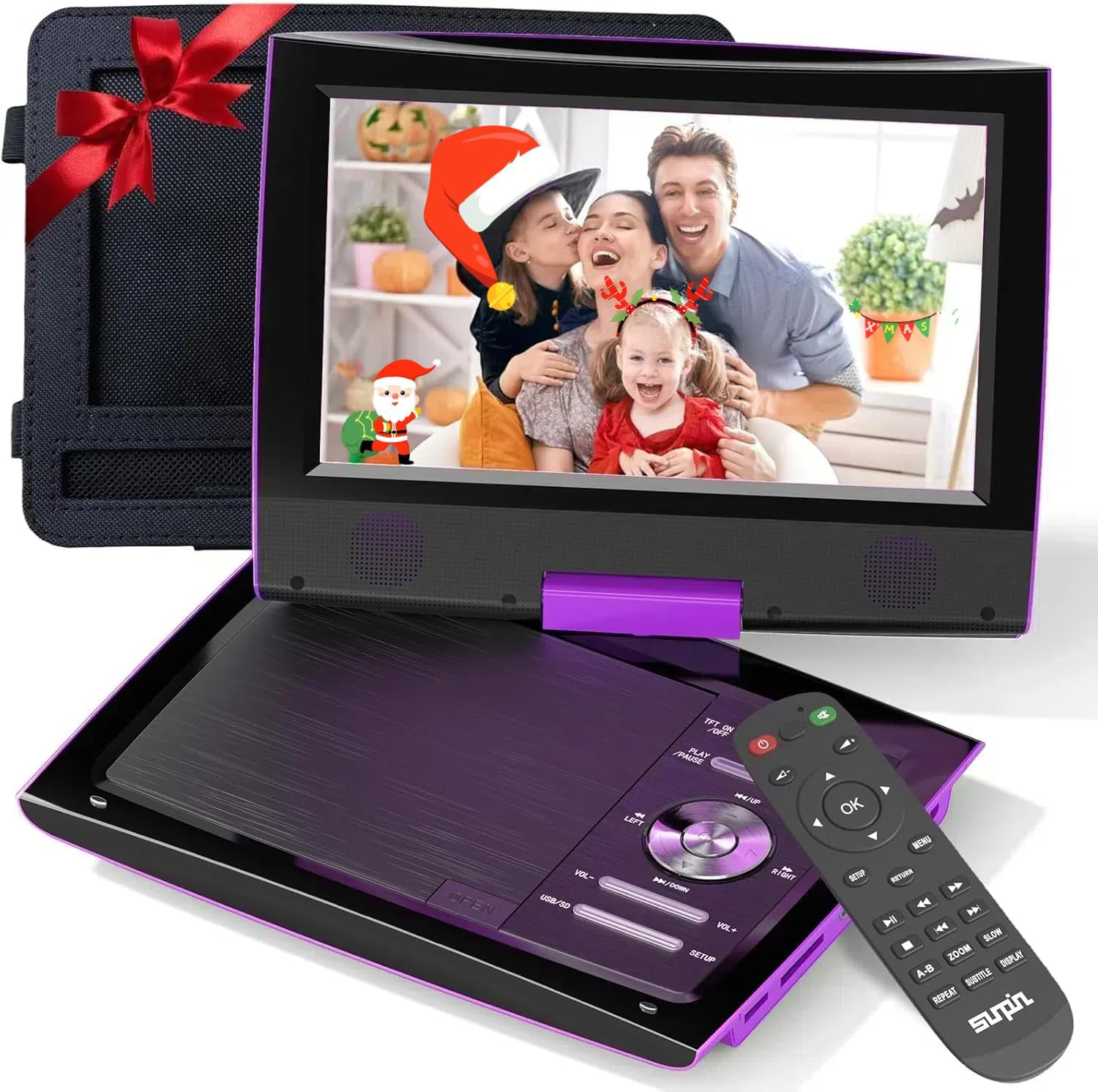
Figure 1: SUNPIN 11.5" Portable DVD Player (Purple)
2. Key Features
- 11.5" Swivel Screen: The 9.5" HD swivel screen rotates 270° and folds 180° for flexible viewing angles.
- Extended Battery Life: Built-in rechargeable lithium polymer battery provides up to 5 hours of continuous playback.
- Dual Earphone Jacks: Allows two users to listen simultaneously for private viewing.
- Broad Compatibility: Supports DVD, CD, USB, SD, and various video/audio formats.
- Car Use Ready: Includes a car charger and headrest mount for convenient in-vehicle entertainment.
- Last Memory Function: Resumes playback from the last watched point.

Figure 2: Up to 5 Hours Battery Life
3. Package Contents
Verify that all items listed below are included in your package:
- SUNPIN Portable DVD Player (Model: PD969)
- Remote Control
- Power Adapter (Wall Charger)
- Car Charger
- Headrest Mount Holder
- AV Cable
- User Manual (this document)

Figure 3: Included Accessories
4. Product Overview
4.1. Player Layout

Figure 4: 11.5" Large LCD Display
4.2. Ports and Connections

Figure 5: Side Ports and Controls
- USB Port: For connecting USB flash drives to play media files.
- SD Card Slot: For inserting SD memory cards to play media files.
- AV-IN: Audio/Video input for connecting external devices.
- AV-OUT: Audio/Video output for connecting to a larger screen like a TV.
- DC-IN: Power input for connecting the power adapter or car charger.
- Headphone Jacks (Dual 3.5mm): For connecting headphones for private listening.
- OFF/ON Switch: To power the device on or off.
5. Setup
5.1. Charging the Player
Before first use, fully charge the portable DVD player. Use either the provided wall adapter or car charger.
- Connect the power adapter to the DC-IN port on the player and plug it into a wall outlet.
- For car charging, connect the car charger to the DC-IN port and plug it into your vehicle's cigarette lighter socket.
The charging indicator light will typically show red while charging and turn green when fully charged.
5.2. Inserting a DVD/CD
- Gently press the 'OPEN' button or slide the latch to open the disc cover.
- Place the DVD or CD onto the spindle with the label side facing up. Ensure it clicks securely into place.
- Close the disc cover firmly until it latches. The player will begin loading the disc automatically.
5.3. Using the Headrest Mount
The included headrest mount allows for easy viewing in a vehicle.
- Open the DVD player and swivel the screen 180 degrees so it lies flat over the control panel, with the screen facing outwards.
- Insert the player into the headrest mount holder, securing it with the straps.
- Attach the mount to the back of a car seat headrest using the adjustable straps.
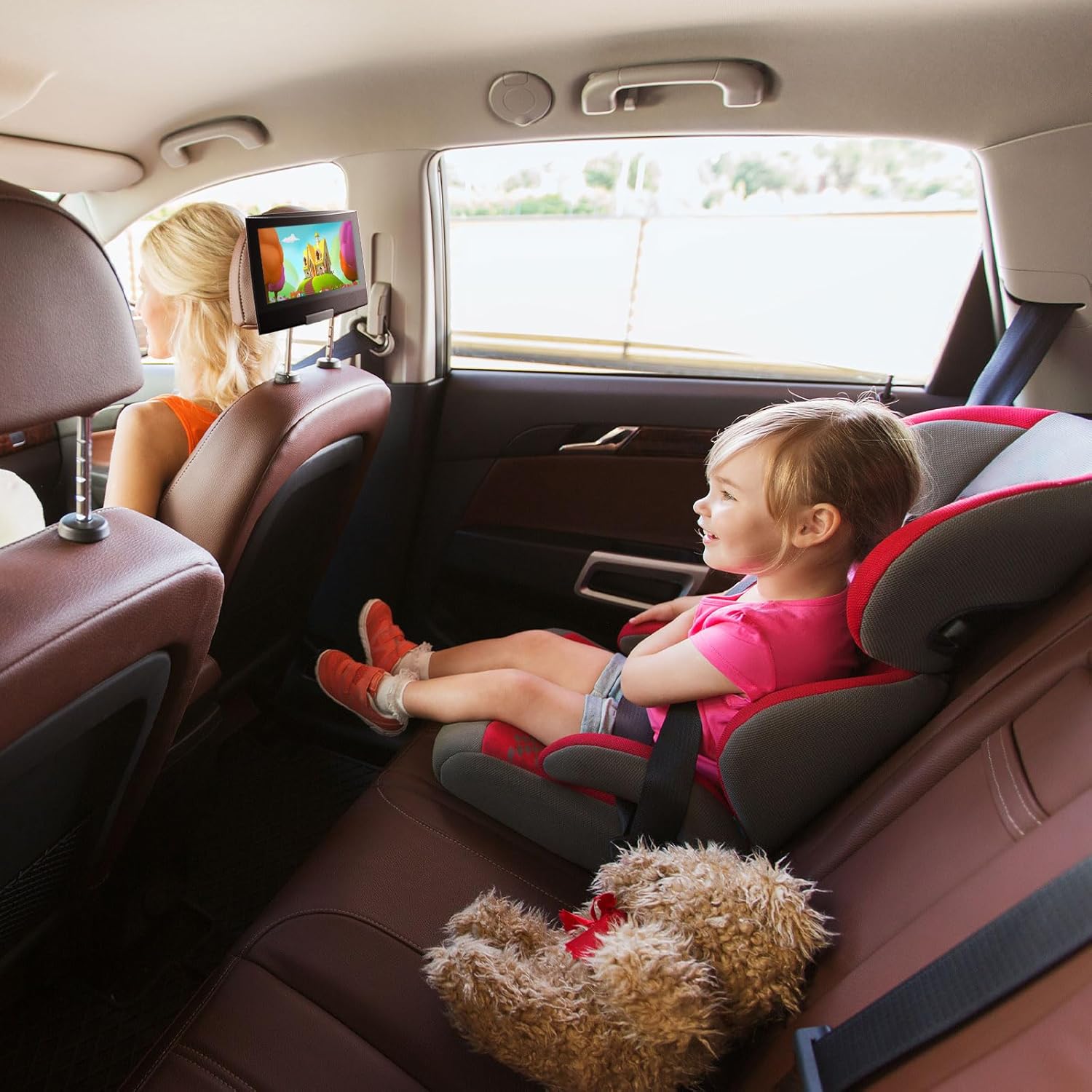
Figure 6: Player Mounted in Car
5.4. Connecting to a TV (AV Out)
To view content on a larger screen, use the provided AV cable.
- Connect one end of the AV cable to the AV-OUT port on the DVD player.
- Connect the other end of the AV cable to the corresponding AV-IN (RCA) ports on your television (Yellow for Video, White for Left Audio, Red for Right Audio).
- Select the correct AV input source on your television.
6. Operating Instructions
6.1. Basic Playback
- Power on the device using the OFF/ON switch.
- Insert a DVD/CD as described in Section 5.2. Playback should start automatically.
- Use the PLAY/PAUSE button to start or pause playback.
- Use the STOP button to stop playback.
- Use the PREV/NEXT buttons to skip tracks or chapters.
- Adjust volume using the VOL+ and VOL- buttons.
6.2. Using USB/SD Media
The player supports media playback from USB flash drives and SD cards.
- Insert your USB flash drive into the USB port or your SD card into the SD card slot.
- The player should automatically detect the media and display a file browser.
- Navigate through your files using the directional buttons and press OK to select and play.
6.3. Swivel Screen Functionality
The screen can be swiveled for optimal viewing angles:
- The screen can rotate up to 270 degrees clockwise or counter-clockwise.
- It can also fold flat against the base, covering the control panel, which is useful for headrest mounting or compact storage.
6.4. Remote Control Operation
The remote control provides full functionality from a distance.
- Ensure the remote has working batteries.
- Point the remote directly at the player's infrared receiver.
- All functions available on the player's control panel are also accessible via the remote.
7. Media Integration
7.1. Official Product Videos
SUNPIN 11.5" Portable DVD Player with 9.5" HD Swivel Screen
This video provides a comprehensive overview of the SUNPIN 11.5" Portable DVD Player, highlighting its 9.5" HD swivel screen and various features. It demonstrates the player's design, functionality, and ease of use for different scenarios.
SUNPIN Portable DVD Player for Car, What you should know?
This video focuses on the SUNPIN Portable DVD Player's suitability for car use, offering practical tips and insights for maximizing entertainment during road trips. It covers aspects relevant to in-vehicle setup and usage.
Easy, compact, so smart to use this! (Preview)
A short preview video demonstrating the compact design and ease of use of the SUNPIN Portable DVD Player, highlighting its convenience for various applications.
8. Maintenance
- Cleaning the Disc: Use a clean, soft, lint-free cloth to wipe the disc outwards from the center.
- Cleaning the Lens: Use cotton swabs with less than 75% alcohol to clean the lens. Do not touch the lens with your fingers, as this may make the DVD player unable to read discs.
- Storage: Store the player in a cool, dry place away from direct sunlight and extreme temperatures.
- Battery Care: If the player will not be used for an extended period, charge it once every 3 months to preserve battery life.
9. Troubleshooting
| Problem | Possible Cause | Solution |
|---|---|---|
| Player does not power on. | Low battery or power adapter not connected. | Connect the power adapter and charge the player. Ensure the ON/OFF switch is in the 'ON' position. |
| Disc cannot be read / No Disc. | Disc is dirty, scratched, or inserted incorrectly. Lens is dirty. | Clean the disc with a soft cloth. Ensure the disc is inserted correctly. Clean the player's lens as per maintenance instructions. Try a different disc. |
| No sound. | Volume too low, headphones not connected properly, or external device issue. | Increase volume. Check headphone connection. If connected to TV, ensure TV volume is up and correct input is selected. |
| Remote control not working. | Batteries are dead or remote is not pointed correctly. | Replace remote control batteries. Ensure remote is pointed directly at the player's IR receiver. |
Solution for not being able to read the disk properly! (Preview)
This short video provides a visual guide on how to troubleshoot common disc reading issues with the portable DVD player, including cleaning the disc and checking the lens.
10. Specifications
| Feature | Detail |
|---|---|
| Model Number | PD969 |
| Screen Size | 9.5 Inches (11.5" diagonal) |
| Display Type | LCD |
| Media Type Supported | DVD, CD, USB, SD |
| Battery Type | Lithium Polymer (1 required) |
| Item Weight | 2.82 pounds |
| Package Dimensions | 12.71 x 9.06 x 3.23 inches |
| Color | Purple |
11. Warranty and Support
SUNPIN is committed to providing quality products and customer satisfaction.
- Warranty: This product comes with a 12-month warranty from the date of purchase.
- Return Service: Enjoy a 30-day return service from the date of purchase.
- After-sales Service: For any inquiries or support, please contact SUNPIN customer service. 7x24 hour after-sales service is available.
For further assistance, please visit the official SUNPIN store or contact their customer support channels.
Ask a question about this manual
Ask about setup, troubleshooting, compatibility, parts, safety, or missing instructions. Manuals+ will review the question and use this page’s manual context to help answer it.