
1. Safety Instructions
Please read this manual carefully before using the appliance and keep it for future reference. Failure to follow these instructions may result in electric shock, fire, or serious injury.
- Always ensure the voltage indicated on the rating label corresponds to your mains voltage.
- Do not operate the heater with a damaged cord or plug.
- Keep children and pets away from the heater, especially when in operation.
- Do not cover the heater. Covering the heater can cause overheating and fire.
- Maintain a safe distance from flammable materials such as curtains, furniture, and bedding.
- Do not use this heater in the immediate surroundings of a bath, a shower or a swimming pool.
- Ensure proper ventilation around the unit.
- The appliance is equipped with a double overheat sensor, frost protection, and an anti-condensation system for enhanced safety.
2. Product Overview
The CREATE/WARM CRYSTAL 2000W Convector Heater is designed for efficient and silent heating of indoor spaces. It features a modern design with a high-resistance tempered glass panel and an intuitive LED touch screen.
Key Features:
- Tempered Glass Panel: Durable and aesthetically pleasing.
- LED Touch Screen: Intuitive interface for easy control and temperature display (5°C-50°C).
- WiFi Connectivity: Control the heater remotely via a dedicated mobile application.
- Two Power Levels: Adjustable heating output for energy efficiency.
- 24-Hour Timer: Program heating schedules.
- Aluminum Heating System: Provides clean heat without noise, odor, gas, or smoke.
- Safety Systems: Double overheat sensor, frost protection, anti-condensation.
Components:
- Main Convector Heater Unit
- Detachable Feet (for freestanding use)
- Wall Mounting Kit (brackets, screws, wall plugs)
- User Manual

Figure 2.1: Front view of the Convector Heater.
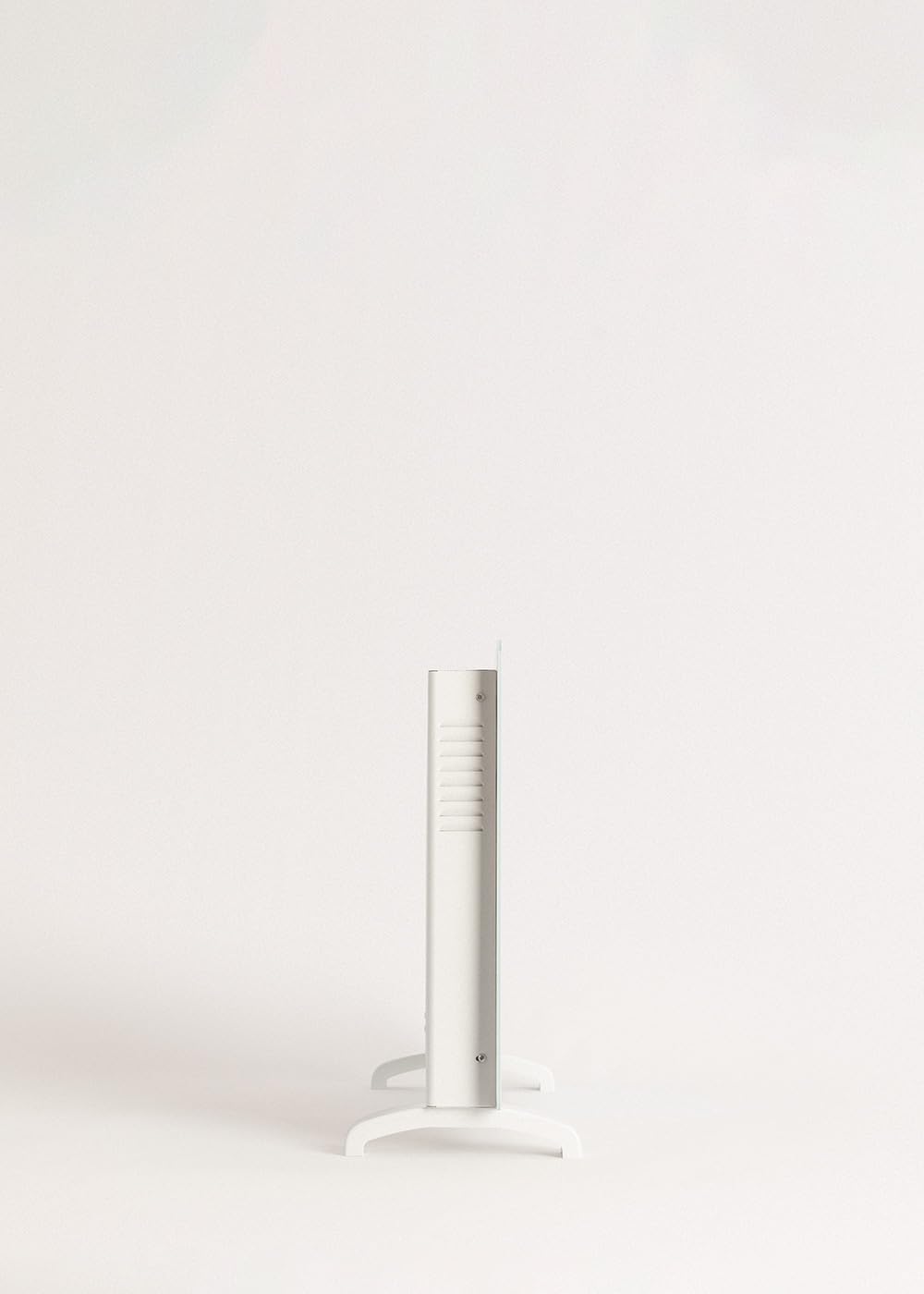
Figure 2.2: Side profile of the Convector Heater.
3. Setup
3.1 Unpacking
- Carefully remove the heater from its packaging.
- Check for any signs of damage. If damaged, do not use and contact customer support.
- Retain the packaging for future storage or transport.
3.2 Installation Options
The CREATE/WARM CRYSTAL heater can be used as a freestanding unit or mounted on a wall.
3.2.1 Freestanding Installation
- Place the heater on a soft, flat surface to avoid scratching the glass.
- Attach the two detachable feet to the base of the heater using the provided screws. Ensure they are securely fastened.
- Place the heater on a stable, level surface, ensuring adequate clearance from walls and furniture (minimum 10 cm on all sides).

Figure 3.1: Detail of the detachable feet for freestanding use.

Figure 3.2: Convector Heater in freestanding configuration.
3.2.2 Wall Mount Installation
- Choose a suitable wall location, ensuring it is a solid surface and there is sufficient clearance around the heater (minimum 10 cm from ceiling, floor, and side walls).
- Mark the drilling points on the wall using the provided template or by measuring the wall mounting brackets.
- Drill holes and insert wall plugs.
- Secure the wall mounting brackets to the wall with screws.
- Carefully hang the heater onto the wall brackets, ensuring it is securely seated.

Figure 3.3: Convector Heater mounted on a wall.
4. Operating Instructions
The CREATE/WARM CRYSTAL heater offers both manual control via its LED touch screen and remote control via a mobile application.
4.1 Manual Control (LED Touch Screen)
- Power On/Off: Plug the heater into a suitable 240V AC power outlet. Press the power symbol on the LED touch screen to turn the unit on or off.
- Temperature Setting: Use the '+' and '-' buttons on the touch screen to adjust the desired room temperature between 5°C and 50°C. The current room temperature will be displayed.
- Power Levels: Select between the two available power levels (e.g., 1000W and 2000W) by pressing the mode button. This allows for energy optimization based on heating needs.
- Timer Function: Press the timer button to set the 24-hour timer. Use the '+' and '-' buttons to select the desired operating duration. The heater will automatically turn off after the set time.

Figure 4.1: Interacting with the LED touch screen.
4.2 WiFi Connectivity and App Control
The heater can be controlled remotely via a mobile application, providing convenience and smart home integration.
- Download App: Search for the official CREATE/WARM app in your smartphone's app store (iOS or Android).
- Connect to WiFi: Ensure your smartphone is connected to a 2.4 GHz WiFi network. The heater is compatible with 2.4 GHz networks only.
- Pairing: Follow the in-app instructions to pair your heater with the application. This typically involves putting the heater into pairing mode (refer to app for specific steps).
- Remote Control: Once paired, you can control all functions of the heater (power, temperature, power levels, timer) from your smartphone, even when away from home.

Figure 4.2: Controlling the heater via the mobile application.

Figure 4.3: Heater and smartphone displaying the control app.
5. Maintenance
Regular maintenance ensures the longevity and optimal performance of your convector heater.
5.1 Cleaning
- Always unplug the heater and allow it to cool completely before cleaning.
- Wipe the exterior surfaces with a soft, damp cloth. Do not use abrasive cleaners, solvents, or harsh chemicals, as these may damage the finish.
- Do not immerse the heater in water or any other liquid.
- Periodically clean the air inlets and outlets with a soft brush or vacuum cleaner to prevent dust buildup.
5.2 Storage
If the heater is not in use for an extended period, store it in a cool, dry place, preferably in its original packaging, away from direct sunlight and moisture.
6. Troubleshooting
If you encounter any issues with your CREATE/WARM CRYSTAL heater, please refer to the following troubleshooting guide before contacting customer support.
| Problem | Possible Cause | Solution |
|---|---|---|
| Heater does not turn on. | No power supply; Power button not pressed; Overheat protection activated. | Check power cord and outlet; Press power button on touch screen; Unplug, let cool for 30 minutes, then plug back in. |
| Heater not heating effectively. | Temperature setting too low; Incorrect power level selected; Room size too large for heater capacity. | Increase desired temperature; Select higher power level; Ensure heater is appropriate for room size (up to 20m²). |
| WiFi connection issues. | Incorrect WiFi network (not 2.4 GHz); Incorrect password; Router too far. | Ensure connection to a 2.4 GHz network; Re-enter password carefully; Move heater closer to router or use a WiFi extender. |
| Clicking or cracking noises. | Thermal expansion/contraction of materials. | This is normal during heating and cooling cycles as materials expand and contract. If noises are excessively loud or persistent, contact support. |
If the problem persists after attempting these solutions, please contact CREATE customer support.
7. Specifications
| Feature | Detail |
|---|---|
| Brand | CREATE |
| Model Number | localization_B07ZH8DXJP |
| Color | White |
| Power | 2000 Watts |
| Voltage | 240 Volts (AC) |
| Dimensions (L x W x H) | 78 x 7.5 x 52 cm |
| Product Weight | 10.66 kg |
| Number of Speeds | 2 |
| Special Features | WiFi Connectivity, LED Touch Screen, Overheat Protection, Frost Protection, Anti-condensation |
| Mounting Type | Freestanding and Wall Mount |
| Recommended Use | Indoor, Home |
| Heating Coverage | Approx. 20m² |

Figure 7.1: Product Dimensions Diagram.
8. Warranty & Support
Your CREATE/WARM CRYSTAL 2000W Convector Heater comes with a standard manufacturer's warranty. Please refer to the warranty card included in your product packaging for specific terms and conditions.
For technical support, warranty claims, or any other inquiries, please contact CREATE customer service through their official website or the contact information provided with your purchase.
Online Support: Visit the official CREATE website for FAQs, troubleshooting guides, and contact forms.
Email Support: Refer to your product documentation for the customer support email address.


