
1. Introduction
This manual provides detailed instructions for the operation and maintenance of your Jensen CD-565SL Portable Bluetooth CD Music System. This system offers versatile audio playback options including CD, FM radio, Bluetooth wireless streaming, and auxiliary input. It is designed for portability with a built-in carrying handle and can be powered by AC or batteries.
2. Important Safety Information
- Read all instructions before operating the unit.
- Keep this manual for future reference.
- Do not expose the unit to rain or moisture.
- Do not block any ventilation openings.
- Use only attachments/accessories specified by the manufacturer.
- Unplug the unit during lightning storms or when unused for long periods.
- Refer all servicing to qualified service personnel.
- Battery usage: Ensure correct polarity. Do not mix old and new batteries. Do not mix alkaline, standard (carbon-zinc), or rechargeable (nickel-cadmium) batteries. Remove batteries if the unit is not used for an extended period.
3. Product Overview
Familiarize yourself with the components and controls of your Jensen CD-565SL system.
Front View

Figure 1: Front view of the Jensen CD-565SL Portable Bluetooth CD Music System. This image displays the vertical CD loading slot with a CD partially inserted, the Jensen logo at the bottom, and the speaker grills on either side.
CD Loading Mechanism

Figure 2: Side view illustrating the open CD loading door. A CD is shown being placed onto the central spindle, demonstrating the vertical loading process.
Top Controls and Display
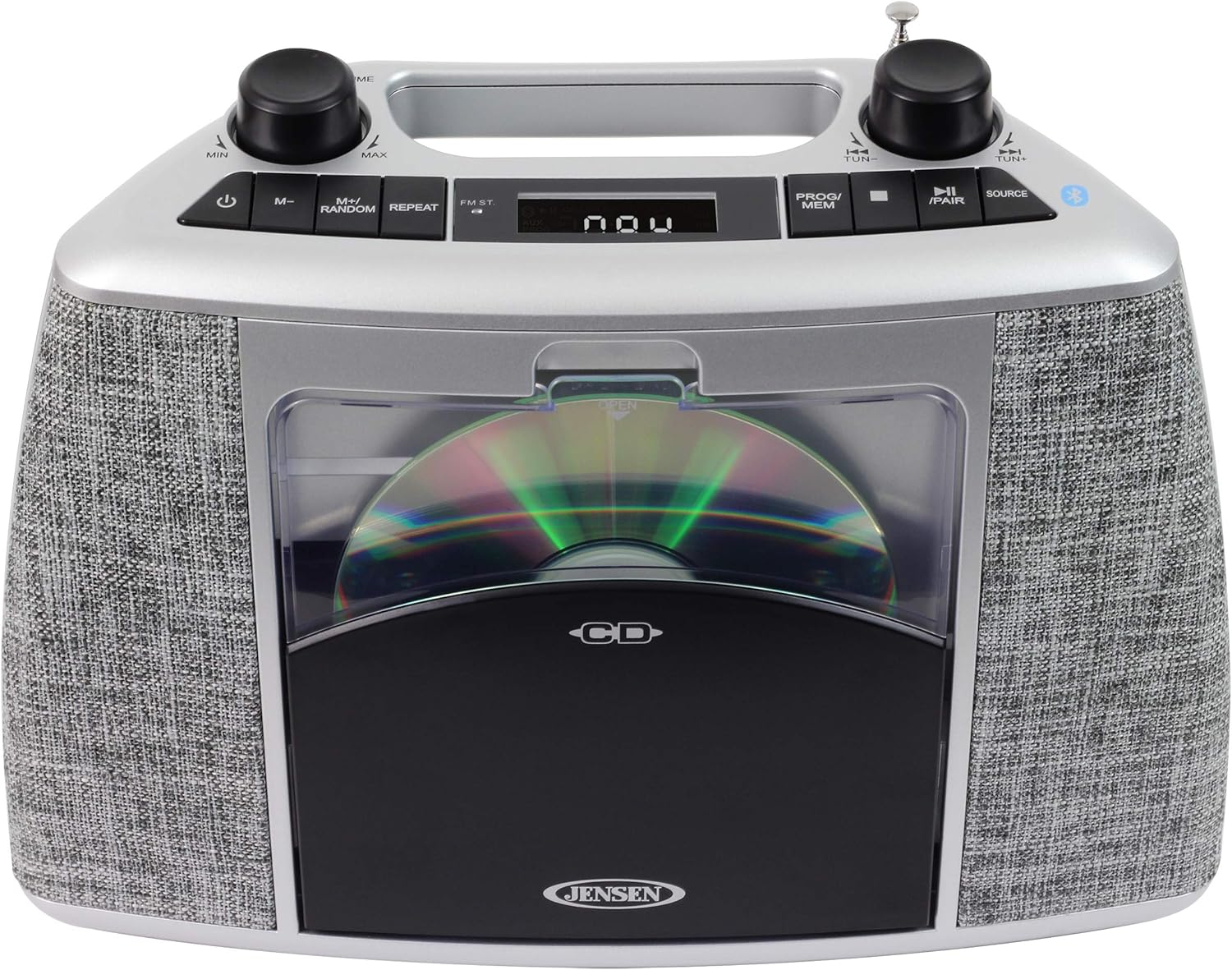
Figure 3: Top view of the unit, highlighting the control panel. This includes the power button, volume knob, mode/random button, repeat button, LCD display, program/memory button, skip/search buttons, tuning knob, source button, and the telescopic FM antenna.
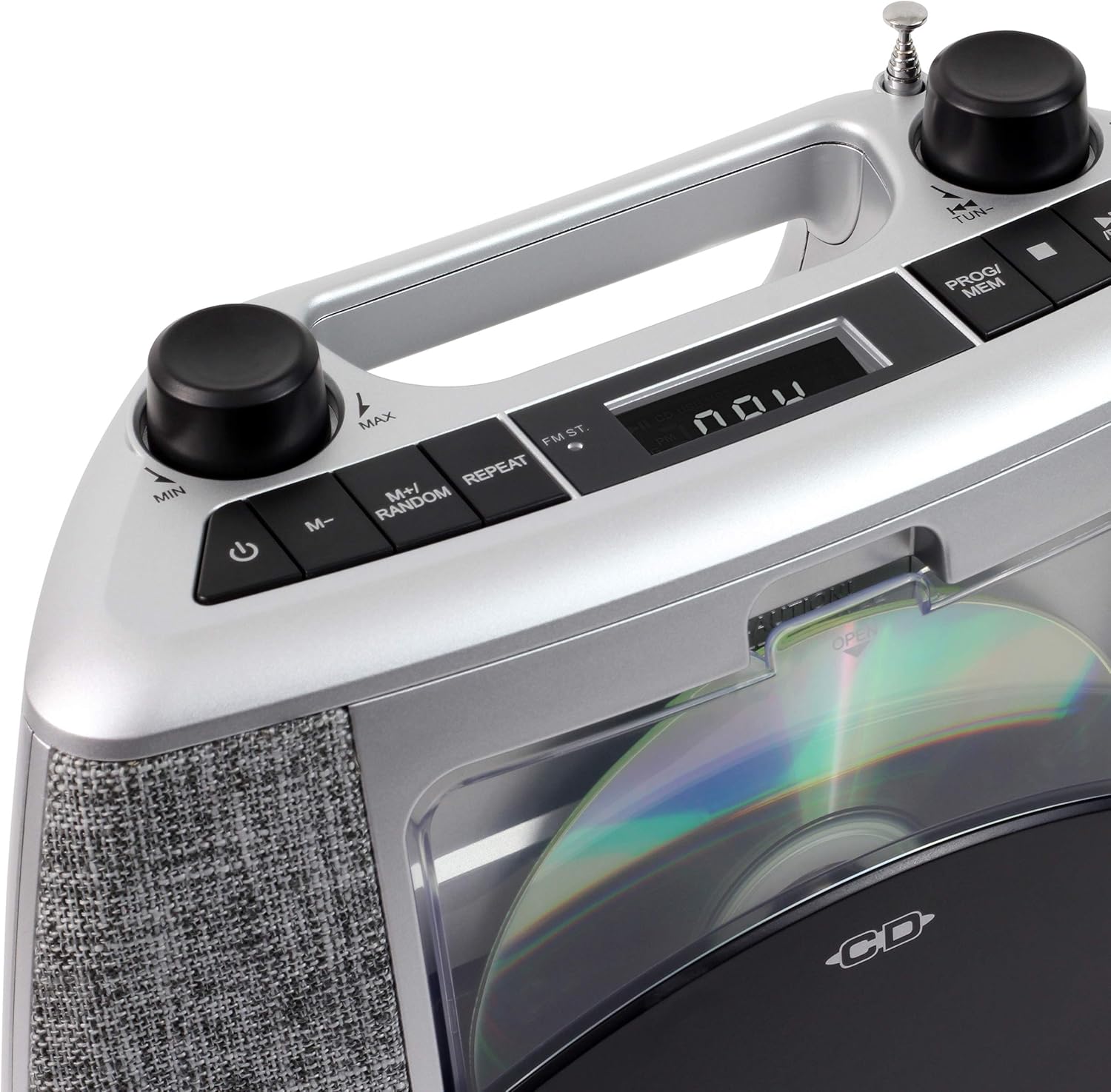
Figure 4: A closer view of the top control panel, providing a clearer look at the labels for each button and knob, including the LCD display which shows 'now' in this image.
Key Features:
- Vertical Loading CD Player (CD-R/RW Compatible)
- Bluetooth Wireless Connectivity (Supports A2DP, AVRCP)
- FM Stereo Receiver with PLL Digital Tuning and Presets
- Auxiliary Input Jack for external audio devices
- Headphone Jack
- Built-in Recessed Carrying Handle
- Blue LED CD Track Display
- Skip/Search, Forward/Backward, Repeat One/All, and Random Play functions
- Programmable Memory for CD tracks
4. Setup
4.1 Powering the Unit
The Jensen CD-565SL can be powered by either AC power or batteries.
AC Power Operation:
Connect the included 120V AC adaptor to the AC IN jack on the unit and then plug it into a standard 120V AC, 60Hz wall outlet.
Battery Operation:
For portable use, the unit requires six (6) 'C' (UM-2) size batteries (not included). Open the battery compartment on the bottom of the unit, insert the batteries according to the polarity diagram inside the compartment, and close the cover securely.
4.2 Antenna Setup
For optimal FM radio reception, fully extend the telescopic FM antenna. Adjust its position for the clearest signal.
5. Operating Modes
Press the SOURCE button repeatedly to cycle through the available modes: CD, FM Radio, Bluetooth, and AUX.
5.1 CD Player Operation
- Press the SOURCE button to select CD mode.
- Press the OPEN button on the CD door to open it.
- Carefully place a CD (or CD-R/RW) onto the spindle, ensuring it clicks into place. Close the CD door.
- The CD will begin playing automatically. The track number will appear on the LCD display.
- Use the SKIP/SEARCH buttons (|◀◀ / ►►|) to skip tracks or search within a track.
- Press the REPEAT button to repeat the current track (Repeat 1) or all tracks (Repeat All).
- Press the M+/RANDOM button to activate random play.
- To program tracks, press the PROG/MEM button during stop mode and follow the on-screen prompts.
5.2 FM Radio Operation
- Press the SOURCE button to select FM Radio mode.
- Extend the telescopic antenna for best reception.
- Rotate the TUNING knob to manually tune to a desired station.
- To auto-scan and store stations, press and hold the PROG/MEM button.
- To recall stored stations, briefly press the PROG/MEM button and then use the SKIP/SEARCH buttons to navigate.
5.3 Bluetooth Operation
The unit supports A2DP and AVRCP profiles for wireless audio streaming from compatible devices up to 33 feet away.
- Press the SOURCE button to select Bluetooth mode. The Bluetooth indicator will flash.
- Enable Bluetooth on your external device (e.g., smartphone, tablet).
- Search for available devices and select "CD-565SL" from the list.
- Once paired, the Bluetooth indicator will glow steadily. You can now stream audio wirelessly to the unit.
- Use the controls on your external device or the unit's SKIP/SEARCH buttons for playback control.
5.4 Auxiliary Input Operation
Connect external audio devices like an iPod or MP3 player using a 3.5mm audio cable (not included).
- Connect one end of a 3.5mm audio cable to the AUX IN jack on the unit.
- Connect the other end to the headphone jack or line-out jack of your external audio device.
- Press the SOURCE button to select AUX mode.
- Start playback on your external device. Adjust the volume using the unit's VOLUME knob and your external device's volume control.
6. Maintenance
6.1 Cleaning the Unit
- Wipe the exterior of the unit with a soft, damp cloth. Do not use abrasive cleaners or solvents.
- For the CD lens, use a specialized CD lens cleaner disc.
- Ensure the unit is unplugged from the power source before cleaning.
6.2 Battery Care
- Remove batteries if the unit will not be used for an extended period to prevent leakage.
- Dispose of used batteries responsibly according to local regulations.
7. Troubleshooting
| Problem | Possible Cause | Solution |
|---|---|---|
| No power | AC adapter not connected; Batteries depleted or incorrectly inserted. | Ensure AC adapter is securely plugged in. Replace batteries or check polarity. |
| No sound | Volume too low; Incorrect source selected; Headphones connected. | Increase volume. Select correct source (CD, FM, BT, AUX). Disconnect headphones. |
| CD skips or does not play | CD is dirty or scratched; CD inserted incorrectly; Unit is vibrating. | Clean or replace CD. Reinsert CD correctly. Place unit on a stable surface. |
| Poor FM reception | Antenna not extended or positioned incorrectly; Interference. | Fully extend and adjust the telescopic antenna. Move unit away from other electronic devices. |
| Bluetooth pairing fails | Device not in pairing mode; Unit too far from device; Bluetooth disabled on device. | Ensure unit is in Bluetooth pairing mode. Move device closer. Enable Bluetooth on your device. |
8. Specifications
- Model: CD-565SL
- Brand: Jensen
- Power Source: 120V AC / 60Hz or 6 x 'C' (UM-2) batteries (not included)
- Output Power: 2 x 2W RMS
- Connectivity: Bluetooth (A2DP, AVRCP), Auxiliary Input
- CD Compatibility: CD, CD-R/RW
- Radio: FM Stereo with PLL Digital Tuning
- Speaker Type: Stereo
- Color: Silver Black
- Item Weight: 3.17 pounds (approx.)
- Dimensions (L x W x H): 11.97 x 9.33 x 5.91 inches (approx.)
9. Warranty and Support
For warranty information or technical support, please refer to the documentation included with your purchase or visit the official Jensen website. Keep your proof of purchase for any warranty claims.


