
1. Introduction
The Ring Alarm 5-Piece Kit provides a comprehensive wireless smart home security system designed for easy installation and mobile app control. This kit is suitable for various living spaces, including apartments and condos, offering expandable security solutions.
This manual provides detailed instructions for setting up, operating, maintaining, and troubleshooting your Ring Alarm system. Please read it thoroughly before installation and use.
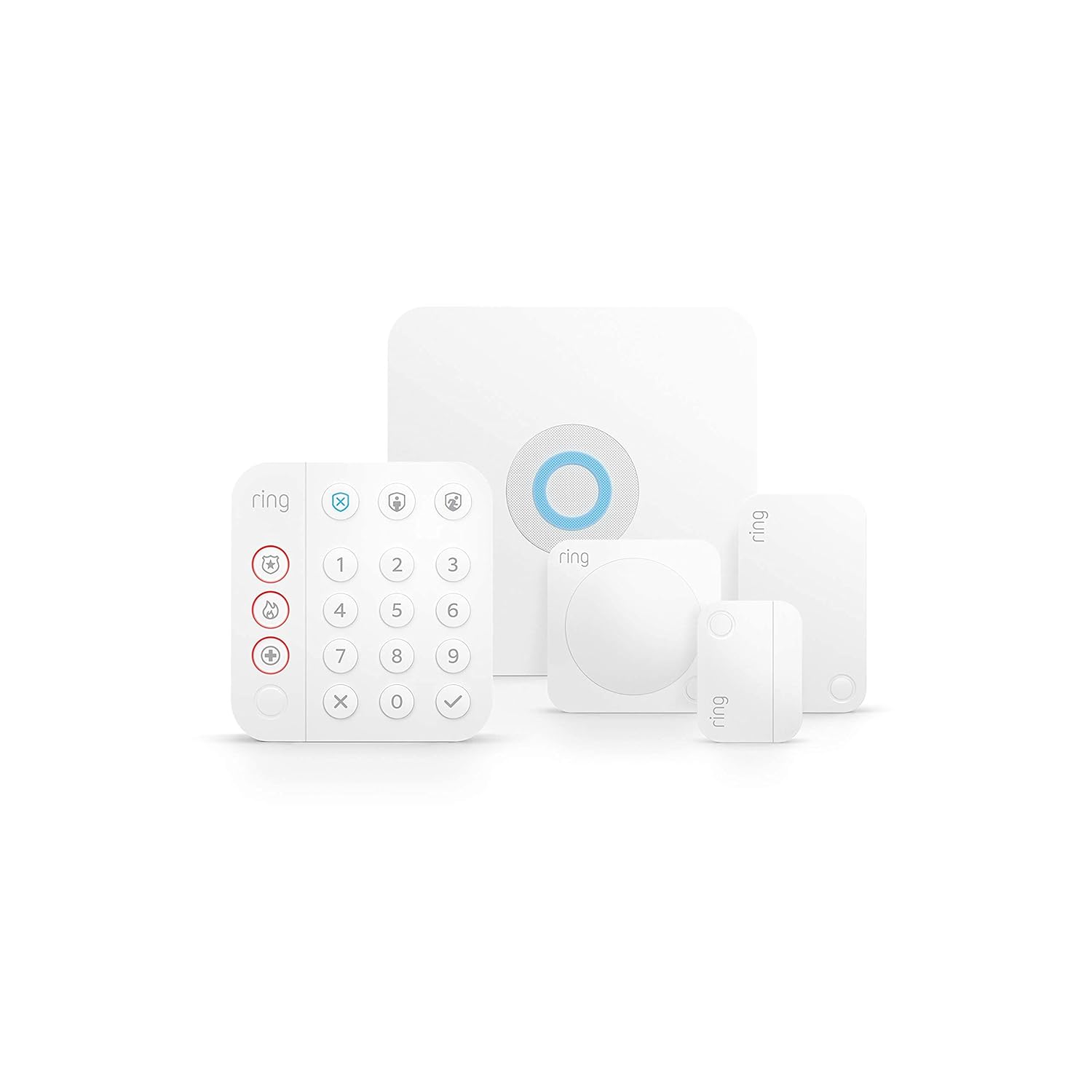
Image 1.1: Overview of the Ring Alarm 5-Piece Kit components.
2. Kit Components
The Ring Alarm 5-Piece Kit includes the following essential components:
- Base Station: The central hub of your Ring Alarm system, connecting all devices and providing siren functionality.
- Keypad: Used to arm and disarm your system, and to trigger emergency functions.
- Contact Sensor: Detects when a door or window is opened.
- Motion Detector: Senses movement within its detection area.
- Range Extender: Extends the Z-Wave network range for other Ring Alarm devices.
3. Setup and Installation
The Ring Alarm system is designed for easy do-it-yourself installation. Follow these steps to set up your kit:
- Download the Ring App: Install the Ring app on your smartphone or tablet. The app will guide you through the setup process.
- Power the Base Station: Connect the Base Station to a power outlet using the included AC adapter. Ensure it has a stable internet connection via Ethernet or Wi-Fi.
- Pair Devices: Follow the in-app instructions to pair your Keypad, Contact Sensors, Motion Detector, and Range Extender with the Base Station.
- Install Sensors:
- Contact Sensors: Mount these on doors and windows. Ensure the sensor and magnet are aligned and within 1 inch of each other when the door/window is closed.
- Motion Detector: Install in room corners or on flat walls where motion detection is desired. Avoid placing near heat sources or direct sunlight.
- Keypad: Mount to a wall using the Quick-Release Bracket or place on any flat surface near an entry point.
- Range Extender: Plug into a standard power outlet, ideally midway between the Base Station and your furthest Ring Alarm devices.
- Test Your System: Use the Ring app to test all sensors and ensure they are communicating correctly with the Base Station.

Image 3.1: Example of a Ring Alarm component installation.
4. Operating Your Ring Alarm System
Your Ring Alarm system offers various modes to secure your home:
- Disarmed Mode: All sensors are inactive. Use this mode when you are home and moving freely.
- Home Mode: Select sensors (typically perimeter doors and windows) are active. Use this mode when you are home and want to secure entry points.
- Away Mode: All sensors are active. Use this mode when no one is home.
Arming and Disarming
You can arm and disarm your system using the Keypad, the Ring app, or voice commands with Alexa (requires compatible Ring Home Plan).

Image 4.1: Ring Alarm Keypad for system control.
Mobile Notifications
Receive instant mobile notifications through the Ring app when your system is triggered, or when sensors detect activity. This allows you to monitor all your Ring devices from anywhere.

Image 4.2: Controlling the Ring Alarm system via the Ring app.
Professional Monitoring (Subscription Required)
For enhanced security, subscribe to Ring Home Standard (sold separately). This plan allows you to arm your alarm remotely, keeps your system online if Wi-Fi is down, and offers additional features. Adding Alarm Professional Monitoring to an eligible plan provides emergency police, fire, and medical response.
5. Maintenance
Battery Replacement
- Keypad: Features a rechargeable battery. Recharge as needed using the provided power adapter.
- Contact Sensors: Use CR2032 coin cell batteries with an approximate life of 3 years. Replace when the app indicates low battery.
- Motion Detector: Uses 2 AA batteries. Replace when the app indicates low battery.
- Base Station: Includes a rechargeable 24-hour battery backup for power outages.
- Range Extender: Features a 24-hour lithium-ion battery backup.
Software Security Updates
This device receives guaranteed software security updates for at least four years after its last availability for purchase as a new unit on Ring websites. For specific device information, visit the Software Security Updates section in the Ring Control Center.
6. Troubleshooting
- Device Not Connecting: Ensure the device is within range of the Base Station or Range Extender. Check battery levels.
- False Alarms: Review Motion Detector placement to avoid pets or environmental factors triggering it. Ensure Contact Sensors are properly aligned.
- No Notifications: Verify your phone's notification settings for the Ring app. Check internet connectivity for the Base Station.
- Power Outage: The Base Station and Range Extender have battery backups to maintain system functionality during power interruptions.
- Wi-Fi Disconnection: The Base Station can utilize cellular backup with a Ring Home Standard subscription to maintain connectivity.
7. Specifications
Base Station
| Feature | Detail |
|---|---|
| Power | 100-240V 50/60Hz AC Adapter Included |
| Battery Life | Rechargeable 24-hour battery backup |
| Operating Conditions | -4°F to 104°F (-20°C to 40°C) |
| Dimensions | 6.65 in x 6.65 in x 1.46 in |
| Installation | Mount to walls or place on any flat surface |
| Connectivity | Ethernet, Wi-Fi, Z-Wave, Bluetooth for setup (plus Cellular Backup with Ring Home Standard subscription) |
Keypad
| Feature | Detail |
|---|---|
| Power | AC Adapter, rechargeable battery included |
| Security Modes | Disarmed, Away, and Home |
| Operating Conditions | Indoor use, 32°F to 104°F (0°C to 40°C) |
| Dimensions | 4.13 in x 4.41 in x 0.75 in |
| Installation | Wall mount with Quick-Release Bracket or place on any flat surface |
| Connectivity | Z-Wave (250-foot range to Base Station open air, line of sight) |
Contact Sensor
| Feature | Detail |
|---|---|
| Power | CR2032 coin cell batteries |
| Battery Life | Approximately 3 years |
| Max Distance Between Sensors | 1 inch (leave ½” space on non-magnet side to access battery compartment) |
| Operating Conditions | Indoor use, 32°F to 120°F (0°C to 49°C) |
| Dimensions | 1.56 in x 2.09 in x 0.55 in |
| Installation | Mounts to doors and windows |
Motion Detector
| Feature | Detail |
|---|---|
| Power | 2 AA batteries |
| Dimensions | 2.6 in x 2.6 in x 1.53 in |
| Installation | Mounts to room corners or flat walls |
Range Extender
| Feature | Detail |
|---|---|
| Power | 100-240V 60Hz |
| Battery Life | 24-hr battery backup (lithium ion) |
| Operating Conditions | Indoor use, 32°F to 104°F (0°C to 40°C) |
| Dimensions | 1.86 in x 3.19 in x 1.66 in |
| Installation | Plugs into standard power outlets |
| Connectivity | Z-Wave (250-foot range to Base Station, extends Z-Wave a further 250 feet) |
8. Warranty and Support
Warranty
The Ring Alarm Kit includes a 1-year limited warranty and service. Use of the Ring Alarm Kit is subject to specific terms and conditions.
Support
For more information and support, please visit the official Ring Alarm Kit support page. For monitoring licenses, refer to ring.com/licenses.


