
1. Introduction
This manual provides essential information for the proper setup, operation, and maintenance of your ASHATA SN60 Smart Watch. Please read it thoroughly before using the device.
Key Features:
- 10mm slim design with zinc-magnesium alloy body.
- IP68 dustproof and waterproof rating.
- 24-hour dynamic heart rate detection.
- Blood pressure monitoring.
- Multisport modes (running, badminton, walking, basketball, football, cycling, skipping).
- Customizable watch faces.
- Sleep quality monitoring.
- Bluetooth 4.1 connectivity for notifications.
- 1.2-inch display with 240x240 resolution.
2. Package Contents
Ensure all items are present in the package:
- 1 x ASHATA SN60 Smart Wristband
- 1 x Charging Clip
- 1 x User Instructions (this manual)

Image: The ASHATA SN60 Smart Watch and its magnetic charging clip, illustrating the main components included in the package.
3. Setup
3.1 Charging the Device
- Connect the charging clip to a USB power source (e.g., computer USB port, USB wall adapter).
- Align the charging pins of the clip with the charging contacts on the back of the smart watch. The watch will vibrate and display a charging indicator.
- Allow approximately 2 hours for a full charge.
3.2 App Installation and Pairing
To unlock the full functionality of your SN60 Smart Watch, you need to install the companion application on your smartphone.
- Scan the QR code provided in the quick start guide or search for the official ASHATA app in your smartphone's app store (Google Play Store for Android, Apple App Store for iOS).
- Install and open the application.
- Ensure Bluetooth is enabled on your smartphone.
- In the app, navigate to the device pairing section and select your SN60 Smart Watch from the list of available devices.
- Follow the on-screen prompts to complete the pairing process.

Image: The ASHATA SN60 Smart Watch displaying time and activity data, alongside a smartphone showing social media notifications, illustrating Bluetooth connectivity.
4. Operating Instructions
4.1 Basic Navigation
The SN60 Smart Watch features a touch-sensitive display. Swipe left, right, up, or down to navigate through menus and functions. Tap to select an option.
4.2 Daily Monitoring
The watch continuously monitors various health and activity metrics:
- Heart Rate: The watch uses an HRS3300 heart rate chipset for continuous 24-hour heart rate monitoring. Access the heart rate interface to view your current heart rate.
- Blood Pressure: Access the blood pressure interface to initiate a measurement.
- Blood Oxygen: Access the blood oxygen interface to initiate a measurement.
- Pedometer: Tracks your daily steps.
- Calories: Estimates calories burned based on activity.
- Sleep Monitor: Automatically tracks your sleep patterns and quality. Detailed statistics are available in the companion app.
- Sedentary Reminder: Can be set via the app to remind you to move after periods of inactivity.

Image: The ASHATA SN60 Smart Watch showing a heart rate graph and icons for heart rate, blood pressure, and blood oxygen monitoring, indicating continuous health tracking.

Image: The ASHATA SN60 Smart Watch displaying time and activity data, surrounded by icons representing daily monitoring features such as heart rate, blood pressure, blood oxygen, sedentary alerts, alarms, pedometer, calories, messages, sleep monitoring, and weather.
4.3 Multisport Modes
The watch supports various sports modes to track your workouts:
- Running
- Badminton
- Skipping
- Football
- Cycling
- Basketball
Select the desired sport mode from the watch menu to start tracking your activity. Data will be synchronized with the app.
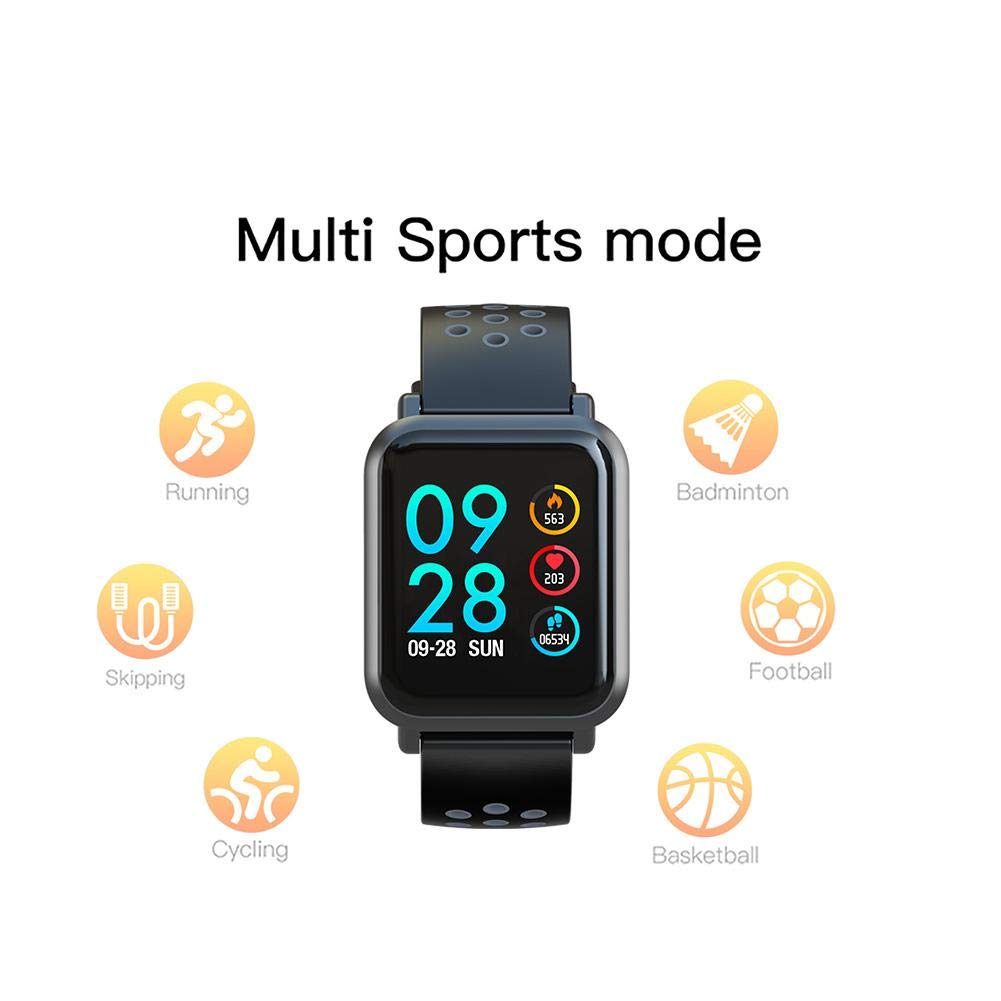
Image: The ASHATA SN60 Smart Watch displaying time and activity data, surrounded by icons for various multisport modes including running, badminton, skipping, football, cycling, and basketball.
4.4 Notifications
Once paired with your smartphone, the watch can display notifications for calls, messages, and social media alerts. Ensure notification permissions are granted in the companion app.
4.5 Customizing Watch Faces
You can personalize your watch face through the companion app:
- Open the ASHATA app on your smartphone.
- Navigate to the watch face customization section.
- Choose from pre-installed designs or upload your own images to create a custom watch face.

Image: The ASHATA SN60 Smart Watch displaying a digital watch face, surrounded by a grid of other customizable watch face options, including analog, digital, and photo-based designs.
4.6 Weather Forecast
The watch can display current and upcoming weather information when connected to your smartphone and the app has location permissions.

Image: The ASHATA SN60 Smart Watch displaying time and activity data, with text indicating weather forecast details such as temperature, weather conditions, air quality, and a two-day forecast.
5. Maintenance
5.1 Waterproofing
The ASHATA SN60 Smart Watch has an IP68 rating, meaning it is dustproof and can withstand immersion in water up to 1.5 meters for 30 minutes. It is suitable for washing hands, washing dishes, splashes, and rain. Avoid hot water, steam, or prolonged immersion in deep water.
5.2 Cleaning
Clean the watch and strap regularly with a soft, damp cloth. Avoid using harsh chemicals or abrasive materials. Ensure the charging contacts are clean and dry before charging.
5.3 Strap Removal and Replacement
The strap features a quick-release mechanism for easy removal and cleaning. Locate the small lever on the underside of the strap near the watch body, slide it to release, and gently pull the strap away. To reattach, align the pins with the holes and slide the lever to secure.
6. Troubleshooting
| Issue | Possible Solution |
|---|---|
| Watch does not turn on | Ensure the watch is fully charged. Connect to the charging clip and a power source for at least 30 minutes. |
| Cannot pair with smartphone | Ensure Bluetooth is enabled on your phone. Restart both the watch and phone. Make sure the watch is not already paired with another device. Check app permissions. |
| Inaccurate heart rate/blood pressure readings | Ensure the watch is worn snugly on your wrist, about one finger-width above the wrist bone. Remain still during measurements. Readings are for reference and not for medical diagnosis. |
| Notifications not appearing | Check Bluetooth connection. Ensure notification permissions are enabled for the app and specific applications on your phone. Verify that 'Do Not Disturb' mode is not active on the watch or phone. |
| Screen is unresponsive | Restart the watch by pressing and holding the side button (if available) or by connecting it to the charger. If the issue persists, contact customer support. |
7. Specifications
| Feature | Detail |
|---|---|
| Model | SN60 |
| Material | Zn-Mg alloy case, Food grade silicone wristband |
| Dimensions | Approx. 25 x 3.5 x 1 cm (9.84 x 1.38 x 0.39 inches) |
| Weight | 140 g |
| Screen Size | 1.2 Inches |
| Screen Resolution | 240 x 240 |
| Panel | 2.5D for Corning 5th Generation Gorilla Tempered Glass |
| Chip | NRF52832 (NORDIC) |
| Bluetooth | BT 4.1 |
| Battery Capacity | 150mAh (Lithium Ion) |
| Charging Method | Charging clip |
| Waterproof Rating | IP68 (3ATM) |
| Acceleration Sensor | For BOSCH BMA421 |

Image: A side profile diagram of the ASHATA SN60 Smart Watch highlighting its 9.9mm slim thickness and zinc-magnesium alloy unibody construction.

Image: A diagram illustrating the NORDIC NRF52832 chipset, highlighting its performance improvement over previous models, indicating advanced processing capabilities.
8. Warranty and Support
For warranty information and customer support, please refer to the documentation provided at the time of purchase or contact ASHATA customer service through their official website or authorized channels. Keep your purchase receipt as proof of purchase.