
Diablo X-Horn L
DIABLO X-Horn 2.0 Gaming Chair User Manual
Model: X-Horn 2.0
Introduction
Thank you for choosing the DIABLO X-Horn 2.0 Gaming Chair. This manual provides essential information for the safe assembly, operation, and maintenance of your new chair. Please read these instructions carefully before use and retain them for future reference.
The DIABLO X-Horn 2.0 is designed to provide ergonomic support and comfort for extended periods of gaming or office work. Its features include adjustable armrests, a reclining backrest, and supportive pillows for the head and lumbar region.

Image: The Diablo X-Horn 2.0 Gaming Chair in a typical gaming environment, showcasing its design and presence.
Safety Information
Please observe the following safety guidelines to ensure safe operation and prevent injury or damage:
- Maximum Weight Capacity: Do not exceed the maximum weight capacity of 150 kg (330 lbs). Exceeding this limit can compromise the chair's stability and structural integrity.
- Assembly: Carefully follow all assembly instructions. Ensure all components are securely fastened before using the chair. Use appropriate tools as indicated in the assembly guide.
- Stability: Before each use, ensure the chair is stable and all parts are properly connected. Avoid sudden movements or leaning excessively, especially when the backrest is reclined.
- Children: Keep children away from the chair during assembly. Small parts may pose a choking hazard. Supervise children when they are near or using the chair.
- Movement: When moving the chair, lift it rather than dragging it to prevent damage to the floor or chair components.
- Maintenance: Perform regular checks for loose screws or damaged parts. Replace any damaged components immediately.
Package Contents
Before beginning assembly, verify that all components are present and undamaged. If any parts are missing or damaged, please contact customer support.
- Backrest
- Seat Base
- Armrests (2)
- Star Base
- Casters (5)
- Gas Lift Cylinder
- Gas Lift Cover
- Tilt Mechanism
- Lumbar Pillow
- Head Pillow
- Side Covers (2)
- Hardware Kit (screws, washers, Allen key)

Image: An exploded diagram showing the main components of the Diablo X-Horn 2.0 Gaming Chair, including the seat, backrest, base, and accessories.
Setup and Assembly
Assembly typically requires two people. Follow these general steps. Refer to the detailed graphical instructions included in your product packaging for precise guidance.
- Attach Casters to Base: Insert the five casters into the holes on the star base until they click securely into place.
- Install Gas Lift: Place the gas lift cylinder into the center hole of the star base. Cover it with the gas lift cover.
- Attach Tilt Mechanism to Seat: Secure the tilt mechanism to the underside of the seat base using the provided screws. Ensure the front of the mechanism faces the front of the seat.
- Connect Seat to Gas Lift: Carefully place the assembled seat onto the gas lift cylinder.
- Attach Backrest to Seat: Align the backrest brackets with the mounting points on the seat base. Secure with screws. Attach the side covers to conceal the screws.
- Install Armrests: Attach the armrests to the seat base using the designated screws. Ensure they are oriented correctly.
- Attach Pillows: Secure the head pillow and lumbar pillow to the backrest using their integrated straps. Adjust their positions for optimal comfort.
Important: Ensure all screws are tightened firmly but do not overtighten. Periodically check and retighten screws as needed.
Operating Instructions
1. Height Adjustment
To adjust the chair's height, pull the lever located on the right side of the seat (underneath). While seated, pull the lever up to lower the chair. To raise the chair, stand up slightly and pull the lever up. Release the lever to lock the height.
2. Backrest Recline (Tilttech Gear)
The backrest can be reclined up to approximately 160 degrees. Locate the recline lever on the right side of the chair, between the seat and the backrest. Pull the lever up to unlock the backrest, then lean back to your desired angle. Release the lever to lock the backrest in position.
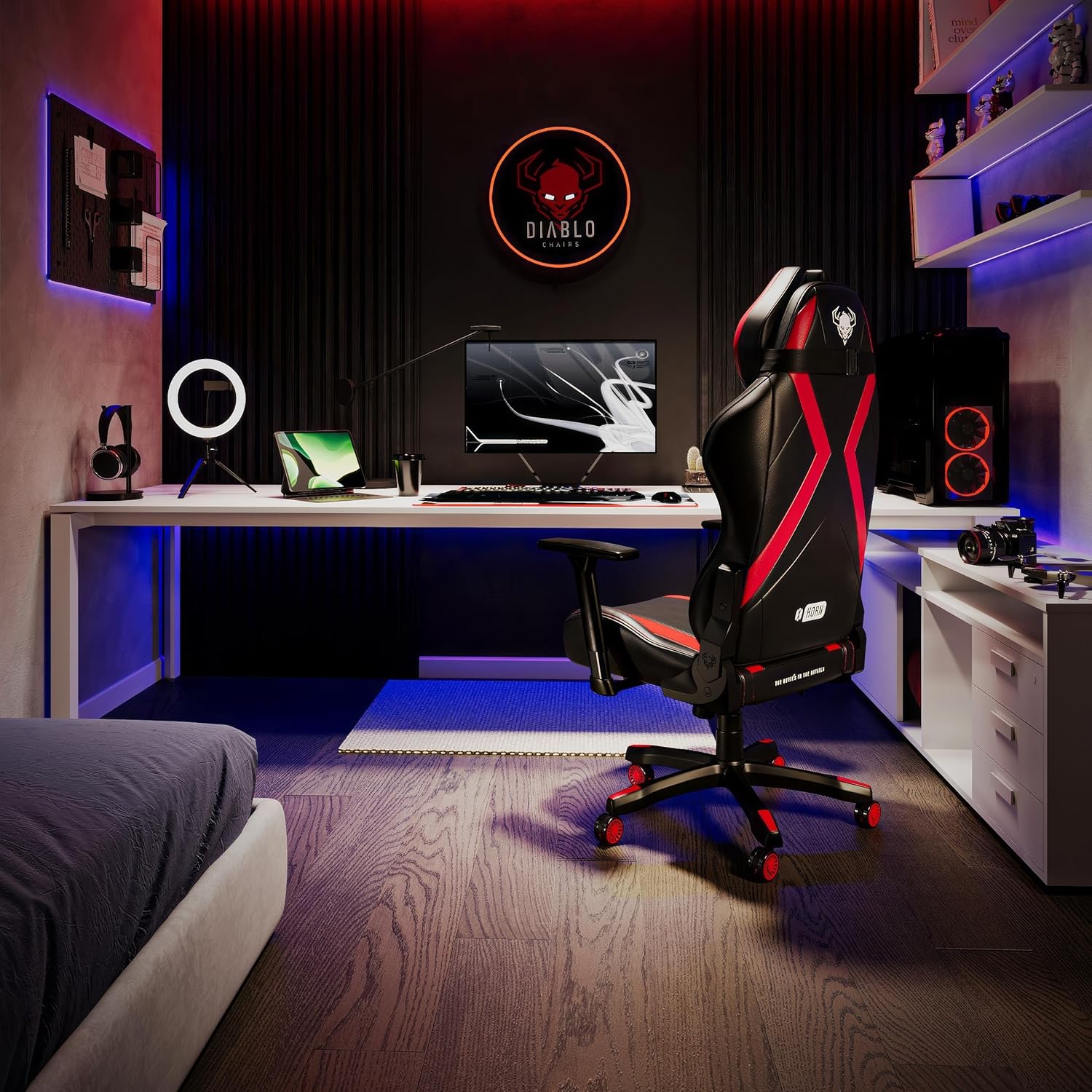
Image: Illustration of the chair's recline functionality, demonstrating angles suitable for gaming (120°), work (90°), movie watching (140°), and napping (160°).
3. Armrest Adjustments (Armtech Hybrid)
The 3D armrests offer multiple adjustment options:
- Height Adjustment (Vertical): Press the button on the side of the armrest support and move the armrest up or down. Release the button to lock.
- Forward/Backward Adjustment (Horizontal): Slide the armrest pad forward or backward to find your preferred position.
- Swivel Adjustment (Rotational): Rotate the armrest pad left or right to angle it as needed.

Image: Detailed view of the Armtech Hybrid armrests, illustrating their 3D adjustment capabilities: vertical (A), swivel (B), and horizontal (C).
4. Tilt/Rocking Mechanism (Tilttech Swing)
The chair features a tilt mechanism that allows for a rocking motion. To enable rocking, pull the lever on the left side of the seat (underneath) outwards. Push the lever inwards to lock the chair in an upright position.

Image: Illustration of the Tilttech Swing function, demonstrating how to engage and disengage the rocking motion using the lever.
5. Lumbar and Head Pillow Adjustment
The included memory foam head and lumbar pillows are adjustable. Use the integrated straps to position them along the backrest to best support your head and the natural curve of your lower back. They can be easily moved up or down, or removed if preferred.

Image: A hand demonstrating the adjustability of the memory foam head and lumbar pillows on the Diablo X-Horn 2.0 chair.

Image: Close-up of the adjustable lumbar support pillow on the Diablo X-Horn 2.0, highlighting its vertical movement for personalized comfort.
6. Seat Design and Comfort
The seat of the DIABLO X-Horn 2.0 features a dual-layer construction with high-quality cold foam, designed to provide firm yet comfortable support for extended use. This design helps maintain proper posture and reduces pressure points.

Image: Cross-sectional view illustrating the dual-layer hard foam construction of the chair's seat, engineered for durability and support.
Maintenance
Proper maintenance will extend the life and appearance of your DIABLO X-Horn 2.0 Gaming Chair:
- Cleaning: The HDS faux leather cover is waterproof and easy to clean. For general cleaning, wipe with a soft, damp cloth. For spills or stains, use a mild soap solution and spot clean the affected area. Avoid harsh chemicals or abrasive cleaners.
- Inspection: Periodically check all screws and bolts to ensure they are tight. Retighten if necessary. Inspect the casters for any debris that might hinder smooth movement.
- Avoid Direct Sunlight: Prolonged exposure to direct sunlight can cause the faux leather to fade or crack. Position your chair away from direct sunlight when possible.
- Weight Limit: Always adhere to the maximum weight capacity of 150 kg (330 lbs).
Troubleshooting
If you encounter any issues with your DIABLO X-Horn 2.0 Gaming Chair, refer to the following common solutions:
- Chair Squeaks or Creaks:
- Check and tighten all assembly screws, especially those connecting the backrest to the seat and the tilt mechanism to the seat.
- Apply a small amount of silicone lubricant to moving parts, such as the tilt mechanism springs or gas lift connection points, if accessible.
- Chair Does Not Adjust Height:
- Ensure the height adjustment lever is fully engaged or disengaged as required.
- Verify that the gas lift cylinder is correctly seated in the base and the tilt mechanism. If the gas lift is faulty, it may need replacement.
- Casters Not Rolling Smoothly:
- Check casters for trapped hair, dust, or debris. Clean them thoroughly.
- Ensure casters are fully inserted into the star base.
- Backrest Does Not Recline or Lock:
- Ensure the recline lever is fully pulled to unlock or released to lock.
- Check for any obstructions preventing the mechanism from moving freely.
If these solutions do not resolve the issue, please contact Diablo customer support for further assistance.
Specifications
| Feature | Detail |
|---|---|
| Model Name | X-Horn 2.0 |
| Brand | Diablo |
| Color | Black-red |
| Material (Cover) | High quality HDS synthetic leather |
| Material (Fill) | Cold Foam |
| Frame Material | Metal |
| Product Dimensions (D x W x H) | 26.38"D x 27.56"W x 52.76"H |
| Item Weight | 25 Kilograms (approx. 55 lbs) |
| Maximum Weight Recommendation | 150 Kilograms (approx. 330 lbs) |
| Backrest Recline Angle | Up to 160° |
| Armrest Type | 3D Adjustable (Height, Forward/Backward, Swivel) |
| Included Components | Gaming Chair, Head Pillow, Lumbar Pillow |
| Assembly Required | Yes |
Warranty and Support
For warranty information, please refer to the documentation included with your purchase or visit the official Diablo website. If you require technical support, have questions about assembly, or need replacement parts, please contact Diablo customer service through their official channels.
Contact Information: Please refer to your purchase receipt or the manufacturer's website for the most current customer support contact details.
Related documentsX-Horn L


Ask a question about this manual
Ask about setup, troubleshooting, compatibility, parts, safety, or missing instructions. Manuals+ will review the question and use this page’s manual context to help answer it.