
Introduction
The Pro-Ject T1 Phono SB Turntable is a high-fidelity, European-built belt-drive turntable designed to deliver exceptional audio performance. This model features an integrated phono preamplifier and electronic speed control, ensuring a seamless and high-quality listening experience for your vinyl collection.
Key features include a factory-pre-set tonearm and cartridge for easy installation, an 8mm thick bead-blasted glass platter for stable playback, and precise electronic selection for both 33 1/3 and 45 RPM speeds. The built-in phono preamp is bypassable, offering flexibility for connection to various audio systems.

Image: A close-up view of the Pro-Ject T1's 8mm thick bead-blasted glass platter.
What's in the Box
Upon unpacking, please ensure all the following components are present:
- Pro-Ject T1 Phono SB Turntable
- Dust Cover
- Ortofon OM5e Phono Cartridge (pre-mounted)
- Connect-It E High Quality Audio Cable
- Setup and Adjustment Tools
- 15 V DC Power Supply
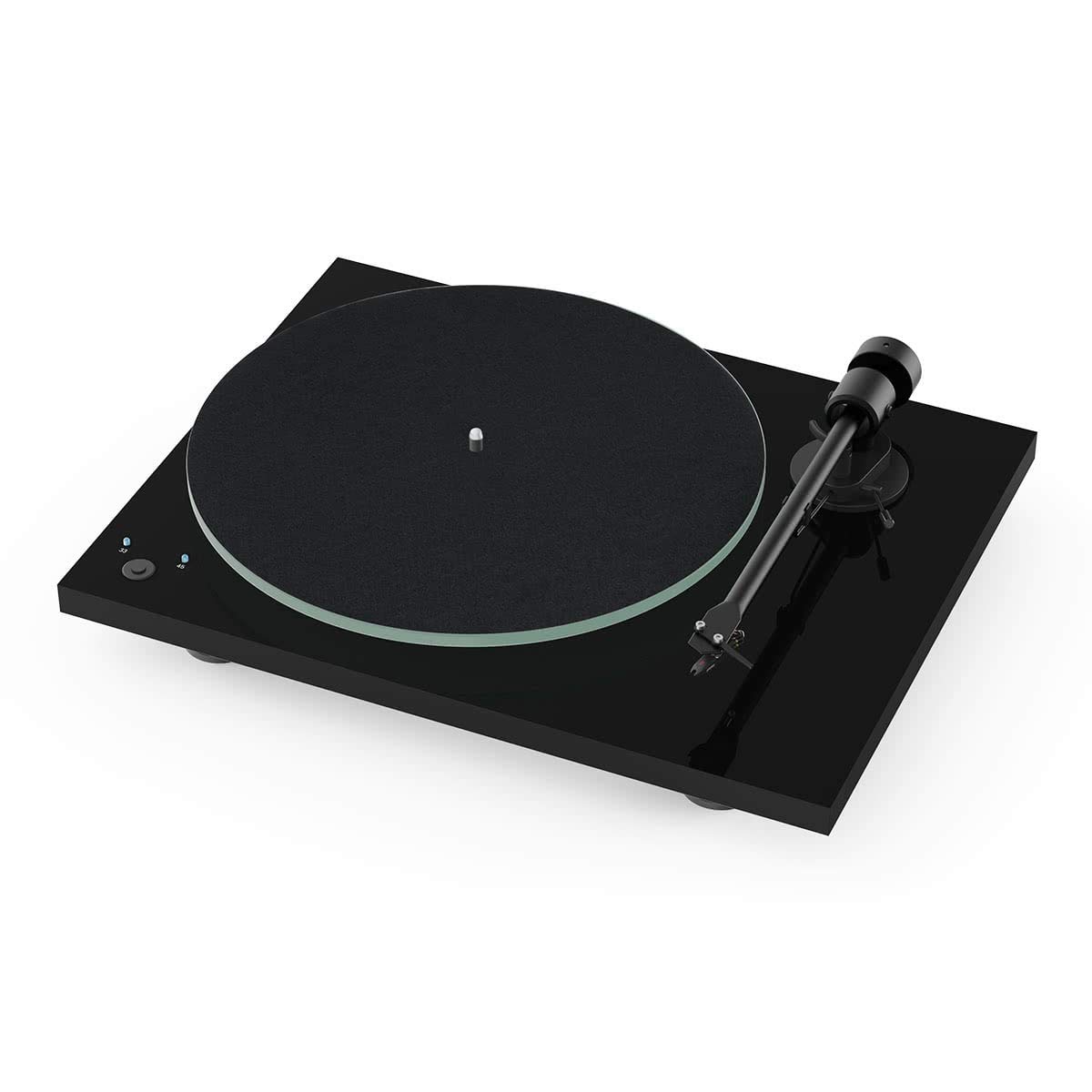
Image: The Pro-Ject T1 Phono SB Turntable in Piano Black, showcasing its sleek design and glass platter.
Setup
The T1 Phono SB turntable is designed for easy setup, with the tonearm and Ortofon OM5e cartridge pre-installed and adjusted at the factory. Follow these steps to get started:
- Placement: Place the turntable on a stable, level surface away from direct sunlight, heat sources, and strong vibrations.
- Dust Cover Installation: Carefully attach the dust cover hinges to the designated slots on the turntable plinth.
- Platter Installation: Place the glass platter onto the sub-platter spindle. Ensure it sits flush and rotates freely.
- Belt Installation: Gently stretch the drive belt around the sub-platter and the motor pulley. For 33 1/3 RPM, use the smaller diameter of the pulley. For 45 RPM, use the larger diameter.
- Audio Connection: Connect the supplied Connect-It E audio cable from the turntable's output to your amplifier's phono input (if using the internal preamp) or a line-level input (if bypassing the internal preamp and using an external phono stage). Ensure the ground wire is connected to your amplifier's ground terminal to minimize hum.
- Power Connection: Connect the 15V DC power supply to the turntable's power input and then plug it into a wall outlet.

Image: The Pro-Ject T1 Phono SB Turntable with its protective dust cover open, ready for operation.
Operating Instructions
Operating your Pro-Ject T1 Phono SB turntable is straightforward:
- Power On: Locate the power button, typically on the underside or side of the plinth. Press it to turn on the turntable. The platter will begin to rotate.
- Speed Selection: Use the electronic speed control button to switch between 33 1/3 RPM and 45 RPM. The indicator light will confirm the selected speed.
- Playing a Record:
- Place a record on the platter.
- Lift the tonearm using the cueing lever.
- Carefully position the tonearm over the desired starting groove of the record.
- Gently lower the cueing lever to allow the stylus to descend onto the record.
- Stopping Playback:
- Lift the tonearm using the cueing lever.
- Return the tonearm to its rest and secure it with the tonearm clip.
- Press the power button to turn off the turntable.
- Phono Preamp Bypass: The T1 Phono SB has a built-in phono preamp. If you wish to use an external phono stage, consult your turntable's specific model documentation for instructions on how to bypass the internal preamp. This usually involves a switch on the rear panel.

Image: A detailed view of the T1's tonearm and the pre-mounted Ortofon OM5e phono cartridge.
Maintenance
Regular maintenance ensures the longevity and optimal performance of your turntable:
- Cleaning the Platter and Plinth: Use a soft, lint-free cloth to gently wipe the glass platter and the turntable plinth. Avoid abrasive cleaners.
- Stylus Cleaning: Periodically clean the stylus using a dedicated stylus brush, brushing gently from back to front.
- Dust Cover: Keep the dust cover closed when the turntable is not in use to protect it from dust and debris. Clean the dust cover with a soft, damp cloth.
- Drive Belt: Inspect the drive belt periodically for wear or stretching. Replace if necessary to maintain accurate speed.
- Avoid Liquids: Do not spill any liquids on the turntable. If a spill occurs, immediately disconnect power and clean thoroughly.
Troubleshooting
If you encounter issues with your turntable, refer to the following common solutions:
| Problem | Possible Cause | Solution |
|---|---|---|
| No power/Platter not spinning | Power cable not connected, power outlet faulty, power button off. | Check power connections, try a different outlet, ensure power button is pressed. |
| No sound or low volume | Audio cables incorrect, amplifier input wrong, phono preamp bypass switch set incorrectly. | Ensure audio cables are securely connected to the correct inputs (Phono or Line), verify phono preamp setting. |
| Humming sound | Ground wire not connected, proximity to other electronics. | Connect the ground wire to your amplifier. Move turntable away from other electronic devices. |
| Incorrect playback speed | Wrong speed selected, drive belt issue. | Verify speed setting (33 1/3 or 45 RPM). Check if the drive belt is properly seated and not worn. |
If the issue persists after attempting these solutions, please contact customer support or refer to the warranty information for service options.
Specifications
| Feature | Detail |
|---|---|
| Brand | Pro-Ject |
| Model Name | T1 Phono SB |
| Maximum Rotational Speed | 45 RPM |
| Special Feature | Built-In Preamp, Belt Drive |
| Material | Plastic (Plinth), Glass (Platter) |
| Item Weight | 7.14 Kilograms |
| Color | Piano Black |
| Compatible Devices | Desktop, Headphone, Laptop, MP3 Player, Personal Computer, Smartphone, Speaker, Tablet |
| Cycles | AC Motor |
| Signal Format | Analog |
| Voltage | 15 Volts (DC) |
| Power Source | Corded Electric |
| Signal-to-Noise Ratio | 75 dB |
| Connectivity Technology | Wired |
| Item Dimensions (L x W x H) | 13.19"L x 16.34"W x 3.94"H |
| Manufacturer | Pro-Ject Audio Systems |
| UPC | 844682009681 |
| GTIN | 00844682009681 |
Warranty and Support
The Pro-Ject T1 Phono SB Turntable comes with a 2-year warranty covering parts and labor. The included Ortofon OM5e Phono Cartridge has a separate 90-day warranty.
For technical support, service, or warranty claims, please contact your authorized Pro-Ject dealer or visit the official Pro-Ject Audio Systems website for contact information. Please retain your proof of purchase for warranty validation.