
Princess 01.353130.01.001
Princess 353130 Connected Dehumidifier User Manual
Model: 01.353130.01.001
Introduction
The Princess 353130 Connected Dehumidifier is designed to regulate humidity levels in your home, creating a more comfortable and healthier indoor climate. This smart appliance offers various modes, including a dedicated laundry drying function and a fan mode, all controllable via the HomeWizard Climate application on your smartphone.
Maintaining optimal humidity (ideally between 40% and 60%) is crucial for preventing mold growth and mitigating health issues such as asthma and allergies. This manual provides essential information for the safe and efficient operation of your dehumidifier.
Important Safety Instructions
Please read all instructions carefully before using the appliance. Keep this manual for future reference.
- Always connect the appliance to a grounded power outlet.
- Do not operate the dehumidifier with a damaged cord or plug.
- Do not block the air inlets or outlets. Ensure adequate space around the unit for proper airflow.
- Do not immerse the appliance, cord, or plug in water or other liquids.
- Unplug the appliance before cleaning or performing any maintenance.
- This appliance is for indoor use only.
- Keep out of reach of children.
- Do not use the appliance in areas where flammable gases or liquids are stored.
- Empty the water tank regularly to prevent overflow. The unit will automatically shut off when the tank is full.
Product Features
- Smart Control: Operate and monitor humidity levels remotely via the HomeWizard Climate app (available for Android and iOS).
- Multiple Modes: Choose from Dehumidify, Automatic, Continuous, Laundry, and Fan modes to suit your needs.
- Laundry Mode: Accelerates the drying process of clothes by efficiently removing moisture from the air.
- Fan Function: Can be used as a standalone fan to circulate air, providing a cooling breeze.
- Adjustable Humidity: Set your desired humidity level for optimal comfort.
- Timer and Schedule: Program the dehumidifier to turn on/off at specific times using the app.
- Hidden Display: Modern Scandinavian design with an integrated LED display that shows humidity levels when in use.
- Water Tank Indicator: Alerts you when the 6-liter water tank is full and needs emptying.
- Automatic Defrost: Ensures efficient operation even in cooler environments.
- Quiet Operation: Operates at a low noise level of 44 dB, suitable for various living spaces.
Setup
1. Unpacking
Carefully remove the dehumidifier and all packaging materials from the box. Ensure all components listed in the packaging content are present: the dehumidifier unit and this user manual.

Image: The Princess 353130 Connected Dehumidifier, a white rectangular unit with a black top panel and a digital display showing "50".
2. Placement
Place the dehumidifier on a firm, level surface in the room where humidity control is desired. Ensure there is at least 20 cm (8 inches) of clear space around all sides of the unit for optimal airflow. The unit is designed for rooms up to 35 m².

Image: The dehumidifier positioned in a room, next to a laundry rack, demonstrating its use in a practical setting.

Image: An illustrative diagram indicating the dehumidifier's effective coverage area of 35 square meters, along with icons for 30 L/day dehumidification and 260 m³/h airflow.
3. Power Connection
Plug the power cord into a standard 240V grounded electrical outlet. The unit will enter standby mode.

Image: A diagram showing the dimensions of the dehumidifier (59.5 cm height, 39 cm depth, 27.2 cm width) and its specifications: 14.5 kg weight and 580 W power consumption.
4. App Connection (HomeWizard Climate)
To utilize the smart features, download the "HomeWizard Climate" app from your smartphone's app store (Android or iOS). Follow the in-app instructions to pair your dehumidifier with your Wi-Fi network. This process typically involves selecting your Wi-Fi network and entering the password.

Image: A person's hand holding a smartphone displaying the HomeWizard Climate app interface, with the dehumidifier visible in the background, illustrating remote control functionality.
Operating Instructions
Control Panel Overview
The control panel is located on the top of the unit and features a digital display and touch-sensitive buttons. The display shows the current humidity level or other relevant information.

Image: A detailed view of the dehumidifier's control panel, highlighting buttons for Oscillation, Speed Adjustment, 24-hour Timer, Modes, Child Lock, and Power On/Off, along with the digital display.
Operating Modes
Press the Mode button on the control panel or select the desired mode in the HomeWizard Climate app.
- Dehumidify Mode: Allows you to set a specific target humidity percentage. The unit will operate until this level is reached.
- Automatic Mode: The dehumidifier intelligently adjusts its operation to maintain an optimal humidity level based on the room's temperature.
- Continuous Mode: The unit runs continuously, providing maximum dehumidification.
- Laundry Mode: Activates a powerful dehumidification setting to quickly dry clothes.
- Fan Mode: The unit operates as a fan, circulating air without dehumidifying. This mode is useful for general air circulation.
Setting Humidity Level
In Dehumidify Mode, use the + and - buttons on the control panel or the app to set your desired humidity percentage (e.g., 50%).
Timer Function
Press the Timer button to set an operating duration (e.g., 2 hours) after which the unit will automatically turn off. More advanced scheduling options are available through the HomeWizard Climate app.
Fan Speed Adjustment
Press the Fan Speed button to cycle through available fan speeds (High/Low). This can also be adjusted via the app.
Oscillation
Press the Oscillation button to activate or deactivate the oscillating louvers, which help distribute dry air more evenly.
Child Lock
Press and hold the Child Lock button to disable the control panel, preventing accidental changes to settings.
Maintenance
Regular maintenance ensures optimal performance and extends the lifespan of your dehumidifier.
1. Emptying the Water Tank
When the water tank is full, the "FULL" indicator light will illuminate, and the unit will automatically stop operating. Carefully pull out the water tank from the side of the unit, empty the collected water, and reinsert the tank firmly until it clicks into place.
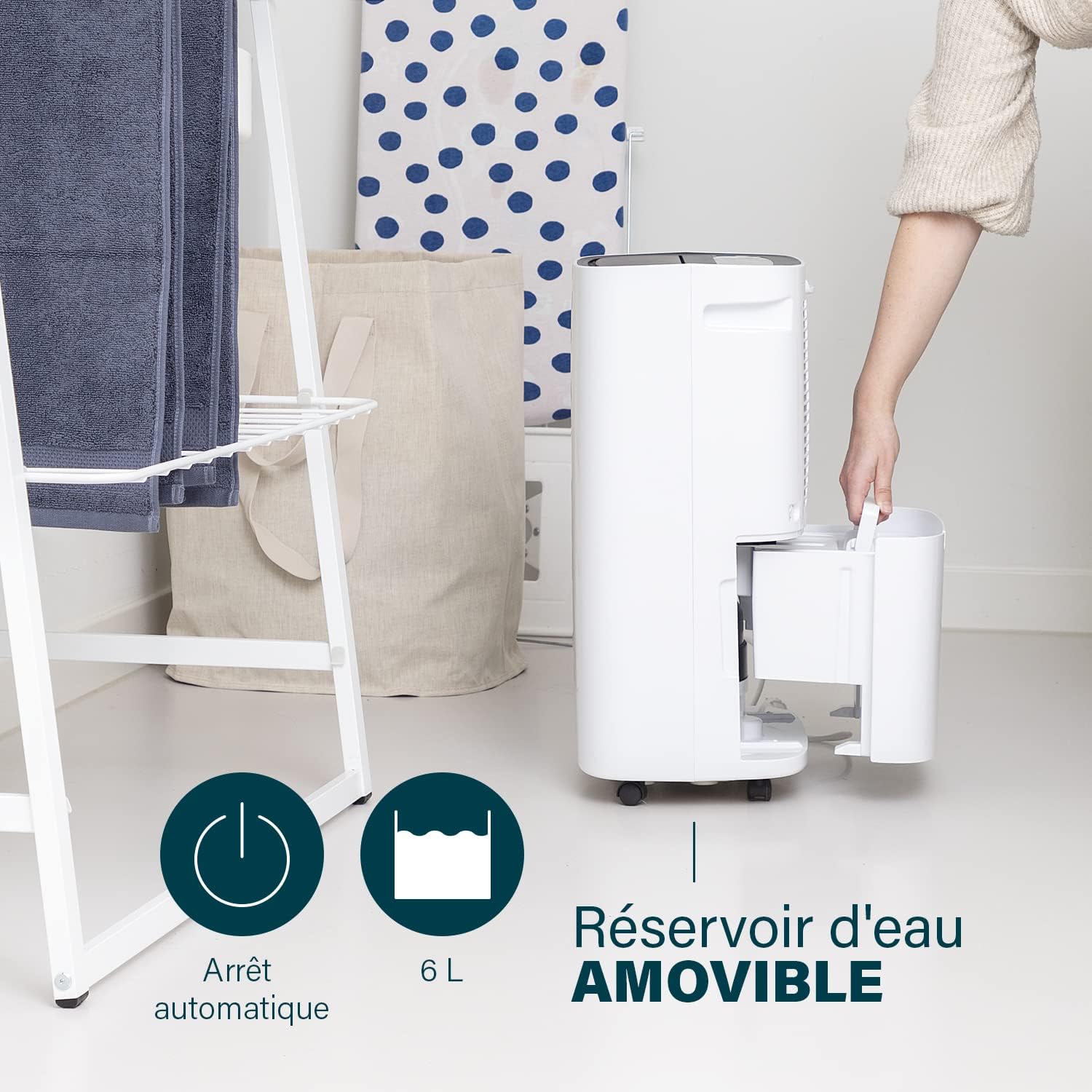
Image: A hand demonstrating the removal of the 6-liter removable water tank from the side of the dehumidifier, with icons indicating automatic shut-off and tank capacity.
Continuous Drainage Option: For continuous operation without needing to empty the tank, you can connect a drain hose (not included) to the continuous drainage port. Refer to the diagram in the quick start guide for the exact location of the port. Ensure the hose is sloped downwards for proper drainage.
2. Cleaning the Air Filter
The dehumidifier is equipped with an air filter to capture dust and particles. A clean filter ensures efficient operation. It is recommended to clean the filter every two weeks or more frequently depending on usage and air quality.
- Turn off and unplug the dehumidifier.
- Locate and remove the air filter (typically at the back or side of the unit).
- Clean the filter with a vacuum cleaner or wash it gently with warm, soapy water. Rinse thoroughly.
- Allow the filter to air dry completely before reinserting it into the unit.
3. General Cleaning
Wipe the exterior of the dehumidifier with a soft, damp cloth. Do not use abrasive cleaners or solvents, as these can damage the surface. Ensure the unit is completely dry before plugging it back in.
Troubleshooting
If you encounter issues with your Princess 353130 Dehumidifier, refer to the following common problems and solutions:
| Problem | Possible Cause | Solution |
|---|---|---|
| Unit does not turn on. | No power, power cord loose, water tank full or not properly inserted. | Check power connection. Empty and reinsert water tank correctly. |
| Dehumidifier not collecting water or not reducing humidity. | Room temperature too low, air filter clogged, air inlets/outlets blocked, room size too large, humidity setting too high. | Ensure room temperature is above 5°C (41°F). Clean air filter. Clear obstructions. Check room size suitability (max 35 m²). Lower target humidity setting. |
| Unit is noisy. | Unit not on a level surface, fan obstruction, normal operating noise. | Place on a flat, stable surface. Check for any foreign objects near the fan. A certain level of noise (44 dB) is normal during operation. |
| Wi-Fi connection issues. | Incorrect Wi-Fi password, weak signal, router issues. | Ensure correct Wi-Fi password. Move unit closer to router. Restart router and dehumidifier. Re-pair via app if necessary. |
| Water tank full indicator is on, but tank is not full. | Float switch malfunction or obstruction. | Check the float switch inside the water tank for any obstructions and ensure it moves freely. |
If the problem persists after attempting these solutions, please contact customer support.

Image: A chart comparing noise levels: Under 15 dB (Silent), 30 dB (Whispers), 42 dB (Connected Dehumidifier), 60 dB (Normal Conversation), indicating the dehumidifier's quiet operation.
Specifications
| Feature | Specification |
|---|---|
| Model Number | 01.353130.01.001 |
| Dimensions (L x W x H) | 26.5 x 37.1 x 59.5 cm (10.4 x 14.6 x 23.4 inches) |
| Weight | 16.5 kg (36.4 lbs) |
| Power Supply | 240 Volts |
| Wattage | 580 Watts |
| Dehumidification Capacity | 30 Liters/day |
| Airflow Capacity | 260 m³/hour |
| Noise Level | 44 dB |
| Water Tank Volume | 6 Liters |
| Recommended Usage Area | Up to 35 m² |
| Special Features | Automatic Defrost, Humidistat, Adjustable Airflow, Removable Water Tank |
Warranty and Support
The Princess 353130 Connected Dehumidifier comes with a 2-year manufacturer's warranty.
For technical support, warranty claims, or spare parts inquiries, please contact Princess customer service. Refer to the contact information provided on the Princess official website or your purchase documentation.
Note: Information regarding spare parts availability is currently unavailable.
Ask a question about this manual
Ask about setup, troubleshooting, compatibility, parts, safety, or missing instructions. Manuals+ will review the question and use this page’s manual context to help answer it.