
1. Introduction
Thank you for choosing the Maxima 38120LMGI Leather Analog White Dial Men's Watch. This timepiece combines classic design with reliable quartz movement, featuring a white dial, black leather band, and a durable brass case. This manual provides essential information for the proper setup, operation, and maintenance of your watch to ensure its longevity and accurate performance.

Image 1.1: Front view of the Maxima 38120LMGI watch, showcasing its white dial, black leather strap, and silver-tone case.
2. Key Features Overview
Your Maxima 38120LMGI watch is equipped with several features designed for convenience and durability:
- Quartz Movement: Ensures precise timekeeping.
- Analog Display: Classic three-hand display for hours, minutes, and seconds.
- Day and Date Display: Conveniently located on the dial.
- 30 Meters Water Resistance: Suitable for everyday use and splashes, but not for swimming or diving.
- Mineral Dial Glass: Provides good scratch resistance.
- Genuine Leather Band: Offers comfort and style.
- PVD Coated Metal: For enhanced durability and longevity.

Image 2.1: Visual representation of the watch's key features, including water resistance, movement type, and material details.
3. Setup Instructions
3.1. Setting the Time
- Gently pull the crown (the small knob on the side of the watch) out to the second click position.
- Turn the crown clockwise or counter-clockwise to move the hands and set the desired time. Ensure you differentiate between AM and PM when setting the time, especially if setting the date.
- Once the time is set, push the crown back into its original position against the watch case.
3.2. Setting the Day and Date
- Pull the crown out to the first click position.
- Turn the crown clockwise to adjust the date.
- Turn the crown counter-clockwise to adjust the day.
- Avoid setting the date and day between 9:00 PM and 3:00 AM, as this is when the watch's internal mechanism is engaged in changing the date, and manual adjustment can cause damage. If adjustment is needed during this period, first set the time outside this window, adjust the date/day, then reset the time.
- Once the day and date are set, push the crown back into its original position.

Image 3.1: Angled view of the watch, illustrating the position of the crown for time and date adjustments.
4. Operating Instructions
Once the time, day, and date are set, your Maxima watch will operate continuously. The quartz movement ensures high accuracy. The second hand will move in distinct one-second intervals.
4.1. Water Resistance
Your watch is water-resistant up to 30 meters (3 ATM). This means it is suitable for daily use, such as accidental splashes, rain, or hand washing. It is not suitable for showering, bathing, swimming, diving, or any water sports. Always ensure the crown is fully pushed in to maintain water resistance.
5. Maintenance
5.1. Cleaning Your Watch
- Wipe the watch case and crystal with a soft, dry cloth regularly to remove dust and smudges.
- For stubborn dirt, a slightly damp cloth can be used, followed by a dry cloth. Avoid using chemical cleaners, as they may damage the watch's finish.
5.2. Leather Strap Care
- Avoid prolonged exposure of the leather strap to water, direct sunlight, and extreme temperatures, as this can cause drying, cracking, or discoloration.
- Clean the leather strap with a soft, slightly damp cloth. Allow it to air dry completely.
- Consider using a leather conditioner periodically to keep the strap supple and prevent cracking.
5.3. Battery Replacement
Your watch is powered by a quartz battery. When the watch stops or the second hand begins to skip, it indicates a low battery. Battery replacement should be performed by a qualified watch technician to ensure proper sealing and maintain water resistance. Attempting to replace the battery yourself may void the warranty and damage the watch.
5.4. Storage
When not wearing your watch, store it in a cool, dry place, away from direct sunlight and strong magnetic fields, which can affect timekeeping accuracy.
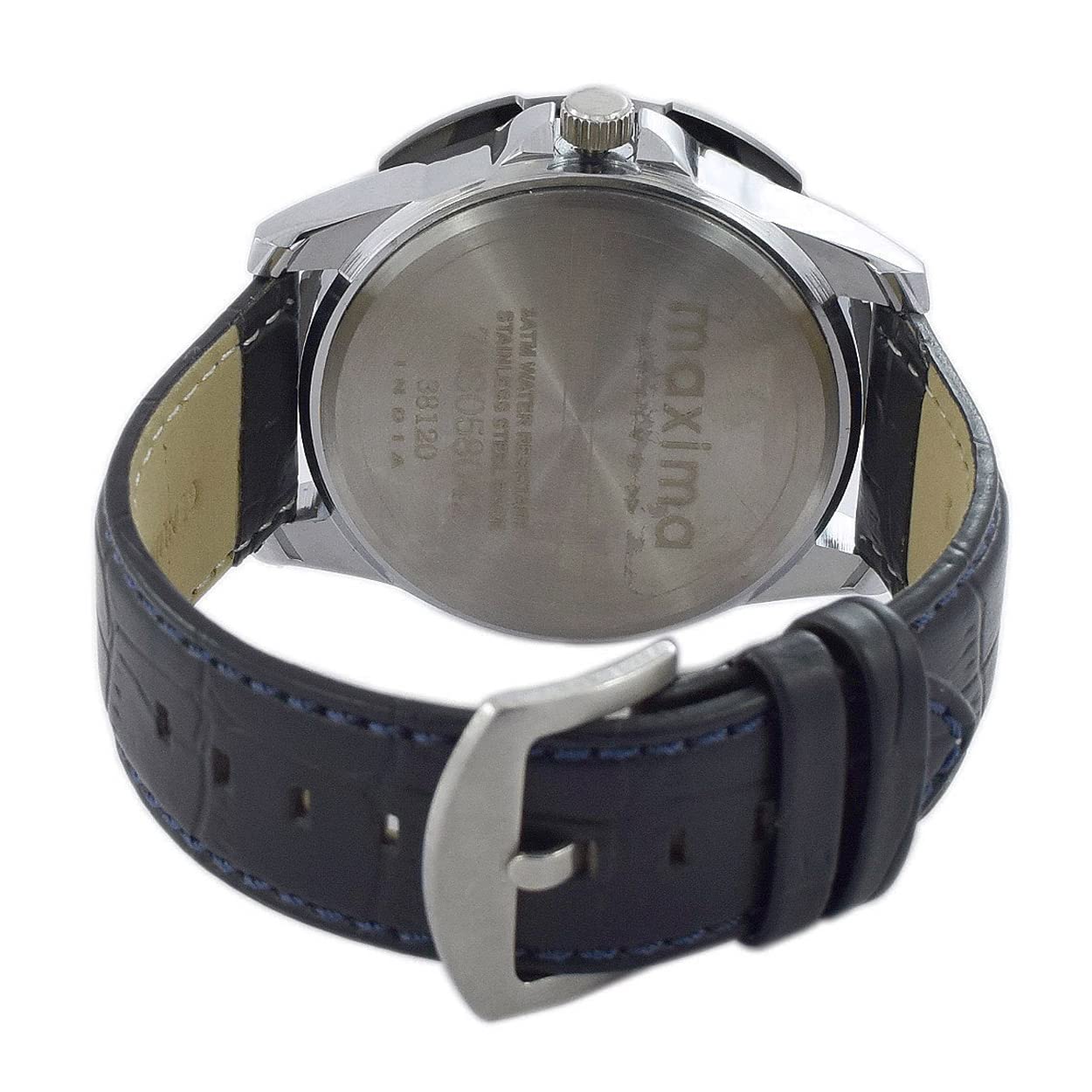
Image 5.1: Rear view of the watch, displaying the stainless steel case back with Maxima branding and the leather strap with its buckle.
6. Troubleshooting
- Watch not running:
- Check if the crown is fully pushed in.
- The battery may be depleted. Contact an authorized service center for battery replacement.
- Time is incorrect:
- Reset the time as per Section 3.1.
- Ensure the crown is fully pushed in after setting.
- Day/Date not changing or changing at the wrong time:
- Ensure the time is set correctly, differentiating between AM and PM. The date typically changes around midnight.
- Reset the day/date as per Section 3.2.
- Condensation under the crystal:
- This indicates moisture ingress. Immediately take the watch to an authorized service center. Do not attempt to dry it yourself.
7. Specifications
| Model Number | 38120LMGI |
| Movement Type | Quartz |
| Display Type | Analog |
| Dial Color | White |
| Case Material | Brass |
| Case Diameter | 49 millimeters |
| Case Thickness | Approximately 12-14 mm (estimated from images) |
| Dial Glass Material | Mineral |
| Band Material | Leather |
| Band Color | Black |
| Band Width | 22 Millimetres |
| Water Resistance Depth | 30 meters (3 ATM) |
| Item Weight | 170 g |
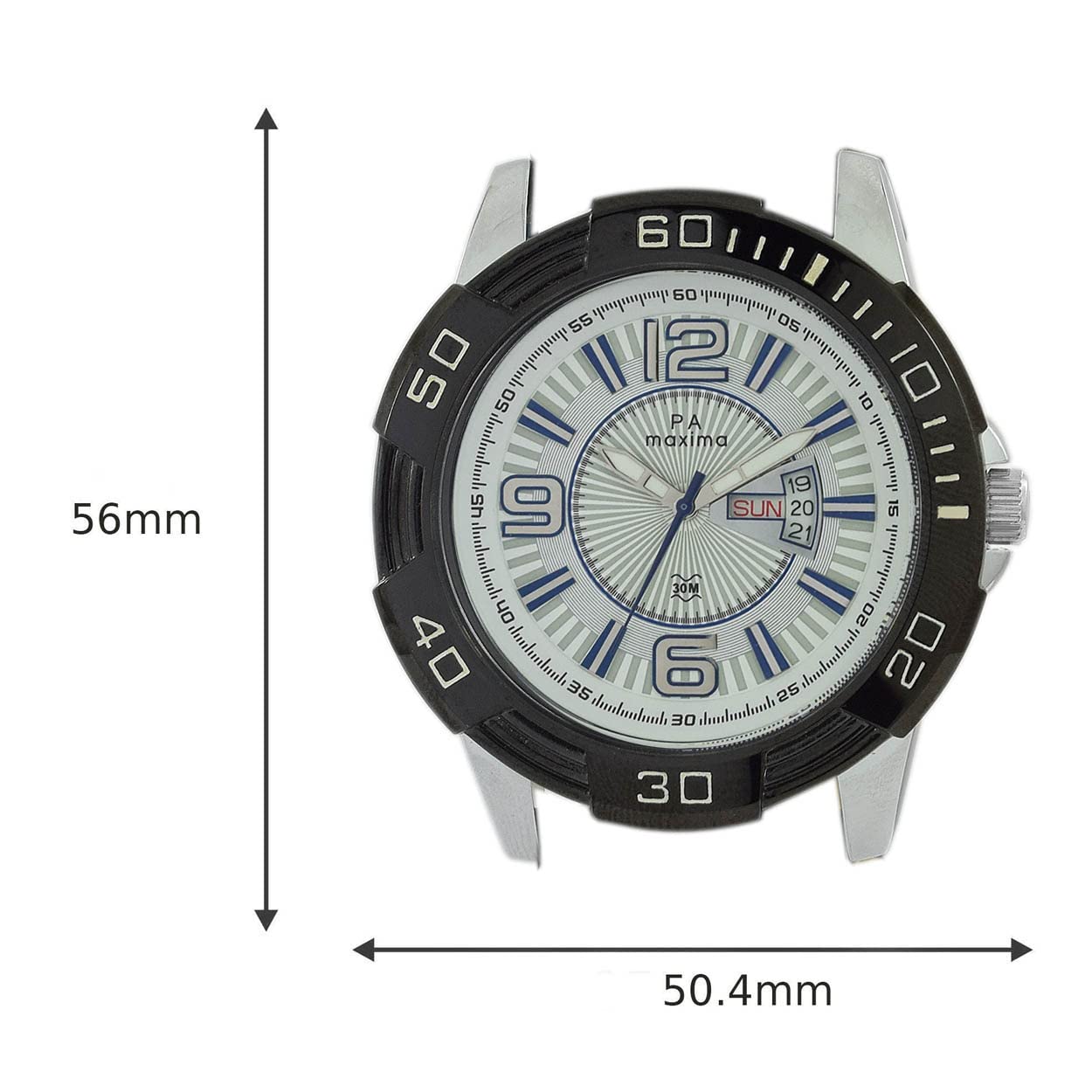
Image 7.1: Watch dimensions, indicating a height of 56mm and a width of 50.4mm.

Image 7.2: The Maxima 38120LMGI watch displayed on a wrist, providing a visual reference for its size and appearance when worn.
8. Warranty and Support
8.1. Manufacturer's Warranty
Your Maxima watch is covered by a manufacturer's warranty against defects in materials and workmanship. The specific terms and duration of the warranty may vary. Please refer to the warranty card included with your purchase or visit the official Maxima website for detailed information.
8.2. Extended Warranty Option
An optional 1-year extended warranty may be available for purchase. Please check with your retailer or the Maxima brand store for details on how to avail this extended coverage.
8.3. Customer Support
For any service, repair, or technical assistance, please contact an authorized Maxima service center or visit the Maxima official website for support contact information. Do not attempt to open or repair the watch yourself, as this may void the warranty.
