
1. Introduction
The SKYVIK TRUHOLD Rectangular Silver Magnetic Mount is a versatile accessory designed to securely hold mobile phones, remotes, and other small devices. Its strong magnetic absorption and adhesive backing allow for installation in various locations, including vehicles, homes, and offices. This manual provides detailed instructions for proper setup, operation, and maintenance to ensure optimal performance and longevity of your magnetic mount.
2. Package Contents
Please verify that all items listed below are present in your package:
- 1 x SKYVIK TRUHOLD Rectangular Silver Magnetic Mount
- 2 x Stronghold Metal Plates
- 2 x Scratchproof Films
3. Safety Information
- Keep the magnetic mount away from sensitive electronic devices that may be affected by strong magnetic fields, such as pacemakers, credit cards, or hard drives.
- Ensure the mounting surface is clean and dry before applying the adhesive to achieve maximum adhesion.
- Avoid placing the mount in locations that obstruct your view while driving or interfere with vehicle controls.
- Do not use the mount for tablets in a car environment, as the weight may exceed the recommended capacity for vehicle use.
4. Setup Instructions
Follow these steps for proper installation of your magnetic mount:
- Prepare the Mounting Surface: Select a flat, smooth surface for installation. Clean the surface thoroughly with an alcohol wipe and allow it to dry completely. This ensures optimal adhesion.
- Apply Metal Plate to Your Device:
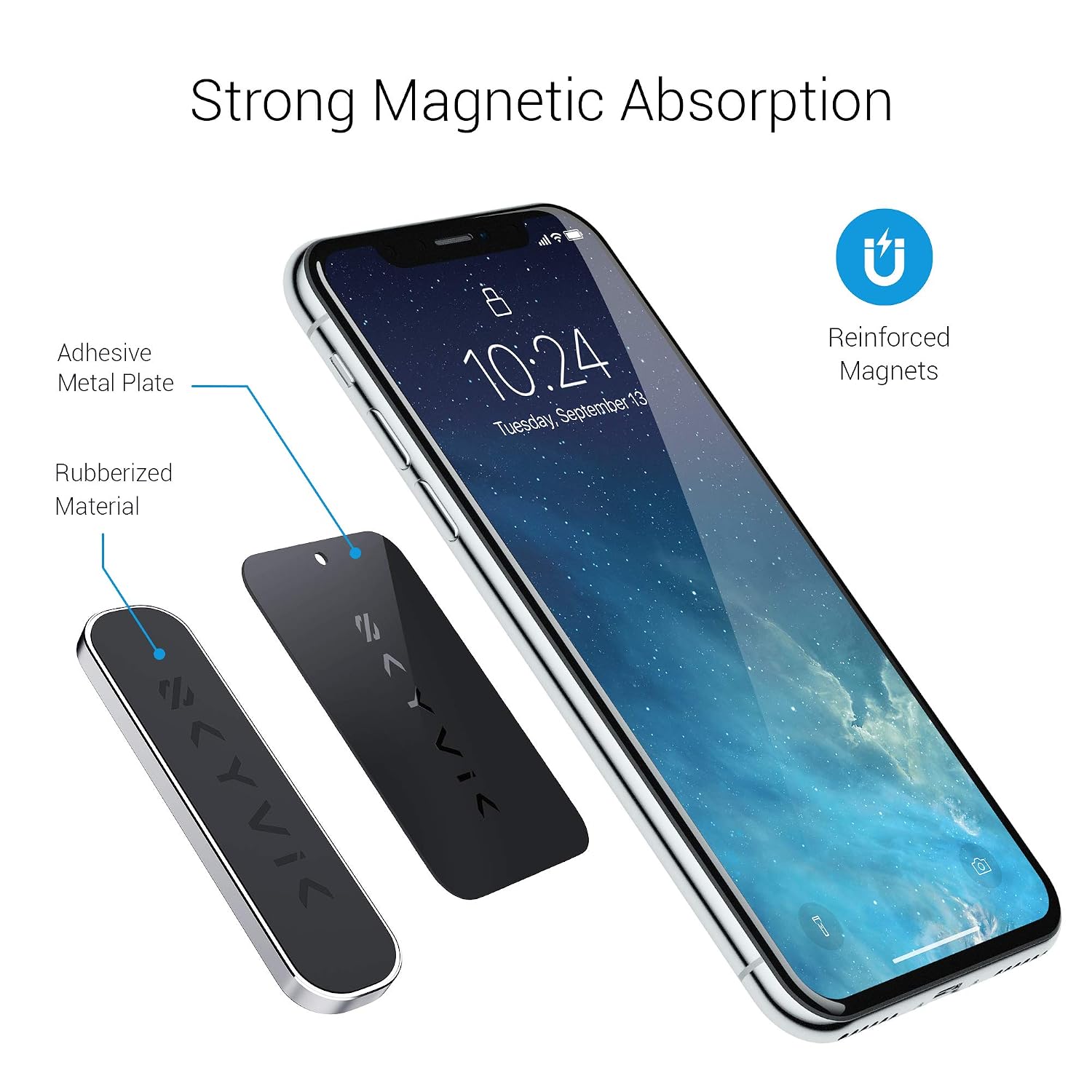
Image: Components of the magnetic mount, including the adhesive metal plate and reinforced magnets.
- First, apply one of the provided scratchproof films to the back of your phone or phone case. This protects your device from direct contact with the metal plate.
- Peel off the protective film from one of the Stronghold Metal Plates.
- Carefully center and press the metal plate onto the scratchproof film on your device. Apply firm pressure for 30 seconds to ensure secure adhesion.
- Mount the TRUHOLD Holder:

Image: SKYVIK TRUHOLD mount installed on a kitchen wall, holding a smartphone.
- Peel off the protective film from the adhesive backing of the SKYVIK TRUHOLD Magnetic Mount.
- Position the mount on your prepared surface and press firmly for at least 30 seconds.
- For optimal adhesion, allow the adhesive to cure for 24 hours before attaching any device.
- Attach Your Device: Once the mount is securely installed and cured, simply place your device (with the metal plate attached) onto the magnetic surface of the TRUHOLD holder. The strong magnets will hold it in place.
5. Operating Instructions
Using your SKYVIK TRUHOLD Magnetic Mount is straightforward:
- Attaching a Device: Align the metal plate on your device with the magnetic surface of the TRUHOLD mount. The magnets will automatically secure your device.
- Detaching a Device: Gently pull your device away from the magnetic mount. Avoid sudden, forceful tugs to prevent dislodging the mount from its surface.
- Versatile Placement: The TRUHOLD mount can be used in various settings. For example, in a car for navigation, in the kitchen for recipes, or in the office for hands-free viewing.

Image: Smartphone securely mounted on a car dashboard for navigation.
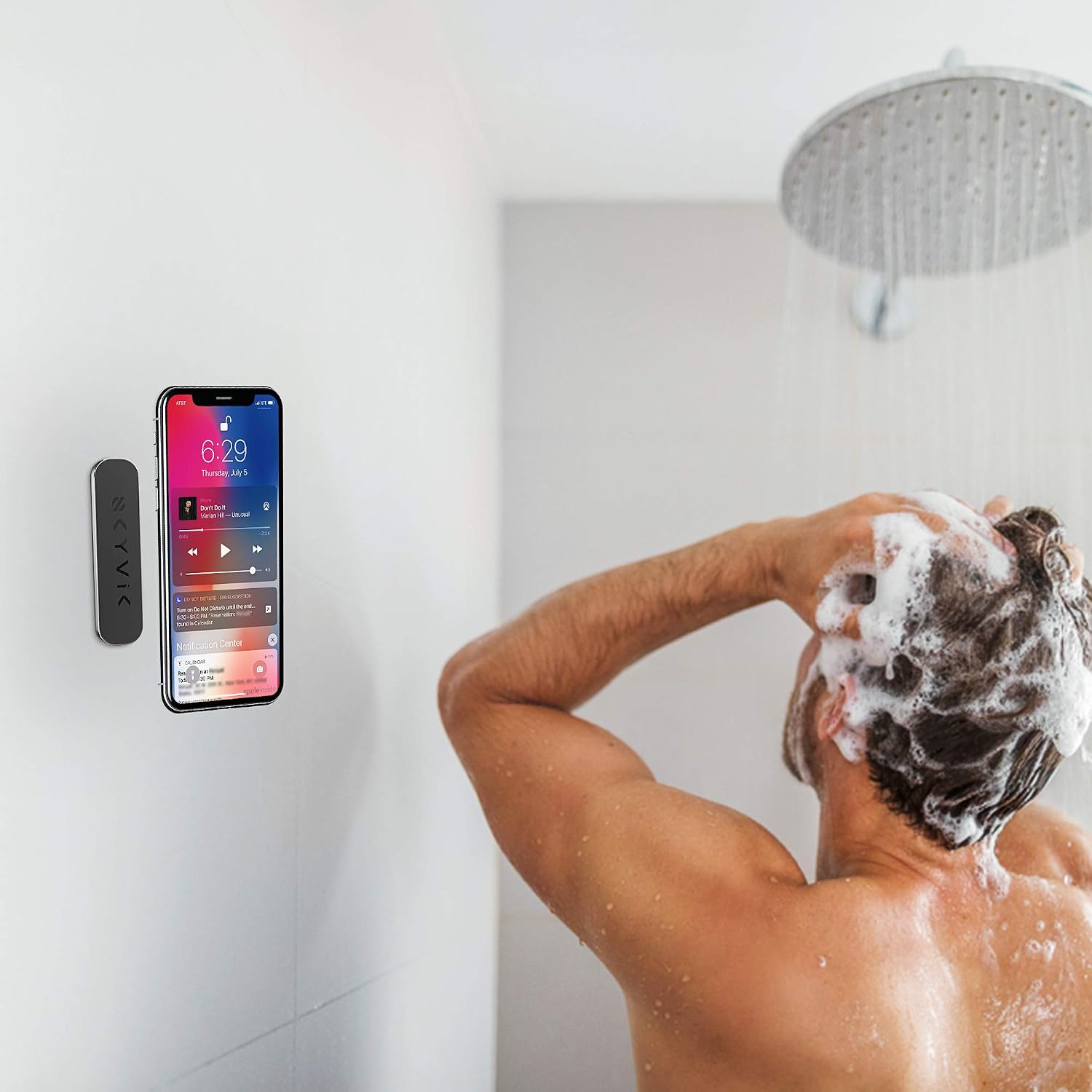
Image: Smartphone mounted on a shower wall for entertainment.

Image: Television remote control mounted on a wall for easy access.
- Note on Tablets: While the mount is strong, tablets are generally not recommended for car use due to their larger size and weight, which may affect stability on bumpy roads.
6. Maintenance
To maintain your SKYVIK TRUHOLD Magnetic Mount in optimal condition:
- Cleaning: Wipe the mount with a soft, damp cloth. Avoid using abrasive cleaners or harsh chemicals, as these can damage the finish or adhesive.
- Adhesive Check: Periodically check the adhesion of the mount to its surface. If it shows signs of weakening, ensure the surface is clean and dry, and re-apply if necessary.
- Metal Plate Care: Ensure the metal plates on your devices are clean and free from debris to maintain a strong magnetic connection.
7. Troubleshooting
If you encounter issues with your magnetic mount, refer to the following common problems and solutions:
| Problem | Solution |
|---|---|
| Device not holding securely. | Ensure the metal plate is correctly positioned on your device and is not obstructed by a thick phone case. Verify the mounting surface was clean and dry during installation, and allow the adhesive to cure for 24 hours before use. |
| Adhesive failing or mount detaching. | Re-clean the mounting surface thoroughly. If the original adhesive has lost its stickiness, consider using a new adhesive strip (not included) or contacting support for guidance. Ensure the surface is smooth and non-porous. |
| Magnetic interference with other devices. | Avoid placing the magnetic mount near sensitive electronics, magnetic cards, or medical devices that could be affected by strong magnets. |
8. Specifications
| Feature | Detail |
|---|---|
| Brand | SKYVIK |
| Model Name | TRUHOLD |
| Model Number | MM-RS2S |
| Colour | Silver |
| Compatible Devices | Smartphones |
| Mounting Type | Dashboard (Adhesive) |
| Item Dimensions | 70 x 20 x 50 Centimeters |
| Unit Count | 1 Count |
| Item Weight | 70 Grams |
| Shape | Rectangular |
| Enclosure Material | Metal |
| Water Resistance Level | Not Water Resistant |
9. Warranty and Support
Warranty: The SKYVIK TRUHOLD Magnetic Mount comes with a 2-Year Warranty from the date of purchase. This warranty covers manufacturing defects and ensures product quality.
Customer Support: For any questions, technical assistance, or warranty claims, please contact SKYVIK TECHNOLOGIES directly:
- Phone: 18001238839
- Email: support@skyvik.in
- Manufacturer Address: SKYVIK TECHNOLOGIES, 178 NEB Sarai, IGNOU Road
