
1. Product Overview
The Ember Mug 2 is designed to maintain your beverage at your preferred temperature, ensuring a perfect sip every time. It features advanced temperature control, smart sensors, and app connectivity for a personalized experience.
- Perfect Temperature Everytime: Ember Mug 2 offers up to 80 minutes of heat (120°F to 145°F) or all-day warmth on its charging coaster. Ideal for keeping drinks at the perfect temperature, perfect for desk use or as a thoughtful gift.
- Smart or Standalone: Use the Ember app to set precise temperatures and get notifications. Without the app, the mug defaults to 135°F and remembers the last setting for a consistent experience.
- Auto Sleep & Sensors: The mug wakes up when hot liquid is poured and goes to sleep based on motion detection. Features like auto sleep and memory ensure your drink is always at the right temperature.
- Smart LED Indicator: The LED lights up to show when your drink is at the perfect temperature, making it easy to know when your beverage is ready.
2. Setup and Getting Started
What's Included:
- Ember Mug 2
- Charging Coaster
- Adapter
- Quick Start Guide

Figure 2.1: Ember Mug 2 and Included Components
Initial Setup:
- Charge Your Mug: Place the Ember Mug 2 onto its charging coaster. The LED light at the base of the mug will indicate charging status.
- Download the Ember App: Search for 'Ember' in your device's app store and download the official application.
- Pair Your Mug: Follow the in-app instructions to pair your Ember Mug 2 via Bluetooth. This allows you to customize temperature settings and LED colors.
- First Use: Once charged and paired, pour your hot beverage into the mug. The smart sensors will detect the liquid and begin maintaining your set temperature.
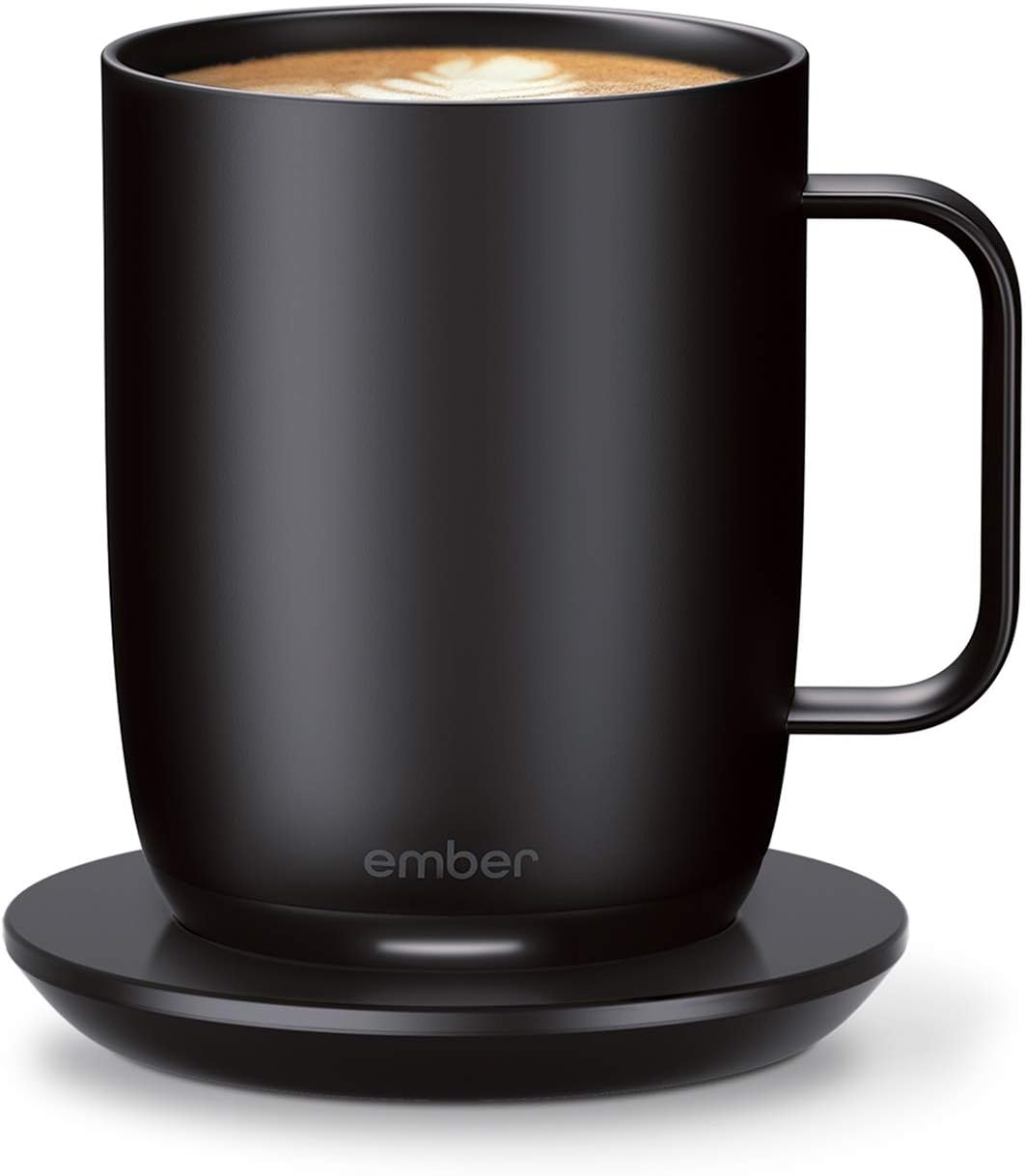
Figure 2.2: Ember Mug 2 on Charging Coaster
3. Operating Instructions
Temperature Control:
- Use the Ember app to precisely set your desired beverage temperature between 120°F (49°C) and 145°F (63°C).
- Without the app, the mug will default to 135°F (57°C) and remember your last used setting.

Figure 3.1: Ember App for Temperature Control
Smart Features:
- LED Indicator: The LED light at the base of the mug changes color to indicate various statuses: charging, reaching target temperature, or low battery.
- Auto Sleep: The mug intelligently senses when to turn on and off. It will wake up when hot liquid is poured in and go into sleep mode when empty or inactive.
- Battery Life: The 14oz Ember Mug 2 provides up to 80 minutes of battery life off the charging coaster. When placed on the coaster, it can maintain temperature all day.

Figure 3.2: Extended Warmth with Charging Coaster

Figure 3.3: Simple Steps to Enjoy Your Ember Mug
4. Maintenance
Cleaning Instructions:
- Hand Wash Only: The Ember Mug 2 features an updated scratch-resistant coating and is safe to hand wash.
- Fully Submersible: The mug is IPX7 rated and fully submersible up to 1 meter deep, making it easy to clean.
- DO NOT place the Ember Mug 2 in the dishwasher.
5. Troubleshooting
If you encounter any issues with your Ember Mug 2, please refer to the official user guide for detailed troubleshooting steps. Common issues may include connectivity problems, temperature inconsistencies, or charging difficulties. Ensure your mug is properly placed on the charging coaster and the Ember app is up to date.
6. Specifications
| Feature | Detail |
|---|---|
| Brand | Ember |
| Color | Black |
| Special Feature | Scratch Resistant, Programmable |
| Recommended Uses For Product | Home |
| Included Components | Charging coaster,Adapter,Quick start guide,Handle,Drinking Cup |
| Specific Uses For Product | Hot Drinks |
| Shape | Round |
| Pattern | Solid |
| Product Care Instructions | Hand Wash Only |
| Age Range (Description) | Adult |
| Material Feature | Insulated |
| Reusability | Reusable |
| Unit Count | 1.0 Count |
| Product Dimensions | 5.85"W x 6.24"H |
| Number of Items | 1 |
| Manufacturer | Ember |
| UPC | 810011400580 810011400641 |
| Global Trade Identification Number | 00810011400566 |
| Size | 14 oz |
| Item Weight | 2.6 pounds |
| ASIN | B07Z5H4TF5 |
| Country of Origin | China |
| Item model number | CM191400EU |
| Batteries | 2 A batteries required. (included) |
| Batteries required | Yes |
7. Warranty and Support
Warranty Information:
Ember’s 1 year limited warranty and 30-day return applies only for purchases "Sold By Ember Technologies" on Amazon.
Additional Support:
For a comprehensive user guide and further assistance, please download the official PDF manual: Ember Mug 2 User Guide (PDF)


