
Introduction
This manual provides comprehensive instructions for the AQUAPHOR Amethyst MAXFOR+ Water Filter Pitcher. It covers setup, operation, maintenance, and troubleshooting to ensure optimal performance and extend the life of your water filter pitcher. The AQUAPHOR MAXFOR+ filter cartridge utilizes AQUALEN technology to reduce chlorine, sediment, heavy metals (such as lead and copper), pesticides, phenols, and other unwanted substances from tap water. It also helps prevent limescale buildup and enriches water with magnesium for improved taste.
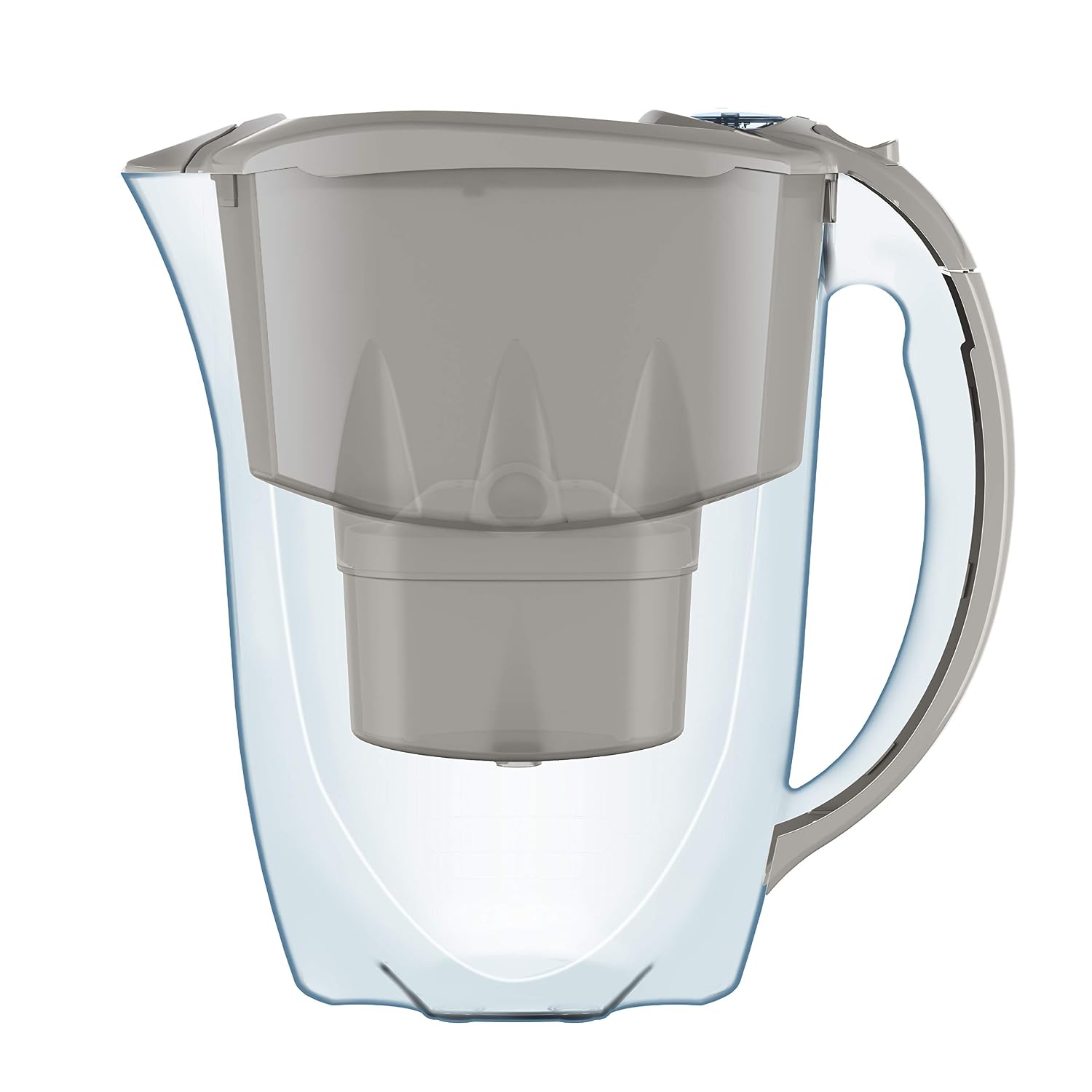
Image: The AQUAPHOR Amethyst MAXFOR+ Water Filter Pitcher with the filter cartridge visible inside.
What's in the Box
Upon unpacking, please ensure all components are present:
- 1 x AQUAPHOR Amethyst Water Filter Pitcher
- 3 x MAXFOR+ Filter Cartridges
- 1 x User Manual (English)
Setup Instructions
1. Initial Preparation
- Remove all packaging materials from the pitcher and filter cartridges.
- Wash the pitcher, funnel, and lid with mild detergent and warm water. The pitcher and funnel are dishwasher safe (top rack only), but the lid is not. Rinse thoroughly.
- Take one MAXFOR+ filter cartridge out of its protective packaging.
2. Priming the Filter Cartridge
Before first use, the filter cartridge must be primed to remove air bubbles and activate the filter media.
- Submerge the new filter cartridge in a bowl of cold water for approximately 5-10 minutes. Gently shake it to release any trapped air bubbles.
3. Inserting the Filter Cartridge
- Place the primed filter cartridge firmly into the opening in the funnel until it sits securely. Ensure there are no gaps between the filter and the funnel.

Image: Close-up of the AQUAPHOR MAXFOR+ filter cartridge, highlighting its design for impurity reduction.
4. First Use
- Fill the funnel with cold tap water. Allow the water to filter through completely.
- Discard the first two filtered batches of water. This flushes out any loose carbon particles and prepares the filter for regular use.
- Your AQUAPHOR Amethyst MAXFOR+ Water Filter Pitcher is now ready for use.
Operating Instructions
Filling the Pitcher
To fill the pitcher, simply slide back the lid's filling grid and pour cold tap water into the funnel. The water will pass through the MAXFOR+ filter cartridge and collect in the main pitcher reservoir. Avoid using hot water as it can damage the filter.

Image: The AQUAPHOR Amethyst MAXFOR+ Water Filter Pitcher positioned on a kitchen table.
Filter Cartridge Change Indicator
The AQUAPHOR Amethyst pitcher features a mechanical cartridge change indicator on the lid. Each time you slide back the grid to fill the jug, the indicator counts down. This mechanism helps you track the filter's lifespan and indicates when a replacement is due, ensuring consistent water quality without the need for batteries.
Water Quality
The filtered water is suitable for drinking, cooking, and preparing hot and cold beverages. The MAXFOR+ filter significantly reduces impurities, providing cleaner, better-tasting water.

Image: Illustration showing the benefit of filtered water for both hot and cold beverages.
Maintenance
Filter Cartridge Replacement
The MAXFOR+ filter cartridge has a capacity of up to 200 liters or approximately 1 month of use, depending on local water quality and consumption. Replace the filter cartridge when the mechanical indicator suggests it, or if you notice a decrease in filtration speed or water quality.
- Remove the old filter cartridge from the funnel.
- Dispose of the used cartridge responsibly.
- Follow the 'Priming the Filter Cartridge' and 'Inserting the Filter Cartridge' steps from the Setup section for the new cartridge.
- Reset the mechanical filter indicator on the lid by sliding the grid back and forth until it shows a full filter life.

Image: Diagram illustrating AQUAPHOR's AQUALEN Advanced Technology within the filter cartridge, showing enlarged filtration surface for improved performance.
Cleaning the Pitcher
Regularly clean the pitcher, funnel, and lid. The pitcher and funnel are dishwasher safe (excluding the lid). For manual cleaning, use mild detergent and warm water. Avoid abrasive cleaners or scouring pads.
Troubleshooting
- Slow Filtration: If the water filters slowly, the cartridge might be clogged or not properly primed. Remove the cartridge, re-prime it by submerging it in water and shaking, then reinsert it. If the issue persists, replace the filter cartridge.
- Unusual Taste/Odor: If the filtered water has an unusual taste or odor, ensure the filter cartridge was properly primed and the first two batches of water were discarded. If the problem continues, replace the filter cartridge.
- Water Leaks Around Filter: Ensure the filter cartridge is securely seated in the funnel. Press down firmly to create a tight seal.
- Mechanical Indicator Not Working: The mechanical indicator relies on the sliding motion of the lid. Ensure the lid is properly aligned and slides freely. If it still doesn't count down, it may be a mechanical fault, but the filter's function is not affected. Replace the filter cartridge based on the recommended monthly schedule.
Specifications
| Brand | AQUAPHOR |
| Model Name | Amethyst MAXFOR+ |
| Model Number | 500598_IRL (P82MFPSM) |
| Material | Plastic |
| Capacity | 2.8 Liters |
| Product Dimensions (L x W x H) | 9.72" x 4.53" x 9.84" (24.7cm x 11.5cm x 25cm) |
| Item Weight | 1.07 Kilograms |
| Purification Method | Ion Exchange |
| Special Features | BPA-free, Dishwasher safe (excluding lid), Fits inside fridge door |
| Upper Temperature Rating | 40 Degrees Celsius |
Warranty Information
AQUAPHOR products are manufactured to high-quality standards. For specific warranty terms and conditions applicable to your region, please refer to the warranty card included with your product or visit the official AQUAPHOR website. Keep your proof of purchase for any warranty claims.
Support
For further assistance, product information, or to purchase replacement filter cartridges, please visit the official AQUAPHOR website or contact AQUAPHOR customer service. Contact details can typically be found on the product packaging or the brand's official online presence.
Official AQUAPHOR Store: AQUAPHOR Water Filters on Amazon


