
1. Introduction
This manual provides essential information for the setup, operation, and maintenance of your Fossil Townsman Automatic Stainless Steel Watch, Model ME3172. This timepiece features a sophisticated automatic movement, eliminating the need for batteries, and is crafted from durable stainless steel with a smoke gray finish.
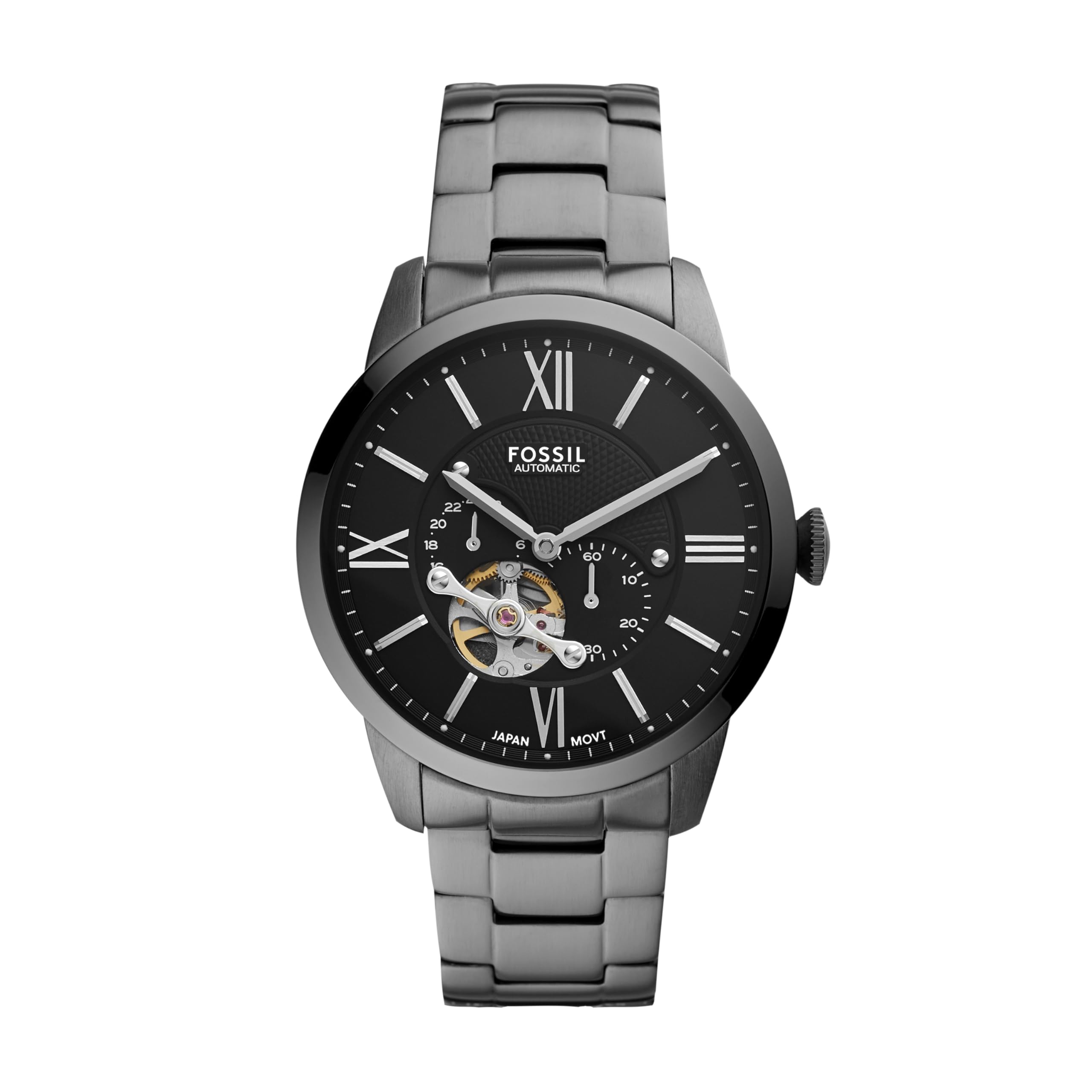
Figure 1: Front view of the Fossil Townsman Automatic Stainless Steel Watch (ME3172).
2. Setup
2.1 Unboxing
Your Fossil Townsman watch comes securely packaged. Carefully remove the watch from its protective tin and any plastic coverings. Retain the instructional booklet for future reference.
Video 1: Unboxing and close-up view of the Fossil Townsman Automatic Watch.
2.2 Initial Winding
As an automatic watch, the movement is powered by the motion of your wrist. If the watch has stopped, it may require an initial manual wind. To do this, gently rotate the crown clockwise approximately 40 times. This will build up a power reserve to start the watch.
2.3 Setting the Time
- Pull the crown out to the time-setting position.
- Rotate the crown to adjust the hour and minute hands to the correct time.
- Push the crown back into its original position to engage the movement.
2.4 Adjusting the Band
The stainless steel bracelet features a secure fold-over clasp closure. To open the clasp, press the buttons on the sides. If the band is too large, links can be removed by a qualified jeweler for a customized fit. The band is interchangeable with all 22mm Fossil watch straps.

Figure 2: Detail of the watch clasp.
3. Operating the Watch
Your Fossil Townsman watch is an automatic timepiece, meaning it is powered by the natural motion of your wrist. There is no battery to replace. Consistent wear ensures the watch remains wound and accurate. The watch features a transparent case back, allowing you to view the intricate mechanical movement.

Figure 3: Rear view of the watch, showcasing the automatic movement through the transparent case back.
The watch has a power reserve of approximately 42 hours. If the watch is not worn for an extended period, it may stop and require manual winding or wearing to restart.
4. Maintenance
4.1 Cleaning
To maintain the appearance of your watch, wipe the case and band with a soft, damp cloth. Avoid using harsh chemicals or abrasive materials, which can damage the finish or crystal.
4.2 Water Resistance
This watch is water resistant up to 50 meters (5 ATM). It is suitable for short periods of recreational swimming and showering. It is not suitable for diving or snorkeling. Ensure the crown is fully pushed in before any contact with water.
4.3 Storage
When not wearing your watch, store it in a cool, dry place away from direct sunlight and extreme temperatures. The original tin provides excellent protection.
5. Troubleshooting
5.1 Watch Not Running
If your automatic watch stops, it likely needs to be wound. Rotate the crown clockwise approximately 40 times to build up the power reserve. Alternatively, wear the watch for several hours to allow the automatic movement to wind itself through your natural wrist motion.
5.2 Inaccurate Time
Automatic watches may experience slight variations in timekeeping. If the watch is consistently inaccurate, ensure it is being worn regularly or manually wound sufficiently. If issues persist, professional servicing may be required.
6. Specifications
| Feature | Detail |
|---|---|
| Model Number | ME3172 |
| Case Diameter | 44 Millimeters |
| Band Width | 22 Millimeters |
| Case Thickness | 11 Millimeters |
| Band Length | 200 Millimeters |
| Material | Stainless Steel |
| Movement Type | Automatic |
| Water Resistance Depth | 50 Meters (5 ATM) |
| Crystal Type | Mineral |
| Clasp Type | Deployant Clasp |
| Item Weight | 100 Grams |
7. Warranty and Support
7.1 Warranty Information
Your Fossil Townsman watch is covered by a manufacturer's warranty. Please refer to the warranty card included with your purchase for specific terms, conditions, and duration. Keep your proof of purchase for warranty claims.
7.2 Customer Support
For any questions, technical assistance, or service requests not covered in this manual, please contact Fossil customer support directly. Visit the official Fossil website for contact information and service center locations.